
We’ve created this guide for students, parents, office users, casual streamers, retirees, and remote workers—anyone whose digital life flows through a browser. If your current machine stutters under too many tabs, struggles to play video smoothly, or takes forever to boot, you’re in the right place. Let’s talk about what actually matters in a web browsing laptop—and how you can choose one that feels fast, effortless, and future-ready.
It’s easy to assume that browsing is a low-demand activity. Open a browser, type in a URL, scroll around—done. But in reality, modern websites are highly dynamic. They use animations, embedded media, tracking scripts, and complex JavaScript. Every new tab you open adds more strain on your system. If your laptop doesn’t have the right specs, things slow down fast.
That’s especially true if you’re using Google Chrome, Microsoft Edge, or Safari with multiple extensions and background processes. QuickBooks Online, Google Docs, YouTube, Zoom, webmail platforms, cloud-based work tools—they all live in your browser now. Your laptop doesn’t just need to display the web; it needs to actively process it in real time.
Here’s what actually solves that problem:
The processor is key. A modern CPU ensures responsive loading, seamless video playback, and smooth tab switching. We recommend laptops with Intel Core i3/i5 or AMD Ryzen 3/5 processors, or Apple’s M1/M2 chips in MacBooks. These offer a solid mix of speed and power efficiency without draining the battery.
Memory matters too. Browsers are memory-hungry, especially when multiple tabs are open. That’s why you should look for 16GB of RAM as the standard. Anything less, and you’ll find yourself constantly reloading pages or experiencing sluggish performance when multitasking between sites or apps.
Next comes storage. An SSD (solid-state drive), not a traditional hard drive, is critical for modern computing. SSDs boot faster, load programs instantly, and make your system feel responsive. A 256GB SSD is enough for light browsing and streaming; if you store media files or download content regularly, consider 512GB or more.
Your screen matters, too. You’ll be looking at it for hours—so it should be clear, comfortable, and sharp. A Full HD display (1920×1080 resolution) with good contrast and anti-glare coating gives you crisp visuals and reduces eye fatigue. An IPS panel helps with wide viewing angles and better color accuracy, especially if you stream video or view photos online.
Connectivity can make or break your experience. Fast, stable Wi-Fi (preferably Wi-Fi 6) ensures smooth page loads, video calls, and cloud syncs—especially in multi-device households or public spaces like cafes or libraries. Good port selection is also important. USB-A, USB-C, and HDMI ports let you connect accessories, displays, or storage drives easily when needed.
Battery life is the final essential. A great web browsing laptop shouldn’t need to be plugged in all the time. Look for laptops offering at least 8 to 12 hours of battery life, which gives you the flexibility to browse, stream, and work from anywhere—without hunting for an outlet every few hours.
Every laptop we recommend in this guide features a capable, modern processor, at least 16GB of RAM, SSD storage, strong wireless connectivity, and a clear, full HD screen. These devices are tested to handle everyday scenarios: streaming in 1080p, loading graphic-heavy websites, video conferencing, typing in Google Docs, managing multiple Chrome tabs, and syncing with cloud services.
They offer reliability, responsiveness, and a quiet, lightweight experience that suits home use, travel, classroom settings, and casual work. They also boot quickly, run cool, and don’t get bogged down over time.
Best 2026 Laptops for Web Browsing;
Contents
- Samsung Galaxy Book6 Intel Core 5 Series 3 14 inch 16GB 512GB 2026
- Apple MacBook Air M5 13.6 inches 2560 x 1664 Pixels, 16GB unified memory, 1TB SSD, Apple M5 10-core CPU, 8-core GPU
- Dell Pro 14 Premium Core Ultra 5 335 16GB 512GB WUXGA 2026
- Acer Aspire Go 15 15.6 inches 1920 x 1080 Pixels, 8GB memory, 512GB SSD, Qualcomm Snapdragon C, Qualcomm Adreno integrated GPU
- HP OmniBook 3 16 Snapdragon C1-10-100 8GB 256GB 2026
- Samsung Galaxy Book6 Intel Core 5 Series 3 14 inch 8GB 512GB 2026
- LG gram 14 Ryzen AI 5 435 16GB 512GB WUXGA IPS 2026 Family Profile
- Microsoft Surface Laptop 13.8 inch 8th Edition Intel Core Ultra 5 335 (Series 3) Intel Graphics 16GB LPDDR5X 256GB removable Gen 4 SSD
- Lenovo Yoga Slim 7x 14 Snapdragon X2 Plus 16GB 512GB WUXGA OLED
- Dell Pro 5 Series 16 Core Ultra 5 335 16GB 512GB WUXGA 2026
- LG gram Book 16 Ryzen AI 7 32GB 1TB WUXGA IPS Touch 2026
- HP OmniBook 5 16 AMD Ryzen AI 7 H 445 24GB 512GB 2026
- Acer Aspire 14 AI 14 inches 1920 x 1200 Pixels, 32GB LPDDR5x, 1TB PCIe Gen 4 SSD, Intel Core Ultra 7 355, Intel Graphics
- Microsoft Surface Laptop 13 inch 2nd Edition Snapdragon X2 Plus 24GB 1TB removable PCIe Gen 4 SSD
- Lenovo Yoga 7a 2 in 1 14 Ryzen AI 7 445 16GB 512GB WUXGA OLED
- Lenovo IdeaPad 5a 2 in 1 15 Ryzen AI 7 445 16GB 1TB WUXGA IPS
- Acer Swift Spin 14 AI 14 inches 1920 x 1200 Pixels, 16GB LPDDR5x, 512GB PCIe Gen 4 SSD, Qualcomm Snapdragon X2 Plus, Qualcomm Adreno integrated GPU
Best Overall Laptops for Web Browsing
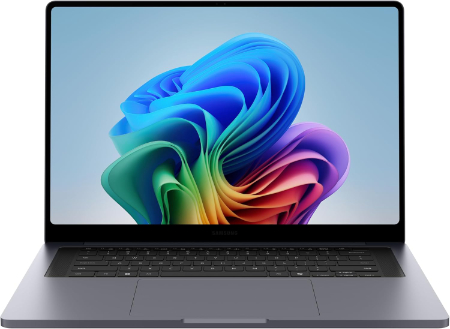
Samsung Galaxy Book6 Intel Core 5 Series 3 14 inch 16GB 512GB 2026 |
|
|---|---|
 Check This On Amazon |
|
| CPU | Intel Core 5 Series 3 processor; integrated NPU up to 15 TOPS |
| GPU | Integrated Intel Graphics |
| Display Size | 14 inch, 16:10 |
| Display Resolution | WUXGA LCD 1920 × 1200, 350 nits, anti glare, 60Hz |
| RAM | 16GB LPDDR5X onboard |
| Storage Space | 512GB PCIe NVMe SSD |
| Operating System | Windows 11 Home or Windows 11 Pro depending on region |
| Ports | 2 × USB Type C; 1 × USB Type A; HDMI 1.4 (up to 4K at 30Hz); 3.5 mm headphone/microphone combo |
| Dimensions (L x W x H) | 12.32 × 8.70 × 0.62 inches (width × depth × thickness) |
| Weight | 2.97 lb (1.35 kg) |
| Pros | long rated video battery life |
| Cons | No Copilot+ PC features |
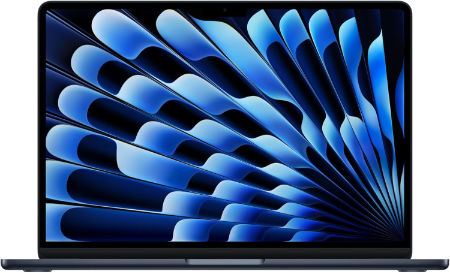
Apple MacBook Air M5 13.6 inches 2560 x 1664 Pixels, 16GB unified memory, 1TB SSD, Apple M5 10-core CPU, 8-core GPU |
|
|---|---|
 Check This On Amazon |
|
| CPU | Apple M5, 10-core CPU |
| GPU | 8-core GPU |
| Display Size | 13.6 inches |
| Display Resolution | 2560 x 1664 Pixels; Liquid Retina IPS, 500 nits, 60Hz |
| RAM | 16GB unified memory |
| Storage Space | 1TB SSD |
| Operating System | macOS |
| Ports | 2 x Thunderbolt 4 USB-C, MagSafe 3, 3.5mm headphone jack |
| Dimensions (L x W x H) | 11.97 x 8.46 x 0.44 inches |
| Weight | 2.7 pounds |
| Pros | Fanless design; long battery life; bright P3 display; efficient performance; hardware ray tracing |
| Cons | |
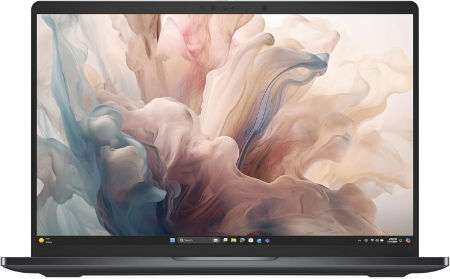
Dell Pro 14 Premium Core Ultra 5 335 16GB 512GB WUXGA 2026 |
|
|---|---|
 Check This On Amazon |
|
| CPU | Intel Core Ultra 5 335 vPro, 8 cores, up to 4.6 GHz, NPU up to 47 TOPS |
| GPU | Integrated Intel Graphics, 4 Xe cores |
| Display Size | 14 inch, 16:10 |
| Display Resolution | WUXGA 1920 × 1200 non touch IPS LCD, 500 nits, 100% sRGB, anti glare, low power |
| RAM | 16GB LPDDR5X up to 8533 MT/s onboard, not upgradeable |
| Storage Space | 512GB PCIe NVMe SSD |
| Operating System | Windows 11 Pro, Copilot+ PC |
| Ports | 2 × Thunderbolt 4 USB C with DisplayPort 2.1 and Power Delivery; USB A 3.2 Gen 1 with PowerShare; HDMI 2.1; 3.5 mm headset jack |
| Dimensions (L x W x H) | Approx. 12.25 × 8.53 inches; height varies by display and battery option |
| Weight | From 2.54 lb on the lightweight FHD display configuration |
| Pros | Lightweight business chassis; bright 500 nit display with full sRGB coverage; enterprise Intel vPro management; modern AI features. |
| Cons | Memory is soldered; integrated graphics are not intended for heavy 3D rendering; premium business pricing. |
Best Budget Laptops for Web Browsing
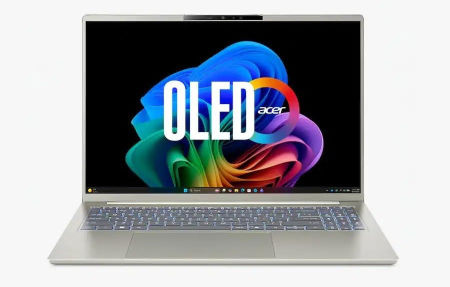
Acer Aspire Go 15 15.6 inches 1920 x 1080 Pixels, 8GB memory, 512GB SSD, Qualcomm Snapdragon C, Qualcomm Adreno integrated GPU |
|
|---|---|
 Check This On Amazon |
|
| CPU | Qualcomm Snapdragon C |
| GPU | Qualcomm Adreno integrated GPU |
| Display Size | 15.6 inches |
| Display Resolution | 1920 x 1080 Pixels; Full HD IPS, 60Hz |
| RAM | 8GB memory |
| Storage Space | 512GB SSD |
| Operating System | Windows 11 |
| Ports | 2 x USB-C, USB-A, HDMI 1.4, audio jack |
| Dimensions (L x W x H) | 14.3 x 9.4 x 0.7 inches |
| Weight | 3.7 pounds |
| Pros | Budget oriented; efficient platform; USB-C connectivity |
| Cons | Entry level performance; 8GB memory; Windows on Arm compatibility varies |
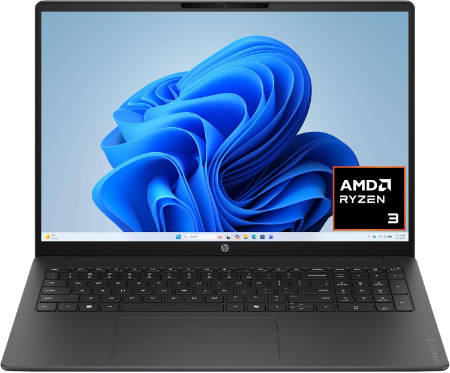
HP OmniBook 3 16 Snapdragon C1-10-100 8GB 256GB 2026 |
|
|---|---|
 Check This On Amazon |
|
| CPU | Qualcomm Snapdragon C1-10-100, 8 cores up to 3.0 GHz, Hexagon NPU up to 12 TOPS |
| GPU | Integrated Qualcomm Adreno GPU |
| Display Size | 16 inch, 16:10 |
| Display Resolution | 16 inch display |
| RAM | 8GB LPDDR5 6400 MT/s onboard |
| Storage Space | 256GB storage |
| Operating System | Windows 11 Home or other regional OS |
| Ports | USB C; USB A; HDMI; headphone/microphone combo |
| Dimensions (L x W x H) | Approx. 14.1 × 9.6 × 0.7 inches |
| Weight | Approx. 3.7 lb |
| Pros | Low cost platform for browsing, streaming and light school or office tasks. |
| Cons | entry processor is not suitable for heavy multitasking |
Samsung Galaxy Book6 Intel Core 5 Series 3 14 inch 8GB 512GB 2026 |
|
|---|---|
Check This On Amazon |
|
| CPU | Intel Core 5 Series 3 processor; integrated NPU up to 15 TOPS |
| GPU | Integrated Intel Graphics |
| Display Size | 14 inch, 16:10 |
| Display Resolution | WUXGA LCD 1920 × 1200, 350 nits, anti glare, 60Hz |
| RAM | 8GB LPDDR5X onboard |
| Storage Space | 512GB PCIe NVMe SSD |
| Operating System | Windows 11 Home or Windows 11 Pro depending on region |
| Ports | 2 × USB Type C; 1 × USB Type A; HDMI 1.4 (up to 4K at 30Hz); 3.5 mm headphone/microphone combo |
| Dimensions (L x W x H) | 12.32 × 8.70 × 0.62 inches (width × depth × thickness) |
| Weight | 2.97 lb (1.35 kg) |
| Pros | light chassis; long rated video battery life |
| Cons | |
Best Lightweight Laptops for Web Browsing
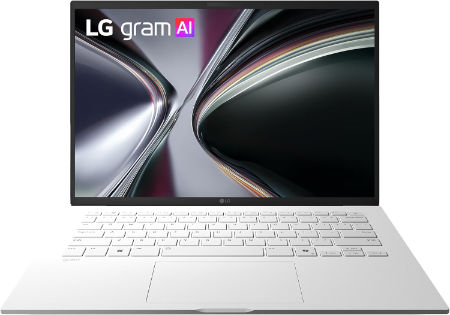
LG gram 14 Ryzen AI 5 435 16GB 512GB WUXGA IPS 2026 Family Profile |
|
|---|---|
 Check This On Amazon |
|
| CPU | AMD Ryzen AI 5 435, 6 cores and 12 threads, up to 4.5GHz, NPU up to 50 TOPS |
| GPU | Integrated AMD Radeon graphics |
| Display Size | 14 inch, 16:10 |
| Display Resolution | WUXGA 1920 × 1200 IPS, 60Hz, 350 nits, 99% DCI P3 typical, anti glare |
| RAM | 16GB LPDDR5X 7500 MT/s onboard |
| Storage Space | 512GB M.2 PCIe Gen 4 NVMe SSD |
| Operating System | Windows 11 Pro or Windows 11 Home, depending on market |
| Ports | 2 × USB A 3.2 Gen 1; 2 × USB C 3.2 Gen 2 with DisplayPort and Power Delivery; HDMI 2.1; 3.5mm headset combo jack |
| Dimensions (L x W x H) | 13.98 × 8.80 × 0.59 to 0.61 inches |
| Weight | 2.47 lb (1.12 kg) |
| Pros | Light 14 inch design; WUXGA screen with broad color coverage; efficient processor with NPU; SSD capacity suits everyday study and office work. |
| Cons | integrated graphics have limits for heavier creative applications. |
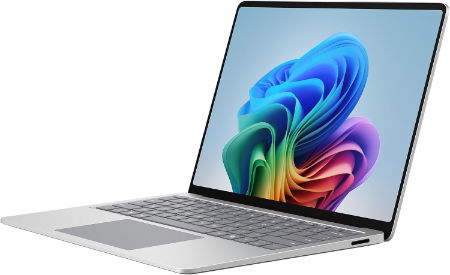
Microsoft Surface Laptop 13.8 inch 8th Edition Intel Core Ultra 5 335 (Series 3) Intel Graphics 16GB LPDDR5X 256GB removable Gen 4 SSD |
|
|---|---|
 Check This On Amazon |
|
| CPU | Intel Core Ultra 5 335 (Series 3); NPU up to 47 TOPS for Ultra 5 or 50 TOPS for Ultra 7 / X7 |
| GPU | Intel Graphics |
| Display Size | 13.8 inch touchscreen, 3:2 aspect ratio |
| Display Resolution | PixelSense Flow LCD, 2304 × 1536, up to 120Hz dynamic refresh, 201 PPI, up to 600 nits |
| RAM | 16GB LPDDR5X |
| Storage Space | 256GB removable Gen 4 SSD |
| Operating System | Windows 11 Pro |
| Ports | 2 × USB C with USB4 / Thunderbolt 4; USB A 3.2; 3.5mm audio jack; Surface Connect; DisplayPort 2.1 |
| Dimensions (L x W x H) | 11.85 × 8.67 × 0.69 inches (length × width × height) |
| Weight | 2.97 lb (1.35 kg); privacy screen configuration is 3.00 lb |
| Pros | 120Hz color calibrated touchscreen |
| Cons | Integrated graphics rather than a discrete GPU |
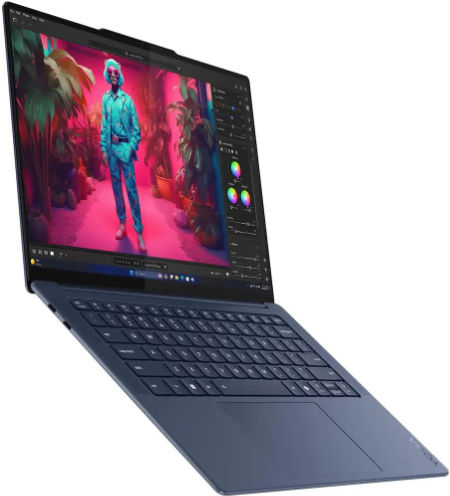
Lenovo Yoga Slim 7x 14 Snapdragon X2 Plus 16GB 512GB WUXGA OLED |
|
|---|---|
 Check This On Amazon |
|
| CPU | Qualcomm Snapdragon X2 Plus X2P 42 100, 6 cores, up to 4.0 GHz, NPU up to 80 TOPS |
| GPU | Integrated Qualcomm Adreno graphics |
| Display Size | 14 inch, 16:10 |
| Display Resolution | WUXGA OLED 1920 × 1200, 60Hz, 400 nits SDR, 600 nits HDR peak, 100% DCI P3 |
| RAM | 16GB LPDDR5X 9523MHz soldered |
| Storage Space | 512GB PCIe 4.0 NVMe SSD |
| Operating System | Windows 11 Home or Windows 11 Pro ARM |
| Ports | 3 × USB C USB4 40Gbps with USB Power Delivery and DisplayPort 1.4; no USB A; no built in Ethernet |
| Dimensions (L x W x H) | 12.28 × 8.70 × 0.55 inches |
| Weight | 2.58 lb starting weight for non touch models |
| Pros | Lightweight design; OLED contrast and full DCI P3 color; efficient Snapdragon platform; long battery potential. |
| Cons | Windows ARM application compatibility should be checked |
Best Large Screen Laptops for Web Browsing
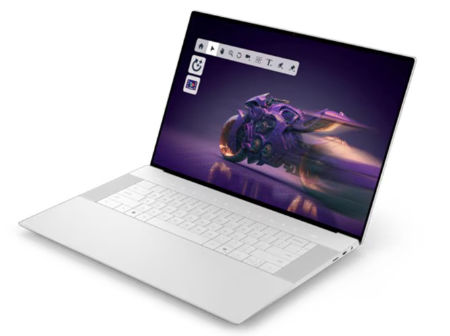
Dell Pro 5 Series 16 Core Ultra 5 335 16GB 512GB WUXGA 2026 |
|
|---|---|
 Check This On Amazon |
|
| CPU | Intel Core Ultra 5 335 vPro, 8 cores, up to 4.6 GHz, NPU up to 47 TOPS |
| GPU | Integrated Intel Graphics, 4 Xe cores |
| Display Size | 16 inch, 16:10 |
| Display Resolution | WUXGA 1920 × 1200 non touch IPS, 400 nits, 62.5% sRGB, anti glare |
| RAM | 16GB DDR5 5600 MT/s, one SO DIMM |
| Storage Space | 512GB PCIe Gen 4 ×4 NVMe SSD |
| Operating System | Windows 11 Pro, Copilot+ PC |
| Ports | 2 × Thunderbolt 4 USB C with DisplayPort 2.1 and Power Delivery; 2 × USB A 5Gbps including PowerShare; HDMI 2.1; RJ45 Ethernet; headset jack |
| Dimensions (L x W x H) | 14.12 × 9.98 inches; height about 0.43 inches at front and up to 0.74 inches at rear |
| Weight | From 4.02 lb |
| Pros | Large 16 inch work area; Ethernet and full business port selection |
| Cons | Bulkier than a 14 inch business laptop; 16GB base RAM may need expansion; display gamut is 62.5% sRGB. |
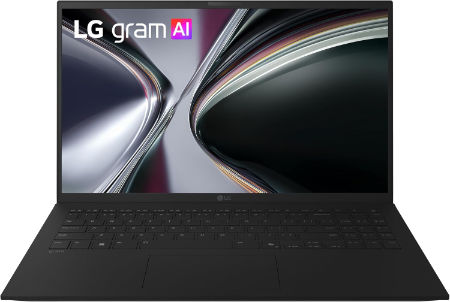
LG gram Book 16 Ryzen AI 7 32GB 1TB WUXGA IPS Touch 2026 |
|
|---|---|
 Check This On Amazon |
|
| CPU | AMD Ryzen AI 7 processor, Gorgon Point family; exact part number may vary by region |
| GPU | Integrated AMD Radeon graphics |
| Display Size | 16 inch, 16:10 touchscreen |
| Display Resolution | WUXGA 1920 × 1200 IPS touchscreen, 48 to 120Hz VRR, 400 nits touch panel, 100% sRGB typical |
| RAM | 32GB LPDDR5X 7467 MT/s onboard |
| Storage Space | 1TB NVMe SSD; dual M.2 slots on the global model family |
| Operating System | Windows 11 Home, Copilot+ PC |
| Ports | 2 × USB A 3.2 Gen 1; 2 × USB C 3.2 Gen 2 with Power Delivery; HDMI; 3.5mm headset combo jack |
| Dimensions (L x W x H) | 14.0 × 10.0 × 0.64 inches |
| Weight | 3.96 lb (1.80 kg) |
| Pros | Large 16 inch touchscreen; 32GB RAM and 1TB storage; 77Wh battery; adaptive refresh rate; dual M.2 SSD storage expansion. |
| Cons | Soldered memory; integrated graphics |
Best Laptops for Multitasking and Many Browser Tabs
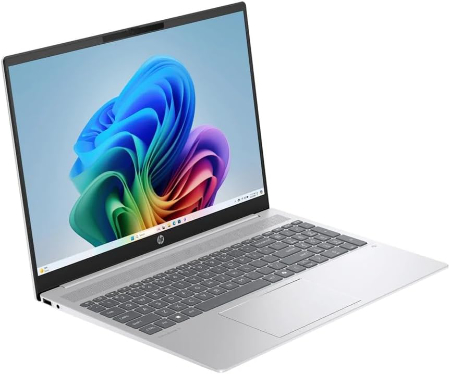
HP OmniBook 5 16 AMD Ryzen AI 7 H 445 24GB 512GB 2026 |
|
|---|---|
 Check This On Amazon |
|
| CPU | AMD Ryzen AI 7 H 445, 6 cores, up to 4.6 GHz, NPU 50 TOPS |
| GPU | Integrated AMD Radeon 840M graphics |
| Display Size | 16 inch, 16:10 |
| Display Resolution | 16 inch 2K OLED 1920 × 1200, 300 nits, 100% DCI P3 |
| RAM | 24GB LPDDR5X 8000 MT/s onboard |
| Storage Space | 512GB PCIe Gen 4 NVMe SSD |
| Operating System | Windows 11 Home or Windows 11 Pro |
| Ports | 2 × USB C with USB Power Delivery and DisplayPort 2.1; 2 × USB A; HDMI 2.1; headphone/microphone combo |
| Dimensions (L x W x H) | 35.5 × 24.5 × 1.45 cm at rear (approx. 13.98 × 9.65 × 0.57 inches) |
| Weight | 3.75 lb starting weight |
| Pros | Good everyday AI productivity; OLED contrast; 24GB memory helps with multitasking. |
| Cons | 300 nit display is less bright than premium OLED panels; soldered memory; integrated graphics. |
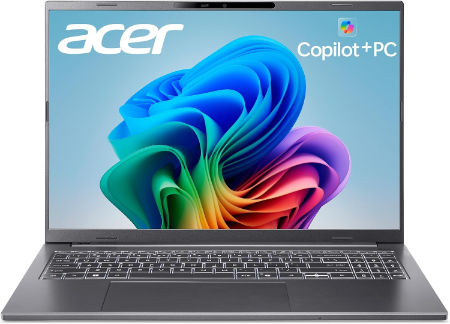
Acer Aspire 14 AI 14 inches 1920 x 1200 Pixels, 32GB LPDDR5x, 1TB PCIe Gen 4 SSD, Intel Core Ultra 7 355, Intel Graphics |
|
|---|---|
 Check This On Amazon |
|
| CPU | Intel Core Ultra 7 355 |
| GPU | Intel Graphics |
| Display Size | 14 inches |
| Display Resolution | 1920 x 1200 Pixels; WUXGA IPS, up to 120Hz; OLED option |
| RAM | 32GB LPDDR5x |
| Storage Space | 1TB PCIe Gen 4 SSD |
| Operating System | Windows 11 |
| Ports | USB-C, USB-A, HDMI, audio combo jack |
| Dimensions (L x W x H) | 12.4 x 8.7 x 0.7 inches |
| Weight | 3.1 pounds |
| Pros | 180 degree hinge; Copilot+ PC; OLED option; good everyday productivity |
| Cons | Integrated graphics; memory soldered; screen and CPU vary by SKU |
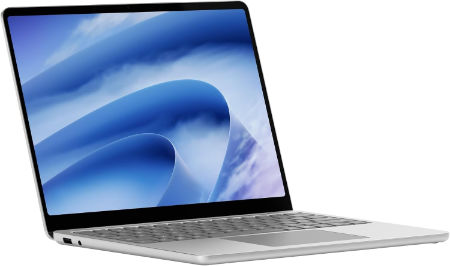
Microsoft Surface Laptop 13 inch 2nd Edition Snapdragon X2 Plus 24GB 1TB removable PCIe Gen 4 SSD |
|
|---|---|
 Check This On Amazon |
|
| CPU | Qualcomm Snapdragon X2 Plus, 6 cores, Qualcomm Hexagon NPU up to 80 TOPS |
| GPU | Integrated Qualcomm Adreno GPU |
| Display Size | 13 inch touchscreen, 3:2 aspect ratio |
| Display Resolution | PixelSense LCD, 1920 × 1280, 60Hz, 178 PPI, 1000:1 contrast, up to 500 nits |
| RAM | 24GB LPDDR5X |
| Storage Space | 1TB removable PCIe Gen 4 SSD |
| Operating System | Windows 11 Home (consumer) or Windows 11 Pro (business) |
| Ports | 2 × USB C 3.2 with DisplayPort 1.4a; 1 × USB A 3.2; 3.5mm headphone jack |
| Dimensions (L x W x H) | 11.25 × 8.43 × 0.61 inches (length × width × height) |
| Weight | 2.70 lb (1.23 kg) |
| Pros | Lightweight; long rated battery life |
| Cons | ARM application compatibility |
Best 2 in 1 and Touchscreen Laptops for Web Browsing
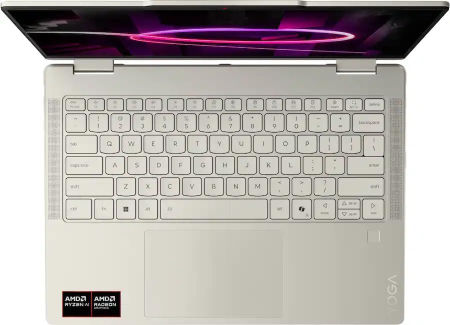
Lenovo Yoga 7a 2 in 1 14 Ryzen AI 7 445 16GB 512GB WUXGA OLED |
|
|---|---|
 Check This On Amazon |
|
| CPU | AMD Ryzen AI 7 445, 6 cores, up to 4.6 GHz, NPU up to 50 TOPS |
| GPU | Integrated AMD Radeon 840M graphics |
| Display Size | 14 inch, 16:10 convertible touchscreen |
| Display Resolution | WUXGA OLED 1920 × 1200, 400 nits, 100% DCI P3 and sRGB, 60Hz, Dolby Vision |
| RAM | 16GB LPDDR5X 8000MHz soldered |
| Storage Space | 512GB PCIe 4.0 NVMe SSD; supports up to 2TB |
| Operating System | Windows 11 Home or Windows 11 Pro |
| Ports | 2 × USB A; 2 × USB C; HDMI; microSD card reader; 3.5 mm audio combo jack |
| Dimensions (L x W x H) | Approx. 12.5 × 8.9 × 0.7 inches; |
| Weight | Approx. 3.1 lb |
| Pros | Convertible design with OLED touch; Ryzen AI platform; four speaker Dolby Atmos system |
| Cons | RAM is soldered; 60Hz panel; Radeon 840M suits everyday graphics rather than demanding 3D applications. |
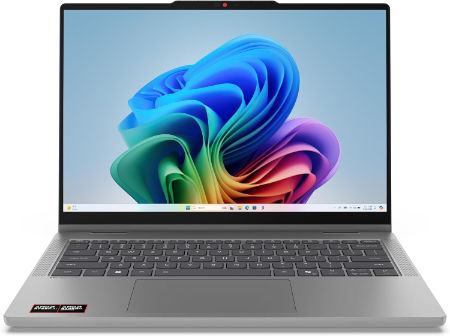
Lenovo IdeaPad 5a 2 in 1 15 Ryzen AI 7 445 16GB 1TB WUXGA IPS |
|
|---|---|
 Check This On Amazon |
|
| CPU | AMD Ryzen AI 7 445, 6 cores, up to 4.6 GHz, NPU up to 50 TOPS |
| GPU | Integrated AMD Radeon 840M graphics |
| Display Size | 15.3 inch, 16:10 convertible touchscreen |
| Display Resolution | WUXGA 1920 × 1200 IPS touch, 400 nits, 45% NTSC, 60Hz, glass panel; |
| RAM | 16GB DDR5 5600MHz, SO DIMM; upgradeable up to 32GB |
| Storage Space | 1TB PCIe 4.0 NVMe SSD |
| Operating System | Windows 11 Home or Windows 11 Pro |
| Ports | 2 × USB A; 2 × USB C; HDMI; microSD card reader; 3.5 mm audio combo jack |
| Dimensions (L x W x H) | Approx. 13.6 × 9.3 × 0.7 inches |
| Weight | Approx. 3.9 lb |
| Pros | Six core Ryzen AI processor; upgradeable memory; 1TB storage; convertible display suits note taking and presentations. |
| Cons | Limited display gamut on the IPS configuration |
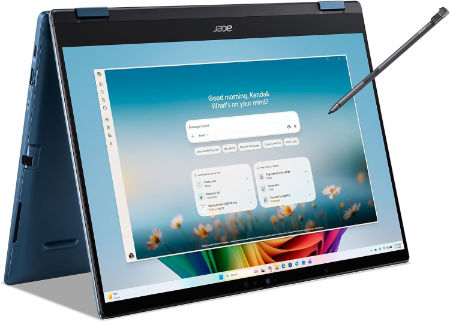
Acer Swift Spin 14 AI 14 inches 1920 x 1200 Pixels, 16GB LPDDR5x, 512GB PCIe Gen 4 SSD, Qualcomm Snapdragon X2 Plus, Qualcomm Adreno integrated GPU |
|
|---|---|
 Check This On Amazon |
|
| CPU | Qualcomm Snapdragon X2 Plus |
| GPU | Qualcomm Adreno integrated GPU |
| Display Size | 14 inches |
| Display Resolution | 1920 x 1200 Pixels; IPS touchscreen, 120Hz, 100% sRGB |
| RAM | 16GB LPDDR5x |
| Storage Space | 512GB PCIe Gen 4 SSD |
| Operating System | Windows 11 |
| Ports | 2 x USB-C USB4, 2 x USB-A, HDMI 2.1, audio combo jack |
| Dimensions (L x W x H) | 12.35 x 9.07 x 0.65 inches |
| Weight | 2.95 pounds |
| Pros | Convertible touchscreen; efficient platform; stylus support; portable |
| Cons | Arm software compatibility varies; 16GB memory may constrain creative work; integrated graphics |