

We’ve created this guide specifically for undergraduate and graduate mechanical engineering students who demand a laptop that works. If you’re entering your first year or preparing for a senior design capstone, this guide gives you the clarity and confidence to invest in a system that will not only meet your course requirements but also grow with you as your projects become more complex.
Mechanical engineering is about equations and reports, but also simulation, CAD modeling, circuit design, FEA rendering, 3D visualization, and software-based problem solving. As a student in this field, you don’t just need a laptop that opens PDFs—you need one that can run SolidWorks, MATLAB, AutoCAD, ANSYS, Fusion 360, and Python scripts without breaking a sweat. And it needs to do all this while still being portable enough to carry between lectures, labs, and libraries.
Unlike general-purpose majors, engineering students deal with programs that consume huge system resources. Finite element analysis? Processor intensive. 3D modeling? Graphics heavy. Simulation environments like Simulink or ANSYS? They demand multi-core processing, robust memory handling, and high-speed storage. And when you’re multitasking between design tools, coding environments, PDFs, and Excel spreadsheets, the system load multiplies quickly.
A laptop with underpowered components becomes a liability—one that crashes during renders, lags during simulation, or takes forever to compile a code module. Over time, these inefficiencies compromise your ability to deliver accurate results under academic pressure.
The solution?
First, you need a powerful CPU. Multithreaded software like MATLAB or ANSYS benefits from high clock speeds and multiple cores. That’s why we recommend laptops with Intel Core i7 or i9 (H-series), AMD Ryzen 7 or 9, or Apple’s M-series Pro chips. These processors can handle large datasets, run simulations faster, and power through compile-heavy tasks without thermal throttling.
Next, let’s talk about RAM. Most mechanical engineering software stacks are memory-intensive, especially when you’re modeling complex systems or running simulations. A minimum of 16GB RAM is recommended, and 32GB is ideal if you’re working on assembly-level CAD designs or multitasking with virtual machines or code libraries.
Graphics capability is another non-negotiable. Many engineering apps are GPU-accelerated, especially CAD software and simulation platforms. You’ll want a discrete GPU—NVIDIA GeForce RTX series or workstation-grade cards like the NVIDIA RTX A1000 or A2000. These accelerate rendering, help with real-time previewing in CAD, and improve the responsiveness of 3D environments.
Storage? Mechanical engineers work with large project files, simulation outputs, and complex installation packages. Speed and space matter. You should look for NVMe SSDs with a minimum of 512GB, though 1TB is preferred. This ensures fast software launches, file saves, and simulation runs—while leaving space for academic documents, software installers, and media.
Display quality directly affects how you interact with your projects. For detailed designs and blueprint reviews, a 15.6-inch Full HD display (1920×1080) with color-accurate output and an IPS panel gives you clarity and consistent visuals. Some students prefer larger displays or 4K resolution—but remember: this increases power consumption and weight, so balance it with portability.
Port selection should not be overlooked. You’ll likely be connecting external monitors, Arduino boards, USB instruments, or even 3D printers. You’ll need USB-A and USB-C ports, HDMI, Ethernet, and possibly Thunderbolt 3 or 4 for faster data transfer or docking. A built-in SD card reader is a bonus for project documentation or media handling.
Battery life is important but secondary to performance. Many powerful laptops offer 5 to 8 hours of moderate use, which is usually enough to get through classes, especially if you can plug in during lab work. Portability, on the other hand, matters more: aim for a durable, lightweight chassis that fits easily in a backpack without compromising on thermals.
We’ve selected laptops that meet and exceed the following academic use cases:
- Running SolidWorks with large assemblies
- Executing complex MATLAB scripts and simulations
- Using AutoCAD and Fusion 360 with rendering plug-ins
- Simulating stress and thermal loads in ANSYS
- Compiling and testing Python/C++ projects
- Managing large datasets in Excel or coding environments
- Researching and referencing across multiple tabs and PDFs
- Writing reports and preparing presentations
These laptops are engineered to perform, handling both the rigors of your course and the real-world workflows you’ll encounter during internships or co-op programs. They offer stability, speed, and resilience, so you’re never bottlenecked by your hardware.
You should also take a look at the best laptop for Engineering Students in addition to the best laptop for Electrical Engineering Students.
Best 2026 Laptops for Mechanical Engineering Students;
Contents
- Lenovo Yoga Pro 9i Aura Edition 16 Ultra 7 356H RTX 5060 32GB 1TB 3.2K OLED
- Dell Alienware 16X Aurora Ultra9 290HXPlus RTX5070Ti 32GB 2TB OLED 240Hz
- GIGABYTE AERO X16 Ryzen AI 9 465 RTX 5070 12GB 16 inch WQXGA 165Hz
- Lenovo LOQ 15AHP11 Ryzen 7 253 RTX 5050 16GB 512GB WUXGA 165Hz
- Acer Nitro V 16 AI 16 inches 2560 x 1600 Pixels, 16GB DDR5, 1TB PCIe Gen 4 SSD, Intel Core Ultra 7 356H, NVIDIA GeForce RTX 5060 Laptop GPU 8GB GDDR7
- GIGABYTE GAMING A16 Ryzen 7 170 RTX 5060 16 inch WUXGA 165Hz
- MSI Stealth 16 AI+ 16 inches 240Hz OLED 2560 x 1600 Pixels, 1TB Storage, 32GB RAM, Intel Core Ultra 7 356H, NVIDIA GeForce RTX 5070 Ti Laptop GPU 12GB GDDR7
- Acer Predator Helios Neo 16S AI 16 inches 2560 x 1600 Pixels, 32GB DDR5, 1TB PCIe Gen 4 SSD, Intel Core Ultra 9 386H, NVIDIA GeForce RTX 5070 Ti Laptop GPU 12GB GDDR7
- AORUS MASTER 16 Intel Core Ultra 9 275HX RTX 5070 Ti 16 inch OLED 240Hz
- Razer Blade 18 2026 Core Ultra 9 290HX Plus RTX 5090 128GB 2TB Dual Mode
- HP OmniBook Ultra 16 NVIDIA RTX Spark N1X 20 core CPU 6144 core GPU 128GB 2TB 2026
- Dell XPS 16 Creator Edition 20Core 6144GPU 128GB 2TB 3.2K OLED 2026
- Acer TravelMate P4 14 AI 14 inches 1920 x 1200 Pixels, 32GB DDR5, 1TB PCIe SSD, Intel Core Ultra 7 365 vPro, Intel Graphics
- Lenovo ThinkPad X1 Carbon Gen 14 Ultra X7 358H 64GB 1TB 2.8K OLED 120Hz
- Lenovo Yoga Pro 7i Aura Edition 15 Ultra 9 386H RTX 5060 32GB 1TB OLED
- MSI Titan 18 HX 18 inches 240Hz Mini LED 3840 x 2400 Pixels, 4TB Storage, 64GB RAM, Intel Core Ultra 9 290HX Plus, NVIDIA GeForce RTX 5090 Laptop GPU 24GB GDDR7
- AORUS MASTER 16 GEN 2 Ryzen 9 9955HX3D RTX 5090 16 inch 2.5K OLED 240Hz
- AORUS MASTER 18 Core Ultra 9 275HX RTX 5090 18 inch Mini LED 240Hz
- MORE LAPTOP RECOMMENDATIONS
Best Overall Laptops for Mechanical Engineering Students
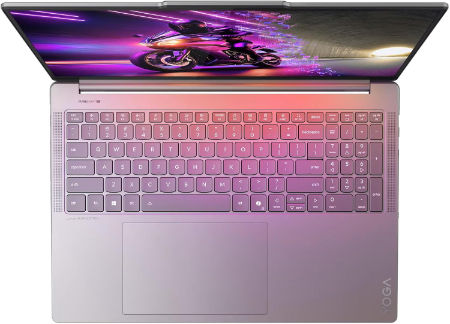
Lenovo Yoga Pro 9i Aura Edition 16 Ultra 7 356H RTX 5060 32GB 1TB 3.2K OLED |
|
|---|---|
 Check This On Amazon |
|
| CPU | Intel Core Ultra 7 356H, 16 cores, up to 4.7 GHz, NPU up to 50 TOPS |
| GPU | NVIDIA GeForce RTX 5060 Laptop GPU, 8GB GDDR7 |
| Display Size | 16 inch, 16:10 |
| Display Resolution | 16 inch 3.2K OLED 3200 × 2000, 120Hz, up to 1600 nits HDR peak / 1000 nits typical, 100% P3 and sRGB, DisplayHDR 1000, touchscreen |
| RAM | 32GB LPDDR5X 7467MHz soldered |
| Storage Space | 1TB PCIe 4.0 NVMe SSD; two M.2 slots available |
| Operating System | Windows 11 Home or Windows 11 Pro |
| Ports | 2 × USB A 10Gbps; 2 × Thunderbolt 4 USB C; HDMI 2.1; SD card reader; 3.5 mm headset combo jack; Lenovo Slim Tip power |
| Dimensions (L x W x H) | 14.20 × 9.80 × 0.68 inches |
| Weight | 4.19 lb (starting weight) |
| Pros | Dedicated RTX graphics and high resolution OLED suit video editing, CAD visualization and 3D content; 120Hz display with wide color gamut. |
| Cons | Soldered RAM; premium price; |
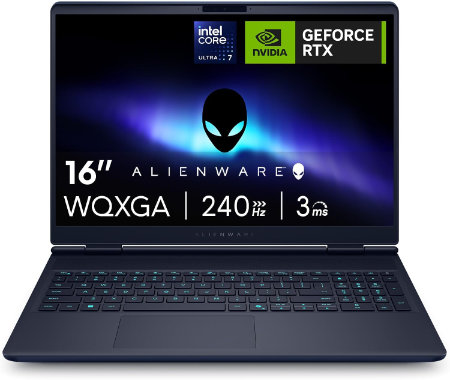
Dell Alienware 16X Aurora Ultra9 290HXPlus RTX5070Ti 32GB 2TB OLED 240Hz |
|
|---|---|
 Check This On Amazon |
|
| CPU | Intel Core Ultra 9 290HX Plus, 24 cores, up to 5.5 GHz |
| GPU | NVIDIA GeForce RTX 5070 Ti Laptop GPU, 12GB GDDR7 |
| Display Size | 16 inch, 16:10 |
| Display Resolution | 16 inch WQXGA 2560 × 1600 anti glare OLED, 240Hz, 120% DCI P3 color volume, 620 nits HDR, G SYNC |
| RAM | 32GB DDR5 5600 MT/s, 2 × 16GB |
| Storage Space | 2TB M.2 2280 PCIe Gen 5 SSD |
| Operating System | Windows 11 Home |
| Ports | 2 × USB A 5Gbps; 1 × USB C 10Gbps with Power Delivery; 1 × Thunderbolt 4 with DisplayPort 2.1; HDMI 2.1; 1GbE RJ45; headset jack; power connector |
| Dimensions (L x W x H) | 14.05 × 10.45 × 0.92 inches at rear (width × depth × maximum rear height) |
| Weight | 5.66 lb starting weight |
| Pros | 240Hz OLED; 96Wh battery; RTX 50 Series graphics; socketed DDR5 memory and high speed NVMe storage options |
| Cons | 5.66 lb starting weight |
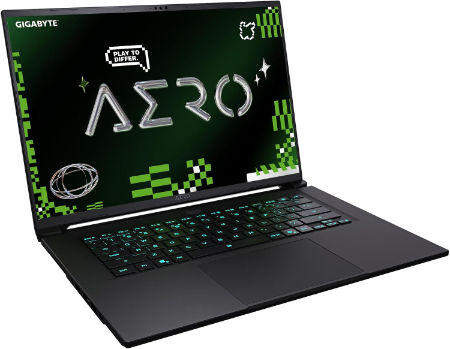
GIGABYTE AERO X16 Ryzen AI 9 465 RTX 5070 12GB 16 inch WQXGA 165Hz |
|
|---|---|
 Check This On Amazon |
|
| CPU | AMD Ryzen AI 9 465, 10 cores, 20 threads, up to 5.0 GHz |
| GPU | NVIDIA GeForce RTX 5070 Laptop GPU, 12GB GDDR7, up to 85W graphics power |
| Display Size | 16 inch, 16:10 |
| Display Resolution | WQXGA 2560 × 1600 IPS, 165Hz, 3ms, 100% sRGB, 500 nits typical, Pantone Validated |
| RAM | Up to 64GB DDR5 5600MHz, 2 SO DIMM slots |
| Storage Space | Up to 4TB PCIe NVMe SSD across 2 M.2 slots, one PCIe Gen4 x4 and one Gen4 x2 |
| Operating System | Windows 11 Home or Windows 11 Pro |
| Ports | USB4 Type C with DisplayPort 1.4 and Power Delivery 3.0, USB Type A 3.2 Gen 1, USB Type A 2.0, HDMI 2.1, RJ45 Ethernet, 3.5mm audio combo, DC in |
| Dimensions (L x W x H) | 9.87 × 13.98 × 0.66 to 0.79 inches (depth × width × height) |
| Weight | 4.19 lb |
| Pros | Light 16 inch chassis; accurate 165Hz display with full sRGB coverage; RTX graphics support gaming and GPU accelerated creative software; memory and SSD expansion. |
| Cons | battery life varies with GPU use. |
Best Budget Laptops for Mechanical Engineering Students
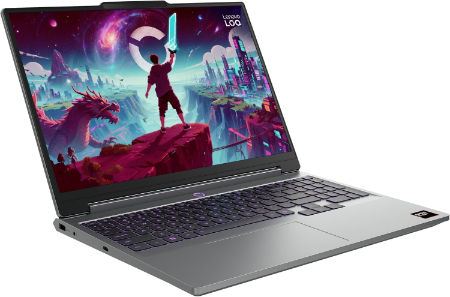
Lenovo LOQ 15AHP11 Ryzen 7 253 RTX 5050 16GB 512GB WUXGA 165Hz |
|
|---|---|
 Check This On Amazon |
|
| CPU | AMD Ryzen 7 253, 8 cores, up to 4.9 GHz, NPU up to 16 TOPS |
| GPU | NVIDIA GeForce RTX 5050 Laptop GPU, 8GB GDDR7, up to 115W |
| Display Size | 15.3 inch, 16:10 |
| Display Resolution | WUXGA 1920 × 1200 IPS, 165Hz, 300 nits, 100% sRGB, anti glare |
| RAM | 16GB DDR5 5600MHz, SO DIMM; upgradable to 32GB |
| Storage Space | 512GB PCIe 4.0 NVMe SSD; two M.2 slots |
| Operating System | Windows 11 Home or Windows 11 Pro |
| Ports | 3 × USB A; USB C USB4 with DisplayPort; HDMI 2.1; Gigabit Ethernet; 3.5 mm audio combo jack; Slim Tip power |
| Dimensions (L x W x H) | 13.58 × 10.03 × 0.82 to 0.92 inches |
| Weight | 4.6 lb (starting weight) |
| Pros | High refresh display; discrete RTX graphics; memory and storage upgrades are available; suitable for student gaming and creative work. |
| Cons | Entry tier GPU; chassis is bulky; base memory and SSD may need upgrading for demanding games. |
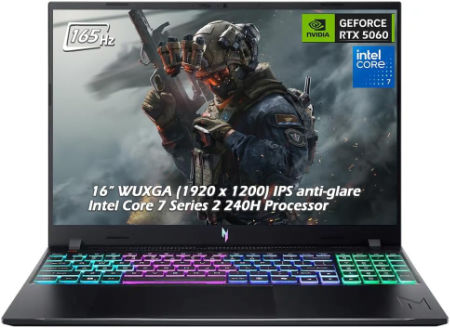
Acer Nitro V 16 AI 16 inches 2560 x 1600 Pixels, 16GB DDR5, 1TB PCIe Gen 4 SSD, Intel Core Ultra 7 356H, NVIDIA GeForce RTX 5060 Laptop GPU 8GB GDDR7 |
|
|---|---|
 Check This On Amazon |
|
| CPU | Intel Core Ultra 7 356H |
| GPU | NVIDIA GeForce RTX 5060 Laptop GPU 8GB GDDR7 |
| Display Size | 16 inches |
| Display Resolution | 2560 x 1600 Pixels; WQXGA IPS, up to 180Hz |
| RAM | 16GB DDR5 |
| Storage Space | 1TB PCIe Gen 4 SSD |
| Operating System | Windows 11 |
| Ports | USB-C, USB-A, HDMI 2.1, RJ45, audio combo jack |
| Dimensions (L x W x H) | 14.2 x 10.5 x 1.1 inches |
| Weight | 5.7 pounds |
| Pros | Dedicated RTX GPU; high refresh display; memory and SSD upgrade potential |
| Cons | Heavy; base 16GB RAM may limit professional workloads; fan noise under gaming |
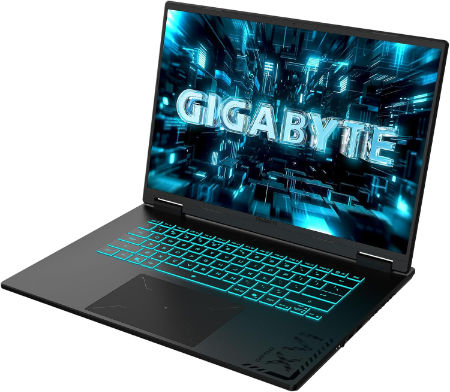
GIGABYTE GAMING A16 Ryzen 7 170 RTX 5060 16 inch WUXGA 165Hz |
|
|---|---|
 Check This On Amazon |
|
| CPU | AMD Ryzen 7 170, 8 cores, 16 threads, up to 4.75 GHz |
| GPU | NVIDIA GeForce RTX 5060 Laptop GPU, 8GB GDDR7 |
| Display Size | 16 inch, 16:10 |
| Display Resolution | WUXGA 1920 × 1200 IPS, 165Hz, 3ms, 45% sRGB, 300 nits typical |
| RAM | Up to 64GB DDR5 4800MHz, 2 SO DIMM slots |
| Storage Space | Up to 4TB PCIe NVMe SSD across 2 PCIe Gen4 x4 M.2 slots |
| Operating System | Windows 11 Home or Windows 11 Pro |
| Ports | HDMI 2.1, USB Type C with DisplayPort 1.4 and Power Delivery 3.0, USB Type A 3.2 Gen 1, USB Type A 2.0, RJ45 Ethernet, 3.5mm audio combo, DC in |
| Dimensions (L x W x H) | 10.33 × 14.11 × 0.77 to 0.90 inches (depth × width × height) |
| Weight | 4.85 lb (approximately 2.2 kg) |
| Pros | Good entry point for 1080p class gaming; 165Hz panel; expandable RAM and two M.2 slots. |
| Cons | Display color gamut is limited |
Best Laptops for Mechanical CAD and 3D Modelling
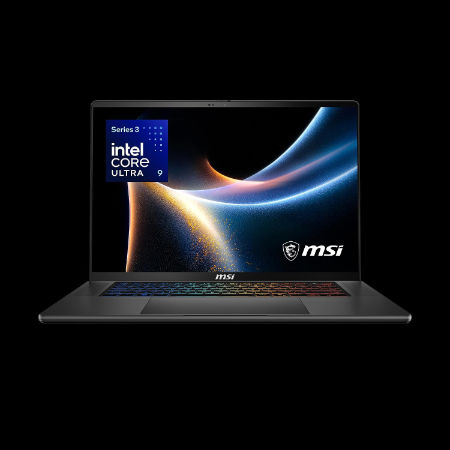
MSI Stealth 16 AI+ 16 inches 240Hz OLED 2560 x 1600 Pixels, 1TB Storage, 32GB RAM, Intel Core Ultra 7 356H, NVIDIA GeForce RTX 5070 Ti Laptop GPU 12GB GDDR7 |
|
|---|---|
 Check This On Amazon |
|
| CPU | Intel Core Ultra 7 356H |
| GPU | NVIDIA GeForce RTX 5070 Ti Laptop GPU 12GB GDDR7 |
| Display Size | 16 inches |
| Display Resolution | 2560 x 1600 Pixels |
| RAM | 32GB LPDDR5x onboard |
| Storage Space | 1TB NVMe SSD |
| Operating System | Windows 11 |
| Ports | 2 x Thunderbolt 4, 2 x USB Type A, HDMI 2.1, RJ45 Ethernet, audio combo jack |
| Dimensions (L x W x H) | 14.0 x 9.8 x 0.7 inches |
| Weight | 4.4 pounds |
| Pros | Slim design; strong GPU; OLED display; portable for a performance laptop |
| Cons | Soldered RAM; expensive; thin chassis |
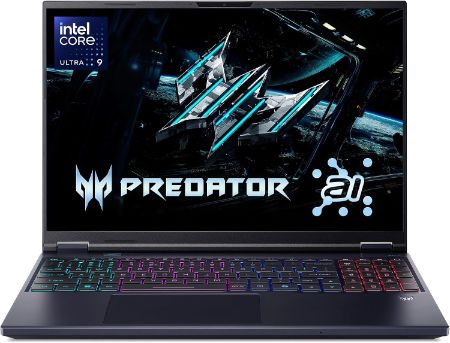
Acer Predator Helios Neo 16S AI 16 inches 2560 x 1600 Pixels, 32GB DDR5, 1TB PCIe Gen 4 SSD, Intel Core Ultra 9 386H, NVIDIA GeForce RTX 5070 Ti Laptop GPU 12GB GDDR7 |
|
|---|---|
 Check This On Amazon |
|
| CPU | Intel Core Ultra 9 386H |
| GPU | NVIDIA GeForce RTX 5070 Ti Laptop GPU 12GB GDDR7 |
| Display Size | 16 inches |
| Display Resolution | 2560 x 1600 Pixels; WQXGA OLED, 240Hz |
| RAM | 32GB DDR5 |
| Storage Space | 1TB PCIe Gen 4 SSD |
| Operating System | Windows 11 |
| Ports | Thunderbolt 4 USB-C, USB-A, HDMI 2.1, RJ45, audio combo jack |
| Dimensions (L x W x H) | 14.2 x 10.5 x 0.9 inches |
| Weight | 5.5 pounds |
| Pros | High refresh OLED; dedicated RTX graphics; suitable for gaming and creator tasks |
| Cons | Heavy; expensive; fan noise and heat under load |
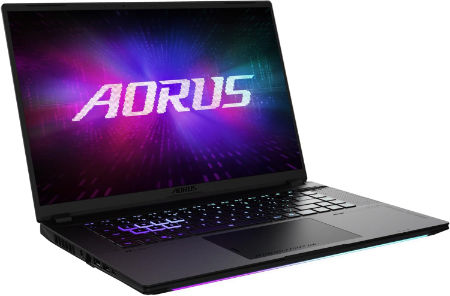
AORUS MASTER 16 Intel Core Ultra 9 275HX RTX 5070 Ti 16 inch OLED 240Hz |
|
|---|---|
 Check This On Amazon |
|
| CPU | Intel Core Ultra 9 275HX, 24 cores, 24 threads, up to 5.4 GHz |
| GPU | NVIDIA GeForce RTX 5070 Ti Laptop GPU, 12GB GDDR7, up to 140W with Dynamic Boost |
| Display Size | 16 inch, 16:10 |
| Display Resolution | WQXGA 2560 × 1600 OLED, 240Hz, 1ms, 100% DCI P3, up to 500 nits peak, DisplayHDR True Black 500 |
| RAM | Up to 64GB DDR5 5600MHz, 2 SO DIMM slots |
| Storage Space | Up to 4TB PCIe NVMe SSD, one PCIe Gen5 M.2 slot and one PCIe Gen4 x4 M.2 slot |
| Operating System | Windows 11 Home or Windows 11 Pro |
| Ports | Thunderbolt 5 Type C with USB4, DisplayPort 2.1 and Power Delivery 3.0, Thunderbolt 4 Type C with USB4, DisplayPort 1.4 and Power Delivery 3.0, HDMI 2.1, USB Type A 3.2 Gen 2, MicroSD UHS II, RJ45 Ethernet, 3.5mm audio combo, DC in |
| Dimensions (L x W x H) | 10.00 × 14.06 × 0.91 to 1.18 inches (depth × width × height) |
| Weight | 5.51 lb (approximately 2.5 kg) |
| Pros | Strong gaming and design performance; 12GB VRAM; high refresh OLED display; good connectivity and component expansion. |
| Cons | heavy premium gaming laptop |
Best Laptops for Engineering Simulations and Large Assemblies
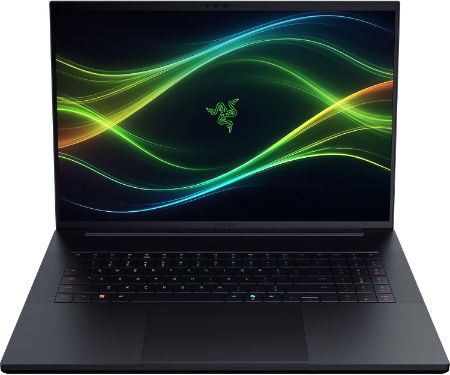
Razer Blade 18 2026 Core Ultra 9 290HX Plus RTX 5090 128GB 2TB Dual Mode |
|
|---|---|
 Check This On Amazon |
|
| CPU | Intel Core Ultra 9 290HX Plus, 24 cores, 24 threads, up to 5.5 GHz, integrated NPU up to 13 TOPS |
| GPU | NVIDIA GeForce RTX 5090 Laptop GPU, 24GB GDDR7, up to 175W TGP including Dynamic Boost |
| Display Size | 18 inches, 16:10 |
| Display Resolution | Dual mode IPS: UHD+ 3840 × 2400 at 240Hz or FHD+ 1920 × 1200 at 440Hz; 3ms, 600 nits, 100% DCI P3 |
| RAM | 128GB DDR5 6400MHz, 2 × 64GB SO DIMMs |
| Storage Space | 2TB PCIe 4.0 NVMe M.2 SSD; supports additional M.2 SSDs, with up to 8TB Gen4 plus up to 4TB Gen5 according to Razer support |
| Operating System | Windows 11 Home |
| Ports | 1 × Thunderbolt 5 USB C; 1 × Thunderbolt 4 USB C; 3 × USB A 3.2 Gen 2; HDMI 2.1; 2.5 Gb Ethernet; UHS II SD card reader; 3.5 mm headset combo jack; Kensington lock slot |
| Dimensions (L x W x H) | 15.74 × 10.84 × 0.86 to 1.10 inches (depth × width × height) |
| Weight | 7.06 lb (3.2 kg) |
| Pros | 128GB RAM supports unusually large datasets, local development environments and demanding production work; RTX 5090 with 24GB VRAM; 2TB SSD. |
| Cons | Very costly and heavy; full performance requires the large AC adapter. |
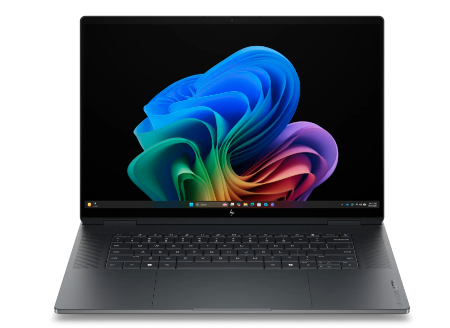
HP OmniBook Ultra 16 NVIDIA RTX Spark N1X 20 core CPU 6144 core GPU 128GB 2TB 2026 |
|
|---|---|
 Check This On Amazon |
|
| CPU | NVIDIA RTX Spark N1X 20 core CPU; 5120 or 6144 core Blackwell GPU platform depending on configuration |
| GPU | NVIDIA Blackwell RTX 6144 core integrated GPU |
| Display Size | 16 inch, 16:10 touchscreen |
| Display Resolution | 16 inch 3K OLED touchscreen, 2880 × 1800, up to 120Hz, 500 nits SDR, 1100 nits HDR, 100% DCI P3, DisplayHDR True Black 1000 |
| RAM | 128GB LPDDR5X 9400 MT/s onboard |
| Storage Space | 2TB PCIe Gen 5 NVMe SSD |
| Operating System | Windows 11 Home or Windows 11 Pro |
| Ports | USB C with USB Power Delivery and DisplayPort; HDMI output; microSD card reader; headphone/microphone combo. |
| Dimensions (L x W x H) | Approximately 14.1 × 9.6 × 0.7 inches |
| Weight | Starting weight varies |
| Pros | Large 3K OLED touchscreen; high core count NVIDIA Blackwell GPU; very large unified memory options for local AI, development and creative workloads. |
| Cons | ARM based NVIDIA software compatibility needs checking |
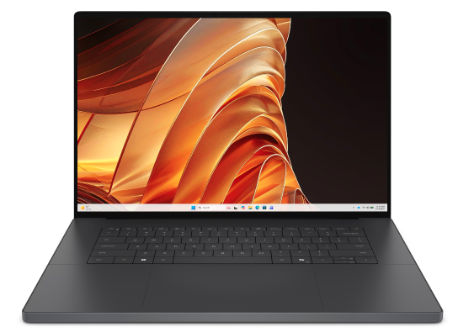
Dell XPS 16 Creator Edition 20Core 6144GPU 128GB 2TB 3.2K OLED 2026 |
|
|---|---|
 Check This On Amazon |
|
| CPU | 20 core NVIDIA RTX Spark N1X |
| GPU | 6144 core NVIDIA Blackwell RTX GPU |
| Display Size | 16 inch, 16:10 touchscreen |
| Display Resolution | 3.2K OLED touch, 3200 × 2000, 20 to 120Hz, 400 nits |
| RAM | 128GB LPDDR5X unified memory |
| Storage Space | 2TB SSD |
| Operating System | Windows 11 Home, Copilot+ PC |
| Ports | 3 × USB4 Type C with DisplayPort 2.1 and Power Delivery; HDMI 2.1b; headset combo port; SDXC card reader |
| Dimensions (L x W x H) | 13.88 × 9.37 × 0.70 inches (width × depth × height) |
| Weight | 4.45 lb minimum weight |
| Pros | 3.2K OLED touchscreen; NVIDIA Blackwell GPU; unified memory suitable for local AI and creative workloads; Wi Fi 7. This profile includes 128GB of unified memory and 2TB SSD. |
| Cons | |
Best Portable Laptops for Mechanical Engineering Students
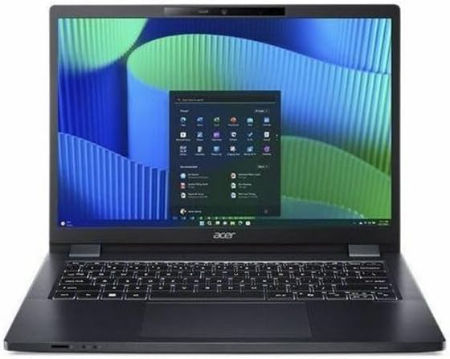
Acer TravelMate P4 14 AI 14 inches 1920 x 1200 Pixels, 32GB DDR5, 1TB PCIe SSD, Intel Core Ultra 7 365 vPro, Intel Graphics |
|
|---|---|
 Check This On Amazon |
|
| CPU | Intel Core Ultra 7 365 vPro |
| GPU | Intel Graphics |
| Display Size | 14 inches |
| Display Resolution | 1920 x 1200 Pixels; WUXGA IPS, 60Hz |
| RAM | 32GB DDR5 |
| Storage Space | 1TB PCIe SSD |
| Operating System | Windows 11 |
| Ports | Thunderbolt 4 USB-C, USB-A, HDMI, RJ45, audio combo jack |
| Dimensions (L x W x H) | 12.5 x 8.8 x 0.8 inches |
| Weight | 3.2 pounds |
| Pros | Enterprise security and manageability; vPro; business port selection; AI PC |
| Cons | Integrated graphics; business design prioritizes function; configuration varies |
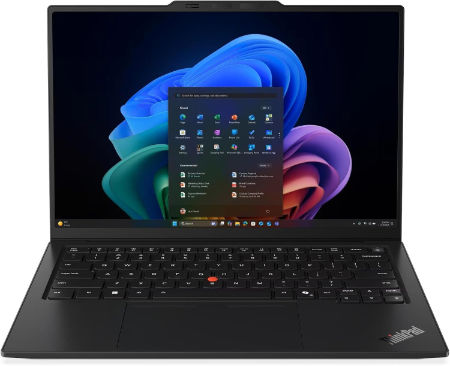
Lenovo ThinkPad X1 Carbon Gen 14 Ultra X7 358H 64GB 1TB 2.8K OLED 120Hz |
|
|---|---|
 Check This On Amazon |
|
| CPU | Intel Core Ultra X7 358H, 16 cores, up to 4.8 GHz, NPU up to 50 TOPS |
| GPU | Integrated Intel Arc B390 graphics |
| Display Size | 14 inch, 16:10 |
| Display Resolution | 2.8K OLED 2880 × 1800, 120Hz VRR, 500 nits, 100% DCI P3, DisplayHDR True Black 500, touchscreen option |
| RAM | 64GB LPDDR5X 9600MHz soldered, not upgradeable |
| Storage Space | 1TB PCIe 4.0 NVMe SSD; supports up to 2TB |
| Operating System | Windows 11 Pro |
| Ports | 3 × Thunderbolt 4 with USB Power Delivery and DisplayPort 2.1; 1 × USB A 5Gbps; HDMI 2.1; 3.5 mm headset combo jack |
| Dimensions (L x W x H) | 12.30 × 8.49 × up to 0.66 inches (L × W × H); touchscreen versions up to 0.69 inches |
| Weight | 2.20 lb (starting weight) |
| Pros | 64GB fast memory; high quality 120Hz OLED option; Arc B390 graphics; very portable premium business laptop. |
| Cons | High cost; memory cannot be upgraded |
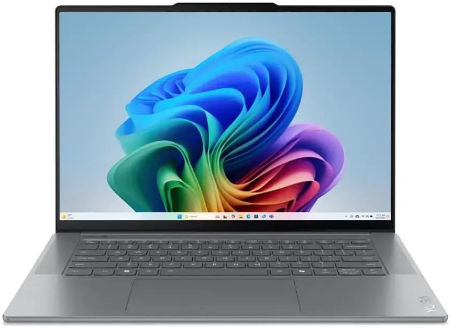
Lenovo Yoga Pro 7i Aura Edition 15 Ultra 9 386H RTX 5060 32GB 1TB OLED |
|
|---|---|
 Check This On Amazon |
|
| CPU | Intel Core Ultra 9 386H, 16 cores, up to 4.9 GHz, NPU up to 50 TOPS |
| GPU | NVIDIA GeForce RTX 5060 Laptop GPU, 8GB GDDR7 |
| Display Size | 15.3 inch, 16:10 |
| Display Resolution | 15.3 inch 2.5K WQXGA 2560 × 1600 OLED, 165Hz, 100% DCI P3, 500 nits typical and 1000 nits HDR peak |
| RAM | 32GB LPDDR5X 8533MHz soldered |
| Storage Space | 1TB PCIe 4.0 NVMe SSD; second M.2 slot available |
| Operating System | Windows 11 Home or Windows 11 Pro |
| Ports | USB C with Thunderbolt 4; additional USB C; 2 × USB A; HDMI; SD card reader; 3.5 mm audio |
| Dimensions (L x W x H) | Dimensions vary by configuration; confirm local PSREF |
| Weight | Approx. 3.8 lb; confirm SKU |
| Pros | Higher tier Core Ultra 9 processor and RTX 5060 suit demanding photo and video work; OLED offers excellent color. |
| Cons | |
Best High Performance Laptops for Mechanical Engineering and 3D Rendering
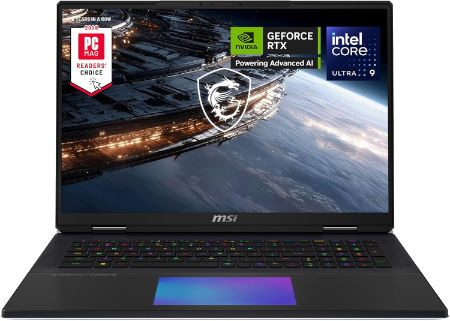
MSI Titan 18 HX 18 inches 240Hz Mini LED 3840 x 2400 Pixels, 4TB Storage, 64GB RAM, Intel Core Ultra 9 290HX Plus, NVIDIA GeForce RTX 5090 Laptop GPU 24GB GDDR7 |
|
|---|---|
 Check This On Amazon |
|
| CPU | Intel Core Ultra 9 290HX Plus |
| GPU | NVIDIA GeForce RTX 5090 Laptop GPU 24GB GDDR7 |
| Display Size | 18 inches |
| Display Resolution | 3840 x 2400 Pixels |
| RAM | 64GB DDR5 RAM |
| Storage Space | 4TB NVMe SSD |
| Operating System | Windows 11 |
| Ports | Thunderbolt 4, USB Type A, HDMI 2.1, RJ45 Ethernet, SD card reader, audio combo jack |
| Dimensions (L x W x H) | 16.1 x 12.0 x 1.3 inches |
| Weight | 7.9 pounds |
| Pros | Flagship GPU; 4K high refresh Mini LED; large screen; excellent for demanding gaming and rendering |
| Cons | Very heavy; expensive; large power adapter; limited portability |
AORUS MASTER 16 GEN 2 Ryzen 9 9955HX3D RTX 5090 16 inch 2.5K OLED 240Hz |
|
|---|---|
Check This On Amazon |
|
| CPU | AMD Ryzen 9 9955HX3D, 16 cores, 32 threads, up to 5.4 GHz, 128MB L3 cache |
| GPU | NVIDIA GeForce RTX 5090 Laptop GPU, 24GB GDDR7, up to 175W with Dynamic Boost |
| Display Size | 16 inch, 16:10 |
| Display Resolution | WQXGA 2560 × 1600 OLED, 240Hz, 0.2ms, 100% DCI P3, up to 1000 nits peak, DisplayHDR True Black 1000 |
| RAM | Up to 64GB DDR5 5600MHz, 2 SO DIMM slots |
| Storage Space | Up to 4TB PCIe NVMe SSD, one PCIe Gen5 M.2 slot and one PCIe Gen4 x4 M.2 slot |
| Operating System | Windows 11 Home or Windows 11 Pro |
| Ports | HDMI 2.1, RJ45 Ethernet, USB Type A 3.2 Gen 2, USB4 Type C with DisplayPort 1.4 and Power Delivery 3.0, USB Type C 3.2 Gen 2 with DisplayPort 2.0 and Power Delivery 3.0, MicroSD UHS II, 3.5mm audio combo, DC in |
| Dimensions (L x W x H) | 10.05 × 14.06 × 0.75 to 0.96 inches (depth × width × height) |
| Weight | 5.07 lb (approximately 2.3 kg) |
| Pros | Flagship gaming performance; 24GB graphics memory; fast high contrast OLED display; strong cooling design and expandable system memory. |
| Cons | High purchase cost and power draw; the 330W class charger adds travel weight; battery runtime under heavy gaming will be limited. |
AORUS MASTER 18 Core Ultra 9 275HX RTX 5090 18 inch Mini LED 240Hz |
|
|---|---|
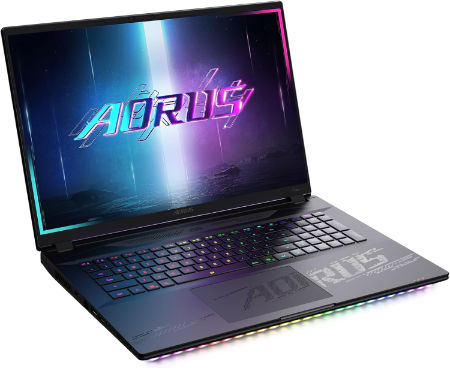 Check This On Amazon |
|
| CPU | Intel Core Ultra 9 275HX, 24 cores, 24 threads, up to 5.4 GHz |
| GPU | NVIDIA GeForce RTX 5090 Laptop GPU, 24GB GDDR7, up to 175W with Dynamic Boost |
| Display Size | 18 inch, 16:10 |
| Display Resolution | WQXGA 2560 × 1600 Mini LED, 240Hz, 3ms, 100% DCI P3, up to 1200 nits, 2304 local dimming zones, DisplayHDR 1000 |
| RAM | Up to 128GB DDR5, 4 SO DIMM slots |
| Storage Space | Up to 6TB PCIe NVMe SSD across one PCIe Gen5 M.2 slot and two PCIe Gen4 x4 M.2 slots, RAID 0 support |
| Operating System | Windows 11 Home or Windows 11 Pro |
| Ports | Thunderbolt 5 Type C with USB4, DisplayPort 2.1 and Power Delivery 3.0, Thunderbolt 4 Type C with USB4, DisplayPort 1.4 and Power Delivery 3.0, HDMI 2.1, USB Type A 3.2 Gen 2, full size SD UHS II, RJ45 2.5Gb Ethernet, 3.5mm audio combo, DC in |
| Dimensions (L x W x H) | 11.30 × 15.78 × 1.00 to 1.22 inches (depth × width × height) |
| Weight | 7.72 lb (approximately 3.5 kg) |
| Pros | Very large bright Mini LED display; RTX 5090 performance; extensive memory and SSD expansion; premium port selection. |
| Cons | Heavy and bulky; large 400W adapter; likely best for desk based use rather than frequent travel. |
MORE LAPTOP RECOMMENDATIONS
Best Laptops for Civil and Structural Engineering Students
Latest Best Laptops for Chemical Engineering Students
Best Laptops for Computer Science Students