
As an Information Technology (IT) student, your laptop is the centerpiece of your academic and professional life. When you’re coding, managing networks, running simulations, or into data analysis, the right laptop makes all the difference. In this guide, we’ll help you choose the best laptop for your needs. We’ll cover what makes a laptop ideal for IT students, identify the challenges you might face, and offer clear, actionable recommendations for choosing the right machine.
The life of an IT student revolves around technology. From running resource-intensive software like virtual machines to writing code or even troubleshooting networks, your laptop is your primary device for learning and creating. But with so many laptops on the market, how do you know which one fits your needs?
It’s not just about picking something with a sleek design or a big brand name. A laptop’s performance, durability, and specifications play an undeniable role in your ability to handle IT tasks efficiently.
As an IT student, you’re often faced with the following challenges when selecting a laptop:
- Resource-intensive tasks: When you’re running virtual machines, working with large data sets, or simulating network infrastructures, you need a laptop that can handle high processing demands.
- Portability vs. Performance: As an on-the-go student, you’ll want a laptop that balances portability with enough power to tackle all your academic and professional tasks.
- Software compatibility: Different IT disciplines demand specific software, some requiring a Windows machine, others favoring macOS or Linux environments. Finding the right platform is essential.
- Battery life: Long study sessions and coding marathons mean that a laptop with strong battery life is key. You don’t want to be stuck looking for a power outlet every few hours.
When evaluating the best laptops for IT students, we’ll consider the following key factors:
- Processor (CPU): The brain of your laptop, the processor is crucial for running simulations, coding, and multitasking. We’ll recommend laptops with high-performance CPUs that won’t slow down during intensive tasks.
- Memory (RAM): For programming, multitasking, and handling large files, sufficient RAM is essential. We’ll highlight models with a minimum of 16GB of RAM to ensure smooth performance during your most demanding tasks.
- Storage: SSD storage is a must for fast boot times, quick file access, and smooth software performance. We recommend at least 512GB SSDs, but for those working with larger files or running multiple virtual machines, 1TB may be necessary.
- Graphics Card (GPU): If your focus involves gaming, 3D modeling, or intensive data visualization, a dedicated GPU will make a significant difference. We’ll outline the benefits of laptops with powerful GPUs where needed.
- Battery Life: Expect to need a laptop that can last through long study sessions or classes without being tethered to a wall socket. We recommend laptops with 8+ hours of battery life for reliable, all-day performance.
- Display and Portability: Since you’ll likely carry your laptop around, we’ll look at options with durable yet lightweight designs, and screens large enough to give you ample workspace without compromising portability.
Minimum Specifications for IT Tasks
To meet the demands of your studies, a laptop for an IT student should come with at least the following specifications:
- Processor: Intel Core i7 (or AMD Ryzen 7) or better
- RAM: 16GB (upgradeable if possible)
- Storage: 512GB SSD or more (preferably NVMe for speed)
- Graphics: Dedicated GPU (especially for gaming or complex simulations) or integrated GPU for standard tasks
- Battery: 8+ hours of battery life
- Display: 13-inch to 15-inch Full HD (1080p) or higher
- Operating System: Windows 10 or 11 (preferred for most IT applications), macOS or Linux if required by your course
We’re here to make your decision easier, but keep in mind that your laptop should be tailored to your specific IT focus. If you’re focusing on networking, systems administration, or backend development, you might prioritize different specs than someone who is working with machine learning or game development.
Additionally, while we aim to recommend laptops that balance performance with affordability, you should expect that a good IT laptop will often be a significant investment. The right laptop will last you throughout your studies and beyond, supporting you in your future career.
You can also have a look at the best laptop for Computer Science Students in addition to the best laptops for University Students.
Best Laptops for Information Technology Students:
Contents
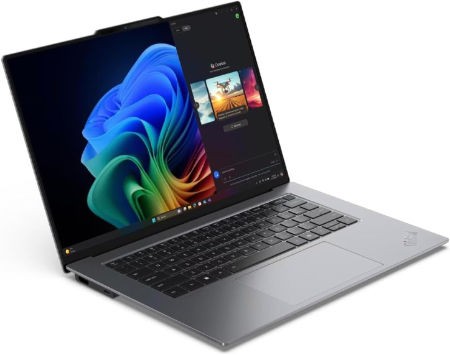
- Lenovo ThinkPad X9 15p Gen 1 Ultra X7 358H 32GB 1TB Arc B390 OLED
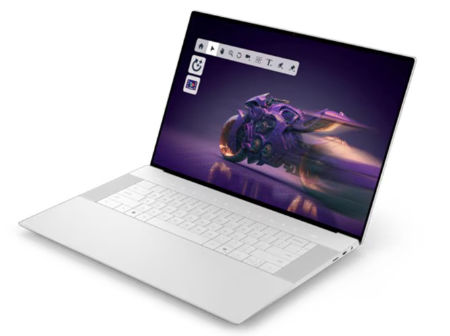
- Dell XPS 16 Core Ultra X9 388H 32GB 1TB 3.2K OLED Touch 2026
- Apple MacBook Pro M5 Pro 16.2 inches 3456 x 2234 Pixels, 24GB unified memory, 2TB SSD, Apple M5 Pro 18-core CPU, 20-core GPU
- Acer Aspire Lite 14 14 inches 1920 x 1200 Pixels, 16GB RAM, 512GB SSD, Intel Core Ultra 5 115U, Intel integrated graphics
- HP OmniBook 5 16 AMD Ryzen AI 5 H 430 16GB 512GB 2026
- ASUS Vivobook 14 14 inch WUXGA Intel Core Ultra 7 Series 3 2026
- Lenovo ThinkPad X1 Carbon Gen 14 Ultra X7 358H 64GB 1TB 2.8K OLED 120Hz
- HP OmniBook X 14 Intel Core Ultra X9 378H 32GB 1TB OLED 2026
- Apple MacBook Pro M5 Pro 14.2 inches 3024 x 1964 Pixels, 48GB unified memory, 4TB SSD, Apple M5 Pro 15-core CPU, 16-core GPU
- Lenovo LOQ 15AHP11 Ryzen 7 253 RTX 5060 32GB 1TB WQXGA 180Hz
- HP HyperX OMEN MAX 16 AMD Ryzen AI 9 HX 475 RTX 48GB 2TB 2026
- Acer Nitro V 16 AI 16 inches 1920 x 1200 Pixels, 32GB DDR5, 1TB PCIe Gen 4 SSD, AMD Ryzen AI 9 465, NVIDIA GeForce RTX 5060 Laptop GPU 8GB GDDR7
- HP HyperX OMEN MAX 16 Intel Core Ultra 9 290HX Plus RTX 32GB 1TB 2026
- Lenovo Legion 7a 16 Ryzen AI 9 HX 470 RTX 5070 32GB 1TB 240Hz OLED
- HP OmniBook Ultra 16 NVIDIA RTX Spark N1X 18 core CPU 5120 core GPU 64GB 1TB 2026
- Microsoft Surface Laptop 13.8 inch 8th Edition Intel Core Ultra 7 366H (Series 3) Intel Graphics 32GB LPDDR5X 512GB removable Gen 4 SSD
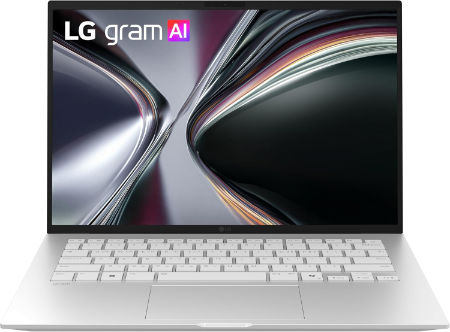
- LG gram 14 Ryzen AI 7 450 16GB 1TB WUXGA IPS 2026
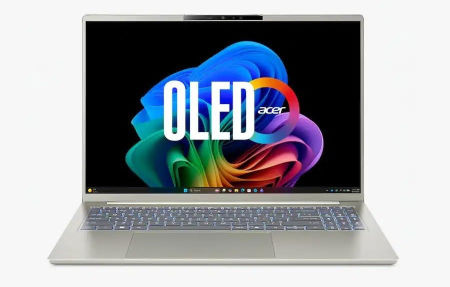
- Acer Swift Go 14 AI 14 inches 2880 x 1800 Pixels, 32GB LPDDR5x, 1TB PCIe Gen 4 SSD, Intel Core Ultra X7 358H, Intel Arc B390 integrated graphics
- MORE LAPTOP RECOMMENDATIONS
Best Overall Laptops for Information Technology Students
Lenovo ThinkPad X9 15p Gen 1 Ultra X7 358H 32GB 1TB Arc B390 OLED |
|
|---|---|
 Check This On Amazon |
|
| CPU | Intel Core Ultra X7 358H, 16 cores, up to 4.8 GHz, NPU up to 50 TOPS |
| GPU | Integrated Intel Arc B390 graphics |
| Display Size | 15.3 inch, 16:10 |
| Display Resolution | 15.3 inch 2.8K OLED 2880 × 1800, 30 to 120Hz VRR, 500 nits SDR, up to 1100 nits HDR peak, 100% DCI P3, DisplayHDR True Black 1000 |
| RAM | 32GB LPDDR5X 9600MHz soldered |
| Storage Space | 1TB PCIe 4.0 NVMe SSD |
| Operating System | Windows 11 Pro |
| Ports | 3 × Thunderbolt 4 USB C; USB A 10Gbps; HDMI; SD card reader; 3.5 mm headset combo jack |
| Dimensions (L x W x H) | 13.37 × 9.00 × up to 0.70 inches (L × W × H) |
| Weight | 3.31 lb (starting weight) |
| Pros | Arc B390 graphics; vivid OLED with professional color coverage; good fit for office and creator applications. |
| Cons | RAM is not upgradeable |
Dell XPS 16 Core Ultra X9 388H 32GB 1TB 3.2K OLED Touch 2026 |
|
|---|---|
 Check This On Amazon |
|
| CPU | Intel Core Ultra X9 388H, 16 cores, up to 5.1 GHz |
| GPU | Intel integrated graphics |
| Display Size | 16 inch, 16:10 touchscreen |
| Display Resolution | 3.2K 3200 × 2000 OLED touch, 20 to 120Hz, 400 nits, InfinityEdge |
| RAM | 32GB LPDDR5X, onboard |
| Storage Space | 1TB M.2 2230 PCIe Gen 4 ×4 TLC SSD |
| Operating System | Windows 11 Home, Copilot+ PC |
| Ports | 3 × Thunderbolt 4 USB C ports with DisplayPort 2.1 and Power Delivery; universal audio jack |
| Dimensions (L x W x H) | 13.88 × 9.35 × 0.58 inches (width × depth × height) |
| Weight | 3.65 lb starting weight |
| Pros | Highest tier Intel Core Ultra X9 processor option; premium OLED touch display; 32GB RAM and 1TB storage. |
| Cons | RAM is fixed; the system relies on integrated graphics |
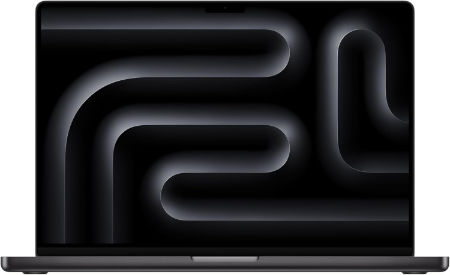
Apple MacBook Pro M5 Pro 16.2 inches 3456 x 2234 Pixels, 24GB unified memory, 2TB SSD, Apple M5 Pro 18-core CPU, 20-core GPU |
|
|---|---|
 Check This On Amazon |
|
| CPU | Apple M5 Pro, 18-core CPU |
| GPU | 20-core GPU |
| Display Size | 16.2 inches |
| Display Resolution | 3456 x 2234 Pixels; Liquid Retina XDR, mini-LED, ProMotion up to 120Hz |
| RAM | 24GB unified memory |
| Storage Space | 2TB SSD |
| Operating System | macOS |
| Ports | 3 x Thunderbolt 5 USB-C, HDMI, SDXC card slot, MagSafe 3, 3.5mm headphone jack |
| Dimensions (L x W x H) | 14.01 x 9.77 x 0.66 inches |
| Weight | 4.7 pounds |
| Pros | High sustained performance; HDR XDR display; ProMotion; Thunderbolt 5; HDMI and SDXC |
| Cons | heavier than Air |
Best Budget Laptops for IT Students
Acer Aspire Lite 14 14 inches 1920 x 1200 Pixels, 16GB RAM, 512GB SSD, Intel Core Ultra 5 115U, Intel integrated graphics |
|
|---|---|
| Check This On Amazon | |
| CPU | Intel Core Ultra 5 115U |
| GPU | Intel integrated graphics |
| Display Size | 14 inches |
| Display Resolution | 1920 x 1200 Pixels; WUXGA IPS, matte, 60Hz |
| RAM | 16GB RAM |
| Storage Space | 512GB SSD |
| Operating System | Windows 11 |
| Ports | USB-C, USB-A, HDMI, audio combo jack |
| Dimensions (L x W x H) | 12.5 x 8.7 x 0.7 inches |
| Weight | 3.1 pounds |
| Pros | Portable everyday laptop; matte screen; SSD storage |
| Cons | Integrated graphics; standard refresh rate; regional Japan SKU |
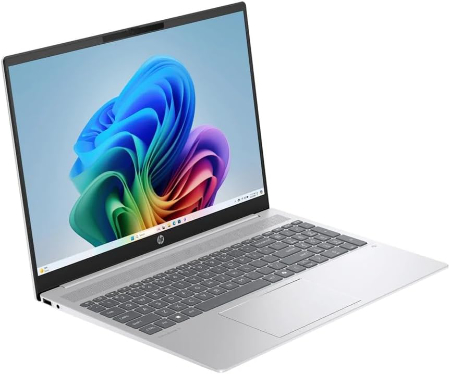
HP OmniBook 5 16 AMD Ryzen AI 5 H 430 16GB 512GB 2026 |
|
|---|---|
 Check This On Amazon |
|
| CPU | AMD Ryzen AI 5 H 430, 4 cores, up to 4.5 GHz, NPU 50 TOPS |
| GPU | Integrated AMD Radeon 840M graphics |
| Display Size | 16 inch, 16:10 |
| Display Resolution | 16 inch 2K IPS 1920 × 1200, 300 nits, 62.5% sRGB |
| RAM | 16GB LPDDR5X 8000 MT/s onboard |
| Storage Space | 512GB PCIe Gen 4 NVMe SSD |
| Operating System | Windows 11 Home or Windows 11 Pro |
| Ports | 2 × USB C with USB Power Delivery and DisplayPort 2.1; 2 × USB A; HDMI 2.1; headphone/microphone combo |
| Dimensions (L x W x H) | 35.5 × 24.5 × 1.45 cm at rear (approx. 13.98 × 9.65 × 0.57 inches) |
| Weight | 3.75 lb starting weight |
| Pros | Affordable current generation AI laptop; large screen; SSD storage for common office and education needs. |
| Cons | 16GB soldered memory; basic 300 nit panel; lower CPU and graphics performance than Ryzen AI 7 and 9 models. |
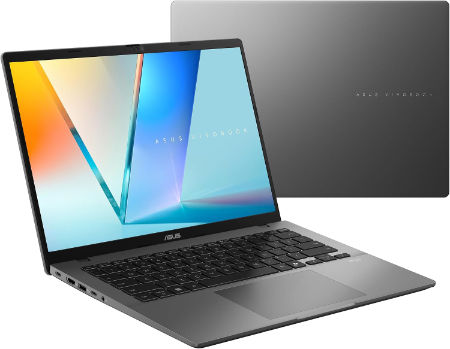
ASUS Vivobook 14 14 inch WUXGA Intel Core Ultra 7 Series 3 2026 |
|
|---|---|
 Check This On Amazon |
|
| CPU | Up to Intel Core Ultra 7 Series 3 |
| GPU | Up to integrated Intel Graphics |
| Display Size | 14 inch WUXGA 1920 x 1200 IPS level, 60Hz, 300 nits |
| Display Resolution | Up to 32GB DDR5 (16GB onboard plus 16GB SO DIMM) |
| RAM | Up to 1TB PCIe 4.0 SSD |
| Storage Space | Windows 11 Home or Pro |
| Operating System | 2 USB C with power delivery and DisplayPort; 2 USB A; HDMI; 3.5mm combo audio |
| Ports | Wi Fi 6; Bluetooth 5.3 |
| Dimensions (L x W x H) | 42Wh or 70Wh, depending on configuration |
| Weight | 3.22 lb (1.46 kg) |
| Pros | Practical 16:10 display; upgradeable memory slot; good port selection for study and office work. |
| Cons | 60Hz display with limited 45% NTSC gamut; integrated graphics are suited mainly to everyday tasks. |
Best Laptops for Programming and Software Development
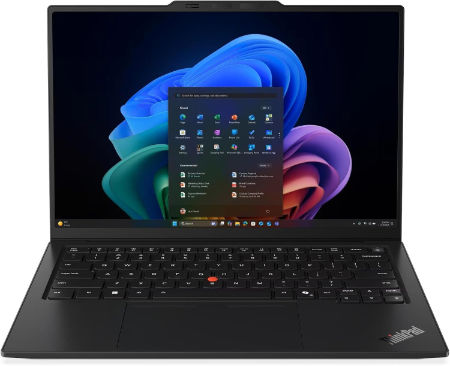
Lenovo ThinkPad X1 Carbon Gen 14 Ultra X7 358H 64GB 1TB 2.8K OLED 120Hz |
|
|---|---|
 Check This On Amazon |
|
| CPU | Intel Core Ultra X7 358H, 16 cores, up to 4.8 GHz, NPU up to 50 TOPS |
| GPU | Integrated Intel Arc B390 graphics |
| Display Size | 14 inch, 16:10 |
| Display Resolution | 2.8K OLED 2880 × 1800, 120Hz VRR, 500 nits, 100% DCI P3, DisplayHDR True Black 500, touchscreen option |
| RAM | 64GB LPDDR5X 9600MHz soldered, not upgradeable |
| Storage Space | 1TB PCIe 4.0 NVMe SSD; supports up to 2TB |
| Operating System | Windows 11 Pro |
| Ports | 3 × Thunderbolt 4 with USB Power Delivery and DisplayPort 2.1; 1 × USB A 5Gbps; HDMI 2.1; 3.5 mm headset combo jack |
| Dimensions (L x W x H) | 12.30 × 8.49 × up to 0.66 inches (L × W × H); touchscreen versions up to 0.69 inches |
| Weight | 2.20 lb (starting weight) |
| Pros | 64GB fast memory; high quality 120Hz OLED option; Arc B390 graphics; very portable premium business laptop. |
| Cons | High cost; memory cannot be upgraded |
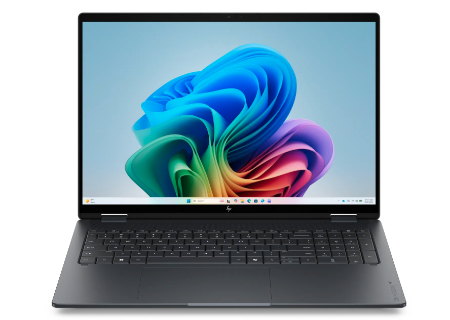
HP OmniBook X 14 Intel Core Ultra X9 378H 32GB 1TB OLED 2026 |
|
|---|---|
 Check This On Amazon |
|
| CPU | Intel Core Ultra X9 378H, 16 cores, up to 5.0 GHz, NPU 50 TOPS |
| GPU | Intel Arc B390 integrated graphics |
| Display Size | 14 inch, 16:10 touchscreen |
| Display Resolution | 14 inch 2.8K OLED touchscreen, 2880 × 1800, up to 120Hz, 500 nits SDR, up to 1100 nits HDR, 100% DCI P3 |
| RAM | 32GB LPDDR5X 8533 MT/s onboard |
| Storage Space | 1TB PCIe Gen 5 NVMe SSD |
| Operating System | Windows 11 Home or Windows 11 Pro |
| Ports | USB C Thunderbolt 4 / USB4; USB A; HDMI; headphone/microphone combo. |
| Dimensions (L x W x H) | Approx. 12.3 × 8.5 × 0.6 inches |
| Weight | Approx. 3.0 lb |
| Pros | Portable 14 inch premium chassis; high quality OLED option; modern AI capable processor and fast NVMe storage. 32GB LPDDR5X 8533 MT/s onboard supports heavier multitasking. |
| Cons | |
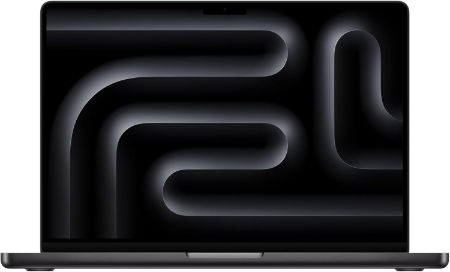
Apple MacBook Pro M5 Pro 14.2 inches 3024 x 1964 Pixels, 48GB unified memory, 4TB SSD, Apple M5 Pro 15-core CPU, 16-core GPU |
|
|---|---|
 Check This On Amazon |
|
| CPU | Apple M5 Pro, 15-core CPU |
| GPU | 16-core GPU |
| Display Size | 14.2 inches |
| Display Resolution | 3024 x 1964 Pixels; Liquid Retina XDR, mini-LED, ProMotion up to 120Hz |
| RAM | 48GB unified memory |
| Storage Space | 4TB SSD |
| Operating System | macOS |
| Ports | 3 x Thunderbolt 5 USB-C, HDMI, SDXC card slot, MagSafe 3, 3.5mm headphone jack |
| Dimensions (L x W x H) | 12.31 x 8.71 x 0.61 inches |
| Weight | 3.5 pounds |
| Pros | High sustained performance; HDR XDR display; ProMotion; Thunderbolt 5; HDMI and SDXC |
| Cons | Expensive; memory is not user upgradeable; heavier than Air; higher tier configurations cost substantially more |
Best Laptops for Cybersecurity and Virtual Machines
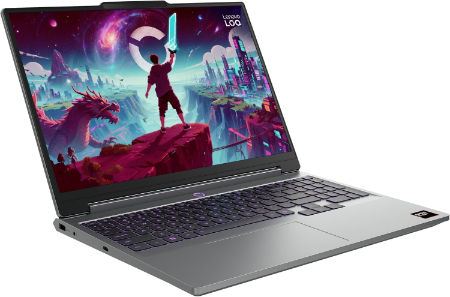
Lenovo LOQ 15AHP11 Ryzen 7 253 RTX 5060 32GB 1TB WQXGA 180Hz |
|
|---|---|
 Check This On Amazon |
|
| CPU | AMD Ryzen 7 253, 8 cores, up to 4.9 GHz, NPU up to 16 TOPS |
| GPU | NVIDIA GeForce RTX 5060 Laptop GPU, 8GB GDDR7, up to 115W |
| Display Size | 15.3 inch, 16:10 |
| Display Resolution | WQXGA 2560 × 1600 IPS, 180Hz, 400 nits, 100% sRGB, anti glare |
| RAM | 32GB DDR5 5600MHz, 2 × 16GB SO DIMMs |
| Storage Space | 1TB PCIe 4.0 NVMe SSD; two M.2 slots |
| Operating System | Windows 11 Home or Windows 11 Pro |
| Ports | 3 × USB A; USB C USB4 with DisplayPort; HDMI 2.1; Gigabit Ethernet; 3.5 mm audio combo jack; Slim Tip power |
| Dimensions (L x W x H) | 13.58 × 10.03 × 0.82 to 0.92 inches |
| Weight | 4.6 lb (starting weight) |
| Pros | Higher resolution 180Hz display; RTX 5060 graphics; 32GB memory supports larger games and creative apps; SSD expansion. |
| Cons | heavy |
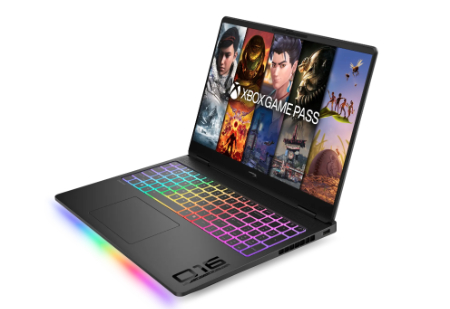
HP HyperX OMEN MAX 16 AMD Ryzen AI 9 HX 475 RTX 48GB 2TB 2026 |
|
|---|---|
 Check This On Amazon |
|
| CPU | AMD Ryzen AI 9 HX 475, 12 cores, up to 5.2 GHz, NPU 60 TOPS |
| GPU | NVIDIA GeForce RTX 5080 Laptop GPU, 16GB GDDR7 |
| Display Size | 16 inch, 16:10 |
| Display Resolution | 16 inch 2.5K OLED 2560 × 1600, up to 240Hz, 0.2ms, 500 nits SDR, up to 1100 nits HDR, 100% DCI P3 |
| RAM | 48GB DDR5 5600 MT/s, 2 × 24GB |
| Storage Space | 2TB PCIe Gen 5 NVMe SSD |
| Operating System | Windows 11 Home or Windows 11 Pro |
| Ports | 2 × USB Type A; 2 × USB Type C with high speed data and DisplayPort; HDMI 2.1; RJ45 Ethernet; headset combo; power connector. |
| Dimensions (L x W x H) | Approx. 14.1 × 10.5 × 1.0 inches |
| Weight | Approx. 6.0 lb |
| Pros | AMD Ryzen AI platform with discrete RTX graphics; high refresh OLED; replaceable DDR5 memory and PCIe SSD options. |
| Cons | high power draw |
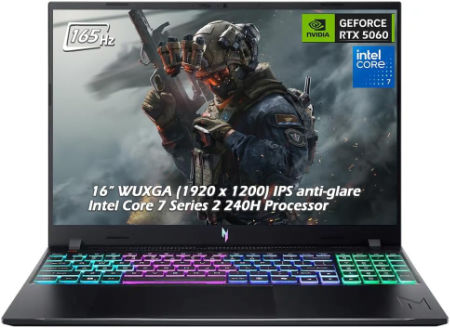
Acer Nitro V 16 AI 16 inches 1920 x 1200 Pixels, 32GB DDR5, 1TB PCIe Gen 4 SSD, AMD Ryzen AI 9 465, NVIDIA GeForce RTX 5060 Laptop GPU 8GB GDDR7 |
|
|---|---|
 Check This On Amazon |
|
| CPU | AMD Ryzen AI 9 465 |
| GPU | NVIDIA GeForce RTX 5060 Laptop GPU 8GB GDDR7 |
| Display Size | 16 inches |
| Display Resolution | 1920 x 1200 Pixels; WUXGA IPS, 165Hz |
| RAM | 32GB DDR5 |
| Storage Space | 1TB PCIe Gen 4 SSD |
| Operating System | Windows 11 |
| Ports | USB-C, USB-A, HDMI 2.1, RJ45, audio combo jack |
| Dimensions (L x W x H) | 14.2 x 10.5 x 1.1 inches |
| Weight | 5.7 pounds |
| Pros | RTX graphics; 32GB RAM; high refresh screen; upgradeable storage |
| Cons | Heavy; FHD class resolution; battery life limited while gaming |
Best Laptops for Data Science and Artificial Intelligence
HP HyperX OMEN MAX 16 Intel Core Ultra 9 290HX Plus RTX 32GB 1TB 2026 |
|
|---|---|
Check This On Amazon |
|
| CPU | Intel Core Ultra 9 290HX Plus, 24 cores, up to 5.5 GHz, NPU 13 TOPS |
| GPU | NVIDIA GeForce RTX 5080 Laptop GPU, 16GB GDDR7 |
| Display Size | 16 inch, 16:10 |
| Display Resolution | 16 inch 2.5K OLED 2560 × 1600, up to 240Hz, 0.2ms, 500 nits SDR, up to 1100 nits HDR, 100% DCI P3, VESA True Black HDR 1000 |
| RAM | 32GB DDR5 6400 MT/s, 2 × 16GB |
| Storage Space | 1TB PCIe Gen 5 NVMe SSD |
| Operating System | Windows 11 Home or Windows 11 Pro |
| Ports | 2 × USB Type A; 2 × USB Type C with high speed data and DisplayPort; HDMI 2.1; RJ45 Ethernet; headset combo; power connector |
| Dimensions (L x W x H) | Approx. 14.1 × 10.5 × 1.0 inches |
| Weight | Approx. 6.0 lb |
| Pros | high refresh display; |
| Cons | |
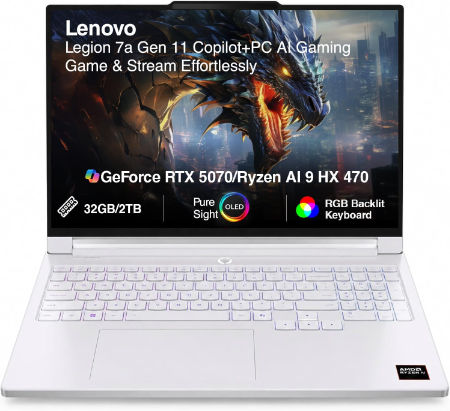
Lenovo Legion 7a 16 Ryzen AI 9 HX 470 RTX 5070 32GB 1TB 240Hz OLED |
|
|---|---|
 Check This On Amazon |
|
| CPU | AMD Ryzen AI 9 HX 470, 12 cores, up to 5.2 GHz, NPU up to 55 TOPS |
| GPU | NVIDIA GeForce RTX 5070 Laptop GPU, 8GB GDDR7 |
| Display Size | 16 inch, 16:10 |
| Display Resolution | 16 inch WQXGA OLED 2560 × 1600, 240Hz, 100% DCI P3, 500 nits typical, up to 1100 nits HDR peak, DisplayHDR True Black 1000, G SYNC |
| RAM | 32GB LPDDR5X soldered |
| Storage Space | 1TB PCIe 4.0 NVMe SSD; two M.2 slots available |
| Operating System | Windows 11 Home or Windows 11 Pro |
| Ports | 2 × USB A; 2 × USB C USB4 with DisplayPort 2.1; HDMI 2.1; card reader; 3.5 mm audio combo; Slim Tip power |
| Dimensions (L x W x H) | 14.23 × 10.01 × 0.61 to 0.67 inches |
| Weight | 3.97 lb (under 1.8 kg) |
| Pros | High end Ryzen AI processor and RTX 5070; 240Hz OLED gaming display; light for a 16 inch gaming laptop. |
| Cons | Soldered memory; expensive |
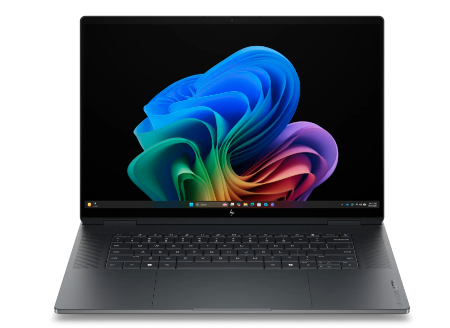
HP OmniBook Ultra 16 NVIDIA RTX Spark N1X 18 core CPU 5120 core GPU 64GB 1TB 2026 |
|
|---|---|
 Check This On Amazon |
|
| CPU | NVIDIA RTX Spark N1X 18 core CPU; 5120 or 6144 core Blackwell GPU platform depending on configuration |
| GPU | NVIDIA Blackwell RTX 5120 core integrated GPU |
| Display Size | 16 inch, 16:10 touchscreen |
| Display Resolution | 16 inch 3K OLED touchscreen, 2880 × 1800, up to 120Hz, 500 nits SDR, 1100 nits HDR, 100% DCI P3, DisplayHDR True Black 1000 |
| RAM | 64GB LPDDR5X 9400 MT/s onboard |
| Storage Space | 1TB PCIe Gen 5 NVMe SSD |
| Operating System | Windows 11 Home or Windows 11 Pro |
| Ports | USB C with USB Power Delivery and DisplayPort; HDMI output; microSD card reader; headphone/microphone combo. |
| Dimensions (L x W x H) | Approximately 14.1 × 9.6 × 0.7 inches |
| Weight | Starting weight varies; |
| Pros | Large 3K OLED touchscreen; high core count NVIDIA Blackwell GPU; very large unified memory options for local AI, development and creative workloads. |
| Cons | Unified memory is soldered and shared by CPU and GPU; ARM based NVIDIA software compatibility needs checking; high price and limited upgradeability. |
Best Portable Laptops for IT Students
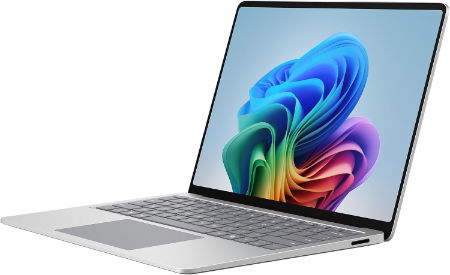
Microsoft Surface Laptop 13.8 inch 8th Edition Intel Core Ultra 7 366H (Series 3) Intel Graphics 32GB LPDDR5X 512GB removable Gen 4 SSD |
|
|---|---|
 Check This On Amazon |
|
| CPU | Intel Core Ultra 7 366H (Series 3); NPU up to 47 TOPS for Ultra 5 or 50 TOPS for Ultra 7 / X7 |
| GPU | Intel Graphics |
| Display Size | 13.8 inch touchscreen, 3:2 aspect ratio |
| Display Resolution | PixelSense Flow LCD, 2304 × 1536, up to 120Hz dynamic refresh, 201 PPI, up to 600 nits |
| RAM | 32GB LPDDR5X |
| Storage Space | 512GB removable Gen 4 SSD |
| Operating System | Windows 11 Pro |
| Ports | 2 × USB C with USB4 / Thunderbolt 4; USB A 3.2; 3.5mm audio jack; Surface Connect; DisplayPort 2.1 |
| Dimensions (L x W x H) | 11.85 × 8.67 × 0.69 inches (length × width × height) |
| Weight | 2.97 lb (1.35 kg); privacy screen configuration is 3.00 lb |
| Pros | 120Hz color calibrated touchscreen |
| Cons | |
LG gram 14 Ryzen AI 7 450 16GB 1TB WUXGA IPS 2026 |
|
|---|---|
 Check This On Amazon |
|
| CPU | AMD Ryzen AI 7 450, 8 cores and 16 threads, up to 5.1GHz, NPU up to 50 TOPS |
| GPU | Integrated AMD Radeon graphics |
| Display Size | 14 inch, 16:10 |
| Display Resolution | WUXGA 1920 × 1200 IPS, 60Hz, 350 nits, 99% DCI P3 typical, anti glare |
| RAM | 16GB LPDDR5X 7500 MT/s onboard |
| Storage Space | 1TB M.2 PCIe Gen 4 NVMe SSD; second M.2 slot available |
| Operating System | Windows 11 Home, Copilot+ PC |
| Ports | 2 × USB A 3.2 Gen 1; 2 × USB C 3.2 Gen 2 with DisplayPort and Power Delivery; HDMI 2.1; 3.5mm headset combo jack |
| Dimensions (L x W x H) | 13.98 × 8.80 × 0.59 to 0.61 inches |
| Weight | 2.47 lb (1.12 kg) |
| Pros | Very light 14 inch chassis; 72Wh battery; WUXGA display with wide color coverage; second SSD slot; AI ready processor. |
| Cons | 16GB memory is onboard and not upgradeable |
Acer Swift Go 14 AI 14 inches 2880 x 1800 Pixels, 32GB LPDDR5x, 1TB PCIe Gen 4 SSD, Intel Core Ultra X7 358H, Intel Arc B390 integrated graphics |
|
|---|---|
 Check This On Amazon |
|
| CPU | Intel Core Ultra X7 358H |
| GPU | Intel Arc B390 integrated graphics |
| Display Size | 14 inches |
| Display Resolution | 2880 x 1800 Pixels; OLED, 120Hz |
| RAM | 32GB LPDDR5x |
| Storage Space | 1TB PCIe Gen 4 SSD |
| Operating System | Windows 11 |
| Ports | 2 x Thunderbolt 4 USB-C, 2 x USB-A, HDMI, microSD, audio combo jack |
| Dimensions (L x W x H) | 12.3 x 8.6 x 0.7 inches |
| Weight | 3.0 pounds |
| Pros | High quality OLED; strong integrated graphics; portable; modern connectivity |
| Cons | Soldered memory; no dedicated GPU; high resolution OLED may use more power |
MORE LAPTOP RECOMMENDATIONS
Latest Top Laptops for Religious Studies Students
Best Laptop for Biology Students
Top Best Laptop recommendation for Education Students.