

SketchUp is one of the most intuitive and widely used tools in 3D design. It’s fast, versatile, and lightweight—but when your models get more complex, your laptop can either keep pace or hold you back. Whether you’re an architect crafting massing studies, an interior designer refining space plans, or a product designer building out concept geometry, SketchUp deserves a laptop that keeps your creativity fluid and your workflow frustration-free.
We’ve written this guide for you—the SketchUp user who works across concept design, construction documentation, 3D visualization, and client presentations. You could be a professional in architecture, interior design, landscape architecture, set design, or woodworking. No matter your field, if you rely on SketchUp to bring ideas into dimensional space, your laptop needs to match SketchUp’s strengths: responsiveness, visualization clarity, and real-time flexibility.
This guide breaks down what really matters when choosing a laptop for SketchUp, and how to avoid common traps like underpowered GPUs or outdated CPUs that choke on heavier models.
Let’s begin with the core specs SketchUp depends on:
CPU (Processor) is the engine behind model navigation, geometry edits, and layout exports. SketchUp is a single-thread optimized application, which means it runs best on CPUs with high clock speeds and strong single-core performance. You’ll want a 13th/14th Gen Intel Core i7/i9, AMD Ryzen 9 (7000/8000 HX series), or Apple M3/M4 Pro/Max chip. These processors ensure fluid panning, quick redraws, and snappy performance when modeling or editing in real-time.
GPU (Graphics Card) is essential for visual fluidity in SketchUp’s 3D workspace. Its OpenGL-based rendering engine relies heavily on your graphics card—not for complex simulation, but for maintaining smooth navigation, realistic shadows, anti-aliasing, and faster render previews. We recommend NVIDIA GeForce RTX 4060, 4070, or 4080, or the Apple M3 Max for Mac users. Avoid integrated GPUs for professional use—they simply can’t handle detailed or texture-rich models.
RAM (Memory) supports multitasking and large file handling. For most SketchUp workflows, 16GB of RAM is sufficient. But if you’re running Enscape, V-Ray, or Lumion alongside SketchUp, or if you work on complex architectural models with linked textures and imported assets, 32GB is the safe, future-ready choice.
Storage should never be an afterthought. A 1TB NVMe SSD (PCIe Gen 4) offers the speed you need for loading models, referencing large texture libraries, saving layout sheets, and syncing with cloud services like Trimble Connect. It also ensures that your entire environment—model files, rendering plugins, and SketchUp extensions—loads without delay.
Display quality plays a key role in how you perceive and present your designs. We recommend a 15.6″ or 16″ QHD+ or 4K display, with 100% sRGB or DCI-P3 coverage, high contrast ratio, and consistent brightness across the panel. Matte finishes reduce glare when working in brightly lit studios or on-site. Bonus for touch support or stylus compatibility, which can aid sketch-based modeling and annotation workflows.
Ports & Expansion matter for a design-centric workflow. Look for Thunderbolt 4 or USB-C with DisplayPort, HDMI 2.1, SD card readers, and Wi-Fi 6E or 7. These features streamline file transfers, external monitor setups, and collaboration with clients or consultants.
What about rendering? While SketchUp itself doesn’t rely on heavy GPU rendering, most professionals use extensions like V-Ray, Enscape, or Twinmotion to generate visualizations. These demand powerful GPUs, more RAM, and high VRAM capacity. A laptop that’s underpowered for real-time rendering will slow down your process and force compromises in quality or speed.
This guide supports professionals in architecture, landscape design, urban planning, interior styling, industrial design, and education. Whether you’re modeling a storefront, rendering an urban infill, or crafting a branded retail environment, the right laptop gives you speed in modeling, clarity in presentation, and freedom to iterate quickly.
You can also have a look at the best laptops for Revit in addition to the Best Laptops for Architecture Students.
Best 2026 Laptops for SketchUp;
Contents
- Lenovo Yoga Pro 9i Aura Edition 16 Ultra 7 356H RTX 5060 32GB 1TB 3.2K OLED
- Lenovo Legion 7a 16 Ryzen AI 9 HX 470 RTX 5070 32GB 1TB 240Hz OLED
- ASUS ProArt P16 2026 AMD Ryzen AI 9 HX 475 NVIDIA GeForce RTX 5070 Laptop GPU, 8GB GDDR7
- Lenovo LOQ 15AHP11 Ryzen 7 253 RTX 5060 32GB 1TB WQXGA 180Hz
- Acer Nitro V 16 AI 16 inches 2560 x 1600 Pixels, 16GB DDR5, 1TB PCIe Gen 4 SSD, Intel Core Ultra 7 356H, NVIDIA GeForce RTX 5060 Laptop GPU 8GB GDDR7
- GIGABYTE GAMING A16 Ryzen 5 150 RTX 5050 16 inch WUXGA 165Hz
- GIGABYTE AERO X16 Ryzen AI 9 465 RTX 5070 12GB 16 inch WQXGA 165Hz
- Lenovo IdeaPad Pro 5i 16 Ultra X9 388H RTX 5060 32GB 1TB OLED
- Dell Alienware 16X Aurora Ultra9 290HXPlus RTX5070Ti 32GB 2TB OLED 240Hz
- MSI Titan 18 HX 18 inches 240Hz Mini LED 3840 x 2400 Pixels, 4TB Storage, 64GB RAM, Intel Core Ultra 9 290HX Plus, NVIDIA GeForce RTX 5090 Laptop GPU 24GB GDDR7
- Razer Blade 18 2026 Core Ultra 9 290HX Plus RTX 5090 128GB 2TB Dual Mode
- HP HyperX OMEN MAX 16 Intel Core Ultra 9 290HX Plus RTX 64GB 2TB 2026
- MSI Raider 16 Max HX 16 inches 240Hz OLED 2560 x 1600 Pixels, 2TB Storage, 64GB RAM, Intel Core Ultra 9 290HX Plus, NVIDIA GeForce RTX 5090 Laptop GPU 24GB GDDR7
- MSI Stealth 18 HX 18 inches 240Hz Mini LED 3840 x 2400 Pixels, 2TB Storage, 32GB RAM, Intel Core Ultra 9 290HX Plus, NVIDIA GeForce RTX 5080 Laptop GPU 16GB GDDR7
- AORUS MASTER 16 GEN 2 Ryzen 9 9955HX3D RTX 5090 16 inch 2.5K OLED 240Hz
- ASUS ProArt PX13 2026 AMD Ryzen AI 9 HX 370 NVIDIA GeForce RTX 5070 Laptop GPU, 8GB GDDR7
- ASUS ROG Zephyrus G14 2026 AMD Ryzen AI 9 HX 475 NVIDIA GeForce RTX 5070 Ti Laptop GPU, 12GB GDDR7
- Lenovo Legion 5i 15 Ultra 9 386H RTX 5060 32GB 1TB 2.5K OLED
- ASUS ROG Zephyrus Duo 16 Gaming Laptop, 16” 165Hz ROG Nebula HDR QHD 1610 Display, NVIDIA GeForce RTX 3080 Ti, AMD Ryzen 9 6900HX, 32GB DDR5, 2TB SSD
Best Overall Laptops for SketchUp
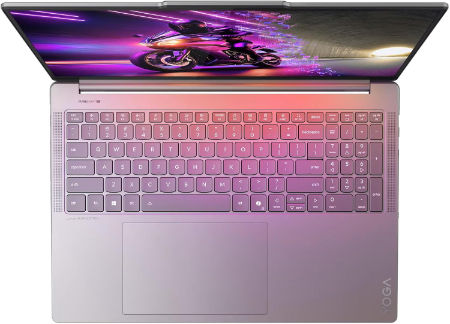
Lenovo Yoga Pro 9i Aura Edition 16 Ultra 7 356H RTX 5060 32GB 1TB 3.2K OLED |
|
|---|---|
 Check This On Amazon |
|
| CPU | Intel Core Ultra 7 356H, 16 cores, up to 4.7 GHz, NPU up to 50 TOPS |
| GPU | NVIDIA GeForce RTX 5060 Laptop GPU, 8GB GDDR7 |
| Display Size | 16 inch, 16:10 |
| Display Resolution | 16 inch 3.2K OLED 3200 × 2000, 120Hz, up to 1600 nits HDR peak / 1000 nits typical, 100% P3 and sRGB, DisplayHDR 1000, touchscreen |
| RAM | 32GB LPDDR5X 7467MHz soldered |
| Storage Space | 1TB PCIe 4.0 NVMe SSD; two M.2 slots available |
| Operating System | Windows 11 Home or Windows 11 Pro |
| Ports | 2 × USB A 10Gbps; 2 × Thunderbolt 4 USB C; HDMI 2.1; SD card reader; 3.5 mm headset combo jack; Lenovo Slim Tip power |
| Dimensions (L x W x H) | 14.20 × 9.80 × 0.68 inches |
| Weight | 4.19 lb (starting weight) |
| Pros | Dedicated RTX graphics and high resolution OLED suit video editing, CAD visualization and 3D content; 120Hz display with wide color gamut. |
| Cons | Soldered RAM; premium price; |
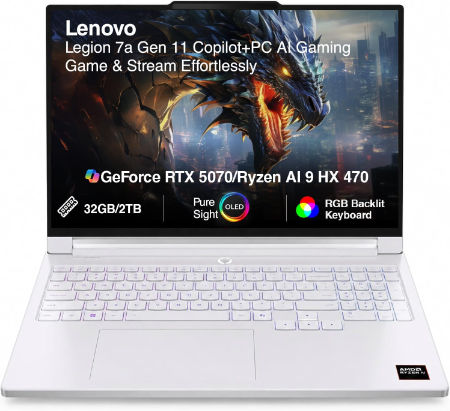
Lenovo Legion 7a 16 Ryzen AI 9 HX 470 RTX 5070 32GB 1TB 240Hz OLED |
|
|---|---|
 Check This On Amazon |
|
| CPU | AMD Ryzen AI 9 HX 470, 12 cores, up to 5.2 GHz, NPU up to 55 TOPS |
| GPU | NVIDIA GeForce RTX 5070 Laptop GPU, 8GB GDDR7 |
| Display Size | 16 inch, 16:10 |
| Display Resolution | 16 inch WQXGA OLED 2560 × 1600, 240Hz, 100% DCI P3, 500 nits typical, up to 1100 nits HDR peak, DisplayHDR True Black 1000, G SYNC |
| RAM | 32GB LPDDR5X soldered |
| Storage Space | 1TB PCIe 4.0 NVMe SSD; two M.2 slots available |
| Operating System | Windows 11 Home or Windows 11 Pro |
| Ports | 2 × USB A; 2 × USB C USB4 with DisplayPort 2.1; HDMI 2.1; card reader; 3.5 mm audio combo; Slim Tip power |
| Dimensions (L x W x H) | 14.23 × 10.01 × 0.61 to 0.67 inches |
| Weight | 3.97 lb (under 1.8 kg) |
| Pros | High end Ryzen AI processor and RTX 5070; 240Hz OLED gaming display; light for a 16 inch gaming laptop. |
| Cons | Soldered memory; expensive |
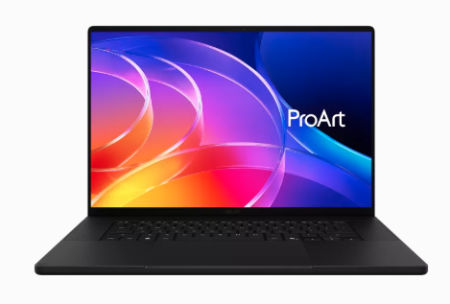
ASUS ProArt P16 2026 AMD Ryzen AI 9 HX 475 NVIDIA GeForce RTX 5070 Laptop GPU, 8GB GDDR7 |
|
|---|---|
 Check This On Amazon |
|
| CPU | AMD Ryzen AI 9 HX 475 |
| GPU | NVIDIA GeForce RTX 5070 Laptop GPU, 8GB GDDR7 |
| Display Size | 16 inch OLED touchscreen |
| Display Resolution | 3840 × 2400, 120Hz |
| RAM | 32GB LPDDR5X onboard |
| Storage Space | 1TB NVMe SSD |
| Operating System | Windows 11 Home or Pro |
| Ports | USB4 Type C; USB C; USB A; HDMI 2.1; SD Express card reader; 3.5mm audio |
| Pros | 4K OLED with wide color gamut; dedicated RTX graphics; SD card reader for creative media. |
| Cons | Memory is onboard; high end RTX configurations increase price and power use. |
Best Budget Laptops for SketchUp
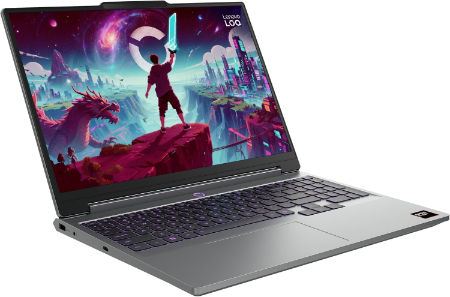
Lenovo LOQ 15AHP11 Ryzen 7 253 RTX 5060 32GB 1TB WQXGA 180Hz |
|
|---|---|
 Check This On Amazon |
|
| CPU | AMD Ryzen 7 253, 8 cores, up to 4.9 GHz, NPU up to 16 TOPS |
| GPU | NVIDIA GeForce RTX 5060 Laptop GPU, 8GB GDDR7, up to 115W |
| Display Size | 15.3 inch, 16:10 |
| Display Resolution | WQXGA 2560 × 1600 IPS, 180Hz, 400 nits, 100% sRGB, anti glare |
| RAM | 32GB DDR5 5600MHz, 2 × 16GB SO DIMMs |
| Storage Space | 1TB PCIe 4.0 NVMe SSD; two M.2 slots |
| Operating System | Windows 11 Home or Windows 11 Pro |
| Ports | 3 × USB A; USB C USB4 with DisplayPort; HDMI 2.1; Gigabit Ethernet; 3.5 mm audio combo jack; Slim Tip power |
| Dimensions (L x W x H) | 13.58 × 10.03 × 0.82 to 0.92 inches |
| Weight | 4.6 lb (starting weight) |
| Pros | Higher resolution 180Hz display; RTX 5060 graphics; 32GB memory supports larger games and creative apps; SSD expansion. |
| Cons | heavy |
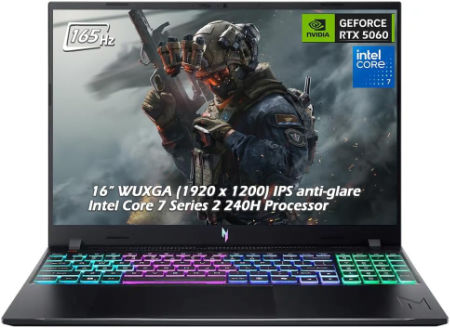
Acer Nitro V 16 AI 16 inches 2560 x 1600 Pixels, 16GB DDR5, 1TB PCIe Gen 4 SSD, Intel Core Ultra 7 356H, NVIDIA GeForce RTX 5060 Laptop GPU 8GB GDDR7 |
|
|---|---|
 Check This On Amazon |
|
| CPU | Intel Core Ultra 7 356H |
| GPU | NVIDIA GeForce RTX 5060 Laptop GPU 8GB GDDR7 |
| Display Size | 16 inches |
| Display Resolution | 2560 x 1600 Pixels; WQXGA IPS, up to 180Hz |
| RAM | 16GB DDR5 |
| Storage Space | 1TB PCIe Gen 4 SSD |
| Operating System | Windows 11 |
| Ports | USB-C, USB-A, HDMI 2.1, RJ45, audio combo jack |
| Dimensions (L x W x H) | 14.2 x 10.5 x 1.1 inches |
| Weight | 5.7 pounds |
| Pros | Dedicated RTX GPU; high refresh display; memory and SSD upgrade potential |
| Cons | Heavy; base 16GB RAM may limit professional workloads; fan noise under gaming |
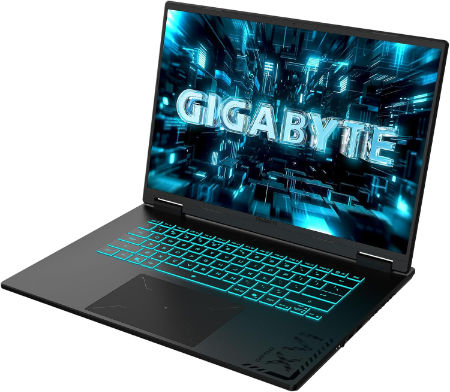
GIGABYTE GAMING A16 Ryzen 5 150 RTX 5050 16 inch WUXGA 165Hz |
|
|---|---|
 Check This On Amazon |
|
| CPU | AMD Ryzen 5 150, 6 cores, 12 threads, up to 4.55 GHz |
| GPU | NVIDIA GeForce RTX 5050 Laptop GPU, 8GB GDDR7 |
| Display Size | 16 inch, 16:10 |
| Display Resolution | WUXGA 1920 × 1200 IPS, 165Hz, 3ms, 45% sRGB, 300 nits typical |
| RAM | Up to 64GB DDR5 4800MHz, 2 SO DIMM slots |
| Storage Space | Up to 4TB PCIe NVMe SSD across 2 PCIe Gen4 x4 M.2 slots |
| Operating System | Windows 11 Home or Windows 11 Pro |
| Ports | HDMI 2.1, USB Type C with DisplayPort 1.4 and Power Delivery 3.0, USB Type A 3.2 Gen 1, USB Type A 2.0, RJ45 Ethernet, 3.5mm audio combo, DC in |
| Dimensions (L x W x H) | 10.33 × 14.11 × 0.77 to 0.90 inches (depth × width × height) |
| Weight | 4.85 lb (approximately 2.2 kg) |
| Pros | high refresh 16 inch display; memory and storage can be upgraded. |
| Cons | demanding games may need reduced settings. |
Best Laptops for SketchUp 3D Modelling and Complex Designs
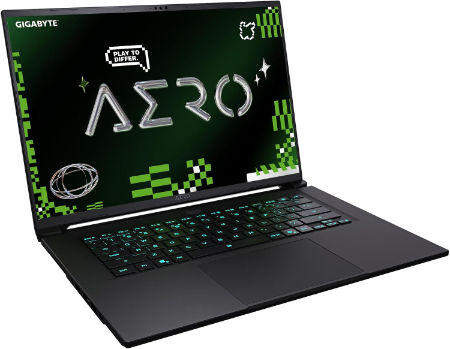
GIGABYTE AERO X16 Ryzen AI 9 465 RTX 5070 12GB 16 inch WQXGA 165Hz |
|
|---|---|
 Check This On Amazon |
|
| CPU | AMD Ryzen AI 9 465, 10 cores, 20 threads, up to 5.0 GHz |
| GPU | NVIDIA GeForce RTX 5070 Laptop GPU, 12GB GDDR7, up to 85W graphics power |
| Display Size | 16 inch, 16:10 |
| Display Resolution | WQXGA 2560 × 1600 IPS, 165Hz, 3ms, 100% sRGB, 500 nits typical, Pantone Validated |
| RAM | Up to 64GB DDR5 5600MHz, 2 SO DIMM slots |
| Storage Space | Up to 4TB PCIe NVMe SSD across 2 M.2 slots, one PCIe Gen4 x4 and one Gen4 x2 |
| Operating System | Windows 11 Home or Windows 11 Pro |
| Ports | USB4 Type C with DisplayPort 1.4 and Power Delivery 3.0, USB Type A 3.2 Gen 1, USB Type A 2.0, HDMI 2.1, RJ45 Ethernet, 3.5mm audio combo, DC in |
| Dimensions (L x W x H) | 9.87 × 13.98 × 0.66 to 0.79 inches (depth × width × height) |
| Weight | 4.19 lb |
| Pros | Light 16 inch chassis; accurate 165Hz display with full sRGB coverage; RTX graphics support gaming and GPU accelerated creative software; memory and SSD expansion. |
| Cons | battery life varies with GPU use. |
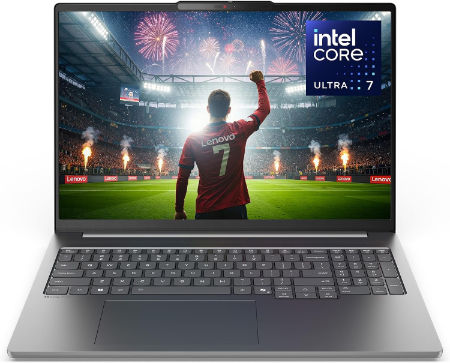
Lenovo IdeaPad Pro 5i 16 Ultra X9 388H RTX 5060 32GB 1TB OLED |
|
|---|---|
 Check This On Amazon |
|
| CPU | Intel Core Ultra X9 388H, 16 cores, up to 5.1 GHz, NPU up to 50 TOPS |
| GPU | NVIDIA GeForce RTX 5060 Laptop GPU, 8GB GDDR7 |
| Display Size | 16 inch, 16:10 |
| Display Resolution | 16 inch 2.8K OLED 2880 × 1800, 120Hz, 100% DCI P3, up to 1100 nits HDR peak; optional touch on selected discrete graphics configurations |
| RAM | 32GB LPDDR5X soldered |
| Storage Space | 1TB PCIe 4.0 or Gen 5 NVMe SSD depending on SKU; second M.2 slot |
| Operating System | Windows 11 Home or Windows 11 Pro |
| Ports | USB C including USB4 / Thunderbolt options; USB A; HDMI; SD card reader; 3.5 mm audio; exact port layout depends on SKU |
| Dimensions (L x W x H) | Approx. 14.1 × 9.5 × 0.7 inches; confirm exact SKU |
| Weight | Approx. 4.2 lb; verify exact SKU |
| Pros | Top processor tier with discrete RTX graphics; large 2.8K OLED panel; dual M.2 SSD support. |
| Cons | Sheavy sustained rendering can raise heat and fan noise in a thin chassis. |
Dell Alienware 16X Aurora Ultra9 290HXPlus RTX5070Ti 32GB 2TB OLED 240Hz |
|
|---|---|
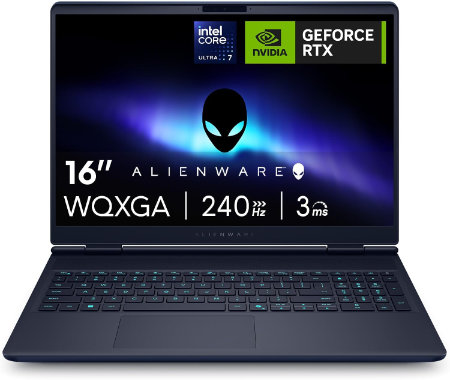 Check This On Amazon |
|
| CPU | Intel Core Ultra 9 290HX Plus, 24 cores, up to 5.5 GHz |
| GPU | NVIDIA GeForce RTX 5070 Ti Laptop GPU, 12GB GDDR7 |
| Display Size | 16 inch, 16:10 |
| Display Resolution | 16 inch WQXGA 2560 × 1600 anti glare OLED, 240Hz, 120% DCI P3 color volume, 620 nits HDR, G SYNC |
| RAM | 32GB DDR5 5600 MT/s, 2 × 16GB |
| Storage Space | 2TB M.2 2280 PCIe Gen 5 SSD |
| Operating System | Windows 11 Home |
| Ports | 2 × USB A 5Gbps; 1 × USB C 10Gbps with Power Delivery; 1 × Thunderbolt 4 with DisplayPort 2.1; HDMI 2.1; 1GbE RJ45; headset jack; power connector |
| Dimensions (L x W x H) | 14.05 × 10.45 × 0.92 inches at rear (width × depth × maximum rear height) |
| Weight | 5.66 lb starting weight |
| Pros | 240Hz OLED; 96Wh battery; RTX 50 Series graphics; socketed DDR5 memory and high speed NVMe storage options |
| Cons | 5.66 lb starting weight |
Best Laptops for Large SketchUp Models and Architectural Projects
MSI Titan 18 HX 18 inches 240Hz Mini LED 3840 x 2400 Pixels, 4TB Storage, 64GB RAM, Intel Core Ultra 9 290HX Plus, NVIDIA GeForce RTX 5090 Laptop GPU 24GB GDDR7 |
|
|---|---|
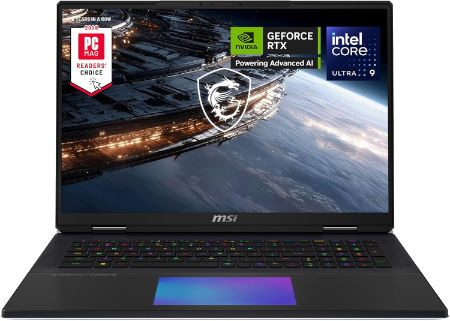 Check This On Amazon |
|
| CPU | Intel Core Ultra 9 290HX Plus |
| GPU | NVIDIA GeForce RTX 5090 Laptop GPU 24GB GDDR7 |
| Display Size | 18 inches |
| Display Resolution | 3840 x 2400 Pixels |
| RAM | 64GB DDR5 RAM |
| Storage Space | 4TB NVMe SSD |
| Operating System | Windows 11 |
| Ports | Thunderbolt 4, USB Type A, HDMI 2.1, RJ45 Ethernet, SD card reader, audio combo jack |
| Dimensions (L x W x H) | 16.1 x 12.0 x 1.3 inches |
| Weight | 7.9 pounds |
| Pros | Flagship GPU; 4K high refresh Mini LED; large screen; excellent for demanding gaming and rendering |
| Cons | Very heavy; expensive; large power adapter; limited portability |
Razer Blade 18 2026 Core Ultra 9 290HX Plus RTX 5090 128GB 2TB Dual Mode |
|
|---|---|
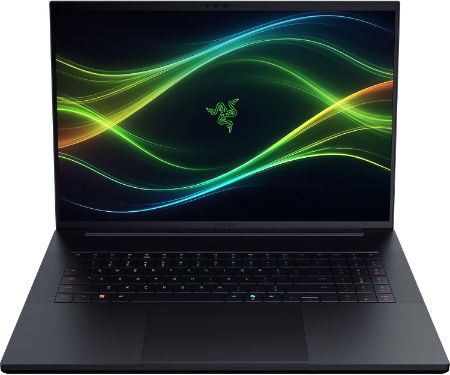 Check This On Amazon |
|
| CPU | Intel Core Ultra 9 290HX Plus, 24 cores, 24 threads, up to 5.5 GHz, integrated NPU up to 13 TOPS |
| GPU | NVIDIA GeForce RTX 5090 Laptop GPU, 24GB GDDR7, up to 175W TGP including Dynamic Boost |
| Display Size | 18 inches, 16:10 |
| Display Resolution | Dual mode IPS: UHD+ 3840 × 2400 at 240Hz or FHD+ 1920 × 1200 at 440Hz; 3ms, 600 nits, 100% DCI P3 |
| RAM | 128GB DDR5 6400MHz, 2 × 64GB SO DIMMs |
| Storage Space | 2TB PCIe 4.0 NVMe M.2 SSD; supports additional M.2 SSDs, with up to 8TB Gen4 plus up to 4TB Gen5 according to Razer support |
| Operating System | Windows 11 Home |
| Ports | 1 × Thunderbolt 5 USB C; 1 × Thunderbolt 4 USB C; 3 × USB A 3.2 Gen 2; HDMI 2.1; 2.5 Gb Ethernet; UHS II SD card reader; 3.5 mm headset combo jack; Kensington lock slot |
| Dimensions (L x W x H) | 15.74 × 10.84 × 0.86 to 1.10 inches (depth × width × height) |
| Weight | 7.06 lb (3.2 kg) |
| Pros | 128GB RAM supports unusually large datasets, local development environments and demanding production work; RTX 5090 with 24GB VRAM; 2TB SSD. |
| Cons | Very costly and heavy; full performance requires the large AC adapter. |
HP HyperX OMEN MAX 16 Intel Core Ultra 9 290HX Plus RTX 64GB 2TB 2026 |
|
|---|---|
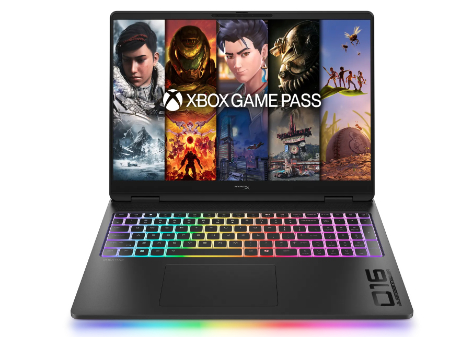 Check This On Amazon |
|
| CPU | Intel Core Ultra 9 290HX Plus, 24 cores, up to 5.5 GHz, NPU 13 TOPS |
| GPU | NVIDIA GeForce RTX 5090 Laptop GPU, 24GB GDDR7 |
| Display Size | 16 inch, 16:10 |
| Display Resolution | 16 inch 2.5K OLED 2560 × 1600, up to 240Hz, 0.2ms, 500 nits SDR, up to 1100 nits HDR, 100% DCI P3, VESA True Black HDR 1000 |
| RAM | 64GB DDR5 6400 MT/s, 2 × 32GB |
| Storage Space | 2TB PCIe Gen 5 NVMe SSD |
| Operating System | Windows 11 Home or Windows 11 Pro |
| Ports | 2 × USB Type A; 2 × USB Type C with high speed data and DisplayPort; HDMI 2.1; RJ45 Ethernet; headset combo; power connector |
| Dimensions (L x W x H) | Approx. 14.1 × 10.5 × 1.0 inches |
| Weight | Approx. 6.0 lb |
| Pros | High power gaming platform with fully internal cooling design; high refresh display; replaceable DDR5 memory and PCIe SSD options. |
| Cons | Heavy chassis and large power supply; battery runtime is limited under gaming |
Best Laptops for SketchUp Rendering and 3D Visualisation
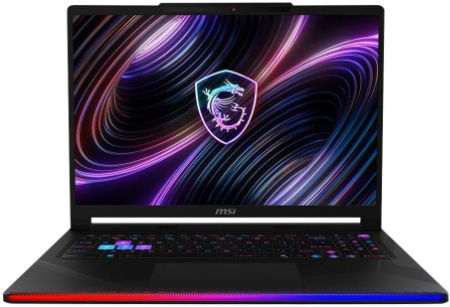
MSI Raider 16 Max HX 16 inches 240Hz OLED 2560 x 1600 Pixels, 2TB Storage, 64GB RAM, Intel Core Ultra 9 290HX Plus, NVIDIA GeForce RTX 5090 Laptop GPU 24GB GDDR7 |
|
|---|---|
 Check This On Amazon |
|
| CPU | Intel Core Ultra 9 290HX Plus |
| GPU | NVIDIA GeForce RTX 5090 Laptop GPU 24GB GDDR7 |
| Display Size | 16 inches |
| Display Resolution | 2560 x 1600 Pixels |
| RAM | 64GB DDR5 RAM |
| Storage Space | 2TB NVMe SSD |
| Operating System | Windows 11 |
| Ports | Thunderbolt 4, USB Type A, HDMI 2.1, RJ45 Ethernet, SD card reader, audio combo jack |
| Dimensions (L x W x H) | 14.1 x 10.6 x 1.1 inches |
| Weight | 6.2 pounds |
| Pros | Top tier gaming GPU; high refresh OLED; strong CPU performance; upgradeable memory and storage |
| Cons | Expensive; heavy; high power draw; fans can become audible under sustained load |
MSI Stealth 18 HX 18 inches 240Hz Mini LED 3840 x 2400 Pixels, 2TB Storage, 32GB RAM, Intel Core Ultra 9 290HX Plus, NVIDIA GeForce RTX 5080 Laptop GPU 16GB GDDR7 |
|
|---|---|
Check This On Amazon |
|
| CPU | Intel Core Ultra 9 290HX Plus |
| GPU | NVIDIA GeForce RTX 5080 Laptop GPU 16GB GDDR7 |
| Display Size | 18 inches |
| Display Resolution | 3840 x 2400 Pixels |
| RAM | 32GB DDR5 RAM |
| Storage Space | 2TB NVMe SSD |
| Operating System | Windows 11 |
| Ports | Thunderbolt 4, USB Type A, HDMI 2.1, RJ45 Ethernet, SD card reader, audio combo jack |
| Dimensions (L x W x H) | 16.1 x 11.7 x 1.0 inches |
| Weight | 6.4 pounds |
| Pros | Large high resolution display; strong discrete GPU; high performance CPU; useful creator connectivity |
| Cons | Large chassis; costly; battery life drops under heavy GPU use |
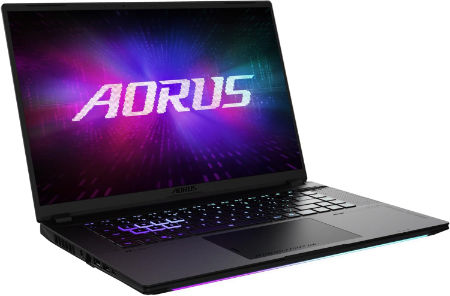
AORUS MASTER 16 GEN 2 Ryzen 9 9955HX3D RTX 5090 16 inch 2.5K OLED 240Hz |
|
|---|---|
 Check This On Amazon |
|
| CPU | AMD Ryzen 9 9955HX3D, 16 cores, 32 threads, up to 5.4 GHz, 128MB L3 cache |
| GPU | NVIDIA GeForce RTX 5090 Laptop GPU, 24GB GDDR7, up to 175W with Dynamic Boost |
| Display Size | 16 inch, 16:10 |
| Display Resolution | WQXGA 2560 × 1600 OLED, 240Hz, 0.2ms, 100% DCI P3, up to 1000 nits peak, DisplayHDR True Black 1000 |
| RAM | Up to 64GB DDR5 5600MHz, 2 SO DIMM slots |
| Storage Space | Up to 4TB PCIe NVMe SSD, one PCIe Gen5 M.2 slot and one PCIe Gen4 x4 M.2 slot |
| Operating System | Windows 11 Home or Windows 11 Pro |
| Ports | HDMI 2.1, RJ45 Ethernet, USB Type A 3.2 Gen 2, USB4 Type C with DisplayPort 1.4 and Power Delivery 3.0, USB Type C 3.2 Gen 2 with DisplayPort 2.0 and Power Delivery 3.0, MicroSD UHS II, 3.5mm audio combo, DC in |
| Dimensions (L x W x H) | 10.05 × 14.06 × 0.75 to 0.96 inches (depth × width × height) |
| Weight | 5.07 lb (approximately 2.3 kg) |
| Pros | Flagship gaming performance; 24GB graphics memory; fast high contrast OLED display; strong cooling design and expandable system memory. |
| Cons | High purchase cost and power draw; the 330W class charger adds travel weight; battery runtime under heavy gaming will be limited. |
Best Portable Laptops for SketchUp
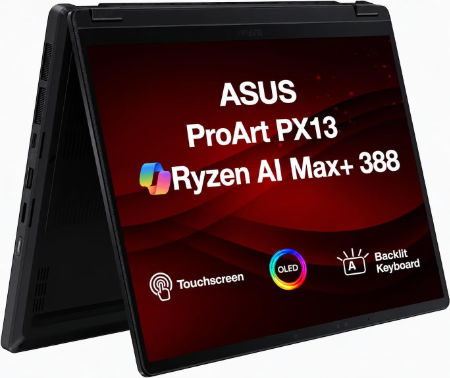
ASUS ProArt PX13 2026 AMD Ryzen AI 9 HX 370 NVIDIA GeForce RTX 5070 Laptop GPU, 8GB GDDR7 |
|
|---|---|
 Check This On Amazon |
|
| CPU | AMD Ryzen AI 9 HX 370 |
| GPU | NVIDIA GeForce RTX 5070 Laptop GPU, 8GB GDDR7 |
| Display Size | 13.3 inch convertible OLED touchscreen |
| Display Resolution | 2880 × 1800, 120Hz |
| RAM | 32GB LPDDR5X onboard |
| Storage Space | 1TB NVMe SSD |
| Operating System | Windows 11 Home or Pro |
| Ports | USB4 Type C; USB C; USB A; HDMI 2.1; microSD card reader; 3.5mm audio |
| Pros | Portable convertible design; OLED touchscreen; discrete graphics for mobile creative work. |
| Cons | |
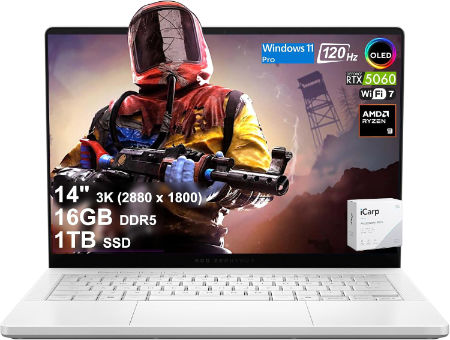
ASUS ROG Zephyrus G14 2026 AMD Ryzen AI 9 HX 475 NVIDIA GeForce RTX 5070 Ti Laptop GPU, 12GB GDDR7 |
|
|---|---|
 Check This On Amazon |
|
| CPU | AMD Ryzen AI 9 HX 475 |
| GPU | NVIDIA GeForce RTX 5070 Ti Laptop GPU, 12GB GDDR7 |
| Display Size | 14 inch OLED |
| Display Resolution | 2880 × 1800, 120Hz |
| RAM | 32GB LPDDR5X onboard |
| Storage Space | 1TB NVMe SSD |
| Operating System | Windows 11 Home |
| Ports | USB4 Type C; USB C; USB A; HDMI 2.1; microSD; 3.5mm audio |
| Pros | Compact OLED gaming laptop; discrete RTX graphics; portable form factor. |
| Cons | Memory is onboard |
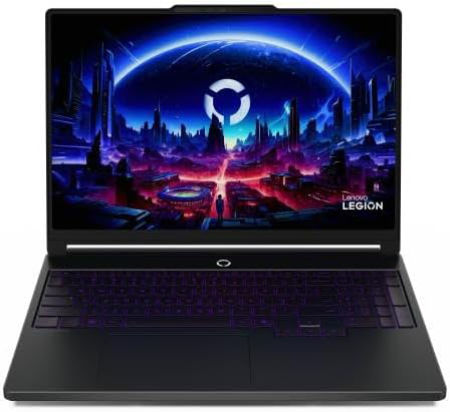
Lenovo Legion 5i 15 Ultra 9 386H RTX 5060 32GB 1TB 2.5K OLED |
|
|---|---|
 Check This On Amazon |
|
| CPU | Intel Core Ultra 9 386H, 16 cores, up to 4.9 GHz, NPU up to 50 TOPS |
| GPU | NVIDIA GeForce RTX 5060 Laptop GPU, 8GB GDDR7, up to 115W including Dynamic Boost |
| Display Size | 15.3 inch, 16:10 |
| Display Resolution | 15.3 inch WQXGA OLED 2560 × 1600, 165Hz, 100% DCI P3, 500 nits typical, up to 1000 nits HDR peak, DisplayHDR True Black 1000, G SYNC |
| RAM | 32GB DDR5 5600MHz, 2 × 16GB SO DIMMs; upgradeable |
| Storage Space | 1TB PCIe 4.0 NVMe SSD; two M.2 slots |
| Operating System | Windows 11 Home or Windows 11 Pro |
| Ports | 3 × USB A; 2 × USB C; HDMI 2.1; Gigabit Ethernet RJ45; 3.5 mm audio combo jack; power connector |
| Dimensions (L x W x H) | 13.54 × 9.63 × 0.75 to 0.79 inches |
| Weight | 4.12 lb (starting weight) |
| Pros | Better memory capacity for gaming and creative applications; high refresh OLED; replaceable memory and storage. |
| Cons | Heavy for daily commuting |
ASUS ROG Zephyrus Duo 16 Gaming Laptop, 16” 165Hz ROG Nebula HDR QHD 1610 Display, NVIDIA GeForce RTX 3080 Ti, AMD Ryzen 9 6900HX, 32GB DDR5, 2TB SSD |
|
|---|---|
 Check This On Amazon |
|
| CPU | AMD Ryzen 9 6900HX |
| GPU | NVIDIA GeForce RTX 3080 Ti |
| Display Size | 16” |
| Display Resolution | 4K (3840x1100) |
| RAM | 32GB DDR5 |
| Storage Space | 2TB SSD |
| Operating System | Windows 11 |
| Ports | USB, Ethernet, Audio, HDMI |
| Dimensions (L x W x H) | 13.98 x 10.47 x 0.81 inches |
| Weight | 5.70 lbs |
| Advantages | Good performance, Quality doisplay |
| Disadvantages | Heavy |
MORE LAPTOP RECOMMENDATIONS:
Latest Top Laptops for Solid Edge
Best Laptops for Autodesk Inventor
