
This guide is your expert companion to finding the best laptops for Autodesk Inventor, systems that can keep up with your creativity, analytical rigor, and day-to-day design demands. For mechanical engineers, product designers, manufacturing specialists, or engineering students Inventor is powerful for designing mechanical components, simulating assemblies, or crafting complex parametric model. However, its performance is only as good as the machine you run it on
Autodesk Inventor is a hybrid CAD and simulation tool, optimized for 3D parametric modeling, FEA, CAM workflows, and visual presentation. But it’s also demanding. Inventor depends heavily on single-core CPU performance, certified GPU stability, and plenty of RAM for large models and high-fidelity simulations.
Inventor isn’t just a modeling tool. You may also use it to:
- Design multi-part mechanical assemblies
- Simulate motion, loads, and stress
- Generate CAM toolpaths for manufacturing
- Create dynamic exploded views and animations
- Work with DWG drawings in AutoCAD
- Export files for 3D printing or CNC machining
You need a laptop that balances computational speed, graphics precision, and long-term reliability for working locally or collaborating through Autodesk Vault or Fusion 360,
Here’s how we evaluate laptops for Inventor, based on how the software uses resources:
- CPU (Processor): Inventor’s modeling and drawing functions are mostly single-threaded, meaning clock speed matters more than core count. However, simulation, rendering, and multi-body assemblies benefit from multi-core processing. Look for Intel Core i7/i9 H-series, AMD Ryzen 9 7000+, or Apple M2/M3/M4 Pro/Max, with clock speeds of 4.5GHz or higher.
- GPU (Graphics Card): Inventor uses DirectX for visual performance. You can use Autodesk certified specific NVIDIA RTX A-series (A1000–A3000+) and AMD Radeon Pro GPUs for stability and viewport performance, in addition to NVIDIA RTX 4060+ which can work well for many users.
- RAM: Inventor can consume large amounts of memory, especially when handling large assemblies, simulations, or running multiple Autodesk applications in parallel. We recommend 32GB of DDR5 RAM for professional users, with 16GB being the minimum for lighter or educational use. Simulation-heavy users should consider 64GB or more.
- Storage (SSD): Large part files, project archives, libraries, and simulation data demand fast read/write speeds. A 1TB NVMe SSD (Gen 4 preferred) ensures fast project loading and minimal lag during high-I/O operations. Look for laptops with dual SSD slots if you need future expansion.
- Display: Inventor benefits from a high-resolution, color-accurate display, especially for detail views and renderings. We recommend a 15.6” or 17.3” FHD+ or 4K screen with 100% sRGB or AdobeRGB, especially if you use Inventor Studio for visualization.
- Thermal Design & Build: Long simulation or modeling sessions generate sustained loads. A well-designed thermal system ensures no CPU throttling, quiet fans, and consistent performance. Mobile workstations or creator-focused laptops with advanced heat dissipation are preferred.
To ensure reliable and fast performance, we recommend the following baseline specs:
- CPU: Intel Core i7 13th/14th Gen (H-series) or AMD Ryzen 7 7000+, or Apple M2 Pro
- GPU: NVIDIA RTX A1000 or RTX 4060+ / AMD Radeon Pro (ISV-certified preferred)
- RAM: 32GB DDR5 (16GB minimum for students or light use)
- Storage: 1TB NVMe SSD (PCIe Gen 4)
- Display: 15.6″ FHD+ (1920×1200 or higher), IPS or OLED with 100% sRGB
- Ports: USB-C, Thunderbolt 4, HDMI 2.1, and SD reader for complete workspace integration
This setup supports full Inventor workflows: part modeling, sheet metal design, frame generator, assemblies, FEA, rendering in Inventor Studio, and collaboration through Vault or cloud-based Fusion workflows.
They are also future proof to ensure that you can still use future versions of the program. You should also have a look at the best Laptops for SolidWorks in addition to the best laptops for Solid Edge.
Best 2026 Autodesk Inventor Laptops:
Contents
- Lenovo Yoga Pro 9i Aura Edition 16 Ultra 7 356H RTX 5060 32GB 1TB 3.2K OLED
- ASUS ProArt P16 2026 AMD Ryzen AI 9 HX 475 NVIDIA GeForce RTX 5060 Laptop GPU, 8GB GDDR7
- GIGABYTE AERO X16 Ryzen AI 9 465 RTX 5070 12GB 16 inch WQXGA 165Hz
- Lenovo LOQ 15AHP11 Ryzen 7 253 RTX 5050 16GB 512GB WUXGA 165Hz
- Acer Nitro V 16 AI 16 inches 2560 x 1600 Pixels, 16GB DDR5, 1TB PCIe Gen 4 SSD, Intel Core Ultra 7 356H, NVIDIA GeForce RTX 5060 Laptop GPU 8GB GDDR7
- GIGABYTE GAMING A16 Ryzen 5 150 RTX 5050 16 inch WUXGA 165Hz
- HP HyperX OMEN MAX 16 Intel Core Ultra 9 290HX Plus RTX 64GB 2TB 2026
- Dell Alienware 16 Area 51 Core Ultra 9 290HX Plus RTX5090 64GB 2TB OLED 240Hz
- AORUS MASTER 16 GEN 2 Ryzen 9 9955HX3D RTX 5090 16 inch 2.5K OLED 240Hz
- ASUS ProArt PX13 2026 AMD Ryzen AI 9 HX 370 NVIDIA GeForce RTX 5070 Laptop GPU, 8GB GDDR7
- ASUS ROG Zephyrus G14 2026 AMD Ryzen AI 9 HX 475 NVIDIA GeForce RTX 5070 Ti Laptop GPU, 12GB GDDR7
- ASUS ROG Zephyrus G16 2026 Intel Core Ultra 9 386H NVIDIA GeForce RTX 5070 Ti Laptop GPU, 12GB GDDR7
- ASUS ROG Strix SCAR 18 2026 Intel Core Ultra 9 386H NVIDIA GeForce RTX 5090 Laptop GPU, 24GB GDDR7
- Dell Alienware 18 Area 51 Core Ultra 9 290HX Plus RTX5090 64GB 2TB WQXGA 300Hz
- AORUS MASTER 18 Core Ultra 9 275HX RTX 5090 18 inch Mini LED 240Hz
- Acer Predator Helios Neo 16S AI 16 inches 2560 x 1600 Pixels, 32GB DDR5, 1TB PCIe Gen 4 SSD, Intel Core Ultra 9 386H, NVIDIA GeForce RTX 5070 Ti Laptop GPU 12GB GDDR7
- GIGABYTE GAMING A16 PRO Core 7 240H RTX 5070 Ti 16 inch WQXGA 165Hz
- HP HyperX OMEN MAX 16 Intel Core Ultra 9 290HX Plus RTX 32GB 1TB 2026
Best Overall Laptops for Autodesk Inventor
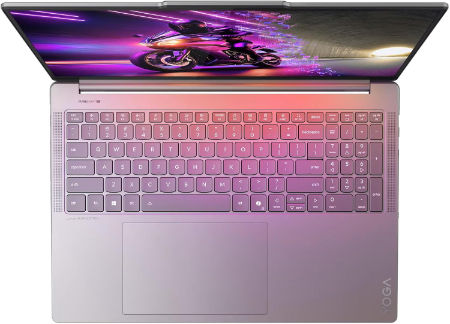
Lenovo Yoga Pro 9i Aura Edition 16 Ultra 7 356H RTX 5060 32GB 1TB 3.2K OLED |
|
|---|---|
 Check This On Amazon |
|
| CPU | Intel Core Ultra 7 356H, 16 cores, up to 4.7 GHz, NPU up to 50 TOPS |
| GPU | NVIDIA GeForce RTX 5060 Laptop GPU, 8GB GDDR7 |
| Display Size | 16 inch, 16:10 |
| Display Resolution | 16 inch 3.2K OLED 3200 × 2000, 120Hz, up to 1600 nits HDR peak / 1000 nits typical, 100% P3 and sRGB, DisplayHDR 1000, touchscreen |
| RAM | 32GB LPDDR5X 7467MHz soldered |
| Storage Space | 1TB PCIe 4.0 NVMe SSD; two M.2 slots available |
| Operating System | Windows 11 Home or Windows 11 Pro |
| Ports | 2 × USB A 10Gbps; 2 × Thunderbolt 4 USB C; HDMI 2.1; SD card reader; 3.5 mm headset combo jack; Lenovo Slim Tip power |
| Dimensions (L x W x H) | 14.20 × 9.80 × 0.68 inches |
| Weight | 4.19 lb (starting weight) |
| Pros | Dedicated RTX graphics and high resolution OLED suit video editing, CAD visualization and 3D content; 120Hz display with wide color gamut. |
| Cons | Soldered RAM; premium price; |
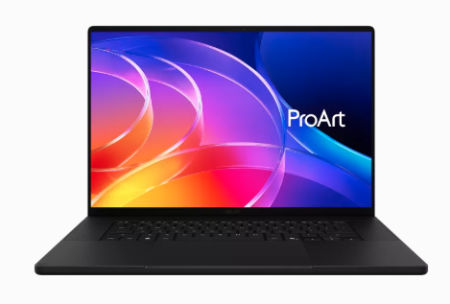
ASUS ProArt P16 2026 AMD Ryzen AI 9 HX 475 NVIDIA GeForce RTX 5060 Laptop GPU, 8GB GDDR7 |
|
|---|---|
 Check This On Amazon |
|
| CPU | AMD Ryzen AI 9 HX 475 |
| GPU | NVIDIA GeForce RTX 5060 Laptop GPU, 8GB GDDR7 |
| Display Size | 16 inch OLED touchscreen |
| Display Resolution | 3840 × 2400, 120Hz |
| RAM | 32GB LPDDR5X onboard |
| Storage Space | 1TB NVMe SSD |
| Operating System | Windows 11 Home or Pro |
| Ports | USB4 Type C; USB C; USB A; HDMI 2.1; SD Express card reader; 3.5mm audio |
| Pros | 4K OLED with wide color gamut; dedicated RTX graphics; SD card reader for creative media. |
| Cons | Memory is onboard; high end RTX configurations increase price and power use. |
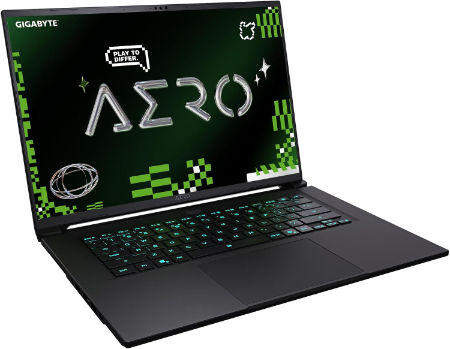
GIGABYTE AERO X16 Ryzen AI 9 465 RTX 5070 12GB 16 inch WQXGA 165Hz |
|
|---|---|
 Check This On Amazon |
|
| CPU | AMD Ryzen AI 9 465, 10 cores, 20 threads, up to 5.0 GHz |
| GPU | NVIDIA GeForce RTX 5070 Laptop GPU, 12GB GDDR7, up to 85W graphics power |
| Display Size | 16 inch, 16:10 |
| Display Resolution | WQXGA 2560 × 1600 IPS, 165Hz, 3ms, 100% sRGB, 500 nits typical, Pantone Validated |
| RAM | Up to 64GB DDR5 5600MHz, 2 SO DIMM slots |
| Storage Space | Up to 4TB PCIe NVMe SSD across 2 M.2 slots, one PCIe Gen4 x4 and one Gen4 x2 |
| Operating System | Windows 11 Home or Windows 11 Pro |
| Ports | USB4 Type C with DisplayPort 1.4 and Power Delivery 3.0, USB Type A 3.2 Gen 1, USB Type A 2.0, HDMI 2.1, RJ45 Ethernet, 3.5mm audio combo, DC in |
| Dimensions (L x W x H) | 9.87 × 13.98 × 0.66 to 0.79 inches (depth × width × height) |
| Weight | 4.19 lb |
| Pros | Light 16 inch chassis; accurate 165Hz display with full sRGB coverage; RTX graphics support gaming and GPU accelerated creative software; memory and SSD expansion. |
| Cons | battery life varies with GPU use. |
Best Budget Laptops for Autodesk Inventor
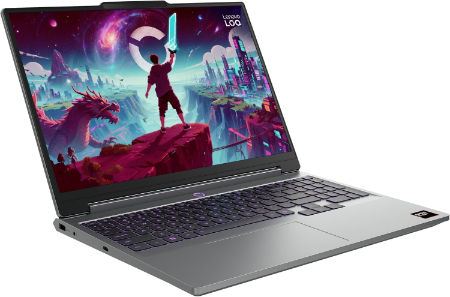
Lenovo LOQ 15AHP11 Ryzen 7 253 RTX 5050 16GB 512GB WUXGA 165Hz |
|
|---|---|
 Check This On Amazon |
|
| CPU | AMD Ryzen 7 253, 8 cores, up to 4.9 GHz, NPU up to 16 TOPS |
| GPU | NVIDIA GeForce RTX 5050 Laptop GPU, 8GB GDDR7, up to 115W |
| Display Size | 15.3 inch, 16:10 |
| Display Resolution | WUXGA 1920 × 1200 IPS, 165Hz, 300 nits, 100% sRGB, anti glare |
| RAM | 16GB DDR5 5600MHz, SO DIMM; upgradable to 32GB |
| Storage Space | 512GB PCIe 4.0 NVMe SSD; two M.2 slots |
| Operating System | Windows 11 Home or Windows 11 Pro |
| Ports | 3 × USB A; USB C USB4 with DisplayPort; HDMI 2.1; Gigabit Ethernet; 3.5 mm audio combo jack; Slim Tip power |
| Dimensions (L x W x H) | 13.58 × 10.03 × 0.82 to 0.92 inches |
| Weight | 4.6 lb (starting weight) |
| Pros | High refresh display; discrete RTX graphics; memory and storage upgrades are available; suitable for student gaming and creative work. |
| Cons | Entry tier GPU; chassis is bulky; base memory and SSD may need upgrading for demanding games. |
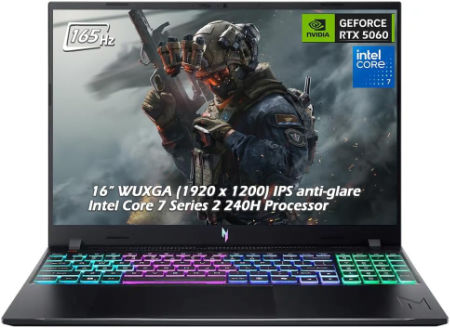
Acer Nitro V 16 AI 16 inches 2560 x 1600 Pixels, 16GB DDR5, 1TB PCIe Gen 4 SSD, Intel Core Ultra 7 356H, NVIDIA GeForce RTX 5060 Laptop GPU 8GB GDDR7 |
|
|---|---|
 Check This On Amazon |
|
| CPU | Intel Core Ultra 7 356H |
| GPU | NVIDIA GeForce RTX 5060 Laptop GPU 8GB GDDR7 |
| Display Size | 16 inches |
| Display Resolution | 2560 x 1600 Pixels; WQXGA IPS, up to 180Hz |
| RAM | 16GB DDR5 |
| Storage Space | 1TB PCIe Gen 4 SSD |
| Operating System | Windows 11 |
| Ports | USB-C, USB-A, HDMI 2.1, RJ45, audio combo jack |
| Dimensions (L x W x H) | 14.2 x 10.5 x 1.1 inches |
| Weight | 5.7 pounds |
| Pros | Dedicated RTX GPU; high refresh display; memory and SSD upgrade potential |
| Cons | Heavy; base 16GB RAM may limit professional workloads; fan noise under gaming |
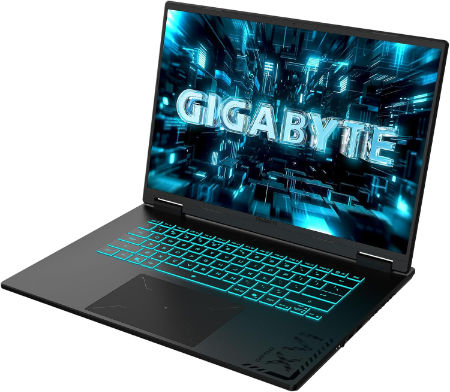
GIGABYTE GAMING A16 Ryzen 5 150 RTX 5050 16 inch WUXGA 165Hz |
|
|---|---|
 Check This On Amazon |
|
| CPU | AMD Ryzen 5 150, 6 cores, 12 threads, up to 4.55 GHz |
| GPU | NVIDIA GeForce RTX 5050 Laptop GPU, 8GB GDDR7 |
| Display Size | 16 inch, 16:10 |
| Display Resolution | WUXGA 1920 × 1200 IPS, 165Hz, 3ms, 45% sRGB, 300 nits typical |
| RAM | Up to 64GB DDR5 4800MHz, 2 SO DIMM slots |
| Storage Space | Up to 4TB PCIe NVMe SSD across 2 PCIe Gen4 x4 M.2 slots |
| Operating System | Windows 11 Home or Windows 11 Pro |
| Ports | HDMI 2.1, USB Type C with DisplayPort 1.4 and Power Delivery 3.0, USB Type A 3.2 Gen 1, USB Type A 2.0, RJ45 Ethernet, 3.5mm audio combo, DC in |
| Dimensions (L x W x H) | 10.33 × 14.11 × 0.77 to 0.90 inches (depth × width × height) |
| Weight | 4.85 lb (approximately 2.2 kg) |
| Pros | high refresh 16 inch display; memory and storage can be upgraded. |
| Cons | demanding games may need reduced settings. |
Best Laptops for Large Inventor Assemblies
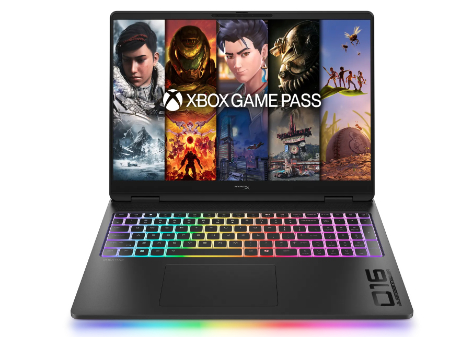
HP HyperX OMEN MAX 16 Intel Core Ultra 9 290HX Plus RTX 64GB 2TB 2026 |
|
|---|---|
 Check This On Amazon |
|
| CPU | Intel Core Ultra 9 290HX Plus, 24 cores, up to 5.5 GHz, NPU 13 TOPS |
| GPU | NVIDIA GeForce RTX 5090 Laptop GPU, 24GB GDDR7 |
| Display Size | 16 inch, 16:10 |
| Display Resolution | 16 inch 2.5K OLED 2560 × 1600, up to 240Hz, 0.2ms, 500 nits SDR, up to 1100 nits HDR, 100% DCI P3, VESA True Black HDR 1000 |
| RAM | 64GB DDR5 6400 MT/s, 2 × 32GB |
| Storage Space | 2TB PCIe Gen 5 NVMe SSD |
| Operating System | Windows 11 Home or Windows 11 Pro |
| Ports | 2 × USB Type A; 2 × USB Type C with high speed data and DisplayPort; HDMI 2.1; RJ45 Ethernet; headset combo; power connector |
| Dimensions (L x W x H) | Approx. 14.1 × 10.5 × 1.0 inches |
| Weight | Approx. 6.0 lb |
| Pros | High power gaming platform with fully internal cooling design; high refresh display; replaceable DDR5 memory and PCIe SSD options. |
| Cons | Heavy chassis and large power supply; battery runtime is limited under gaming |
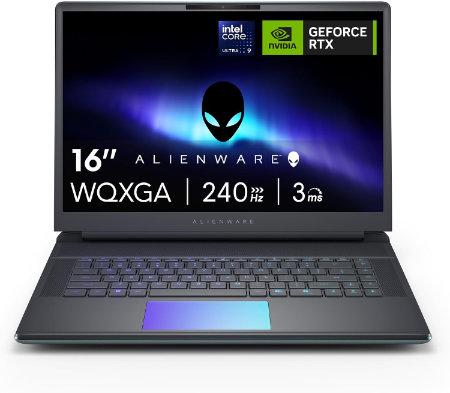
Dell Alienware 16 Area 51 Core Ultra 9 290HX Plus RTX5090 64GB 2TB OLED 240Hz |
|
|---|---|
 Check This On Amazon |
|
| CPU | Intel Core Ultra 9 290HX Plus, 24 cores, up to 5.5 GHz |
| GPU | NVIDIA GeForce RTX 5090 Laptop GPU, 24GB GDDR7 |
| Display Size | 16 inch, 16:10 |
| Display Resolution | 16 inch WQXGA 2560 × 1600 anti glare OLED, 240Hz, 120% DCI P3 color volume, 620 nits HDR, G SYNC |
| RAM | 64GB DDR5 6400 MT/s, 2 × 32GB CSoDIMM |
| Storage Space | 2TB M.2 2280 PCIe Gen 5 SSD |
| Operating System | Windows 11 Home or Windows 11 Pro |
| Ports | Global headset jack; 3 × USB A 3.2 Gen 1; 2 × Thunderbolt 4 for RTX 5070 and lower or 2 × Thunderbolt 5 for RTX 5070 Ti and higher; HDMI 2.1; SD card reader |
| Dimensions (L x W x H) | 14.37 × 11.41 × up to 1.12 inches (width × depth × maximum height) |
| Weight | 7.49 lb maximum system weight |
| Pros | Desktop class graphics options; high refresh OLED; 96Wh battery; user replaceable DDR5 memory and multiple SSD capacity options |
| Cons | Very heavy for daily travel |
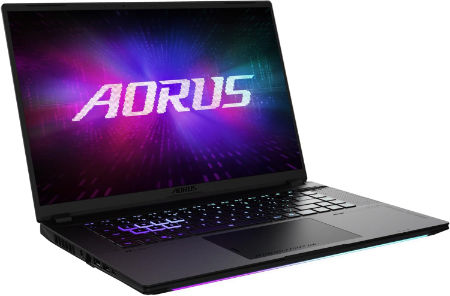
AORUS MASTER 16 GEN 2 Ryzen 9 9955HX3D RTX 5090 16 inch 2.5K OLED 240Hz |
|
|---|---|
 Check This On Amazon |
|
| CPU | AMD Ryzen 9 9955HX3D, 16 cores, 32 threads, up to 5.4 GHz, 128MB L3 cache |
| GPU | NVIDIA GeForce RTX 5090 Laptop GPU, 24GB GDDR7, up to 175W with Dynamic Boost |
| Display Size | 16 inch, 16:10 |
| Display Resolution | WQXGA 2560 × 1600 OLED, 240Hz, 0.2ms, 100% DCI P3, up to 1000 nits peak, DisplayHDR True Black 1000 |
| RAM | Up to 64GB DDR5 5600MHz, 2 SO DIMM slots |
| Storage Space | Up to 4TB PCIe NVMe SSD, one PCIe Gen5 M.2 slot and one PCIe Gen4 x4 M.2 slot |
| Operating System | Windows 11 Home or Windows 11 Pro |
| Ports | HDMI 2.1, RJ45 Ethernet, USB Type A 3.2 Gen 2, USB4 Type C with DisplayPort 1.4 and Power Delivery 3.0, USB Type C 3.2 Gen 2 with DisplayPort 2.0 and Power Delivery 3.0, MicroSD UHS II, 3.5mm audio combo, DC in |
| Dimensions (L x W x H) | 10.05 × 14.06 × 0.75 to 0.96 inches (depth × width × height) |
| Weight | 5.07 lb (approximately 2.3 kg) |
| Pros | Flagship gaming performance; 24GB graphics memory; fast high contrast OLED display; strong cooling design and expandable system memory. |
| Cons | High purchase cost and power draw; the 330W class charger adds travel weight; battery runtime under heavy gaming will be limited. |
Best Portable Laptops for CAD Engineers
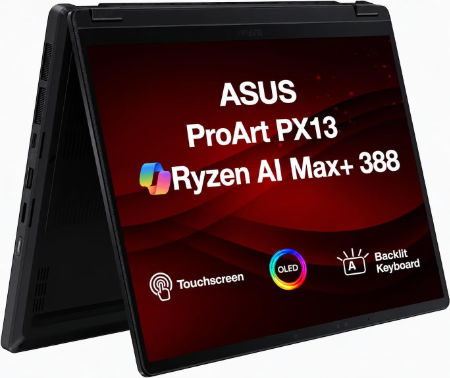
ASUS ProArt PX13 2026 AMD Ryzen AI 9 HX 370 NVIDIA GeForce RTX 5070 Laptop GPU, 8GB GDDR7 |
|
|---|---|
 Check This On Amazon |
|
| CPU | AMD Ryzen AI 9 HX 370 |
| GPU | NVIDIA GeForce RTX 5070 Laptop GPU, 8GB GDDR7 |
| Display Size | 13.3 inch convertible OLED touchscreen |
| Display Resolution | 2880 × 1800, 120Hz |
| RAM | 32GB LPDDR5X onboard |
| Storage Space | 1TB NVMe SSD |
| Operating System | Windows 11 Home or Pro |
| Ports | USB4 Type C; USB C; USB A; HDMI 2.1; microSD card reader; 3.5mm audio |
| Pros | Portable convertible design; OLED touchscreen; discrete graphics for mobile creative work. |
| Cons | |
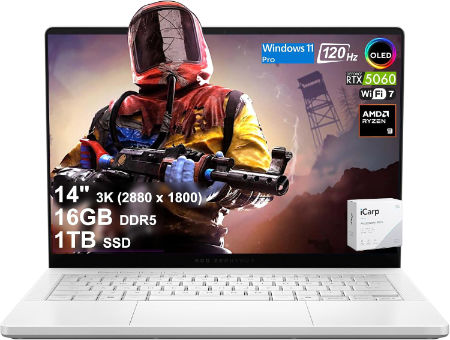
ASUS ROG Zephyrus G14 2026 AMD Ryzen AI 9 HX 475 NVIDIA GeForce RTX 5070 Ti Laptop GPU, 12GB GDDR7 |
|
|---|---|
 Check This On Amazon |
|
| CPU | AMD Ryzen AI 9 HX 475 |
| GPU | NVIDIA GeForce RTX 5070 Ti Laptop GPU, 12GB GDDR7 |
| Display Size | 14 inch OLED |
| Display Resolution | 2880 × 1800, 120Hz |
| RAM | 32GB LPDDR5X onboard |
| Storage Space | 1TB NVMe SSD |
| Operating System | Windows 11 Home |
| Ports | USB4 Type C; USB C; USB A; HDMI 2.1; microSD; 3.5mm audio |
| Pros | Compact OLED gaming laptop; discrete RTX graphics; portable form factor. |
| Cons | Memory is onboard |
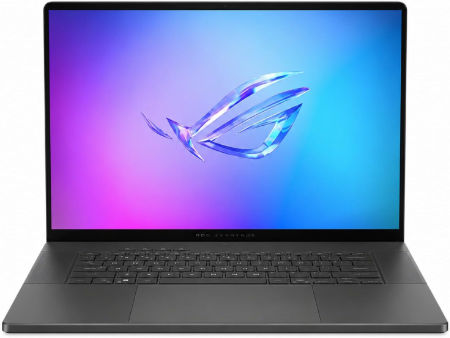
ASUS ROG Zephyrus G16 2026 Intel Core Ultra 9 386H NVIDIA GeForce RTX 5070 Ti Laptop GPU, 12GB GDDR7 |
|
|---|---|
 Check This On Amazon |
|
| CPU | Intel Core Ultra 9 386H |
| GPU | NVIDIA GeForce RTX 5070 Ti Laptop GPU, 12GB GDDR7 |
| Display Size | 16 inch OLED |
| Display Resolution | 2560 × 1600, 240Hz |
| RAM | 32GB LPDDR5X onboard |
| Storage Space | 1TB NVMe SSD |
| Operating System | Windows 11 Home |
| Ports | Thunderbolt 4 USB C; USB A; HDMI 2.1; SD card reader; 3.5mm audio |
| Pros | High refresh OLED; discrete RTX graphics; thin premium gaming chassis. |
| Cons | high GPU tiers increase heat and power consumption. |
Best Laptops for Large CAD Drawings and Multitasking
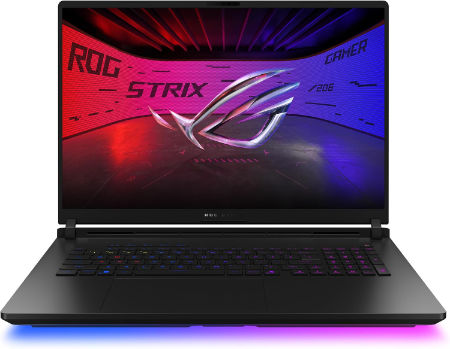
ASUS ROG Strix SCAR 18 2026 Intel Core Ultra 9 386H NVIDIA GeForce RTX 5090 Laptop GPU, 24GB GDDR7 |
|
|---|---|
 Check This On Amazon |
|
| CPU | Intel Core Ultra 9 386H |
| GPU | NVIDIA GeForce RTX 5090 Laptop GPU, 24GB GDDR7 |
| Display Size | 18 inch Mini LED |
| Display Resolution | 2560 × 1600, 240Hz |
| RAM | 64GB DDR5 SO DIMM |
| Storage Space | 2TB NVMe SSD |
| Operating System | Windows 11 Home |
| Ports | Thunderbolt 5 USB C; USB A; HDMI 2.1; 2.5Gb Ethernet; 3.5mm audio |
| Weight | 7.05 lb |
| Pros | High refresh Mini LED; high end RTX graphics; upgradeable memory and storage. |
| Cons | high power demand and fan noise under load. |
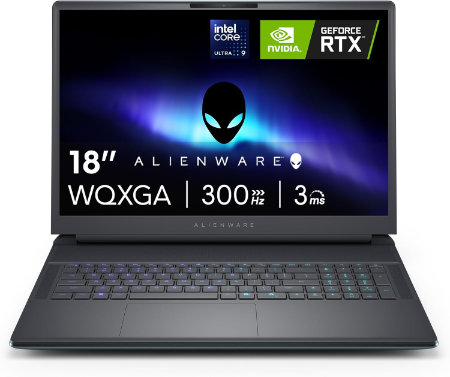
Dell Alienware 18 Area 51 Core Ultra 9 290HX Plus RTX5090 64GB 2TB WQXGA 300Hz |
|
|---|---|
 Check This On Amazon |
|
| CPU | Intel Core Ultra 9 290HX Plus, 24 cores, up to 5.5 GHz |
| GPU | NVIDIA GeForce RTX 5090 Laptop GPU, 24GB GDDR7 |
| Display Size | 18 inch, 16:10 |
| Display Resolution | 18 inch WQXGA 2560 × 1600, 300Hz, 500 nits, 100% DCI P3, Advanced Optimus, ComfortView Plus and G SYNC |
| RAM | 64GB DDR5 6400 MT/s, 2 × 32GB CSoDIMM |
| Storage Space | 2TB M.2 2280 PCIe Gen 5 SSD |
| Operating System | Windows 11 Home or Windows 11 Pro |
| Ports | USB A 3.2 Gen 1; USB C Thunderbolt ports depending on GPU tier; HDMI 2.1; SD card reader; global headset jack; RJ45 Ethernet |
| Dimensions (L x W x H) | 16.14 × 12.59 × 0.95 inches at front (width × depth × front height) |
| Weight | 9.56 lb maximum system weight |
| Pros | Very large 300Hz screen; flagship RTX 50 Series GPU options; 96Wh battery; replaceable DDR5 memory and multiple SSD options. |
| Cons | 9.56 lb maximum laptop weight plus a 2.20 lb power adapter; large desk focused chassis; battery life is short during gaming. Consider a RAM upgrade for demanding video work or large local development environments. |
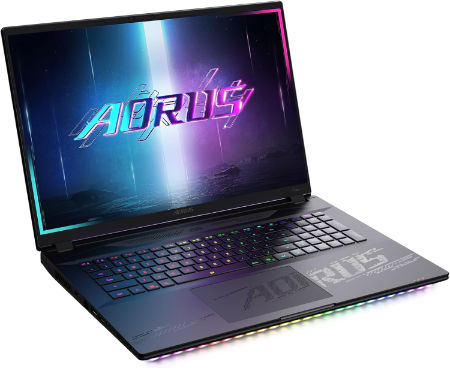
AORUS MASTER 18 Core Ultra 9 275HX RTX 5090 18 inch Mini LED 240Hz |
|
|---|---|
 Check This On Amazon |
|
| CPU | Intel Core Ultra 9 275HX, 24 cores, 24 threads, up to 5.4 GHz |
| GPU | NVIDIA GeForce RTX 5090 Laptop GPU, 24GB GDDR7, up to 175W with Dynamic Boost |
| Display Size | 18 inch, 16:10 |
| Display Resolution | WQXGA 2560 × 1600 Mini LED, 240Hz, 3ms, 100% DCI P3, up to 1200 nits, 2304 local dimming zones, DisplayHDR 1000 |
| RAM | Up to 128GB DDR5, 4 SO DIMM slots |
| Storage Space | Up to 6TB PCIe NVMe SSD across one PCIe Gen5 M.2 slot and two PCIe Gen4 x4 M.2 slots, RAID 0 support |
| Operating System | Windows 11 Home or Windows 11 Pro |
| Ports | Thunderbolt 5 Type C with USB4, DisplayPort 2.1 and Power Delivery 3.0, Thunderbolt 4 Type C with USB4, DisplayPort 1.4 and Power Delivery 3.0, HDMI 2.1, USB Type A 3.2 Gen 2, full size SD UHS II, RJ45 2.5Gb Ethernet, 3.5mm audio combo, DC in |
| Dimensions (L x W x H) | 11.30 × 15.78 × 1.00 to 1.22 inches (depth × width × height) |
| Weight | 7.72 lb (approximately 3.5 kg) |
| Pros | Very large bright Mini LED display; RTX 5090 performance; extensive memory and SSD expansion; premium port selection. |
| Cons | Heavy and bulky; large 400W adapter; likely best for desk based use rather than frequent travel. |
Best Laptops for Inventor Rendering and Visualisation
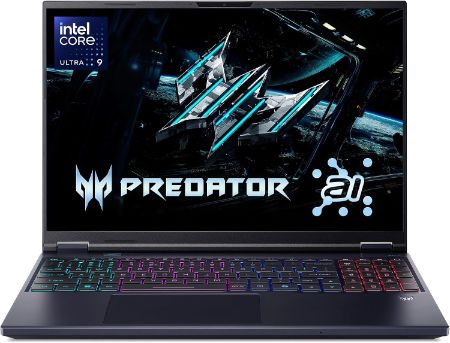
Acer Predator Helios Neo 16S AI 16 inches 2560 x 1600 Pixels, 32GB DDR5, 1TB PCIe Gen 4 SSD, Intel Core Ultra 9 386H, NVIDIA GeForce RTX 5070 Ti Laptop GPU 12GB GDDR7 |
|
|---|---|
 Check This On Amazon |
|
| CPU | Intel Core Ultra 9 386H |
| GPU | NVIDIA GeForce RTX 5070 Ti Laptop GPU 12GB GDDR7 |
| Display Size | 16 inches |
| Display Resolution | 2560 x 1600 Pixels; WQXGA OLED, 240Hz |
| RAM | 32GB DDR5 |
| Storage Space | 1TB PCIe Gen 4 SSD |
| Operating System | Windows 11 |
| Ports | Thunderbolt 4 USB-C, USB-A, HDMI 2.1, RJ45, audio combo jack |
| Dimensions (L x W x H) | 14.2 x 10.5 x 0.9 inches |
| Weight | 5.5 pounds |
| Pros | High refresh OLED; dedicated RTX graphics; suitable for gaming and creator tasks |
| Cons | Heavy; expensive; fan noise and heat under load |
GIGABYTE GAMING A16 PRO Core 7 240H RTX 5070 Ti 16 inch WQXGA 165Hz |
|
|---|---|
Check This On Amazon |
|
| CPU | Intel Core 7 240H, 10 cores, 16 threads, up to 5.2 GHz |
| GPU | NVIDIA GeForce RTX 5070 Ti Laptop GPU, 12GB GDDR7 |
| Display Size | 16 inch, 16:10 |
| Display Resolution | WQXGA 2560 × 1600 IPS, 165Hz, 3ms, 100% sRGB, 400 nits typical |
| RAM | 32GB LPDDR5X 5600MHz onboard memory |
| Storage Space | Up to 4TB PCIe NVMe SSD, 2 PCIe Gen4 x4 M.2 slots |
| Operating System | Windows 11 Home or Windows 11 Pro |
| Ports | HDMI 2.1, USB Type C with DisplayPort 1.4 and Power Delivery 3.0, USB Type A 3.2 Gen 1, USB Type A 2.0, RJ45 Ethernet, 3.5mm audio combo, DC in |
| Dimensions (L x W x H) | 10.33 × 14.11 × 0.77 to 0.90 inches (depth × width × height) |
| Weight | 5.07 lb (approximately 2.3 kg) |
| Pros | 12GB VRAM and a high refresh QHD plus display; useful for modern games, design software and GPU accelerated creation. |
| Cons | IPS contrast is lower than OLED |
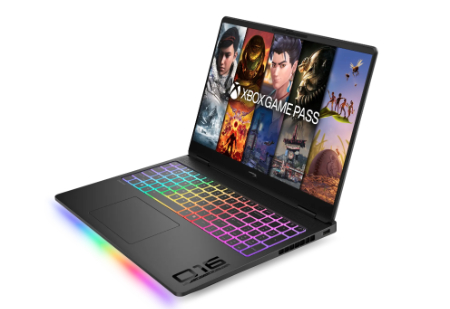
HP HyperX OMEN MAX 16 Intel Core Ultra 9 290HX Plus RTX 32GB 1TB 2026 |
|
|---|---|
 Check This On Amazon |
|
| CPU | Intel Core Ultra 9 290HX Plus, 24 cores, up to 5.5 GHz, NPU 13 TOPS |
| GPU | NVIDIA GeForce RTX 5080 Laptop GPU, 16GB GDDR7 |
| Display Size | 16 inch, 16:10 |
| Display Resolution | 16 inch 2.5K OLED 2560 × 1600, up to 240Hz, 0.2ms, 500 nits SDR, up to 1100 nits HDR, 100% DCI P3, VESA True Black HDR 1000 |
| RAM | 32GB DDR5 6400 MT/s, 2 × 16GB |
| Storage Space | 1TB PCIe Gen 5 NVMe SSD |
| Operating System | Windows 11 Home or Windows 11 Pro |
| Ports | 2 × USB Type A; 2 × USB Type C with high speed data and DisplayPort; HDMI 2.1; RJ45 Ethernet; headset combo; power connector |
| Dimensions (L x W x H) | Approx. 14.1 × 10.5 × 1.0 inches |
| Weight | Approx. 6.0 lb |
| Pros | high refresh display; |
| Cons | |
MORE LAPTOP RECOMMENDATIONS:
Latest Top CATIA Laptop Recommendations