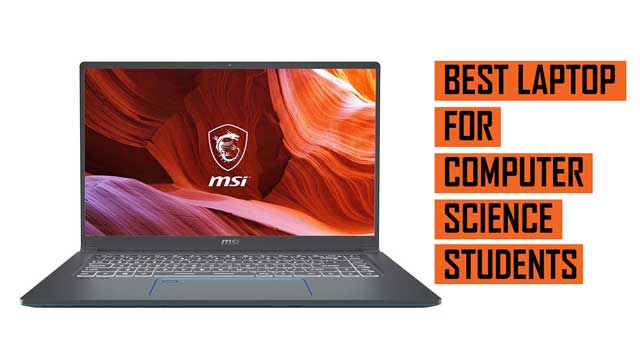
In computer science, your laptop is your note-taking device, development lab, testing ground, and career companion. From coding assignments and algorithmic problem-solving to database management, virtual environments, and software engineering projects, the demands on your machine grow as your coursework deepens. That’s why we’ve crafted this guide for computer science students at all levels.
We’ll walk with you through what matters most and help you choose a laptop that can handle Python scripts, compile C++ efficiently, spin up virtual machines, and even run containerized environments.
A Good Laptop Translates to a Smoother Learning Curve
Choosing the right system from the start gives you more time to focus on logic, not lag. When your laptop compiles code faster, handles Docker containers cleanly, and lets you run a virtual Linux environment alongside Chrome and VS Code, you’re in a better position to succeed.
We’ve assessed the hardware demands of major CS tools—IDEs, compilers, Git clients, emulators, databases, and cloud platforms. The result is a set of performance-based criteria tailored to your academic and project-based needs.
What Makes a Laptop Ideal for Computer Science?
CPU performance is non-negotiable. Most coding environments are CPU-bound, and compiling, debugging, and running concurrent processes all benefit from a fast, multi-core processor. An Intel Core i5 or i7 (12th Gen or newer) or AMD Ryzen 5/7 (7000 series) is ideal. Avoid low-powered “U-series” processors common in ultrabooks—they may hurt performance over time.
RAM determines your multitasking fluidity. Coding rarely happens in a vacuum. You’ll often have an IDE, a browser with 20 tabs, a terminal, perhaps a database and container system running in the background. 16GB of RAM is the sweet spot for a computer science student. 8GB is workable early on, but will feel tight by your third year or if you explore areas like data science or full-stack web development.
Storage impacts boot and load times. A 512GB SSD is fast and quiet, and gives you space for source code, tools, libraries, and side projects. You’ll also want room for system backups, virtual machines, and package caches. Larger storage (1TB) is ideal if you also handle datasets or media.
Battery life is critical on campus. You’ll be coding in libraries, cafes, or labs, and sometimes back-to-back classes leave little room for charging. A laptop with 8–12 hours of real-world battery life gives you the flexibility to work uninterrupted.
Display quality matters more than you think. Long hours coding on a sub-par screen strains your eyes and slows your pace. Look for a Full HD (1920×1080) display at minimum, with good brightness and sharp contrast. Higher resolutions or anti-glare coatings are a bonus, especially if you’re often outside or in bright rooms.
Keyboard and build quality influence how long, and how well you can work. A solid keyboard with good travel and feedback reduces typing fatigue. A backlit keyboard helps in low-light settings. Durable chassis materials mean your system survives a few years in your backpack.
Port selection supports your tools. You may need to connect external monitors, Arduino boards, flash drives, or external storage. A laptop with USB-A, USB-C, HDMI, and audio jacks covers most needs. Thunderbolt or Ethernet support is a nice plus for high-speed transfer or certain networking tasks.
What You Can Expect from This Guide
We’re focusing on laptops that perform well across Linux compatibility, local development, container support, browser-based tools, and multiplatform testing. These systems are light enough to carry between classes but powerful enough to handle intense compiling and real-time debugging. They’ll keep pace as you move from basic scripts to operating systems coursework, from version control to cloud deployment.
This list of best laptops for Computer Science Student has brands such as Apple MacBook, Microsoft Surface, Acer, Asus, Dell, Lenovo, Razer, Gigabyte, HP and many more. All the laptop listed here, meet the criteria for performance, display quality, weight, screen size and battery life.
You can also have a look at the best laptop for Information Technology Students in addition to the best laptop for College Students.
Best Laptops for Computer Science Students (2025);
Contents
- ASUS ZenBook Pro 15 OLED Laptop 15.6” FHD Touch Display, AMD Ryzen 9 5900HX CPU, NVIDIA GeForce RTX 3050 Ti gpu, 16GB RAM, 1TB PCIe SSD
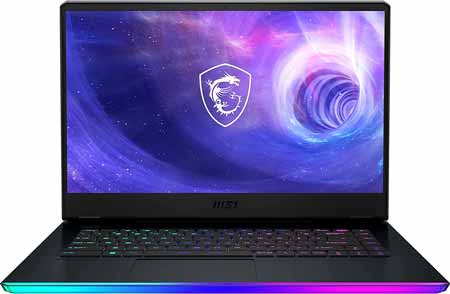
- MSI Raider GE66 15.6 UHD 4K 120Hz Gaming Laptop Intel Core i9-12900HK RTX 3080 Ti 32GB DDR5 1TB NVMe SSD
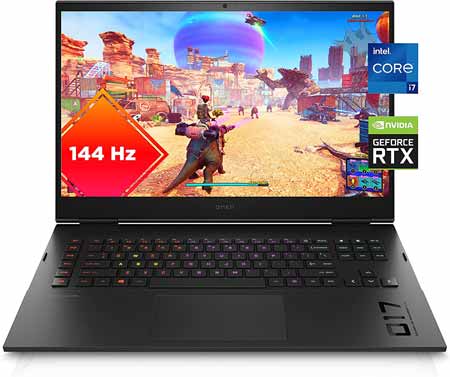
- OMEN by HP 17-inch Laptop, Intel Core i7-12700H, NVIDIA GeForce RTX 3060, 16 GB RAM, 512 GB SSD
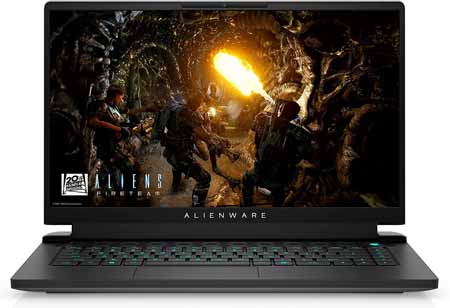
- Alienware m15 R6, 15.6 inch QHD 240Hz Non-Touch Gaming Laptop - Intel Core i7-11800H, 16GB DDR4 RAM, 512GB SSD, NVIDIA GeForce RTX 3060 6GB GDDR6
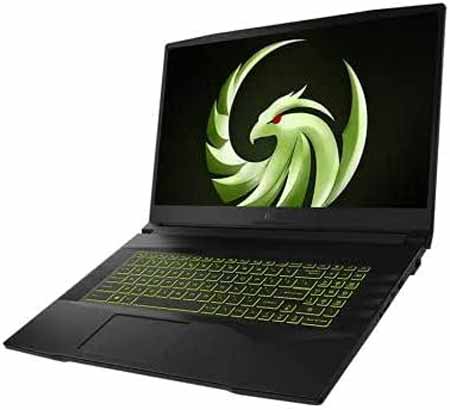
- MSI Alpha 17 17.3 144Hz Gaming Laptop AMD Ryzen 7 5800H 16GB RAM 512GB SSD AMD Radeon RX 6600M 8GB GDDR6
- Lenovo Legion 5 Gaming Laptop, AMD Ryzen 5 5600H (Beats i7-10750H), 4.2GHz, 17.3 FHD IPS 144Hz, GeForce RTX 3060
- MSI GF63 15.6 Thin FHD 144Hz Gaming Laptop (Intel i5-11400H, 16GB RAM, 512GB PCle SSD, Geforce RTX 3050 4GB)
- ASUS ROG Strix Scar 17 (2022) Gaming Laptop, 17.3†360Hz IPS FHD Display, NVIDIA GeForce RTX 3070 Ti, Intel Core i9-12900H, 16GB DDR5, 1TB SSD
- Acer Nitro 5 AN517-41-R0RZ Gaming Laptop, AMD Ryzen 7 5800H (8-Core) NVIDIA GeForce RTX 3060 Laptop GPU 17.3 FHD 144Hz IPS Display 16GB DDR4 1TB NVMe SSD
- MSI Crosshair17 17.3 144Hz FHD Gaming Laptop Intel Core i7-11800H RTX3050TI 16GB 512GBNVMe SSD Win10
- Lenovo Legion 5 Pro Gaming Laptop 16 WQXGA 2K IPS 165Hz 500nits AMD Octa-Core Ryzen 7-5800H 16GB RAM 1TB SSD GeForce RTX 3070 8GB
- MSI GP66 Leopard Gaming Laptop 15.6 144Hz Full HD+LCD Display (Intel i7-11800H 8-Core, 64GB RAM, 2TB PCIe SSD, RTX 3080 8GB
- Razer Blade 15 Gaming Laptop NVIDIA GeForce RTX 3080 - 11th Gen Intel 8-Core i9 CPU - 15.6” 4K OLED - 32GB RAM - 1TB SSD
- Asus ROG Zephyrus G14 VR Ready Gaming Laptop, 14 144Hz Full HD IPS Display, 8 Cores AMD Ryzen 9 5900HS,NVIDIA GeForce RTX 3060
- HP Omen 16 Gaming Laptop I 16.1” Full HD IPS 144Hz 7ms I 11th Gen Intel 8-Core i7-11800H I 64GB DDR4 1TB SSD I Geforce RTX 3060 6GB
- MORE LAPTOP RECOMMENDATIONS
Best Performance Laptop for Computer Science
ASUS ZenBook Pro 15 OLED Laptop 15.6” FHD Touch Display, AMD Ryzen 9 5900HX CPU, NVIDIA GeForce RTX 3050 Ti gpu, 16GB RAM, 1TB PCIe SSD |
|
|---|---|
 Check This On Amazon |
|
| CPU | AMD Ryzen 9 5900HX |
| GPU | NVIDIA GeForce RTX 3050 Ti |
| Display Size | 15.6 inch |
| Display Resolution | 400 nits FHD OLED NanoEdge bezel touch display |
| RAM | 16GB |
| Storage Space | 1TB PCIe SSD |
| Operating System | Windows 11 |
| Ports | HDMI 2.0b, USB 3.2 Type-A, USB 3.2 Type-C, Wi-Fi 5 (802.11ac), Bluetooth 5.0, and 2-in-1 card reader |
| Dimensions (L x W x H) | 13.94 x 9.37 x 0.7 inches |
| Weight | 7.30 lbs |
| Advantages | Good performance |
| Disadvantages | Quite heavy |
MSI Raider GE66 15.6 UHD 4K 120Hz Gaming Laptop Intel Core i9-12900HK RTX 3080 Ti 32GB DDR5 1TB NVMe SSD |
|
|---|---|
 Check This On Amazon |
|
| CPU | Intel Core i9-12900HK |
| GPU | RTX 3080 Ti |
| Display Size | 15.6 Inches |
| Display Resolution | 3840x2160 Pixels |
| RAM | 32GB DDR5 |
| Storage Space | 1TB NVMe SSD |
| Operating System | Windows 11 |
| Ports | USB, Ethernet, Audio |
| Dimensions (L x W x H) | 14.5 x 20.7 x 4.4 inches |
| Weight | 5.25 lbs |
| Advantages | Good performance, Quality display |
| Disadvantages | Quite pricy |
Best Intel Core i7 Laptop for Computer Science
OMEN by HP 17-inch Laptop, Intel Core i7-12700H, NVIDIA GeForce RTX 3060, 16 GB RAM, 512 GB SSD |
|
|---|---|
 Check This On Amazon |
|
| CPU | Intel Core i7-12700H |
| GPU | NVIDIA GeForce RTX 3060 |
| Display Size | 17.3 inches |
| Display Resolution | 1920 x 1080 pixels |
| RAM | 16GB |
| Storage Space | 512 GB SSD |
| Operating System | Windows 11 |
| Ports | USB, Ethernet, Audio, HDMI |
| Dimensions (L x W x H) | 1.06 x 10.32 x 15.64 inches |
| Weight | 6.15 lbs |
| Advantages | Good performance |
| Disadvantages | weight |
Alienware m15 R6, 15.6 inch QHD 240Hz Non-Touch Gaming Laptop - Intel Core i7-11800H, 16GB DDR4 RAM, 512GB SSD, NVIDIA GeForce RTX 3060 6GB GDDR6 |
|
|---|---|
 Check This On Amazon |
|
| CPU | 11th Generation Intel Core i7-11800H (24MB Cache, up to 4.6 GHz, 8 cores) |
| GPU | NVIDIA GeForce RTX 3060 6GB GDDR6 |
| Display Size | 15.6-inch |
| Display Resolution | QHD (2560 x 1440) 240Hz 19ms with ComfortView Plus, NVIDIA G-SYNC and Advanced Optimus |
| RAM | 16GB 3200MHz DDR4 |
| Storage Space | 512 GB M.2 PCIe NVMe SSD |
| Operating System | Windows 10 (Upgradable) |
| Ports | 1. (2) Type-A USB 3.2 Gen1 ports| 2. Type-C port(Thunderbolt 4, USB 3.2 Gen 2, Display Port 1.4, Power Delivery 15W Output (5V/3A) capabilities) | 3. Type-A USB 3.2 Gen 1 port | 4. HDMI 2.1 Output port | 5. Power/DC-In port | 6. Killer E2600 1Gbps rated RJ-45 Ethernet port | 7. Global Headset jack |
| Dimensions (L x W x H) | 10.73 x 14.02 x 0.89 inches |
| Weight | 5.93 pounds |
| Advantages | Many Ports, Great Performance |
| Disadvantages | Storage space is little, though upgradable |
Best Ryzen 7 Laptop for Computer Science
MSI Alpha 17 17.3 144Hz Gaming Laptop AMD Ryzen 7 5800H 16GB RAM 512GB SSD AMD Radeon RX 6600M 8GB GDDR6 |
|
|---|---|
 Check This On Amazon |
|
| CPU | AMD Ryzen 7 5800H |
| GPU | AMD Radeon RX 6600M 8GB GDDR6 |
| Display Size | 17.3 Inches |
| Display Resolution | 1920 x 1080 pixels |
| RAM | 16 GB DDR4 |
| Storage Space | 512 GB SSD |
| Operating System | Windows 10 |
| Ports | USB, Ethernet, Audio |
| Dimensions (L x W x H) | 23.6 x 14.1 x 4.4 inches |
| Weight | 10.83 pounds |
| Advantages | Large display |
| Disadvantages | Quite heavy, little storage space |
Best Mid-Range Laptop for Computer Science
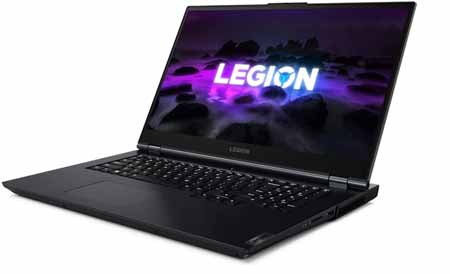
Lenovo Legion 5 Gaming Laptop, AMD Ryzen 5 5600H (Beats i7-10750H), 4.2GHz, 17.3 FHD IPS 144Hz, GeForce RTX 3060 |
|
|---|---|
 Check This On Amazon |
|
| CPU | AMD Ryzen 5 5600H 3.3GHz (6 Cores, 12 Threads, 3MB L2 cache, 16MB L3 cache, up to 4.20GHz) |
| GPU | NVIDIA GeForce RTX 3060 6GB GDDR6 |
| Display Size | 17.3" |
| Display Resolution | FHD (1920x1080) IPS 300nits Anti-glare, 144Hz, 72% NTSC, Free-Sync, DC dimmer |
| RAM | 32GB DDR4-3200 |
| Storage Space | 1TB PCIe SSD |
| Operating System | Windows 11 |
| Ports | 3x USB 3.2 Gen 1,1x USB 3.2 Gen 1 (Always On),1x USB-C 3.2 Gen 2 (support data transfer and DisplayPort 1.4),1x USB-C 3.2 Gen 2 (support data transfer, Power Delivery and DisplayPort 1.4),1x HDMI 2.1,1x Card reader,1x Ethernet (RJ-45),1x Headphone / microphone combo jack (3.5mm),1x Power connector |
| Dimensions (L x W x H) | 15.7 x 11.41 x 0.96 inches |
| Weight | 6.57 pounds |
| Advantages | Good performance, affordable |
| Disadvantages | Might be heavy for some people |
Best Budget Laptop for Computer Science
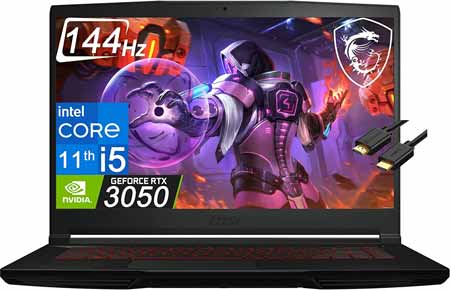
MSI GF63 15.6 Thin FHD 144Hz Gaming Laptop (Intel i5-11400H, 16GB RAM, 512GB PCle SSD, Geforce RTX 3050 4GB) |
|
|---|---|
 Check This On Amazon |
|
| CPU | 11th Gen Core i5-11400H |
| GPU | GeForce RTX 3050 4GB |
| Display Size | 15.6" |
| Display Resolution | FHD 144Hz IPS Display |
| RAM | 16GB DDR4 |
| Storage Space | 512GB PCle SSD |
| Operating System | Windows 11 |
| Ports | 1x USB Type-C, 3x USB Type-A, 1x RJ45, 1x Headphone/Microphone Port |
| Dimensions (L x W x H) | 14.13 x 9.99 x 0.85 inches |
| Weight | 4.10 lbs |
| Advantages | Good performance |
| Disadvantages | Weight |
Best Laptop for Computer Science Students and Beginners
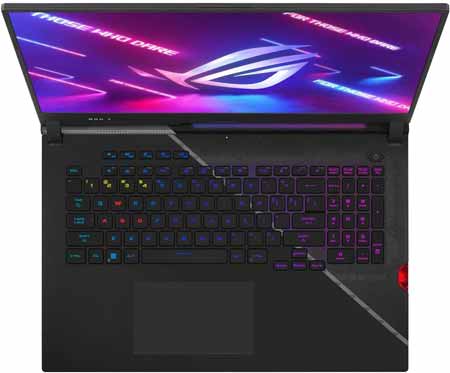
ASUS ROG Strix Scar 17 (2022) Gaming Laptop, 17.3†360Hz IPS FHD Display, NVIDIA GeForce RTX 3070 Ti, Intel Core i9-12900H, 16GB DDR5, 1TB SSD |
|
|---|---|
 Check This On Amazon |
|
| CPU | Intel Core i9-12900H |
| GPU | NVIDIA GeForce RTX 3070 Ti |
| Display Size | 17.3 inches |
| Display Resolution | 360Hz IPS FHD Display |
| RAM | 16GB DDR5 |
| Storage Space | 1TB SSD |
| Operating System | Windows 11 |
| Ports | 1x Thunderbolt 4, 1x USB 3.2 Type-C (Gen2), 2x USB 3.2 Type-A (Gen1), 1x HDMI 2.1, 1x 3.5mm Audio Jack, 1x 2.5 Gbps LAN |
| Dimensions (L x W x H) | 15.55 x 11.1 x 0.92 inches |
| Weight | 6.40 lbs |
| Advantages | Good performance, Large display |
| Disadvantages | Quite heavy |
Acer Nitro 5 AN517-41-R0RZ Gaming Laptop, AMD Ryzen 7 5800H (8-Core) NVIDIA GeForce RTX 3060 Laptop GPU 17.3 FHD 144Hz IPS Display 16GB DDR4 1TB NVMe SSD |
|
|---|---|
 Check This On Amazon |
|
| CPU | AMD Ryzen 7 5800H (8-Core) |
| GPU | NVIDIA GeForce RTX 3060 |
| Display Size | 17.3 inches |
| Display Resolution | Full HD (1920 x 1080) Widescreen LED-backlit IPS Display with 144Hz Refresh Rate | 16:9 aspect ratio |
| RAM | 16GB DDR4 |
| Storage Space | 1TB NVMe SSD |
| Operating System | Windows 10 |
| Ports | USB, Ethernet, Audio Jack, SD Card |
| Dimensions (L x W x H) | 15.89 x 11.02 x 0.98 inches |
| Weight | 5.95 pounds |
| Advantages | Design, Storage, Performance |
| Disadvantages | Heavy |
Best 17 Inch Laptop for Computer Science
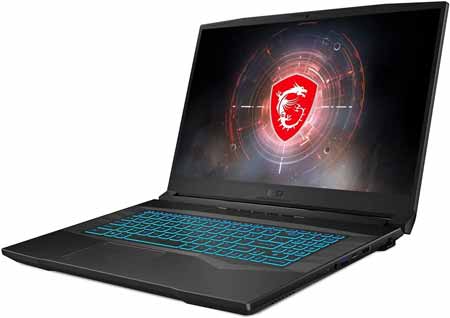
MSI Crosshair17 17.3 144Hz FHD Gaming Laptop Intel Core i7-11800H RTX3050TI 16GB 512GBNVMe SSD Win10 |
|
|---|---|
 Check This On Amazon |
|
| CPU | Intel Core i7-11800H 8 Core 2.4 - 4.6GHz |
| GPU | NVIDIA GeForce RTX3050 TI Laptop GPU 4G GDDR6 |
| Display Size | 17.3 inches |
| Display Resolution | Thin Bezel FHD, IPS-Level 144Hz, 72% NTSC |
| RAM | 16GB (8G*2) DDR4 3200MHz; 2 Sockets |
| Storage Space | 512GB NVMe SSD |
| Operating System | Windows 10 |
| Ports | USB, Ethernet |
| Dimensions (L x W x H) | 0.95 x 15.68 x 10.76 inches |
| Weight | 5.07 pounds |
| Advantages | Performance |
| Disadvantages | NA |
Best 16 Inch Laptop for Computer Science
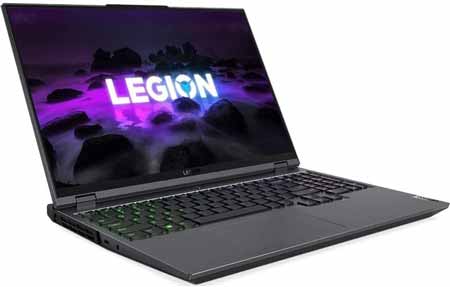
Lenovo Legion 5 Pro Gaming Laptop 16 WQXGA 2K IPS 165Hz 500nits AMD Octa-Core Ryzen 7-5800H 16GB RAM 1TB SSD GeForce RTX 3070 8GB |
|
|---|---|
 Check This On Amazon |
|
| CPU | AMD Octa-Core Ryzen 7-5800H |
| GPU | GeForce RTX 3070 8GB |
| Display Size | 16" |
| Display Resolution | WQXGA 2K IPS 165Hz 500nits |
| RAM | 16GB |
| Storage Space | 1TB SSD |
| Operating System | Windows 11 |
| Ports | 3x USB-A 3.2, 1x USB-A 3.2 (Always On), 1x USB-C 3.2 (support data transfer and DisplayPort 1.4), 1x USB-C 3.2 (support data transfer, Power Delivery and DisplayPort 1.4), 1x HDMI 2.1, 1x Ethernet (RJ-45), 1x Headphone / microphone combo jack (3.5mm) |
| Dimensions (L x W x H) | 14.02 x 10.41 x 1.07 inches |
| Weight | 5.4 pounds |
| Advantages | Good performance, Quality storage |
| Disadvantages | n/a |
Best 15 inch Laptop for Computer Science
MSI GP66 Leopard Gaming Laptop 15.6 144Hz Full HD+LCD Display (Intel i7-11800H 8-Core, 64GB RAM, 2TB PCIe SSD, RTX 3080 8GB |
|
|---|---|
 Check This On Amazon |
|
| CPU | Intel i7-11800H 8-Core |
| GPU | RTX 3080 8GB |
| Display Size | 15.6" |
| Display Resolution | Full HD (1920x1080) 144Hz Refresh Rate |
| RAM | 64GB DDR4 SODIMM |
| Storage Space | 2TB PCIe SSD |
| Operating System | Windows 11 |
| Ports | 3 USB 3.2 Gen1, 1 HDMI, 1 mini Display Port, No Optical Drive, Headphone/Microphone Combo Jack |
| Dimensions (L x W x H) | 14 x 10.5 x 1.2 inches |
| Weight | 4.73 pounds |
| Advantages | Good performance |
| Disadvantages | Quite pricy |
Best 4K Laptop for Computer Science
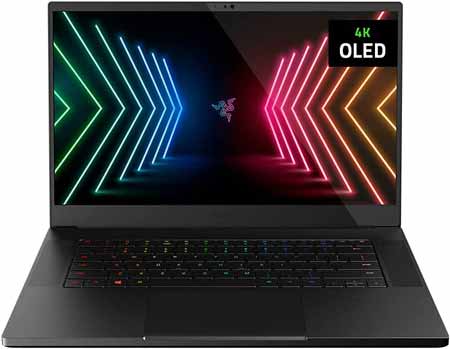
Razer Blade 15 Gaming Laptop NVIDIA GeForce RTX 3080 - 11th Gen Intel 8-Core i9 CPU - 15.6” 4K OLED - 32GB RAM - 1TB SSD |
|
|---|---|
 Check This On Amazon |
|
| CPU | NVIDIA GeForce RTX 3080 |
| GPU | 11th Gen Intel 8-Core i9 CPU |
| Display Size | 15.6 inches |
| Display Resolution | 4K OLED |
| RAM | 32GB |
| Storage Space | 1TB SSD |
| Operating System | Windows 10 |
| Ports | USB, Ethermnet, HDMI, Audio Jack |
| Dimensions (L x W x H) | 9.25 x 13.98 x 0.62 inches |
| Weight | 4.4 pounds |
| Advantages | Performance, Quality display |
| Disadvantages | Expensive |
Best Lightweight Laptop for Computer Science
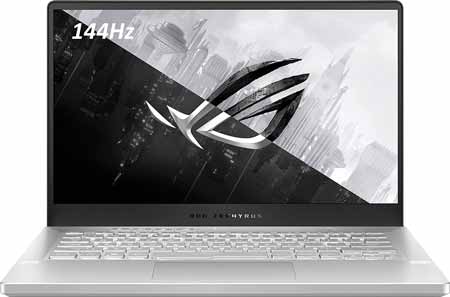
Asus ROG Zephyrus G14 VR Ready Gaming Laptop, 14 144Hz Full HD IPS Display, 8 Cores AMD Ryzen 9 5900HS,NVIDIA GeForce RTX 3060 |
|
|---|---|
 Check This On Amazon |
|
| CPU | AMD Ryzen 9 5900HS |
| GPU | RTX 3060 |
| Display Size | 14" |
| Display Resolution | 144Hz Full HD IPS |
| RAM | 16GB |
| Storage Space | 1TB PCIe SSD |
| Operating System | Windows 10 |
| Ports | 1x USB 3.2 Type C (Gen 2) w/ Power Delivery, Display Port and G-Sync, 1x USB 3.2 Type C (Gen 2), 2x USB 3.2 Type A (Gen 1), 1x 3.5mm Combo Audio Jack, 1x HDMI 2.0b. |
| Dimensions (L x W x H) | 13 x 8.66 x 0.7 inches |
| Weight | 3.64 pounds |
| Advantages | Performance |
| Disadvantages | n/a |
Best 64GB RAM Laptop for Computer Science
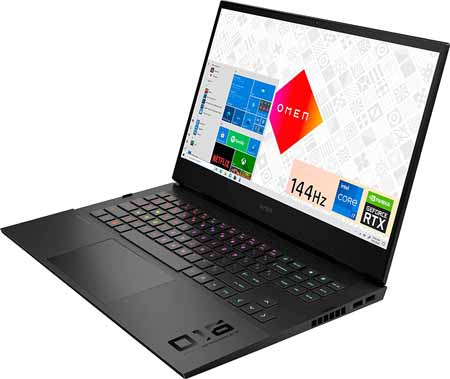
HP Omen 16 Gaming Laptop I 16.1” Full HD IPS 144Hz 7ms I 11th Gen Intel 8-Core i7-11800H I 64GB DDR4 1TB SSD I Geforce RTX 3060 6GB |
|
|---|---|
 Check This On Amazon |
|
| CPU | 11th Gen Intel 8-Core i7-11800H |
| GPU | RTX 3060 6GB |
| Display Size | 16.1” |
| Display Resolution | 1920 x 1080 pixels |
| RAM | 64GB DDR4 |
| Storage Space | 1 TB SSD |
| Operating System | Windows 11 |
| Ports | 1 x Thunderbolt 4 - USB4 Type-C (40Gbps signaling rate, DisplayPort 1.4, HP Sleep and Charge), 3 x SuperSpeed USB-A (5Gbps signaling rate, One with HP Sleep and Charge), 1 x Mini DisplayPort, 1 x HDMI 2.1, 1 x Ethernet RJ45, 1 x Headphone/microphone combo, 1 x Multi-format SD media card reader |
| Dimensions (L x W x H) | 9.76 x 14.54 x 0.91 inches |
| Weight | 5.1 pounds |
| Advantages | Good performance, Good display quality |
| Disadvantages | n/a |
MORE LAPTOP RECOMMENDATIONS
Best laptop for Online Studies
Top Latest Laptop for Foreign Languages Students