

Our purpose is to guide you toward the best options for your photo editing experience. You may be weighing portability against raw performance, or display accuracy against price, and we understand how confusing this space can feel.
With so many devices promising vivid screens and high speed, how do you know which ones actually deliver what you need? That is the question this article sets out to answer. Our role is to give you a clear lens through which to evaluate tablets that can truly handle the complex demands of photo manipulation, retouching, and color grading.
You probably know the feeling of editing a stunning shot, only to later discover that the colors appear washed out or overly saturated on another display. This mismatch happens because of poor color calibration or limited color gamut coverage, a pain point that has frustrated many photographers and designers.
Another common issue is sluggish performance, particularly when applying intensive filters, working with multiple adjustment layers, or editing high-megapixel RAW files. You might also find yourself running out of storage capacity, forcing you to constantly offload projects onto external drives. Then there is the challenge of stylus responsiveness. Without accuracy in pressure sensitivity and tilt recognition, detailed retouching becomes harder than it should be. Finally, endurance is often overlooked, but few things disrupt creativity more than a low-battery warning in the middle of an editing session.
When we assess the right solution, we look at key criteria that directly solve these problems. First comes display quality. A photo editor should never settle for less than a high-resolution panel, ideally above 2.5K, with excellent brightness and coverage of wide color gamuts such as DCI-P3 or Adobe RGB. True blacks, uniform brightness, and sharp pixel density ensure that you see every subtle shade in your image.
Second is processing power, where chipsets like Apple’s M1 or M2, Qualcomm’s Snapdragon 8 series, or comparable octa-core processors deliver the horsepower needed for advanced editing.
The third factor is RAM and storage. With files growing larger every year, a minimum of 8 GB of RAM prevents slowdowns, while 256 GB of storage ensures you do not constantly shuffle files around. Cloud integration is a plus, but onboard capacity still matters.
Fourth is the stylus experience. A great tablet must support styluses with at least 4000 pressure levels and tilt recognition, offering the precision required for detailed brushwork, masking, or even digital painting alongside photography tasks. Latency, the delay between pen movement and screen response, should be nearly imperceptible, otherwise fine edits feel unnatural.
Fifth is battery life. For true portability, we recommend at least 8 to 10 hours of real editing time, not just casual use.
Finally, software compatibility rounds out the criteria. You need assurance that apps like Adobe Lightroom, Photoshop, Capture One, or Affinity Photo run smoothly without stripped-down features or performance bottlenecks.
We have also identified minimum specifications that solve the pain points you may face. At least a 10-inch display prevents cramped editing space, a resolution of 2560 by 1600 or higher keeps images sharp, and support for color profiles like sRGB, DCI-P3, or Adobe RGB ensures accuracy across screens. A processor on par with Apple’s M1 or Qualcomm Snapdragon 8 Gen 2 provides ample performance, while RAM of 8 GB or more allows complex multitasking. Storage should not dip below 256 GB, with options to expand or sync with cloud services for professionals working with large libraries.
A stylus such as the Apple Pencil 2 or the Samsung S Pen, both offering thousands of pressure levels, tilt detection, and magnetic attachment, is ideal. These specs form the baseline for any device we recommend.
Let us consider how these criteria align with different use cases. A traveling photographer who edits in airports, hotels, or field locations requires portability, long battery life, and a display that performs under varying light conditions.
A studio-based professional, on the other hand, might prioritize color accuracy, storage capacity, and integration with desktop editing software. For digital artists blending photography with illustration, stylus responsiveness and latency are non-negotiable. For hobbyists, affordability may matter most, yet they still need performance strong enough to experiment with layers, filters, and retouching. Each scenario highlights how important it is to match device specifications with real-world needs.
We recognize that no tablet is perfect for every person, which is why we analyze multiple angles before making recommendations. Think about it this way: do you want your tablet to act as a main editing hub, or as a portable companion to a desktop system? Do you prioritize long editing sessions without charging, or do you care more about having the most accurate color reproduction possible? These questions help narrow your focus, and once you answer them, you will see that certain models naturally rise to the top.
Remember the guiding principle: the best tablet for photo editing is one that merges power, display excellence, storage capacity, stylus precision, and endurance into a tool that supports your creative vision.
You can also have a look at the Best Tablets for Adobe Photoshop in addition to the Best Tablets for Affinity Photo.
2026 Best Tablets for Photo Editing:
Contents
- Apple iPad Pro 13 inch (M5), 512 GB
- Samsung Galaxy Tab S11 Ultra WiFi, 512 GB
- Microsoft Surface Pro for Business 12th Edition Intel 2026 32GB 512GB
- Apple iPad Pro 13 inch (M5), 256 GB
- Apple iPad Pro 11 inch (M5), 512 GB
- Apple iPad Air 13 inch (M4), 512 GB
- Samsung Galaxy Tab S12+ WiFi, 12.6 inch, 256 GB
- OnePlus Pad 4 512GB WiFi 2026
- Xiaomi Pad 8 Pro, 512 GB, WiFi
- Microsoft Surface Pro for Business 11th Edition Intel 2025 32GB 512GB
- Microsoft Surface Pro for Business 12th Edition Intel 2026 16GB 256GB
- Microsoft Surface Pro for Business 11th Edition Intel 2025 16GB 256GB
- Lenovo Yoga Tab 512GB WiFi
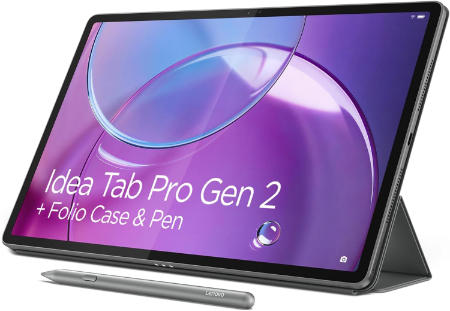
- Lenovo Idea Tab Pro Gen 2 512GB WiFi
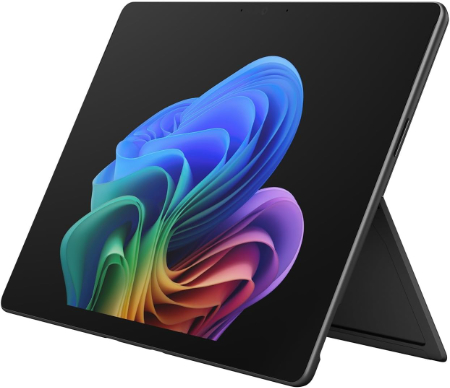
- Microsoft Surface Pro 13-inch 2026 Snapdragon X2 Elite 32GB 1TB
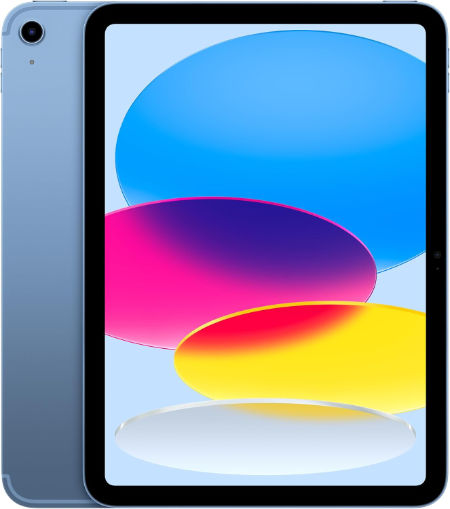
- Apple iPad 11 inch (A16), 128 GB, WiFi
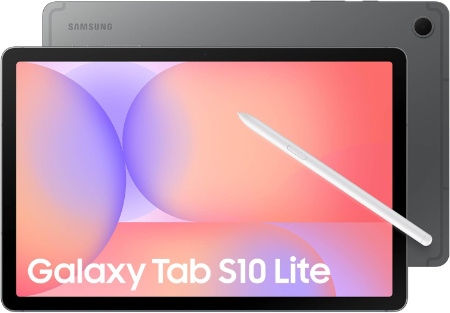
- Samsung Galaxy Tab S10 Lite, 8GB RAM, 256GB, 2TB Expand, 10.9”
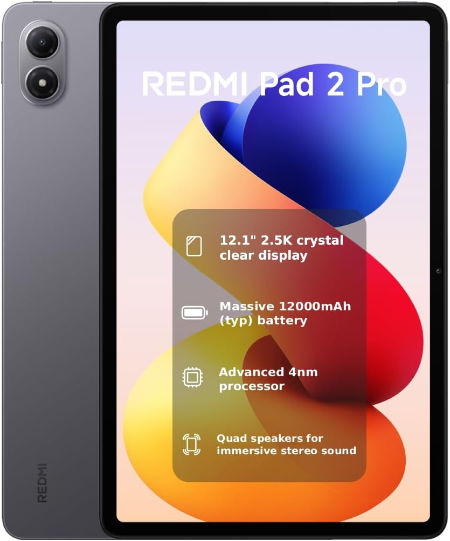
- REDMI Pad 2 Pro, 256 GB, WiFi
The best tablets for photo editing combine powerful processors, colour rich displays, sufficient memory, and enough storage for high resolution images and editing projects.
1. Best Overall Tablets for Photo Editing
These tablets offer a strong combination of processing power, display quality, and versatility for photographers who edit regularly.
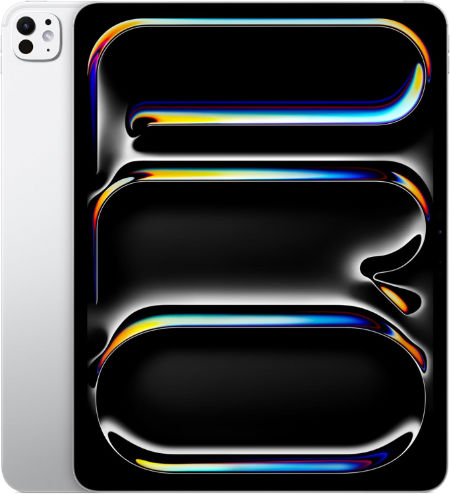
Apple iPad Pro 13 inch (M5), 512 GB |
|
|---|---|
 Check This On Amazon |
|
| Operating System | iPadOS 26 or later, depending on installed updates |
| Screen Size | 13 inches |
| Display Resolution | 2752 x 2064 pixels, Ultra Retina XDR tandem OLED, ProMotion 10 to 120 Hz |
| Processor | Apple M5, 9 core CPU on 256/512 GB; 10 core CPU on 1/2 TB |
| GPU | 10 core Apple GPU with Neural Accelerators and hardware accelerated ray tracing |
| RAM | 12 GB |
| Storage Space | 512 GB |
| SD Card Expansion Slot | No microSD card slot; storage is fixed |
| Main Camera | 12 MP wide rear camera, adaptive True Tone flash, LiDAR Scanner; 4K video |
| Front Selfie Camera | 12 MP ultra wide landscape front camera with Center Stage |
| Battery Capacity | 38.99 Wh rechargeable lithium polymer; up to 10 hours web or video use |
| Connectivity | Wi Fi 7, Bluetooth 6, Thunderbolt / USB 4; Wi Fi and Wi Fi + Cellular versions available |
| Pros | Large 13 inch tandem OLED Ultra Retina XDR display with 10 to 120 Hz ProMotion; latest M5 performance; ideal for creative work, drawing and multitasking; 12 GB or 16 GB RAM depending on storage; Apple Pencil Pro; Face ID; LiDAR; Wi Fi 7 and Thunderbolt / USB 4 |
| Cons | |
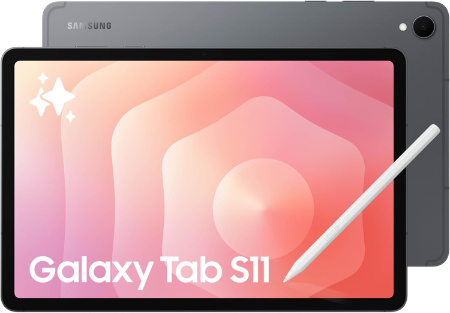
Samsung Galaxy Tab S11 Ultra WiFi, 512 GB |
|
|---|---|
 Check This On Amazon |
|
| Operating System | Android 16, One UI 8 |
| Screen Size | 14.6 inches, Dynamic AMOLED 2X, up to 120 Hz, anti reflection |
| Display Resolution | 2960 x 1848 pixels, WQXGA+ |
| Processor | MediaTek Dimensity 9400+, octa core |
| GPU | Arm Immortalis G925 MC12 |
| RAM | 12 GB |
| Storage Space | 512 GB |
| SD Card Expansion Slot | Yes, microSD expansion up to 2 TB |
| Main Camera | 13 MP main camera + 8 MP ultra wide camera, autofocus, LED flash; 4K video at 30 fps |
| Front Selfie Camera | 12 MP ultra wide camera |
| Battery Capacity | 11,600 mAh; supports 45 W wired charging |
| Connectivity | WiFi 7, Bluetooth 5.4, USB Type C 3.2 Gen 1; this is the WiFi model, without cellular data |
| Pros | Large 14.6 inch Dynamic AMOLED 2X display with 120 Hz refresh rate; high peak brightness and anti reflection treatment; flagship Dimensity 9400+ performance; 12 GB RAM on 256 GB and 512 GB versions or 16 GB RAM on 1 TB version; S Pen included; microSD expansion up to 2 TB; IP68 water and dust resistance; slim 5.1 mm body; large 11,600 mAh battery; WiFi 7 |
| Cons | |
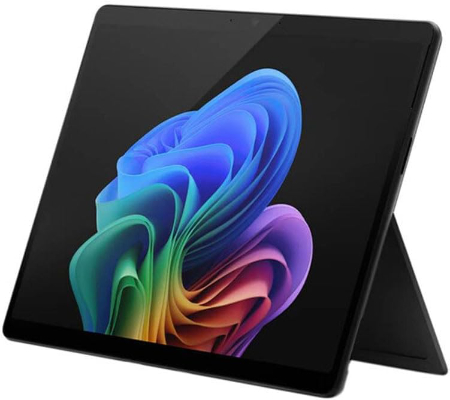
Microsoft Surface Pro for Business 12th Edition Intel 2026 32GB 512GB |
|
|---|---|
 Check This On Amazon |
|
| Operating System | Windows 11 Pro |
| Screen Size | 13 inches |
| Display Resolution | PixelSense touchscreen |
| Processor | Intel Core Ultra series, exact processor depends on SKU |
| GPU | Integrated Intel graphics |
| RAM | 32GB LPDDR5x |
| Storage Space | 512GB SSD |
| SD Card Expansion Slot | No |
| Main Camera | 10MP rear camera, exact module varies by SKU |
| Front Selfie Camera | Front camera with Windows Hello facial recognition |
| Battery Capacity | |
| Connectivity | WiFi and Bluetooth; USB C / USB4 or Thunderbolt depending on SKU; Surface Connect; cellular is SKU dependent |
| Pros | 32GB RAM supports heavy multitasking; full Windows compatibility; business security features; detachable keyboard and pen support. |
| Cons | |
2. Best iPads for Photo Editing
These iPads are suitable for detailed retouching, colour adjustments, working with layers, and editing high resolution photographs using compatible creative apps.
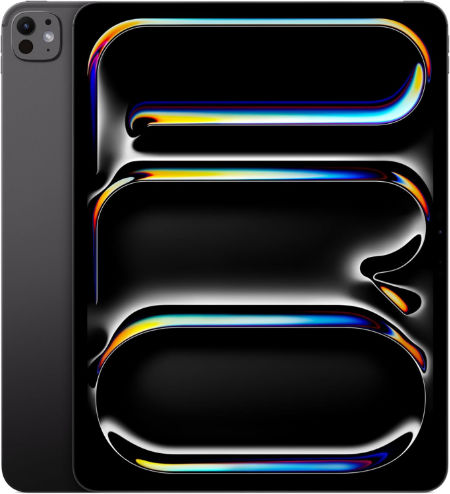
Apple iPad Pro 13 inch (M5), 256 GB |
|
|---|---|
 Check This On Amazon |
|
| Operating System | iPadOS 26 or later, depending on installed updates |
| Screen Size | 13 inches |
| Display Resolution | 2752 x 2064 pixels, Ultra Retina XDR tandem OLED, ProMotion 10 to 120 Hz |
| Processor | Apple M5, 9 core CPU on 256/512 GB; 10 core CPU on 1/2 TB |
| GPU | 10 core Apple GPU with Neural Accelerators and hardware accelerated ray tracing |
| RAM | 12 GB |
| Storage Space | 256 GB |
| SD Card Expansion Slot | No microSD card slot; storage is fixed |
| Main Camera | 12 MP wide rear camera, adaptive True Tone flash, LiDAR Scanner; 4K video |
| Front Selfie Camera | 12 MP ultra wide landscape front camera with Center Stage |
| Battery Capacity | 38.99 Wh rechargeable lithium polymer; up to 10 hours web or video use |
| Connectivity | Wi Fi 7, Bluetooth 6, Thunderbolt / USB 4; Wi Fi and Wi Fi + Cellular versions available |
| Pros | Large 13 inch tandem OLED Ultra Retina XDR display with 10 to 120 Hz ProMotion; latest M5 performance; ideal for creative work, drawing and multitasking; 12 GB or 16 GB RAM depending on storage; Apple Pencil Pro; Face ID; LiDAR; Wi Fi 7 and Thunderbolt / USB 4 |
| Cons | |
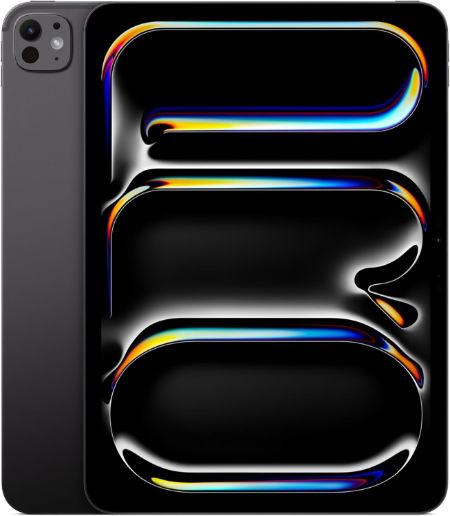
Apple iPad Pro 11 inch (M5), 512 GB |
|
|---|---|
 Check This On Amazon |
|
| Operating System | iPadOS 26 or later, depending on installed updates |
| Screen Size | 11 inches |
| Display Resolution | 2420 x 1668 pixels, Ultra Retina XDR tandem OLED, ProMotion 10 to 120 Hz |
| Processor | Apple M5, 9 core CPU on 256/512 GB; 10 core CPU on 1/2 TB |
| GPU | 10 core Apple GPU with Neural Accelerators and hardware accelerated ray tracing |
| RAM | 12 GB |
| Storage Space | 512 GB |
| SD Card Expansion Slot | No microSD card slot; storage is fixed |
| Main Camera | 12 MP wide rear camera, adaptive True Tone flash, LiDAR Scanner; 4K video |
| Front Selfie Camera | 12 MP ultra wide landscape front camera with Center Stage |
| Battery Capacity | 31.29 Wh rechargeable lithium polymer; up to 10 hours web or video use |
| Connectivity | Wi Fi 7, Bluetooth 6, Thunderbolt / USB 4; Wi Fi and Wi Fi + Cellular versions available |
| Pros | Tandem OLED Ultra Retina XDR with 10 to 120 Hz ProMotion; latest M5 performance and GPU Neural Accelerators; 12 GB RAM on 256/512 GB and 16 GB on 1/2 TB; Apple Pencil Pro; Face ID and LiDAR; Wi Fi 7; Thunderbolt / USB 4; slim and light |
| Cons | accessories cost extra; cellular version costs more; 256 GB and 512 GB versions have less RAM than 1 TB and 2 TB models; no 3.5 mm headphone jack; professional features may be unnecessary for basic tablet use |
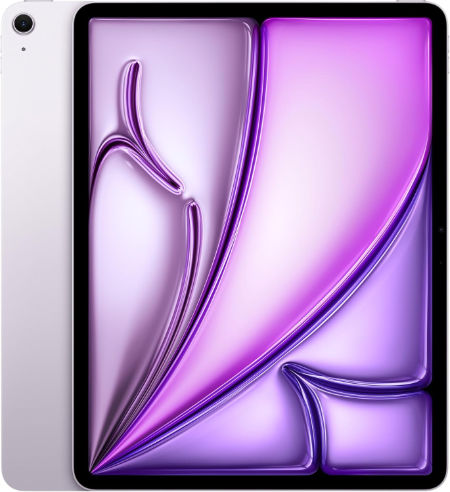
Apple iPad Air 13 inch (M4), 512 GB |
|
|---|---|
 Check This On Amazon |
|
| Operating System | iPadOS 26 or later, depending on installed updates |
| Screen Size | 13 inches |
| Display Resolution | 2732 x 2048 pixels, Liquid Retina IPS LCD, 264 ppi, 600 nits |
| Processor | Apple M4, 8 core CPU |
| GPU | 9 core Apple GPU with hardware accelerated ray tracing |
| RAM | 12 GB |
| Storage Space | 512 GB |
| SD Card Expansion Slot | No microSD card slot; storage is fixed |
| Main Camera | 12 MP wide rear camera, up to 5x digital zoom; 4K video |
| Front Selfie Camera | 12 MP landscape front camera with Center Stage |
| Battery Capacity | 36.59 Wh rechargeable lithium polymer; up to 10 hours web or video use |
| Connectivity | Wi Fi 7, Bluetooth 6, USB C; Wi Fi and Wi Fi + Cellular versions available |
| Pros | Large 13 inch Liquid Retina display for drawing and multitasking; strong M4 performance with 12 GB unified memory; P3 colour and True Tone; Apple Pencil Pro support; landscape Center Stage camera; Wi Fi 7; less expensive than the 13 inch iPad Pro |
| Cons | |
3. Best Android Tablets for Photo Editing
These Android tablets provide capable hardware and spacious displays for Lightroom Mobile, image adjustments, portrait retouching, and everyday photography projects.
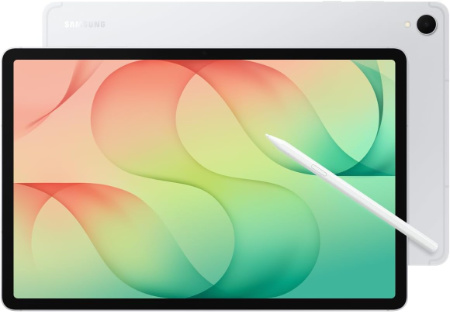
Samsung Galaxy Tab S12+ WiFi, 12.6 inch, 256 GB |
|
|---|---|
 Check This On Amazon |
|
| Operating System | Android 17 (One UI 9) |
| Screen Size | 12.6 inches; Dynamic AMOLED 2X, 120 Hz |
| Display Resolution | 2800 x 1752 pixels (WQXGA+); peak brightness up to 1,600 nits |
| Processor | MediaTek Dimensity 9500, 3 nm, octa core |
| GPU | Arm Mali G1 Ultra MC12, 12 core GPU |
| RAM | 12 GB |
| Storage Space | 256 GB |
| SD Card Expansion Slot | Yes, microSD support up to 2 TB |
| Main Camera | 13 Megapixels with autofocus and flash; 4K video recording up to 60 fps |
| Front Selfie Camera | 12 Megapixels ultra wide |
| Battery Capacity | 10,600 mAh; up to 21 hours video playback; supports 45 W wired charging |
| Connectivity | WiFi 6E, Bluetooth 6.0, USB Type C 3.2 Gen 1; WiFi model has no cellular data |
| Pros | Flagship Dimensity 9500 performance; 12.6 inch 120 Hz Dynamic AMOLED 2X display with high peak brightness; S Pen included; microSD expansion up to 2 TB; four speaker spatial audio; IP68 water and dust resistance; slim 553 g design; long software support |
| Cons | large screen may be less convenient for one handed use |
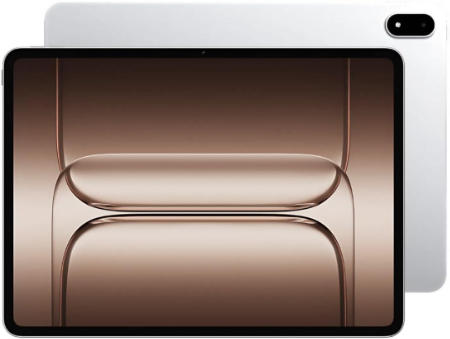
OnePlus Pad 4 512GB WiFi 2026 |
|
|---|---|
 Check This On Amazon |
|
| Operating System | OxygenOS 16 based on Android 16 |
| Screen Size | 13.2 inches LCD, 7:5 aspect ratio |
| Display Resolution | 3392 × 2400, 315 ppi, 144Hz, up to 1000 nits HBM |
| Processor | Qualcomm Snapdragon 8 Elite Gen 5 |
| GPU | Qualcomm Adreno GPU |
| RAM | 12GB LPDDR5X |
| Storage Space | 512GB UFS 4.1 |
| SD Card Expansion Slot | No |
| Main Camera | 13MP |
| Front Selfie Camera | 8MP |
| Battery Capacity | 13,380mAh typical; 80W SUPERVOOC |
| Connectivity | Up to WiFi 7, Bluetooth, USB C; WiFi model |
| Pros | Flagship processor; 12GB RAM and 512GB storage; 3.4K 144Hz screen; 13,380mAh battery; eight speakers; 80W charging. |
| Cons | large 672g body; no microSD slot; keyboard and stylus may cost extra |
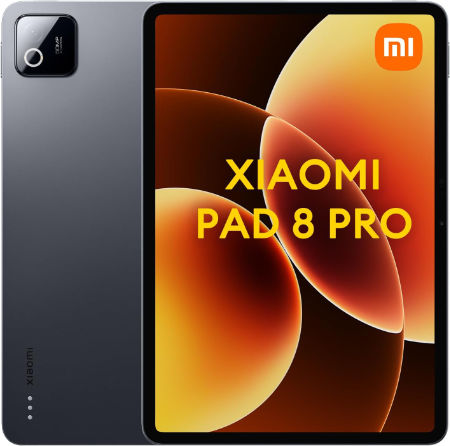
Xiaomi Pad 8 Pro, 512 GB, WiFi |
|
|---|---|
 Check This On Amazon |
|
| Operating System | Xiaomi HyperOS 3 |
| Screen Size | 11.2 inches LCD, 144 Hz |
| Display Resolution | 3200 x 2136 pixels, 345 ppi, up to 800 nits peak brightness, Dolby Vision |
| Processor | Qualcomm Snapdragon 8 Elite, octa core, 3 nm |
| GPU | Qualcomm Adreno GPU |
| RAM | 12 GB |
| Storage Space | 512 GB |
| SD Card Expansion Slot | No microSD card slot; internal storage cannot be expanded |
| Main Camera | 50 MP rear camera, autofocus, 4K video recording |
| Front Selfie Camera | 32 MP front camera |
| Battery Capacity | 9,200 mAh typical; 67 W HyperCharge |
| Connectivity | Wi Fi 7, Bluetooth, USB Type C 3.2 Gen 1; no cellular connection |
| Pros | Flagship Snapdragon 8 Elite performance; sharp 3.2K 144 Hz display; 50 MP rear camera; 32 MP front camera; quad speakers with Dolby Atmos; 9,200 mAh battery and fast 67 W charging; slim metal body; supports Xiaomi Focus Pen Pro and keyboard accessories |
| Cons | charger sold separately in some markets |
4. Best Windows Tablets for Professional Photo Editing
Windows tablets are worth considering if you need desktop photo editing software, advanced file management, external storage, or a portable device for professional photography work.
Microsoft Surface Pro for Business 11th Edition Intel 2025 32GB 512GB |
|
|---|---|
 Check This On Amazon |
|
| Operating System | Windows 11 Pro |
| Screen Size | 13 inches |
| Display Resolution | 2880 × 1920, PixelSense Flow touchscreen, up to 120Hz; panel depends on SKU |
| Processor | Intel Core Ultra 5 or Core Ultra 7, SKU dependent |
| GPU | Integrated Intel graphics, processor dependent |
| RAM | 32GB LPDDR5x |
| Storage Space | 512GB SSD |
| SD Card Expansion Slot | No |
| Main Camera | 10MP Ultra HD rear camera |
| Front Selfie Camera | 1440p Quad HD front camera with Windows Studio Effects |
| Battery Capacity | |
| Connectivity | WiFi and Bluetooth; USB C / Thunderbolt 4 and Surface Connect; cellular depends on SKU |
| Pros | 32GB RAM supports demanding multitasking; full Windows compatibility; premium touchscreen; business security and service options. |
| Cons | Expensive; keyboard and pen often extra |
Microsoft Surface Pro for Business 12th Edition Intel 2026 16GB 256GB |
|
|---|---|
Check This On Amazon |
|
| Operating System | Windows 11 Pro |
| Screen Size | 13 inches |
| Display Resolution | PixelSense touchscreen |
| Processor | Intel Core Ultra series |
| GPU | Integrated Intel graphics |
| RAM | 16GB LPDDR5x |
| Storage Space | 256GB SSD |
| SD Card Expansion Slot | No |
| Main Camera | 10MP rear camera, exact module varies by SKU |
| Front Selfie Camera | Front camera with Windows Hello facial recognition |
| Battery Capacity | |
| Connectivity | WiFi and Bluetooth; USB C / USB4 or Thunderbolt depending on SKU; Surface Connect; |
| Pros | Full Windows x86 compatibility; business security and management; detachable keyboard; premium touchscreen; designed for commercial deployment. |
| Cons | |
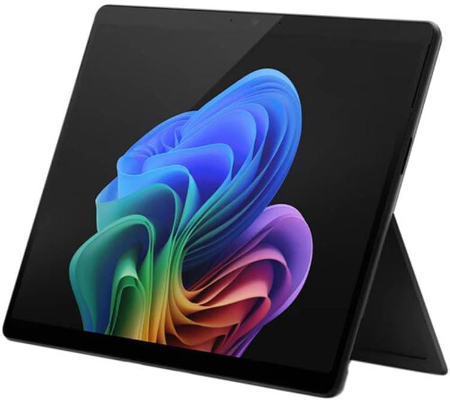
Microsoft Surface Pro for Business 11th Edition Intel 2025 16GB 256GB |
|
|---|---|
 Check This On Amazon |
|
| Operating System | Windows 11 Pro |
| Screen Size | 13 inches |
| Display Resolution | 2880 × 1920, PixelSense Flow touchscreen, up to 120Hz; panel depends on SKU |
| Processor | Intel Core Ultra 5 or Core Ultra 7 |
| GPU | Integrated Intel graphics, processor dependent |
| RAM | 16GB LPDDR5x |
| Storage Space | 256GB SSD |
| SD Card Expansion Slot | No |
| Main Camera | 10MP Ultra HD rear camera |
| Front Selfie Camera | 1440p Quad HD front camera with Windows Studio Effects |
| Battery Capacity | |
| Connectivity | WiFi and Bluetooth; USB C / Thunderbolt 4 and Surface Connect; cellular depends on SKU |
| Pros | Full Windows x86 application compatibility; premium 13 inch touchscreen; detachable keyboard and pen support; business security and management features. |
| Cons | Higher cost; keyboard and pen may be extra |
5. Best Large Screen Tablets for Photo Editing
Larger displays provide additional room for image previews, editing panels, layers, adjustment controls, and detailed work on high resolution photographs.
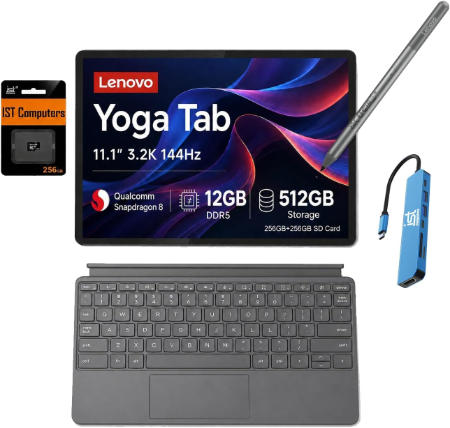
Lenovo Yoga Tab 512GB WiFi |
|
|---|---|
 Check This On Amazon |
|
| Operating System | Android 15 or later |
| Screen Size | 11.1 inches |
| Display Resolution | 3200 × 2000 pixels, 144Hz IPS PureSight Pro |
| Processor | Qualcomm Snapdragon 8 Gen 3 |
| GPU | Qualcomm Adreno GPU |
| RAM | 12GB or 16GB depending on regional configuration |
| Storage Space | 512GB; availability depends on market |
| SD Card Expansion Slot | Not supported |
| Main Camera | 13MP |
| Front Selfie Camera | 13MP |
| Battery Capacity | Silicon carbon battery; exact capacity varies by region or is not specified in Lenovo launch summary |
| Connectivity | WiFi 7, Bluetooth, USB C; WiFi model |
| Pros | High resolution 3.2K 144Hz display; flagship processor; ample storage; pen support; four speakers with Dolby Atmos. |
| Cons | No microSD slot |
Lenovo Idea Tab Pro Gen 2 512GB WiFi |
|
|---|---|
 Check This On Amazon |
|
| Operating System | Android 16 or later |
| Screen Size | 13 inches |
| Display Resolution | 3504 × 2190 pixels |
| Processor | Qualcomm Snapdragon 8s Gen 4 |
| GPU | Qualcomm Adreno 825 |
| RAM | 12GB |
| Storage Space | 512GB |
| SD Card Expansion Slot | Yes, microSD supported up to 2TB |
| Main Camera | 13MP |
| Front Selfie Camera | 8MP |
| Battery Capacity | 10,200mAh |
| Connectivity | WiFi, Bluetooth, USB C; WiFi configuration |
| Pros | High resolution 13 inch display; 12GB RAM; 512GB storage; microSD expansion; quad JBL speakers; 45W charging. |
| Cons | |
Microsoft Surface Pro 13-inch 2026 Snapdragon X2 Elite 32GB 1TB |
|
|---|---|
 Check This On Amazon |
|
| Operating System | Windows 11 Home |
| Screen Size | 13 inches |
| Display Resolution | 2880 × 1920, PixelSense OLED or LCD, up to 120Hz depending on configuration |
| Processor | Qualcomm Snapdragon X2 Elite, 12 core |
| GPU | Integrated Qualcomm Adreno GPU |
| RAM | 32GB LPDDR5x |
| Storage Space | 1TB SSD |
| SD Card Expansion Slot | No |
| Main Camera | 10MP Ultra HD rear camera |
| Front Selfie Camera | Front facing camera with Windows Hello facial recognition |
| Battery Capacity | up to 15.5 hours local video playback, configuration dependent |
| Connectivity | WiFi 7, Bluetooth; 2 × USB C / USB4 and Surface Connect; cellular depends on SKU |
| Pros | High end Snapdragon X2 Elite processor; 32GB RAM and 1TB storage; high resolution 120Hz display option; USB4; detachable keyboard. |
| Cons | High purchase price; keyboard and pen may be extra |
6. Best Budget Tablets for Photo Editing
These more affordable options are suitable for beginners, casual photographers, and users who mainly perform colour correction, cropping, basic retouching, and social media image preparation.
Apple iPad 11 inch (A16), 128 GB, WiFi |
|
|---|---|
 Check This On Amazon |
|
| Operating System | iPadOS 26, with software updates supported by Apple |
| Screen Size | 11 inch Liquid Retina IPS LCD, 10.86 inch actual viewable diagonal |
| Display Resolution | 2360 x 1640 pixels, 264 ppi, True Tone, 500 nits |
| Processor | Apple A16, 5 core CPU |
| GPU | Apple GPU, 4 cores; 16 core Neural Engine |
| RAM | 6gb |
| Storage Space | 128 GB |
| SD Card Expansion Slot | No microSD card slot; internal storage cannot be expanded |
| Main Camera | 12 MP wide camera, f/1.8, autofocus with Focus Pixels, up to 5x digital zoom, 4K video at 24, 25, 30 or 60 fps |
| Front Selfie Camera | 12 MP landscape ultra wide camera with Center Stage |
| Battery Capacity | 28.93 Wh lithium polymer battery; up to 10 hours web or video over Wi Fi; up to 9 hours using cellular data on Cellular model |
| Connectivity | Wi Fi 6, Bluetooth 5.3, USB C with USB 2.0 data speeds up to 480 Mb/s; Wi Fi only, no cellular data; location services use Wi Fi |
| Pros | Affordable entry into the iPad range; capable A16 chip for study, browsing, video, office tasks and many creative apps; sharp 11 inch Liquid Retina display with True Tone; 128 GB base storage; landscape Center Stage camera; Touch ID; supports Apple Pencil USB C and first generation Apple Pencil with adapter; 10 hour rated Wi Fi battery life |
| Cons | |
Samsung Galaxy Tab S10 Lite, 8GB RAM, 256GB, 2TB Expand, 10.9” |
|
|---|---|
 Check This On Amazon |
|
| Operating System | Android 15 |
| Screen Size | 10.9 inches |
| Display Resolution | 1320 x 2112pixels |
| Processor | MediaTek Dimensity 9400+ |
| GPU | Mediatek |
| RAM | 8 GB |
| Storage Space | 256 GB |
| SD Card Expansion Slot | yes, upto 2TB |
| Main Camera | 8 Megapixels |
| Front Selfie Camera | 5 Megapixels |
| Battery Capacity | 8000 mAh |
| Connectivity | Wifi, Bluetooth |
| Pros | Stylus support, Performance, stereo speakers |
| Cons | |
REDMI Pad 2 Pro, 256 GB, WiFi |
|
|---|---|
 Check This On Amazon |
|
| Operating System | Xiaomi HyperOS 2 or later, depending on regional release and software updates |
| Screen Size | 12.1 inches, LCD, up to 120 Hz refresh rate |
| Display Resolution | 2560 x 1600 pixels, 249 ppi, 16:10 aspect ratio, Dolby Vision, 500 nits typical and up to 600 nits HBM |
| Processor | Qualcomm Snapdragon 7s Gen 4, 4 nm, octa core |
| GPU | Qualcomm Adreno 810 GPU |
| RAM | 8 GB |
| Storage Space | 256 GB |
| SD Card Expansion Slot | Yes, microSD expansion up to 2 TB; card sold separately |
| Main Camera | 8 MP rear camera, f/2.0, 1080p video at 30 fps |
| Front Selfie Camera | 8 MP front camera, f/2.28, 1080p video at 30 fps |
| Battery Capacity | 12,000 mAh typical battery; 33 W fast charging; 27 W reverse wired charging supported on selected versions/markets |
| Connectivity | WiFi 6, Bluetooth 5.4, USB Type C 2.0; WiFi only, no cellular data or standalone GNSS |
| Pros | Large 12.1 inch 2.5K display with 120 Hz refresh rate and Dolby Vision; very large 12,000 mAh battery; Snapdragon 7s Gen 4 suitable for everyday productivity and entertainment; microSD expansion up to 2 TB; quad speakers with Dolby Atmos; supports REDMI Smart Pen and keyboard accessories; useful for reading, streaming and study |
| Cons | no 3.5 mm headphone jack |
For serious photo editing, aim for at least 8GB of RAM and 128GB of storage, with 16GB or more of RAM and 512GB or more of storage being useful for demanding projects. Adobe’s official Lightroom technical requirements provide a platform specific reference. Also prioritise colour accuracy, screen brightness, stylus support where needed, and compatibility with your preferred editing software.
MORE TABLET RECOMMENDATIONS:
Best Tablets for Interior Designers
Latest Top Tablets for Creatives
Best Tablets for Taking Photos
Best Tablets for Affinity Designer


