
When you design, sketch, or present architectural concepts, your tools should feel like a natural extension of your vision.
This guide exists to help you choose the best tablets for architects, whether you are an experienced professional working on large-scale projects, a student learning design fundamentals, or a freelancer balancing client presentations with drafting work.
The right device can function as both a digital sketchbook and a powerful workstation, giving you the precision and reliability required in architecture.
Every architect understands the pain of inadequate hardware. Low-resolution displays make it impossible to interpret fine details in blueprints. Weak stylus performance disrupts technical sketching.
Insufficient processing power slows down 3D model rendering. Limited storage forces you to constantly juggle files. And short battery life cuts presentations or site work short. These challenges undermine efficiency and creativity, costing time, accuracy, and sometimes credibility with clients.
The solution comes through tablets that combine high-quality displays, accurate stylus support, strong processors, professional storage capacity, and long battery endurance. When these features come together, you gain a mobile device that can keep pace with the technical requirements of architecture and the creative process behind it. In this guide, we outline the minimum specifications every device must meet, and explain how each feature supports architectural work.
Every tablet in this guide offers at least the following: 12-inch or larger display with 1600p resolution, full lamination for pen precision, stylus support with 4,096 levels of pressure sensitivity and tilt recognition, 100 percent sRGB color coverage, 256 GB storage, 8 GB RAM, modern processors capable of handling 3D rendering and CAD applications, and 9 hours of battery life. These minimums ensure that the device is not simply suitable for casual use but powerful enough to support architectural practice.
The first and most crucial factor is the display. A large 12-inch screen or bigger provides a proper canvas for sketching floor plans, marking up documents, and presenting designs to clients. Though depending on if you’ll use your tablet for site meeting, you can go as low as 7 inches.
High resolution, ideally 1600p or higher, keeps blueprints sharp and makes small text legible. Wide color coverage ensures that visualizations, renderings, and mood boards look accurate and professional. Full lamination removes the air gap between glass and display, reducing parallax and making pen input align exactly with your lines.
The second essential factor is stylus support. Precision drawing depends on accurate pen input with strong pressure sensitivity and tilt detection. This allows you to sketch faint guidelines or bold strokes naturally, and to apply shading or hatching for conceptual sketches. Palm rejection technology is non-negotiable, enabling you to rest your hand on the screen while drafting without introducing errors. For architects, this transforms a tablet from a simple viewer into a genuine design tool.
Processing performance plays a critical role as well. Architects often use heavy applications like AutoCAD, Revit, or BIM viewers, alongside rendering software. A modern processor with strong multicore performance, combined with at least 8 GB of RAM, ensures that your tablet handles these tasks without lag. This means you can review 3D models, adjust layouts, or present interactive design walkthroughs smoothly.
Storage capacity is another important pillar. Architecture projects often involve large file sizes, from CAD drawings to high-resolution renderings and presentation decks. A baseline of 256 GB storage is necessary, with higher options preferable for professionals managing multiple client portfolios. Expandable storage or cloud integration can add flexibility, but local capacity guarantees that your files are available on-site, even without internet access.
Battery performance underpins mobility. A minimum of 9 hours allows you to take your tablet into client meetings, onto construction sites, or through a full day of studio work without worrying about power. Fast charging ensures that even when you do run low, you can recover hours of use in short breaks.
Finally, build quality and portability define the day-to-day practicality of the device. A lightweight yet sturdy design makes it easy to carry to site visits. Durable casings protect against dust, knocks, and frequent travel. Optional accessories such as detachable keyboards or stands convert the tablet into a presentation-ready tool. Screen protectors with matte finishes can also improve pen friction, giving sketching a tactile, paper-like feel.
You will see which tablets excel in precision sketching, which deliver powerful performance for CAD and rendering, and which offer the best balance of portability and presentation quality. This way, you walk away with a device that strengthens your design process and supports you across the full spectrum of architectural work.
In this list of best tablets for Architects, you’ll find the key specifications and features, in addition to the pros and cons.
You should also take a look at the Best Laptops for Architecture Students.
2026 Best Tablets for Architects:
Contents
- Apple iPad Pro 13 inch (M4), 256 GB
- Apple iPad Air 11 inch (M4), 256 GB
- Samsung Galaxy Tab S11 Ultra WiFi, 256 GB
- Microsoft Surface Pro 13-inch 2026 Snapdragon X2 Elite 32GB 1TB
- Microsoft Surface Pro for Business 12th Edition Intel 2026 32GB 512GB
- Microsoft Surface Pro for Business 12th Edition Intel 2026 16GB 256GB
- Apple iPad Pro 13 inch (M5), 512 GB
- Teclast ArtPad Pro 256GB
- Samsung Galaxy Tab S11 Ultra WiFi, 256 GB
- Apple iPad Air 13 inch (M4), 512 GB
- Samsung Galaxy Tab S11 Ultra WiFi, 1 TB
- TCL NXTPAPER 14 256GB 8GB WiFi
- Lenovo Idea Tab 256GB WiFi
- Samsung Galaxy Tab S10 Lite, 6GB RAM, 128GB, 2TB Expand, 10.9”
- REDMI Pad 2 Pro, 256 GB, WiFi
- Apple iPad Air 11 inch (M4), 256 GB
- Microsoft Surface Pro 12-inch 2025 16GB 512GB
- Lenovo Idea Tab 128GB LTE
1. Best Overall Tablets for Architects and Architecture Students
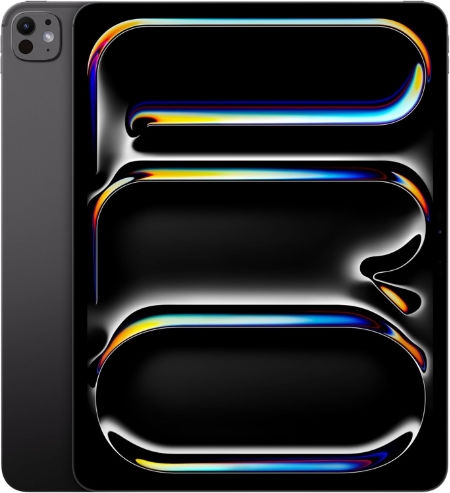
Apple iPad Pro 13 inch (M4), 256 GB |
|
|---|---|
 Check This On Amazon |
|
| Operating System | iPadOS 26 or later, depending on installed updates |
| Screen Size | 13 inches |
| Display Resolution | 2752 x 2064 pixels, Ultra Retina XDR tandem OLED, ProMotion 10 to 120 Hz |
| Processor | Apple M4, 9 core CPU on 256/512 GB; 10 core CPU on 1/2 TB |
| GPU | 10 core Apple GPU with hardware accelerated ray tracing |
| RAM | 8 GB |
| Storage Space | 256 GB |
| SD Card Expansion Slot | No microSD card slot; storage is fixed |
| Main Camera | 12 MP wide rear camera, adaptive True Tone flash, LiDAR Scanner; 4K video |
| Front Selfie Camera | 12 MP ultra wide landscape front camera with Center Stage |
| Battery Capacity | 38.99 Wh rechargeable lithium polymer; up to 10 hours web or video use |
| Connectivity | Wi Fi 6E, Bluetooth 5.3, Thunderbolt / USB 4 up to 40 Gb/s; Wi Fi and Wi Fi + Cellular versions available |
| Pros | Large 13 inch tandem OLED display with deep blacks and up to 120 Hz ProMotion; strong M4 performance; spacious canvas for drawing, design and multitasking; Apple Pencil Pro support; Face ID; LiDAR Scanner; Thunderbolt / USB 4; 1 TB and 2 TB versions offer 16 GB RAM |
| Cons | |
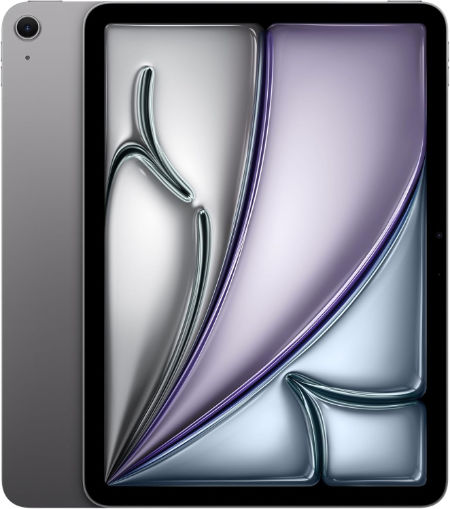
Apple iPad Air 11 inch (M4), 256 GB |
|
|---|---|
 Check This On Amazon |
|
| Operating System | iPadOS 26 or later, depending on installed updates |
| Screen Size | 11 inches |
| Display Resolution | 2360 x 1640 pixels, Liquid Retina IPS LCD, 264 ppi, 500 nits |
| Processor | Apple M4, 8 core CPU |
| GPU | 9 core Apple GPU with hardware accelerated ray tracing |
| RAM | 12 GB |
| Storage Space | 256 GB |
| SD Card Expansion Slot | No microSD card slot; storage is fixed |
| Main Camera | 12 MP wide rear camera, up to 5x digital zoom; 4K video |
| Front Selfie Camera | 12 MP landscape front camera with Center Stage |
| Battery Capacity | 28.93 Wh rechargeable lithium polymer; up to 10 hours web or video use |
| Connectivity | Wi Fi 7, Bluetooth 6, USB C; Wi Fi and Wi Fi + Cellular versions available |
| Pros | Powerful M4 chip with 12 GB unified memory; lightweight and portable; good Liquid Retina display with P3 colour and True Tone; Apple Pencil Pro support; landscape Center Stage camera; Wi Fi 7; supports demanding creative apps at a lower price than iPad Pro |
| Cons | LCD display lacks OLED contrast and ProMotion 120 Hz; no Face ID; no LiDAR Scanner; no microSD slot; accessories cost extra; 128 GB base storage may be limiting for large projects; USB C is slower than the Pro Thunderbolt port |
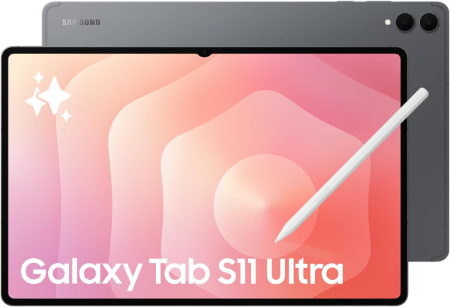
Samsung Galaxy Tab S11 Ultra WiFi, 256 GB |
|
|---|---|
 Check This On Amazon |
|
| Operating System | Android 16, One UI 8 |
| Screen Size | 14.6 inches, Dynamic AMOLED 2X, up to 120 Hz, anti reflection |
| Display Resolution | 2960 x 1848 pixels, WQXGA+ |
| Processor | MediaTek Dimensity 9400+, octa core |
| GPU | Arm Immortalis G925 MC12 |
| RAM | 12 GB |
| Storage Space | 256 GB |
| SD Card Expansion Slot | Yes, microSD expansion up to 2 TB |
| Main Camera | 13 MP main camera + 8 MP ultra wide camera, autofocus, LED flash; 4K video at 30 fps |
| Front Selfie Camera | 12 MP ultra wide camera |
| Battery Capacity | 11,600 mAh; supports 45 W wired charging |
| Connectivity | WiFi 7, Bluetooth 5.4, USB Type C 3.2 Gen 1; this is the WiFi model, without cellular data |
| Pros | Large 14.6 inch Dynamic AMOLED 2X display with 120 Hz refresh rate; high peak brightness and anti reflection treatment; flagship Dimensity 9400+ performance; 12 GB RAM on 256 GB and 512 GB versions or 16 GB RAM on 1 TB version; S Pen included; microSD expansion up to 2 TB; IP68 water and dust resistance; slim 5.1 mm body; large 11,600 mAh battery; WiFi 7 |
| Cons | 45 W charger may be sold separately |
-
Apple iPad Pro M4 13 inch 256GB: A premium option for drawing, PDF markup, and client presentations.
-
Apple iPad Air M4 11 inch 256GB: A portable choice for students and architects who want strong performance for everyday design tasks.
-
Samsung Galaxy Tab S11 Ultra 256GB: A large Android option with S Pen support for sketching and annotating drawings.
2. Best Windows Tablets for AutoCAD, Revit and BIM
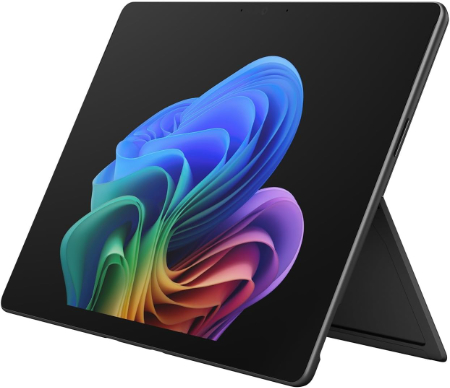
Microsoft Surface Pro 13-inch 2026 Snapdragon X2 Elite 32GB 1TB |
|
|---|---|
 Check This On Amazon |
|
| Operating System | Windows 11 Home |
| Screen Size | 13 inches |
| Display Resolution | 2880 × 1920, PixelSense OLED or LCD, up to 120Hz depending on configuration |
| Processor | Qualcomm Snapdragon X2 Elite, 12 core |
| GPU | Integrated Qualcomm Adreno GPU |
| RAM | 32GB LPDDR5x |
| Storage Space | 1TB SSD |
| SD Card Expansion Slot | No |
| Main Camera | 10MP Ultra HD rear camera |
| Front Selfie Camera | Front facing camera with Windows Hello facial recognition |
| Battery Capacity | up to 15.5 hours local video playback, configuration dependent |
| Connectivity | WiFi 7, Bluetooth; 2 × USB C / USB4 and Surface Connect; cellular depends on SKU |
| Pros | High end Snapdragon X2 Elite processor; 32GB RAM and 1TB storage; high resolution 120Hz display option; USB4; detachable keyboard. |
| Cons | High purchase price; keyboard and pen may be extra |
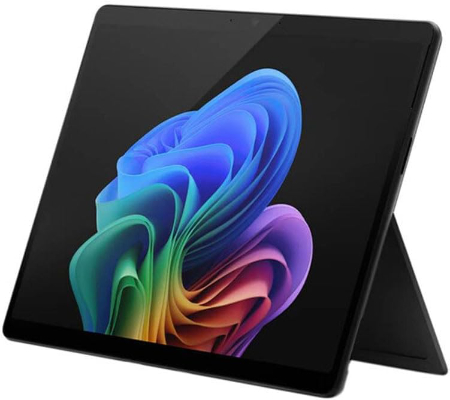
Microsoft Surface Pro for Business 12th Edition Intel 2026 32GB 512GB |
|
|---|---|
 Check This On Amazon |
|
| Operating System | Windows 11 Pro |
| Screen Size | 13 inches |
| Display Resolution | PixelSense touchscreen |
| Processor | Intel Core Ultra series, exact processor depends on SKU |
| GPU | Integrated Intel graphics |
| RAM | 32GB LPDDR5x |
| Storage Space | 512GB SSD |
| SD Card Expansion Slot | No |
| Main Camera | 10MP rear camera, exact module varies by SKU |
| Front Selfie Camera | Front camera with Windows Hello facial recognition |
| Battery Capacity | |
| Connectivity | WiFi and Bluetooth; USB C / USB4 or Thunderbolt depending on SKU; Surface Connect; cellular is SKU dependent |
| Pros | 32GB RAM supports heavy multitasking; full Windows compatibility; business security features; detachable keyboard and pen support. |
| Cons | |
Microsoft Surface Pro for Business 12th Edition Intel 2026 16GB 256GB |
|
|---|---|
Check This On Amazon |
|
| Operating System | Windows 11 Pro |
| Screen Size | 13 inches |
| Display Resolution | PixelSense touchscreen |
| Processor | Intel Core Ultra series |
| GPU | Integrated Intel graphics |
| RAM | 16GB LPDDR5x |
| Storage Space | 256GB SSD |
| SD Card Expansion Slot | No |
| Main Camera | 10MP rear camera, exact module varies by SKU |
| Front Selfie Camera | Front camera with Windows Hello facial recognition |
| Battery Capacity | |
| Connectivity | WiFi and Bluetooth; USB C / USB4 or Thunderbolt depending on SKU; Surface Connect; |
| Pros | Full Windows x86 compatibility; business security and management; detachable keyboard; premium touchscreen; designed for commercial deployment. |
| Cons | |
-
Microsoft Surface Pro 13 inch 2026 Snapdragon X2 Elite 32GB 1TB: A high specification option for compatible desktop design applications and multitasking.
-
Microsoft Surface Pro for Business 12th Edition Intel 2026 32GB 512GB: An Intel based Windows option for professional applications.
-
Microsoft Surface Pro for Business 12th Edition Intel 2026 16GB 256GB: A lower specification Intel option for users with more moderate project requirements.
3. Best Tablets for Architectural Sketching and Concept Design
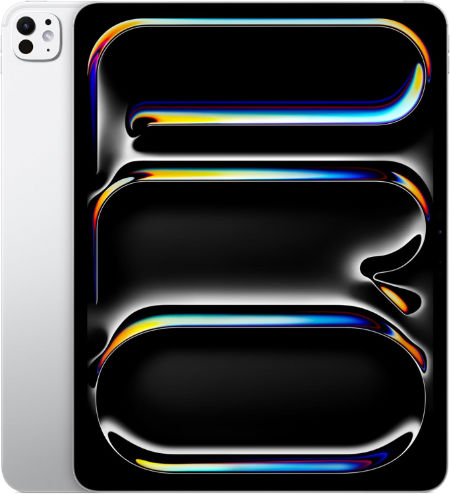
Apple iPad Pro 13 inch (M5), 512 GB |
|
|---|---|
 Check This On Amazon |
|
| Operating System | iPadOS 26 or later, depending on installed updates |
| Screen Size | 13 inches |
| Display Resolution | 2752 x 2064 pixels, Ultra Retina XDR tandem OLED, ProMotion 10 to 120 Hz |
| Processor | Apple M5, 9 core CPU on 256/512 GB; 10 core CPU on 1/2 TB |
| GPU | 10 core Apple GPU with Neural Accelerators and hardware accelerated ray tracing |
| RAM | 12 GB |
| Storage Space | 512 GB |
| SD Card Expansion Slot | No microSD card slot; storage is fixed |
| Main Camera | 12 MP wide rear camera, adaptive True Tone flash, LiDAR Scanner; 4K video |
| Front Selfie Camera | 12 MP ultra wide landscape front camera with Center Stage |
| Battery Capacity | 38.99 Wh rechargeable lithium polymer; up to 10 hours web or video use |
| Connectivity | Wi Fi 7, Bluetooth 6, Thunderbolt / USB 4; Wi Fi and Wi Fi + Cellular versions available |
| Pros | Large 13 inch tandem OLED Ultra Retina XDR display with 10 to 120 Hz ProMotion; latest M5 performance; ideal for creative work, drawing and multitasking; 12 GB or 16 GB RAM depending on storage; Apple Pencil Pro; Face ID; LiDAR; Wi Fi 7 and Thunderbolt / USB 4 |
| Cons | |
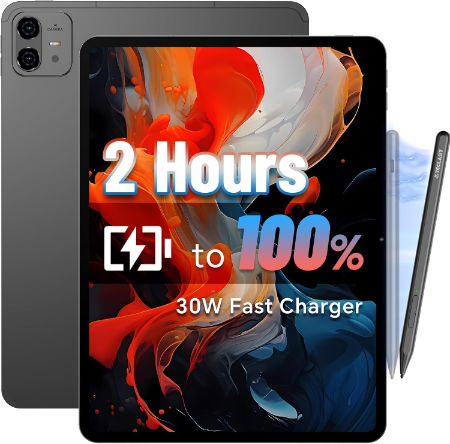
Teclast ArtPad Pro 256GB |
|
|---|---|
 Check This On Amazon |
|
| Operating System | Android 15 at launch |
| Screen Size | 12.7-inch IPS creative canvas display |
| Display Resolution | 1600 × 2160 pixels (some sources list 1600 × 2176) |
| Processor | MediaTek Helio G99 octa-core, 2 × Cortex-A76 up to 2.2GHz + 6 × Cortex-A55 up to 2.0GHz |
| GPU | ARM Mali-G57 MC2 |
| RAM | 8GB physical RAM; |
| Storage Space | 256GB UFS storage |
| SD Card Expansion Slot | Yes, microSD expansion supported |
| Main Camera | 13MP rear camera with auxiliary lens and LED flash |
| Front Selfie Camera | 8MP front camera |
| Battery Capacity | 10,000mAh; USB-C charging up to 30W |
| Connectivity | 4G LTE cellular; dual nano-SIM + microSD slot; dual-band Wi-Fi 5 (802.11 a/b/g/n/ac); Bluetooth 5.2; GPS, BDS, GLONASS and Galileo |
| Pros | Large high-resolution 7:5-style creative display; stylus support; generous 256GB storage; large 10,000mAh battery; 4G cellular connectivity; customizable Smart Button; microSD expansion. |
| Cons | |
Samsung Galaxy Tab S11 Ultra WiFi, 256 GB |
|
|---|---|
Check This On Amazon |
|
| Operating System | Android 16, One UI 8 |
| Screen Size | 14.6 inches, Dynamic AMOLED 2X, up to 120 Hz, anti reflection |
| Display Resolution | 2960 x 1848 pixels, WQXGA+ |
| Processor | MediaTek Dimensity 9400+, octa core |
| GPU | Arm Immortalis G925 MC12 |
| RAM | 12 GB |
| Storage Space | 256 GB |
| SD Card Expansion Slot | Yes, microSD expansion up to 2 TB |
| Main Camera | 13 MP main camera + 8 MP ultra wide camera, autofocus, LED flash; 4K video at 30 fps |
| Front Selfie Camera | 12 MP ultra wide camera |
| Battery Capacity | 11,600 mAh; supports 45 W wired charging |
| Connectivity | WiFi 7, Bluetooth 5.4, USB Type C 3.2 Gen 1; this is the WiFi model, without cellular data |
| Pros | Large 14.6 inch Dynamic AMOLED 2X display with 120 Hz refresh rate; high peak brightness and anti reflection treatment; flagship Dimensity 9400+ performance; 12 GB RAM on 256 GB and 512 GB versions or 16 GB RAM on 1 TB version; S Pen included; microSD expansion up to 2 TB; IP68 water and dust resistance; slim 5.1 mm body; large 11,600 mAh battery; WiFi 7 |
| Cons | 45 W charger may be sold separately |
-
Apple iPad Pro M5 13 inch 512GB: A premium choice for detailed sketching and compatible creative applications.
-
Teclast ArtPad Pro 256GB 8GB RAM: A budget conscious option to investigate for digital drawing. Verify stylus pressure sensitivity and compatibility before purchase.
-
Samsung Galaxy Tab S11 Ultra 256GB: Its large display and S Pen support make it worth considering for drawing and annotation.
4. Best Large Screen Tablets for Architectural Drawings and Presentations
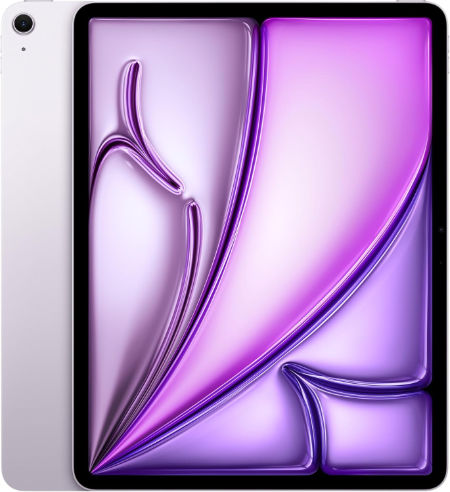
Apple iPad Air 13 inch (M4), 512 GB |
|
|---|---|
 Check This On Amazon |
|
| Operating System | iPadOS 26 or later, depending on installed updates |
| Screen Size | 13 inches |
| Display Resolution | 2732 x 2048 pixels, Liquid Retina IPS LCD, 264 ppi, 600 nits |
| Processor | Apple M4, 8 core CPU |
| GPU | 9 core Apple GPU with hardware accelerated ray tracing |
| RAM | 12 GB |
| Storage Space | 512 GB |
| SD Card Expansion Slot | No microSD card slot; storage is fixed |
| Main Camera | 12 MP wide rear camera, up to 5x digital zoom; 4K video |
| Front Selfie Camera | 12 MP landscape front camera with Center Stage |
| Battery Capacity | 36.59 Wh rechargeable lithium polymer; up to 10 hours web or video use |
| Connectivity | Wi Fi 7, Bluetooth 6, USB C; Wi Fi and Wi Fi + Cellular versions available |
| Pros | Large 13 inch Liquid Retina display for drawing and multitasking; strong M4 performance with 12 GB unified memory; P3 colour and True Tone; Apple Pencil Pro support; landscape Center Stage camera; Wi Fi 7; less expensive than the 13 inch iPad Pro |
| Cons | |
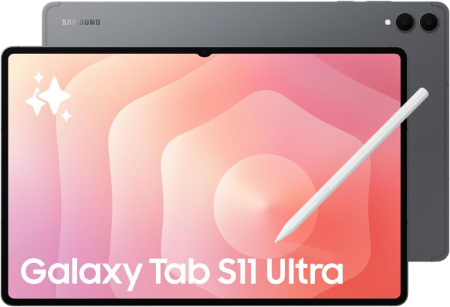
Samsung Galaxy Tab S11 Ultra WiFi, 1 TB |
|
|---|---|
 Check This On Amazon |
|
| Operating System | Android 16, One UI 8 |
| Screen Size | 14.6 inches, Dynamic AMOLED 2X, up to 120 Hz, anti reflection |
| Display Resolution | 2960 x 1848 pixels, WQXGA+ |
| Processor | MediaTek Dimensity 9400+, octa core |
| GPU | Arm Immortalis G925 MC12 |
| RAM | 16 GB |
| Storage Space | 1 TB |
| SD Card Expansion Slot | Yes, microSD expansion up to 2 TB |
| Main Camera | 13 MP main camera + 8 MP ultra wide camera, autofocus, LED flash; 4K video at 30 fps |
| Front Selfie Camera | 12 MP ultra wide camera |
| Battery Capacity | 11,600 mAh; supports 45 W wired charging |
| Connectivity | WiFi 7, Bluetooth 5.4, USB Type C 3.2 Gen 1; this is the WiFi model, without cellular data |
| Pros | Large 14.6 inch Dynamic AMOLED 2X display with 120 Hz refresh rate; high peak brightness and anti reflection treatment; flagship Dimensity 9400+ performance; 12 GB RAM on 256 GB and 512 GB versions or 16 GB RAM on 1 TB version; S Pen included; microSD expansion up to 2 TB; IP68 water and dust resistance; slim 5.1 mm body; large 11,600 mAh battery; WiFi 7 |
| Cons | no 3.5 mm headphone jack |
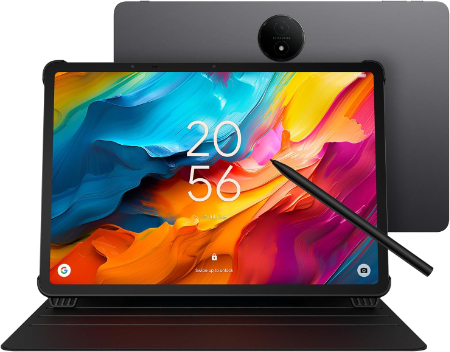
TCL NXTPAPER 14 256GB 8GB WiFi |
|
|---|---|
 Check This On Amazon |
|
| Operating System | Android 14 |
| Screen Size | 14.3 inches |
| Display Resolution | 2400 × 1600 pixels, 60Hz |
| Processor | MediaTek Helio G99 (MT8781), octa core, up to 2.2GHz |
| GPU | ARM Mali G57 MC2 |
| RAM | 8GB physical RAM, up to 8GB virtual RAM expansion |
| Storage Space | 256GB |
| SD Card Expansion Slot | No |
| Main Camera | 8MP rear camera with autofocus and LED flash |
| Front Selfie Camera | 13MP + 5MP dual front cameras |
| Battery Capacity | 10,000mAh, 33W USB PD fast charging |
| Connectivity | WiFi 5 (802.11 a/b/g/n/ac), Bluetooth 5.0, USB Type C, WiFi only |
| Pros | Large 14.3 inch 2.4K matte NXTPAPER 3.0 display; paper, color paper and regular viewing modes; 10,000mAh battery; quad speakers; dual front cameras; 33W charging; thin 6.95mm body. |
| Cons | Large and relatively heavy at about 760g; no microSD expansion |
-
Apple iPad Air M4 13 inch 512GB: A large display for reviewing drawings and presenting visual concepts.
-
Samsung Galaxy Tab S11 Ultra 1TB: A premium Android tablet with a generous display for design review and multitasking.
-
TCL NXTPAPER 14 256GB WiFi: A large screen option for viewing drawings, reference documents, and presentations. Check pen support if drawing is a priority.
5. Best Tablets for Architecture Students on a Budget
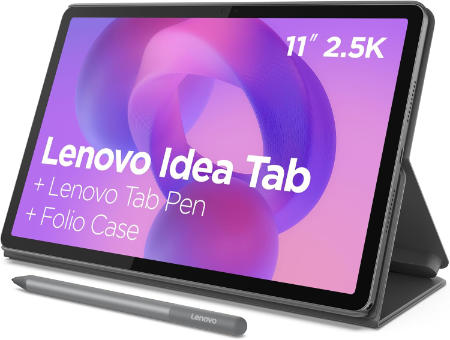
Lenovo Idea Tab 256GB WiFi |
|
|---|---|
 Check This On Amazon |
|
| Operating System | Android 15 or later |
| Screen Size | 11 inches |
| Display Resolution | 2560 × 1600 pixels, 90Hz IPS |
| Processor | MediaTek Dimensity 6300, octa core |
| GPU | Arm Mali G57 MC2 |
| RAM | 4GB or 8GB depending on regional configuration |
| Storage Space | 256GB |
| SD Card Expansion Slot | Yes, microSD expansion supported; capacity depends on card and region |
| Main Camera | 8MP |
| Front Selfie Camera | 5MP |
| Battery Capacity | 7,040mAh |
| Connectivity | WiFi 5, Bluetooth 5.2, USB C 2.0, 3.5mm audio jack; WiFi model |
| Pros | Sharp 2.5K 90Hz display; optional paper like anti glare screen; quad speakers; microSD expansion; pen support. |
| Cons | Entry level processor; WiFi 5; |
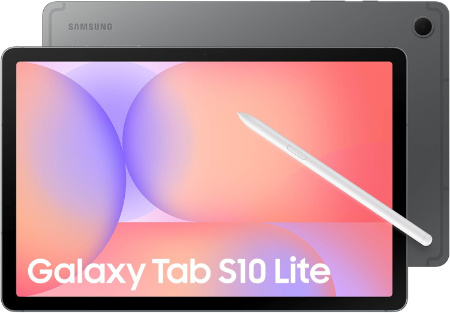
Samsung Galaxy Tab S10 Lite, 6GB RAM, 128GB, 2TB Expand, 10.9” |
|
|---|---|
 Check This On Amazon |
|
| Operating System | Android 15 |
| Screen Size | 10.9 inches |
| Display Resolution | 1320 x 2112pixels |
| Processor | Exynos 1380 |
| GPU | Mali |
| RAM | 6 GB |
| Storage Space | 128 GB |
| SD Card Expansion Slot | yes, upto 2TB |
| Main Camera | 8 Megapixels |
| Front Selfie Camera | 5 Megapixels |
| Battery Capacity | 8000 mAh |
| Connectivity | Wifi, Bluetooth |
| Pros | Performance, stereo speakers |
| Cons | None |
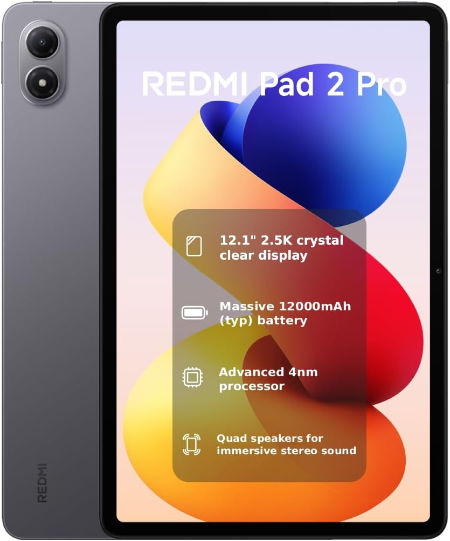
REDMI Pad 2 Pro, 256 GB, WiFi |
|
|---|---|
 Check This On Amazon |
|
| Operating System | Xiaomi HyperOS 2 or later, depending on regional release and software updates |
| Screen Size | 12.1 inches, LCD, up to 120 Hz refresh rate |
| Display Resolution | 2560 x 1600 pixels, 249 ppi, 16:10 aspect ratio, Dolby Vision, 500 nits typical and up to 600 nits HBM |
| Processor | Qualcomm Snapdragon 7s Gen 4, 4 nm, octa core |
| GPU | Qualcomm Adreno 810 GPU |
| RAM | 8 GB |
| Storage Space | 256 GB |
| SD Card Expansion Slot | Yes, microSD expansion up to 2 TB; card sold separately |
| Main Camera | 8 MP rear camera, f/2.0, 1080p video at 30 fps |
| Front Selfie Camera | 8 MP front camera, f/2.28, 1080p video at 30 fps |
| Battery Capacity | 12,000 mAh typical battery; 33 W fast charging; 27 W reverse wired charging supported on selected versions/markets |
| Connectivity | WiFi 6, Bluetooth 5.4, USB Type C 2.0; WiFi only, no cellular data or standalone GNSS |
| Pros | Large 12.1 inch 2.5K display with 120 Hz refresh rate and Dolby Vision; very large 12,000 mAh battery; Snapdragon 7s Gen 4 suitable for everyday productivity and entertainment; microSD expansion up to 2 TB; quad speakers with Dolby Atmos; supports REDMI Smart Pen and keyboard accessories; useful for reading, streaming and study |
| Cons | no 3.5 mm headphone jack |
-
Lenovo Idea Tab 256GB WiFi: A student friendly option for notes, design references, and compatible stylus based work.
-
Samsung Galaxy Tab S10 Lite 128GB 6GB RAM: A midrange option for reading, drawing, and everyday study tasks.
-
Redmi Pad 2 Pro 256GB WiFi: A larger Android tablet for PDFs, research, and compatible design applications.
6. Best Tablets for Site Visits, PDF Markup and Client Meetings
Apple iPad Air 11 inch (M4), 256 GB |
|
|---|---|
Check This On Amazon |
|
| Operating System | iPadOS 26 or later, depending on installed updates |
| Screen Size | 11 inches |
| Display Resolution | 2360 x 1640 pixels, Liquid Retina IPS LCD, 264 ppi, 500 nits |
| Processor | Apple M4, 8 core CPU |
| GPU | 9 core Apple GPU with hardware accelerated ray tracing |
| RAM | 12 GB |
| Storage Space | 256 GB |
| SD Card Expansion Slot | No microSD card slot; storage is fixed |
| Main Camera | 12 MP wide rear camera, up to 5x digital zoom; 4K video |
| Front Selfie Camera | 12 MP landscape front camera with Center Stage |
| Battery Capacity | 28.93 Wh rechargeable lithium polymer; up to 10 hours web or video use |
| Connectivity | Wi Fi 7, Bluetooth 6, USB C; Wi Fi and Wi Fi + Cellular versions available |
| Pros | Powerful M4 chip with 12 GB unified memory; lightweight and portable; good Liquid Retina display with P3 colour and True Tone; Apple Pencil Pro support; landscape Center Stage camera; Wi Fi 7; supports demanding creative apps at a lower price than iPad Pro |
| Cons | LCD display lacks OLED contrast and ProMotion 120 Hz; no Face ID; no LiDAR Scanner; no microSD slot; accessories cost extra; 128 GB base storage may be limiting for large projects; USB C is slower than the Pro Thunderbolt port |
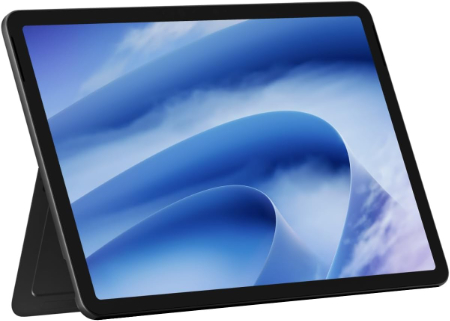
Microsoft Surface Pro 12-inch 2025 16GB 512GB |
|
|---|---|
 Check This On Amazon |
|
| Operating System | Windows 11 Home |
| Screen Size | 12 inches |
| Display Resolution | 2880 × 1920, PixelSense LCD, 90Hz |
| Processor | Qualcomm Snapdragon X Plus, 8 core |
| GPU | Qualcomm Adreno GPU |
| RAM | 16GB LPDDR5x |
| Storage Space | 512GB UFS |
| SD Card Expansion Slot | No |
| Main Camera | 10MP rear camera |
| Front Selfie Camera | Front facing Full HD camera |
| Battery Capacity | up to 16 hours local video playback |
| Connectivity | WiFi 7, Bluetooth 5.4, 2 × USB C / USB 3.2; WiFi model |
| Pros | Lightweight 686g body; 90Hz high resolution display; NPU for AI features; WiFi 7; detachable keyboard and pen support. |
| Cons | No microSD slot |
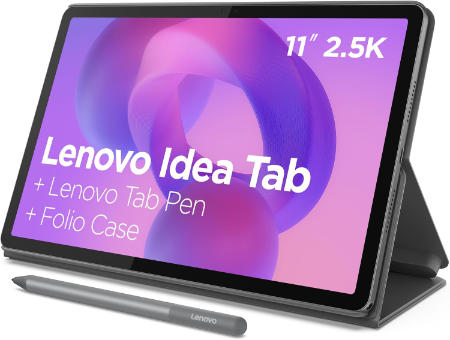
Lenovo Idea Tab 128GB LTE |
|
|---|---|
 Check This On Amazon |
|
| Operating System | Android 15 or later |
| Screen Size | 11 inches |
| Display Resolution | 2560 × 1600 pixels, 90Hz IPS |
| Processor | MediaTek Dimensity 6300, octa core |
| GPU | Arm Mali G57 MC2 |
| RAM | 4GB or 8GB depending on regional configuration |
| Storage Space | 128GB |
| SD Card Expansion Slot | Yes, microSD expansion supported; cellular model uses nano SIM plus microSD |
| Main Camera | 8MP |
| Front Selfie Camera | 5MP |
| Battery Capacity | 7,040mAh |
| Connectivity | WiFi 5, Bluetooth 5.2, 4G LTE cellular on supported regional WWAN models, USB C 2.0, 3.5mm audio jack |
| Pros | Mobile data option on LTE configuration; 2.5K 90Hz screen; quad speakers; microSD expansion; pen and keyboard support. |
| Cons | LTE availability depends on model number and market; entry level processor; WiFi 5; no 5G. |
-
Apple iPad Air M4 11 inch 256GB: A portable option for drawing review, meeting notes, and client presentations.
-
Microsoft Surface Pro 12 inch 2025 16GB 512GB: A Windows tablet for office documents and compatible desktop applications in meetings or on site.
-
Lenovo Idea Tab 128GB LTE: Cellular connectivity can be useful when WiFi is unavailable
MORE TABLET RECOMMENDATIONS:
Best Tablets for Interior Design
Best Tablets for illustrations and Sketching
Best Tablets for Adobe illustrator
Latest Top Tablets for Affinity
Best Tablets for Adobe Creative Cloud