
As an economics student, your laptop isn’t just a tool for typing essays. It becomes a digital think tank where you run regressions, analyze time-series data, explore econometric models, and create compelling presentations.
This guide is crafted specifically for undergraduate and graduate economics students, as well as interdisciplinary majors integrating economics with business, finance, or data science. You need a laptop that aligns with both academic theory and quantitative execution.
At a glance, economics might look like a field driven by spreadsheets and simple charts. But under the hood, it demands software environments like Stata, R, Python, EViews, MATLAB, and even Excel with advanced add-ins. These platforms handle data sets that scale fast, and calculations that dig deep—running simulations, forecasting economic behavior, or testing hypotheses.
The moment you dive into statistical modeling or macroeconomic forecasting, your laptop is doing heavy lifting. Even plotting multiple regression outputs or iterating through model parameters can tax weaker systems. You need smooth multitasking, stable memory performance, and reliable processing, especially when problem sets are due and time is short.
Add to that your need to attend remote lectures, collaborate in real time, reference online sources, and prepare visualizations—and you’ll realize why entry-level machines aren’t enough.
Your CPU is the engine. Most econ software environments don’t require gaming-level performance, but they benefit hugely from multi-core processors. Choose an Intel Core i5 or i7 (12th-gen or newer), AMD Ryzen 5 or 7 (5000 series or higher), or Apple M chips. These ensure fast compiling in R, efficient data analysis in Excel, and lag-free experience in statistical environments.
Memory turns theory into action. For general economics coursework, 8GB RAM is the floor. But if you’re running large data sets, coding in Python, or multitasking across heavy browser sessions and Zoom calls, 16GB RAM is highly recommended. It reduces lag during analysis and helps you flow from research to results.
Storage must be fast and dependable. Go with a 1TB SSD or larger. This keeps your software snappy, file access instant, and lets you install multiple research tools without concern.
The display should be sharp and comfortable for long reading or coding sessions. A Full HD (1920×1080) IPS screen with accurate color and matte finish is ideal. If you’re building visualizations or presenting economic trends, clarity and contrast matter. A 14–15.6” screen hits the sweet spot—large enough for side-by-side documents but compact enough for lecture halls or coffee shops.
Weight and build quality affect your day-to-day. You’ll be carrying this between lectures, libraries, and late-night study groups. A good economics student laptop should weigh under 4 pounds, offer a durable chassis, and have a comfortable keyboard for typing long essays or equations.
Battery life supports your workflow. You don’t always get a chance to plug in on campus. Look for 8–12 hours of real-world usage, so you can attend classes, take notes, run analyses, and write papers without worrying about your next charge.
Connectivity is often overlooked—but crucial. You’ll likely need to plug in external drives, projectors, USB devices, and headphones, and maybe an external monitor for workspace expansion. Aim for USB-A and USB-C ports, HDMI or DisplayPort, a 3.5mm audio jack, and Wi-Fi 6 for stable online research and smooth video conferencing.
Trackpad and keyboard quality make a surprising difference. Economics students spend hours typing, navigating code, tabbing through Excel cells, or refining plots. Precision, key travel, and layout are more than comfort—they’re your interface to insight.
Webcam and mic quality are still relevant. Virtual office hours, group work, and presentations are part of modern academic life. A 720p or better webcam, with noise-reducing mics, keeps you looking and sounding clear when it counts.
We focus on systems that deliver responsiveness during data tasks, reliability in research, mobility across campus, and compatibility with common software used in economics education. The best laptops for economics students support your core academic tools:
- Excel (with macros and add-ins)
- Stata or EViews for econometrics
- R or Python for advanced analytics
- Google Workspace and Microsoft Office for collaboration
- Zoom, Canvas, or Blackboard for virtual learning
These systems don’t just help you complete assignments. They let you explore, experiment, and present with confidence.
You should also check out, the best laptops for Business School in addition to the best laptop for Accounting Students.
Best 2026 Laptops for Economics Students:
Contents
- Lenovo ThinkPad X1 Carbon Gen 14 Ultra X7 358H 64GB 1TB 2.8K OLED 120Hz
- Samsung Galaxy Book6 Pro 14 inch Intel Core Ultra X7 358H 32GB 1TB AMOLED 120Hz
- HP EliteBook 8 G2i 14 Intel Core Ultra X7 368H 64GB 1TB 2026
- Lenovo ThinkPad X9 15p Gen 1 Ultra X9 388H 64GB 2TB Arc B390 OLED
- Dell XPS 16 Core Ultra 7 358H 64GB 1TB 3.2K OLED Touch 2026
- HP EliteBook X G2i 14 Intel Core Ultra X7 358H 64GB 1TB 2026
- Samsung Galaxy Book6 14 inch Intel Core Ultra 5 325 16GB 512GB WUXGA IPS 2026
- Acer Aspire Lite 14 14 inches 1920 x 1200 Pixels, 16GB RAM, 512GB SSD, Intel Core Ultra 5 115U, Intel integrated graphics
- Dell Pro 5 Series 14 Core Ultra 5 335 16GB 512GB FHD Plus 2026
- Lenovo Yoga Slim 7i Ultra Aura Edition 14 Ultra X7 358H 32GB 1TB 2.8K OLED
- Acer Swift Edge 14 AI 14 inches 2880 x 1800 Pixels, 32GB LPDDR5x, 1TB PCIe SSD, Intel Core Ultra X9 388H, Intel Arc B390 integrated graphics
- Apple MacBook Air M5 13.6 inches 2560 x 1664 Pixels, 16GB unified memory, 1TB SSD, Apple M5 10-core CPU, 8-core GPU
- Lenovo ThinkPad X1 2 in 1 Gen 11 Ultra 7 355 32GB 1TB 2.8K OLED
- Lenovo Yoga 7a 2 in 1 14 Ryzen AI 7 445 32GB 1TB OLED
- Acer TravelMate P4 Spin 14 AI 14 inches 1920 x 1200 Pixels, 32GB DDR5, 1TB PCIe SSD, Intel Core Ultra 7 365 vPro, Intel Graphics
- LG gram Pro 16 Core Ultra X7 358H 32GB 1TB 2.8K OLED 2026
- Dell Pro 5 Series 16 Core Ultra 7 365 32GB 1TB WUXGA 2026
- Apple MacBook Air M5 15.3 inches 2880 x 1864 Pixels, 24GB unified memory, 2TB SSD, Apple M5 10-core CPU, 10-core GPU
Best Overall Laptops for Economics Students
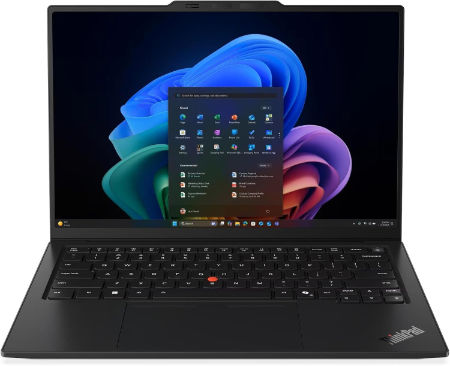
Lenovo ThinkPad X1 Carbon Gen 14 Ultra X7 358H 64GB 1TB 2.8K OLED 120Hz |
|
|---|---|
 Check This On Amazon |
|
| CPU | Intel Core Ultra X7 358H, 16 cores, up to 4.8 GHz, NPU up to 50 TOPS |
| GPU | Integrated Intel Arc B390 graphics |
| Display Size | 14 inch, 16:10 |
| Display Resolution | 2.8K OLED 2880 × 1800, 120Hz VRR, 500 nits, 100% DCI P3, DisplayHDR True Black 500, touchscreen option |
| RAM | 64GB LPDDR5X 9600MHz soldered, not upgradeable |
| Storage Space | 1TB PCIe 4.0 NVMe SSD; supports up to 2TB |
| Operating System | Windows 11 Pro |
| Ports | 3 × Thunderbolt 4 with USB Power Delivery and DisplayPort 2.1; 1 × USB A 5Gbps; HDMI 2.1; 3.5 mm headset combo jack |
| Dimensions (L x W x H) | 12.30 × 8.49 × up to 0.66 inches (L × W × H); touchscreen versions up to 0.69 inches |
| Weight | 2.20 lb (starting weight) |
| Pros | 64GB fast memory; high quality 120Hz OLED option; Arc B390 graphics; very portable premium business laptop. |
| Cons | High cost; memory cannot be upgraded |
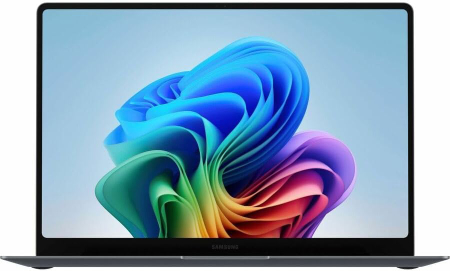
Samsung Galaxy Book6 Pro 14 inch Intel Core Ultra X7 358H 32GB 1TB AMOLED 120Hz |
|
|---|---|
 Check This On Amazon |
|
| CPU | Intel Core Ultra X7 358H |
| GPU | Integrated Intel Arc B390 graphics |
| Display Size | 14 inch, 16:10 touchscreen |
| Display Resolution | 14 inch Dynamic AMOLED 2X touchscreen, WQXGA+ 2880 × 1800, adaptive 30 to 120Hz, anti reflective, up to 1000 nits HDR / 500 nits typical |
| RAM | 32GB LPDDR5X onboard |
| Storage Space | 1TB PCIe NVMe SSD |
| Operating System | Windows 11 Home |
| Ports | 2 × Thunderbolt 4 USB C; USB A; HDMI 2.1; 3.5 mm headphone/microphone combo |
| Dimensions (L x W x H) | 12.37 × 8.69 × 0.46 inches (width × depth × height) |
| Weight | 2.73 lb (1.24 kg) |
| Pros | Thunderbolt 4 and useful full size ports |
| Cons | premium pricing. |
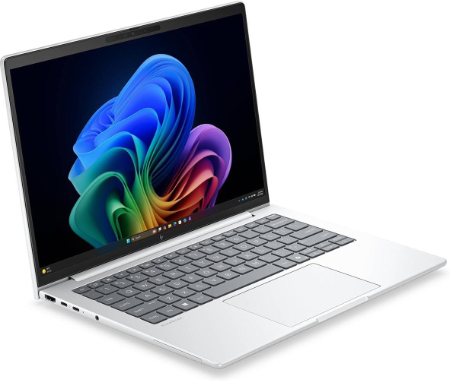
HP EliteBook 8 G2i 14 Intel Core Ultra X7 368H 64GB 1TB 2026 |
|
|---|---|
 Check This On Amazon |
|
| CPU | Intel Core Ultra X7 368H, 16 cores, up to 5.0 GHz, NPU 50 TOPS |
| GPU | Intel Arc B390 graphics |
| Display Size | 14 inch, 16:10 |
| Display Resolution | 14 inch WUXGA IPS; options include 300 nit standard, 400 nit low power, 800 nit Sure View privacy, OLED 300 nit, and 2.5K 120Hz 400 nit wide gamut |
| RAM | 64GB LPDDR5X 8533 MT/s onboard |
| Storage Space | 1TB PCIe Gen 5 NVMe SSD |
| Operating System | Windows 11 Pro or Windows 11 Enterprise; FreeDOS in selected regions |
| Ports | 2 × Thunderbolt 4 USB C; 2 × USB A; HDMI 2.1; RJ45 Ethernet on selected configurations; headset jack |
| Dimensions (L x W x H) | Approx. 12.4 × 8.7 × 0.7 inches; depends on display and battery |
| Weight | Approx. 3.0 lb starting weight |
| Pros | WUXGA display options up to 800 nits; higher tiers support strong local AI performance. |
| Cons | |
Best Laptops for Econometrics and Statistical Analysis
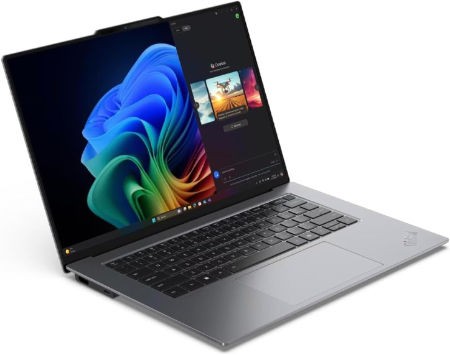
Lenovo ThinkPad X9 15p Gen 1 Ultra X9 388H 64GB 2TB Arc B390 OLED |
|
|---|---|
 Check This On Amazon |
|
| CPU | Intel Core Ultra X9 388H, 16 cores, up to 5.1 GHz, NPU up to 50 TOPS |
| GPU | Integrated Intel Arc B390 graphics |
| Display Size | 15.3 inch, 16:10 |
| Display Resolution | 15.3 inch 2.8K OLED 2880 × 1800, 30 to 120Hz VRR, 500 nits SDR, up to 1100 nits HDR peak, 100% DCI P3, DisplayHDR True Black 1000 |
| RAM | 64GB LPDDR5X 9600MHz soldered |
| Storage Space | 2TB PCIe 5.0 NVMe SSD |
| Operating System | Windows 11 Pro |
| Ports | 3 × Thunderbolt 4 USB C; USB A 10Gbps; HDMI; SD card reader; 3.5 mm headset combo jack |
| Dimensions (L x W x H) | 13.37 × 9.00 × up to 0.70 inches (L × W × H) |
| Weight | 3.31 lb (starting weight) |
| Pros | Top processor tier in the X9 15p family; 64GB RAM and 2TB storage; high quality calibrated OLED. |
| Cons | Premium pricing |
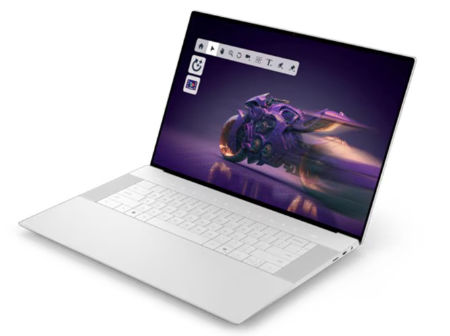
Dell XPS 16 Core Ultra 7 358H 64GB 1TB 3.2K OLED Touch 2026 |
|
|---|---|
 Check This On Amazon |
|
| CPU | Intel Core Ultra 7 358H, 16 cores, up to 4.8 GHz |
| GPU | Intel integrated graphics |
| Display Size | 16 inch, 16:10 touchscreen |
| Display Resolution | 3.2K 3200 × 2000 OLED touch, 20 to 120Hz, 400 nits, InfinityEdge |
| RAM | 64GB LPDDR5X, onboard |
| Storage Space | 1TB M.2 2230 PCIe Gen 4 ×4 TLC SSD |
| Operating System | Windows 11 Home, Copilot+ PC |
| Ports | 3 × Thunderbolt 4 USB C ports with DisplayPort 2.1 and Power Delivery; universal audio jack |
| Dimensions (L x W x H) | 13.88 × 9.35 × 0.58 inches (width × depth × height) |
| Weight | 3.65 lb starting weight |
| Pros | 64GB memory is useful for large datasets, virtual machines and heavy multitasking; high resolution OLED touchscreen. |
| Cons | Very expensive memory tier; RAM cannot be replaced |
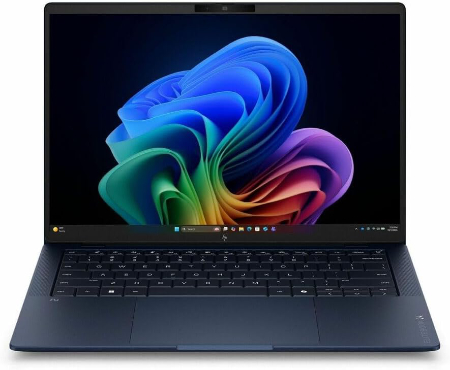
HP EliteBook X G2i 14 Intel Core Ultra X7 358H 64GB 1TB 2026 |
|
|---|---|
 Check This On Amazon |
|
| CPU | Intel Core Ultra X7 358H, 16 cores, up to 4.8 GHz, NPU 50 TOPS |
| GPU | Intel Arc B390 graphics |
| Display Size | 14 inch, 16:10 |
| Display Resolution | 3K Tandem OLED touchscreen 2880 × 1800, 120Hz VRR, 700 nits, 100% DCI P3 |
| RAM | 64GB LPDDR5X 9600 MT/s onboard |
| Storage Space | 1TB PCIe Gen 5 NVMe SSD |
| Operating System | Windows 11 Pro, Windows 11 Enterprise or FreeDOS in selected regions |
| Ports | 2 × Thunderbolt 4 USB C; USB A; HDMI 2.1; headphone/microphone combo |
| Dimensions (L x W x H) | Approx. 12.3 × 8.4 × 0.5 inches |
| Weight | Approx. 2.5 lb starting weight |
| Pros | advanced AI processor; optional Tandem OLED or privacy displays; enterprise security and manageability. Selected profile includes 64GB LPDDR5X 9600 MT/s onboard and 1TB PCIe Gen 5 NVMe SSD. |
| Cons | Memory is onboard and cannot be expanded; premium price; integrated graphics are intended for productivity rather than heavy 3D rendering. |
Best Budget Laptops for Economics Students
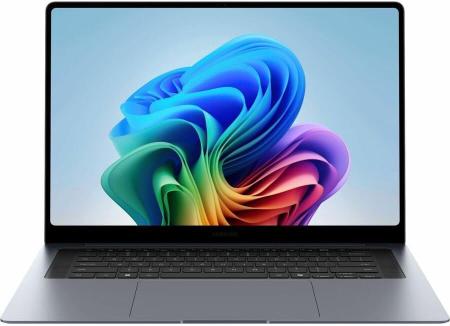
Samsung Galaxy Book6 14 inch Intel Core Ultra 5 325 16GB 512GB WUXGA IPS 2026 |
|
|---|---|
 Check This On Amazon |
|
| CPU | Intel Core Ultra 5 325; |
| GPU | Integrated Intel Graphics |
| Display Size | 14 inch, 16:10 |
| Display Resolution | 14 inch WUXGA IPS anti glare, 1920 × 1200, 350 nits, 60Hz |
| RAM | 16GB LPDDR5X onboard |
| Storage Space | 512GB PCIe NVMe SSD |
| Operating System | Windows 11 Home |
| Ports | 2 × USB C; 2 × USB A; HDMI; microSD card slot; 3.5 mm headphone/microphone combo; RJ45 Ethernet |
| Dimensions (L x W x H) | 12.32 × 8.70 × 0.62 inches |
| Weight | 2.98 lb (1.35 kg) |
| Pros | Practical Windows laptop for study and office work; anti glare screen; useful USB A and USB C ports; Galaxy device integration |
| Cons | memory is not user upgradeable on LPDDR5X configurations. |
Acer Aspire Lite 14 14 inches 1920 x 1200 Pixels, 16GB RAM, 512GB SSD, Intel Core Ultra 5 115U, Intel integrated graphics |
|
|---|---|
| Check This On Amazon | |
| CPU | Intel Core Ultra 5 115U |
| GPU | Intel integrated graphics |
| Display Size | 14 inches |
| Display Resolution | 1920 x 1200 Pixels; WUXGA IPS, matte, 60Hz |
| RAM | 16GB RAM |
| Storage Space | 512GB SSD |
| Operating System | Windows 11 |
| Ports | USB-C, USB-A, HDMI, audio combo jack |
| Dimensions (L x W x H) | 12.5 x 8.7 x 0.7 inches |
| Weight | 3.1 pounds |
| Pros | Portable everyday laptop; matte screen; SSD storage |
| Cons | Integrated graphics; standard refresh rate; regional Japan SKU |
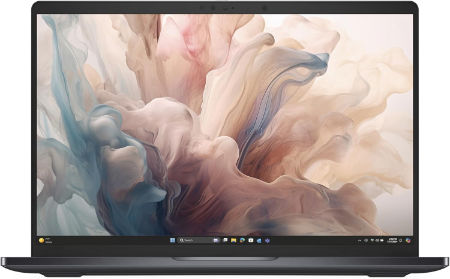
Dell Pro 5 Series 14 Core Ultra 5 335 16GB 512GB FHD Plus 2026 |
|
|---|---|
 Check This On Amazon |
|
| CPU | Intel Core Ultra 5 335, 8 cores, up to 4.6 GHz, NPU up to 47 TOPS |
| GPU | Integrated Intel Graphics, 4 Xe cores |
| Display Size | 14 inch, 16:10 |
| Display Resolution | FHD Plus 1920 × 1200 non touch IPS, 400 nits, 62.5% sRGB, anti glare |
| RAM | 16GB DDR5 5600 MT/s, one SO DIMM; memory is upgradeable |
| Storage Space | 512GB PCIe NVMe SSD |
| Operating System | Windows 11 Pro |
| Ports | 2 × Thunderbolt 4 USB C with DisplayPort 2.1 and Power Delivery; 2 × USB A including PowerShare; HDMI 2.1; RJ45 Ethernet; headset jack |
| Dimensions (L x W x H) | Approx. 12.3 × 8.6 inches; height varies by configuration |
| Weight | Approx. 3.0 lb starting weight; panel and battery options affect weight |
| Pros | Upgrade friendly business laptop; Ethernet port plus USB A and HDMI; 16GB memory for office multitasking; modern Series 3 CPU. |
| Cons | Display color coverage is modest |
Best Lightweight Laptops for Economics Students
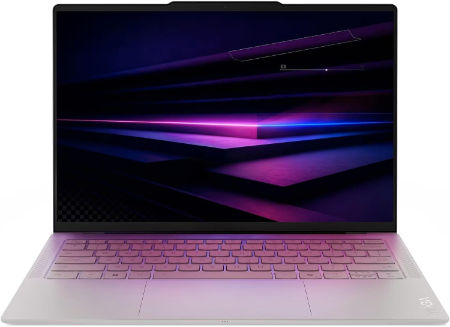
Lenovo Yoga Slim 7i Ultra Aura Edition 14 Ultra X7 358H 32GB 1TB 2.8K OLED |
|
|---|---|
 Check This On Amazon |
|
| CPU | Intel Core Ultra X7 358H, 16 cores, up to 4.8 GHz, NPU up to 50 TOPS |
| GPU | Integrated Intel Arc B390 graphics |
| Display Size | 14 inch, 16:10 |
| Display Resolution | 14 inch 2.8K OLED 2880 × 1800 touchscreen, 120Hz, 100% DCI P3, 500 nits SDR, up to 1100 nits HDR peak |
| RAM | 32GB LPDDR5X 9600MHz soldered |
| Storage Space | 1TB PCIe 4.0 NVMe SSD; supports up to 2TB |
| Operating System | Windows 11 Home or Windows 11 Pro |
| Ports | 3 × USB C USB4 40Gbps with DisplayPort 1.4 and USB Power Delivery |
| Dimensions (L x W x H) | 12.31 × 8.42 × 0.55 inches |
| Weight | 2.15 lb (starting weight) |
| Pros | Extremely light premium laptop; OLED with 120Hz refresh; Arc B390 integrated graphics; strong NPU for local AI features. |
| Cons | RAM is soldered; limited physical ports |
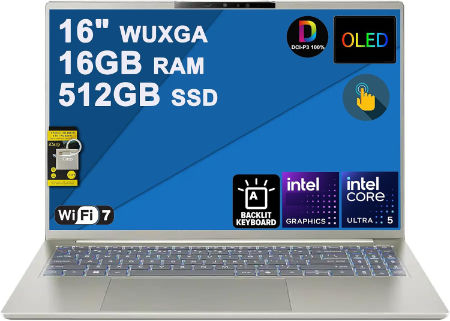
Acer Swift Edge 14 AI 14 inches 2880 x 1800 Pixels, 32GB LPDDR5x, 1TB PCIe SSD, Intel Core Ultra X9 388H, Intel Arc B390 integrated graphics |
|
|---|---|
 Check This On Amazon |
|
| CPU | Intel Core Ultra X9 388H |
| GPU | Intel Arc B390 integrated graphics |
| Display Size | 14 inches |
| Display Resolution | 2880 x 1800 Pixels; OLED, 120Hz |
| RAM | 32GB LPDDR5x |
| Storage Space | 1TB PCIe SSD |
| Operating System | Windows 11 |
| Ports | USB-C Thunderbolt, USB-A, HDMI, audio combo jack |
| Dimensions (L x W x H) | 12.3 x 8.5 x 0.5 inches |
| Weight | 2.2 pounds |
| Pros | Very light; high quality OLED; strong integrated graphics; easy to carry |
| Cons | Limited upgradeability; few ports; OLED can affect battery life at high brightness |
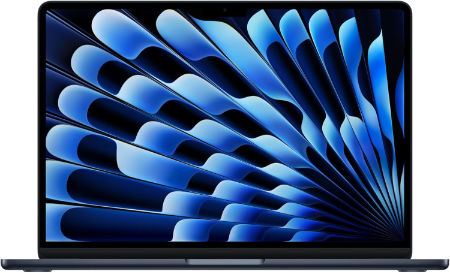
Apple MacBook Air M5 13.6 inches 2560 x 1664 Pixels, 16GB unified memory, 1TB SSD, Apple M5 10-core CPU, 8-core GPU |
|
|---|---|
 Check This On Amazon |
|
| CPU | Apple M5, 10-core CPU |
| GPU | 8-core GPU |
| Display Size | 13.6 inches |
| Display Resolution | 2560 x 1664 Pixels; Liquid Retina IPS, 500 nits, 60Hz |
| RAM | 16GB unified memory |
| Storage Space | 1TB SSD |
| Operating System | macOS |
| Ports | 2 x Thunderbolt 4 USB-C, MagSafe 3, 3.5mm headphone jack |
| Dimensions (L x W x H) | 11.97 x 8.46 x 0.44 inches |
| Weight | 2.7 pounds |
| Pros | Fanless design; long battery life; bright P3 display; efficient performance; hardware ray tracing |
| Cons | |
Best 2 in 1 Laptops for Economics Students and Note Taking
Lenovo ThinkPad X1 2 in 1 Gen 11 Ultra 7 355 32GB 1TB 2.8K OLED |
|
|---|---|
Check This On Amazon |
|
| CPU | Intel Core Ultra 7 355, 8 cores, up to 4.7 GHz, NPU up to 49 TOPS |
| GPU | Integrated Intel Graphics |
| Display Size | 14 inch, 16:10 touchscreen convertible |
| Display Resolution | 2.8K OLED 2880 × 1800, 120Hz VRR, 500 nits, 100% DCI P3, DisplayHDR True Black 500 |
| RAM | 32GB LPDDR5X 7467MHz soldered |
| Storage Space | 1TB PCIe 4.0 NVMe SSD; supports up to 2TB |
| Operating System | Windows 11 Pro |
| Ports | 2 × Thunderbolt 4 USB C; 1 × USB A 5Gbps; HDMI 2.1; 3.5 mm headset combo jack |
| Dimensions (L x W x H) | Approx. 12.3 × 8.5 × 0.65 inches |
| Weight | Approx. 3.0 lb |
| Pros | OLED display supports detailed color work; convertible touch form; high speed Thunderbolt connectivity; useful for mobile presentations. |
| Cons | Soldered memory |
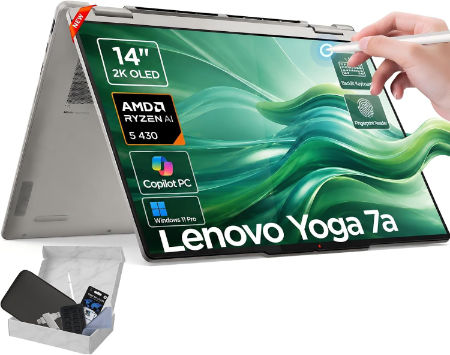
Lenovo Yoga 7a 2 in 1 14 Ryzen AI 7 445 32GB 1TB OLED |
|
|---|---|
 Check This On Amazon |
|
| CPU | AMD Ryzen AI 7 445, 6 cores, up to 4.6 GHz, NPU up to 50 TOPS |
| GPU | Integrated AMD Radeon 840M graphics |
| Display Size | 14 inch, 16:10 convertible touchscreen |
| Display Resolution | OLED touchscreen; WUXGA 1920 × 1200 60Hz or 2.8K 2880 × 1800 120Hz options, depending on SKU |
| RAM | 32GB LPDDR5X 8000MHz soldered |
| Storage Space | 1TB PCIe 4.0 NVMe SSD |
| Operating System | Windows 11 Home or Windows 11 Pro |
| Ports | 2 × USB A; 2 × USB C; HDMI; microSD card reader; 3.5 mm audio combo jack |
| Dimensions (L x W x H) | Approx. 12.5 × 8.9 × 0.7 inches |
| Weight | Approx. 3.1 lb |
| Pros | More memory and storage headroom for large browser sessions and office work; OLED touch convertible design. |
| Cons | Soldered memory |
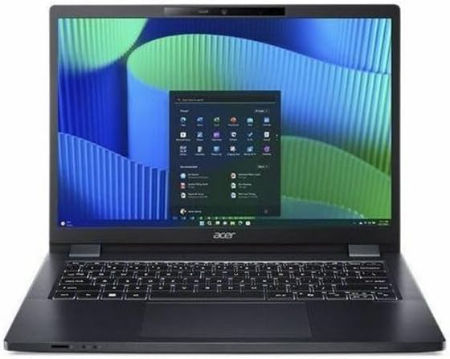
Acer TravelMate P4 Spin 14 AI 14 inches 1920 x 1200 Pixels, 32GB DDR5, 1TB PCIe SSD, Intel Core Ultra 7 365 vPro, Intel Graphics |
|
|---|---|
 Check This On Amazon |
|
| CPU | Intel Core Ultra 7 365 vPro |
| GPU | Intel Graphics |
| Display Size | 14 inches |
| Display Resolution | 1920 x 1200 Pixels; WUXGA touchscreen, 60Hz |
| RAM | 32GB DDR5 |
| Storage Space | 1TB PCIe SSD |
| Operating System | Windows 11 |
| Ports | Thunderbolt 4 USB-C, USB-A, HDMI, RJ45, audio combo jack |
| Dimensions (L x W x H) | 12.5 x 8.8 x 0.8 inches |
| Weight | 3.4 pounds |
| Pros | Convertible touchscreen; enterprise management; stylus friendly |
| Cons | Integrated graphics; convertible hinges add weight; enterprise pricing |
Best Large Screen Laptops for Economics Research and Data Analysis
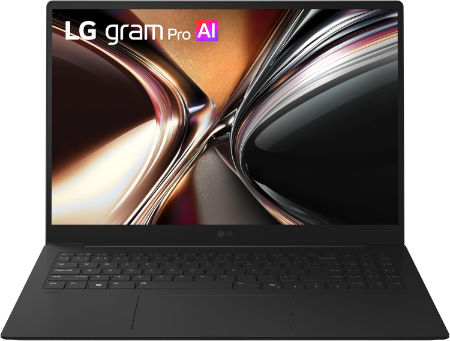
LG gram Pro 16 Core Ultra X7 358H 32GB 1TB 2.8K OLED 2026 |
|
|---|---|
 Check This On Amazon |
|
| CPU | Intel Core Ultra X7 358H, 16 cores, up to 4.8GHz |
| GPU | Integrated Intel Arc B390 graphics, 12 Xe cores |
| Display Size | 16 inch, 16:10 |
| Display Resolution | WQXGA+ OLED 2880 × 1800, adaptive 30 to 120Hz, 500 nits, 100% DCI P3 typical, 0.2ms response |
| RAM | 32GB LPDDR5X 8533 MT/s onboard |
| Storage Space | 1TB NVMe SSD; dual M.2 slots with Gen 5 primary and Gen 4 expansion slot on the global specification |
| Operating System | Windows 11 Home, Copilot+ PC |
| Ports | 2 × USB A 3.2 Gen 1; 2 × USB C USB4 / Thunderbolt 4 with DisplayPort and Power Delivery; HDMI 2.1; 3.5mm headset combo jack |
| Dimensions (L x W x H) | 14.1 × 9.9 × 0.49 to 0.50 inches |
| Weight | 2.64 lb (1.20 kg) |
| Pros | OLED image quality and 120Hz refresh in a very light 16 inch laptop; Arc B390 graphics; 32GB RAM and 1TB SSD; up to 27 hours video playback claimed. |
| Cons | |
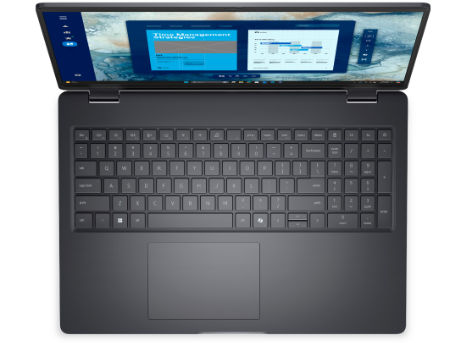
Dell Pro 5 Series 16 Core Ultra 7 365 32GB 1TB WUXGA 2026 |
|
|---|---|
 Check This On Amazon |
|
| CPU | Intel Core Ultra 7 365, 8 cores, up to 4.8 GHz, NPU up to 49 TOPS |
| GPU | Integrated Intel Graphics |
| Display Size | 16 inch, 16:10 |
| Display Resolution | WUXGA 1920 × 1200 non touch IPS, 400 nits, 62.5% sRGB, anti glare |
| RAM | 32GB DDR5 5600 MT/s; exact module layout depends on SKU |
| Storage Space | 1TB PCIe NVMe SSD |
| Operating System | Windows 11 Pro |
| Ports | 2 × Thunderbolt 4 USB C with DisplayPort 2.1 and Power Delivery; 2 × USB A 5Gbps including PowerShare; HDMI 2.1; RJ45 Ethernet; headset jack |
| Dimensions (L x W x H) | 14.12 × 9.98 inches; height about 0.43 inches at front and up to 0.74 inches at rear |
| Weight | From 4.02 lb |
| Pros | 32GB memory and 1TB storage suit large business projects; 16 inch display supports side by side applications; replaceable memory and SSD. |
| Cons | Standard sRGB coverage limits color sensitive creative use; integrated graphics; heavier to carry daily than smaller business laptops. |
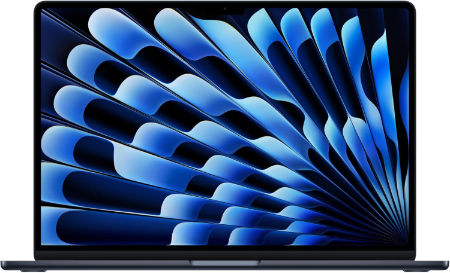
Apple MacBook Air M5 15.3 inches 2880 x 1864 Pixels, 24GB unified memory, 2TB SSD, Apple M5 10-core CPU, 10-core GPU |
|
|---|---|
 Check This On Amazon |
|
| CPU | Apple M5, 10-core CPU |
| GPU | 10-core GPU |
| Display Size | 15.3 inches |
| Display Resolution | 2880 x 1864 Pixels; Liquid Retina IPS, 500 nits, 60Hz |
| RAM | 24GB unified memory |
| Storage Space | 2TB SSD |
| Operating System | macOS |
| Ports | 2 x Thunderbolt 4 USB-C, MagSafe 3, 3.5mm headphone jack |
| Dimensions (L x W x H) | 13.40 x 9.35 x 0.45 inches |
| Weight | 3.3 pounds |
| Pros | Fanless design; long battery life; bright P3 display; efficient performance; hardware ray tracing |
| Cons | |
MORE LAPTOP RECOMMENDATIONS
Best Laptops for Banking and Finance Students
Latest Best Laptops for Commerce Students
Best Laptops for Business Administration and Management