

This guide is crafted for anyone using CyberLink PowerDirector regularly for producing social media videos, promotional clips, tutorials, or even short documentaries. We’ve designed it for users who value a responsive interface, fast exports, and real-time editing without delays or crashes. If your current setup drops frames during previews or chokes on 4K timelines, we’ll show you what to upgrade to.
Video editing with CyberLink PowerDirector is about pushing layers, transitions, color grading, and real-time previews in a way that feels seamless. If you’re a content creator, YouTuber, marketing professional, educator, or student, PowerDirector gives you speed and flexibility—but only if your laptop is powerful enough to keep up.
On the surface, PowerDirector might seem more lightweight than industry titans like Premiere Pro or DaVinci Resolve. But looks deceive. Under the hood, PowerDirector taps into hardware acceleration, GPU rendering, multicore threading, and 4K support—and these features demand serious hardware, especially when working with larger projects or using advanced plug-ins and effects.
Lets look at the features we assessed;
Let’s begin with the CPU. PowerDirector loves high-frequency processors with multiple cores. You should aim for Intel Core i7 or i9 (12th or 13th-gen), AMD Ryzen 7 or 9 (6000-series or newer), or Apple M3/M2/M4 Pro/Max chips. These ensure responsive timelines, fast media encoding, and smooth effects playback.
Next, memory. You need at least 16GB of RAM for reliable 1080p and 4K video editing. This ensures you can scrub timelines, preview transitions, and switch between tools without lag. If you’re working with multicam edits, proxy workflows, or UHD footage, 32GB RAM provides the headroom to work freely.
Graphics acceleration is core to PowerDirector’s performance. You’ll want a discrete GPU, especially for real-time previews, accelerated effects, and faster H.264/H.265 rendering. NVIDIA RTX 3050/3060/4060 or AMD Radeon 6700M+ will give you GPU-accelerated encoding and playback, cutting export times significantly and improving responsiveness during heavy edits.
Let’s not overlook storage. You’ll be dealing with large video files, cache data, and exported content. A 1TB NVMe SSD is the sweet spot—fast enough to load projects instantly and spacious enough to store RAW footage, B-roll, music beds, and final renders. If you’re doing longform content, a secondary external SSD via Thunderbolt or USB-C Gen 2 is a smart extension.
Now to display. Color accuracy and resolution are essential when editing—especially if you’re color grading or delivering to clients or platforms that demand visual consistency. Look for a Full HD or 4K display with 100% sRGB or DCI-P3 color gamut, and IPS or OLED panels for deeper contrast and better viewing angles. This ensures your edits look exactly how you intend across different devices.
Connectivity should support your full workflow. Importing from cameras, connecting external displays, plugging in a mic interface, or offloading content to storage? You’ll need USB-A, USB-C, HDMI, SD card slots, and possibly Thunderbolt 4 or Ethernet depending on your rig. A laptop without these slows down your production pipeline.
Battery life isn’t a major concern during editing, but portability is. Most content creators travel, shoot on-site, or work in shared studios. Your editing laptop should be portable but powerful—under 5 pounds, with 6–8 hours of unplugged use, so you’re not constantly tethered to a power outlet.
Every laptop we recommend includes a fast multi-core CPU, at least 16GB of RAM, a discrete GPU with hardware acceleration support, and a fast 1TB SSD. They’ve been chosen to handle PowerDirector workflows confidently—from importing to rendering, trimming to title design, color correction to multicam edits.
These machines are suitable for real-time editing performance, 4K playback without dropped frames, and fast render/export speeds using hardware-accelerated encoding. You’ll feel the difference every time you launch a project or preview a clip.
The best PowerDirector laptops listed here, all meet the criteria listed above. So whether you are a filmmaker/ vlogger working on your creations, the only limit is yourself. You can also have a look at the best laptops for DaVinci Resolve in addition to the best laptops for Video Editing.
Best 2026 Laptops for Cyberlink PowerDirector:
Contents
- Lenovo Legion 7a 16 Ryzen AI 9 HX 470 RTX 5070 32GB 1TB 240Hz OLED
- MSI Stealth 16 AI+ 16 inches 240Hz OLED 2560 x 1600 Pixels, 2TB Storage, 32GB RAM, Intel Core Ultra 9 386H, NVIDIA GeForce RTX 5080 Laptop GPU 16GB GDDR7
- ASUS ProArt P16 2026 AMD Ryzen AI 9 HX 475 NVIDIA GeForce RTX 5080 Laptop GPU, 16GB GDDR7
- Lenovo LOQ 15AHP11 Ryzen 7 253 RTX 5050 16GB 512GB WUXGA 165Hz
- Acer Nitro V 16 AI 16 inches 2560 x 1600 Pixels, 16GB DDR5, 1TB PCIe Gen 4 SSD, Intel Core Ultra 7 356H, NVIDIA GeForce RTX 5060 Laptop GPU 8GB GDDR7
- GIGABYTE GAMING A16 Ryzen 5 150 RTX 5050 16 inch WUXGA 165Hz
- MSI Raider 16 Max HX 16 inches 240Hz OLED 2560 x 1600 Pixels, 2TB Storage, 64GB RAM, Intel Core Ultra 9 290HX Plus, NVIDIA GeForce RTX 5090 Laptop GPU 24GB GDDR7
- HP HyperX OMEN MAX 16 Intel Core Ultra 9 290HX Plus RTX 64GB 2TB 2026
- MSI Titan 18 HX 18 inches 240Hz Mini LED 3840 x 2400 Pixels, 4TB Storage, 64GB RAM, Intel Core Ultra 9 290HX Plus, NVIDIA GeForce RTX 5090 Laptop GPU 24GB GDDR7
- HP HyperX OMEN MAX 16 Intel Core Ultra 7 270HX Plus RTX 32GB 1TB 2026
- ASUS ProArt P16 2026 AMD Ryzen AI 9 HX 475 NVIDIA GeForce RTX 5070 Ti Laptop GPU, 12GB GDDR7
- AORUS MASTER 16 Intel Core Ultra 9 275HX RTX 5090 16 inch OLED 240Hz
- ASUS ProArt PX13 2026 AMD Ryzen AI 9 HX 370 NVIDIA GeForce RTX 5070 Laptop GPU, 8GB GDDR7
- ASUS ROG Zephyrus G14 2026 AMD Ryzen AI 9 HX 475 NVIDIA GeForce RTX 5070 Ti Laptop GPU, 12GB GDDR7
- LG gram Pro 17 Core Ultra 9 386H RTX 5050 32GB 1TB WQXGA 2026
- MSI Stealth 18 HX 18 inches 240Hz Mini LED 3840 x 2400 Pixels, 2TB Storage, 32GB RAM, Intel Core Ultra 9 290HX Plus, NVIDIA GeForce RTX 5080 Laptop GPU 16GB GDDR7
- Dell Alienware 16 Area 51 Core Ultra 9 290HX Plus RTX5090 64GB 2TB OLED 240Hz
- Dell Alienware 18 Area 51 Core Ultra 9 290HX Plus RTX5080 32GB 1TB WQXGA 300Hz
Best Overall Laptops for CyberLink PowerDirector
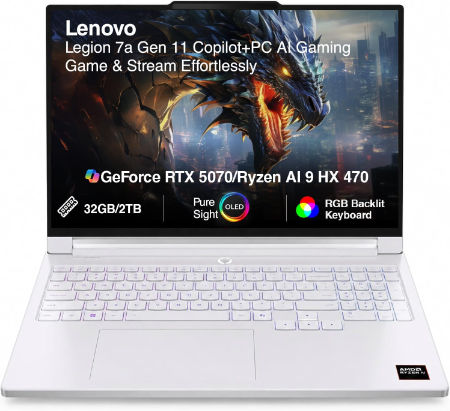
Lenovo Legion 7a 16 Ryzen AI 9 HX 470 RTX 5070 32GB 1TB 240Hz OLED |
|
|---|---|
 Check This On Amazon |
|
| CPU | AMD Ryzen AI 9 HX 470, 12 cores, up to 5.2 GHz, NPU up to 55 TOPS |
| GPU | NVIDIA GeForce RTX 5070 Laptop GPU, 8GB GDDR7 |
| Display Size | 16 inch, 16:10 |
| Display Resolution | 16 inch WQXGA OLED 2560 × 1600, 240Hz, 100% DCI P3, 500 nits typical, up to 1100 nits HDR peak, DisplayHDR True Black 1000, G SYNC |
| RAM | 32GB LPDDR5X soldered |
| Storage Space | 1TB PCIe 4.0 NVMe SSD; two M.2 slots available |
| Operating System | Windows 11 Home or Windows 11 Pro |
| Ports | 2 × USB A; 2 × USB C USB4 with DisplayPort 2.1; HDMI 2.1; card reader; 3.5 mm audio combo; Slim Tip power |
| Dimensions (L x W x H) | 14.23 × 10.01 × 0.61 to 0.67 inches |
| Weight | 3.97 lb (under 1.8 kg) |
| Pros | High end Ryzen AI processor and RTX 5070; 240Hz OLED gaming display; light for a 16 inch gaming laptop. |
| Cons | Soldered memory; expensive |
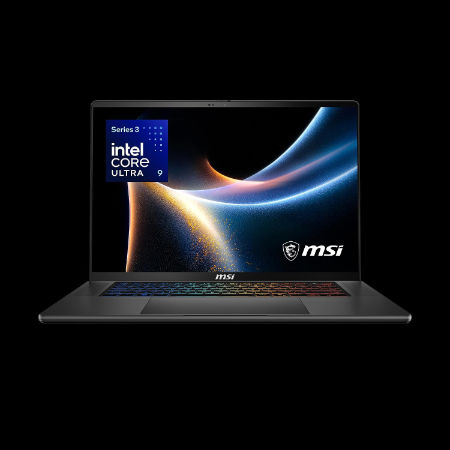
MSI Stealth 16 AI+ 16 inches 240Hz OLED 2560 x 1600 Pixels, 2TB Storage, 32GB RAM, Intel Core Ultra 9 386H, NVIDIA GeForce RTX 5080 Laptop GPU 16GB GDDR7 |
|
|---|---|
 Check This On Amazon |
|
| CPU | Intel Core Ultra 9 386H |
| GPU | NVIDIA GeForce RTX 5080 Laptop GPU 16GB GDDR7 |
| Display Size | 16 inches |
| Display Resolution | 2560 x 1600 Pixels |
| RAM | 32GB LPDDR5x onboard |
| Storage Space | 2TB NVMe SSD |
| Operating System | Windows 11 |
| Ports | 2 x Thunderbolt 4, 2 x USB Type A, HDMI 2.1, RJ45 Ethernet, audio combo jack |
| Dimensions (L x W x H) | 14.0 x 9.8 x 0.7 inches |
| Weight | 4.4 pounds |
| Pros | Slim aluminum chassis; high end discrete GPU; high refresh OLED; broad connectivity |
| Cons | Premium price; soldered memory; thinner chassis may limit sustained power |
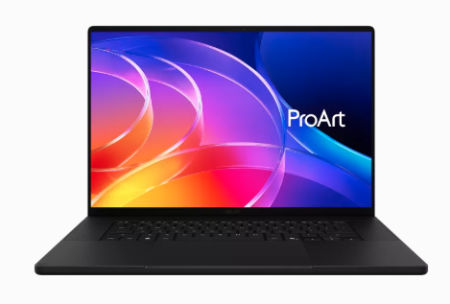
ASUS ProArt P16 2026 AMD Ryzen AI 9 HX 475 NVIDIA GeForce RTX 5080 Laptop GPU, 16GB GDDR7 |
|
|---|---|
 Check This On Amazon |
|
| CPU | AMD Ryzen AI 9 HX 475 |
| GPU | NVIDIA GeForce RTX 5080 Laptop GPU, 16GB GDDR7 |
| Display Size | 16 inch OLED touchscreen |
| Display Resolution | 3840 × 2400, 120Hz |
| RAM | 64GB LPDDR5X onboard |
| Storage Space | 2TB NVMe SSD |
| Operating System | Windows 11 Home or Pro |
| Ports | USB4 Type C; USB C; USB A; HDMI 2.1; SD Express card reader; 3.5mm audio |
| Pros | 4K OLED with wide color gamut; dedicated RTX graphics; SD card reader for creative media. |
| Cons | |
Best Budget Laptops for CyberLink PowerDirector
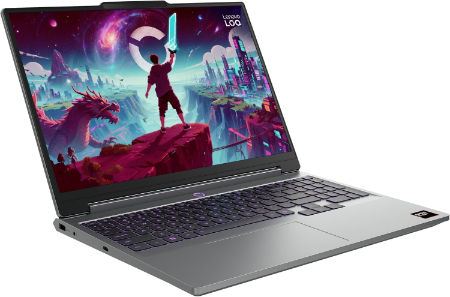
Lenovo LOQ 15AHP11 Ryzen 7 253 RTX 5050 16GB 512GB WUXGA 165Hz |
|
|---|---|
 Check This On Amazon |
|
| CPU | AMD Ryzen 7 253, 8 cores, up to 4.9 GHz, NPU up to 16 TOPS |
| GPU | NVIDIA GeForce RTX 5050 Laptop GPU, 8GB GDDR7, up to 115W |
| Display Size | 15.3 inch, 16:10 |
| Display Resolution | WUXGA 1920 × 1200 IPS, 165Hz, 300 nits, 100% sRGB, anti glare |
| RAM | 16GB DDR5 5600MHz, SO DIMM; upgradable to 32GB |
| Storage Space | 512GB PCIe 4.0 NVMe SSD; two M.2 slots |
| Operating System | Windows 11 Home or Windows 11 Pro |
| Ports | 3 × USB A; USB C USB4 with DisplayPort; HDMI 2.1; Gigabit Ethernet; 3.5 mm audio combo jack; Slim Tip power |
| Dimensions (L x W x H) | 13.58 × 10.03 × 0.82 to 0.92 inches |
| Weight | 4.6 lb (starting weight) |
| Pros | High refresh display; discrete RTX graphics; memory and storage upgrades are available; suitable for student gaming and creative work. |
| Cons | Entry tier GPU; chassis is bulky; base memory and SSD may need upgrading for demanding games. |
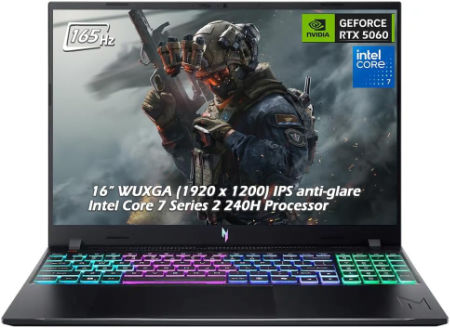
Acer Nitro V 16 AI 16 inches 2560 x 1600 Pixels, 16GB DDR5, 1TB PCIe Gen 4 SSD, Intel Core Ultra 7 356H, NVIDIA GeForce RTX 5060 Laptop GPU 8GB GDDR7 |
|
|---|---|
 Check This On Amazon |
|
| CPU | Intel Core Ultra 7 356H |
| GPU | NVIDIA GeForce RTX 5060 Laptop GPU 8GB GDDR7 |
| Display Size | 16 inches |
| Display Resolution | 2560 x 1600 Pixels; WQXGA IPS, up to 180Hz |
| RAM | 16GB DDR5 |
| Storage Space | 1TB PCIe Gen 4 SSD |
| Operating System | Windows 11 |
| Ports | USB-C, USB-A, HDMI 2.1, RJ45, audio combo jack |
| Dimensions (L x W x H) | 14.2 x 10.5 x 1.1 inches |
| Weight | 5.7 pounds |
| Pros | Dedicated RTX GPU; high refresh display; memory and SSD upgrade potential |
| Cons | Heavy; base 16GB RAM may limit professional workloads; fan noise under gaming |
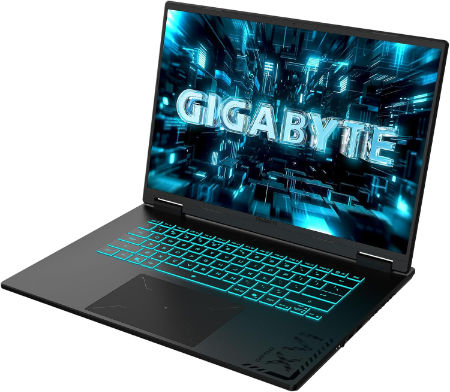
GIGABYTE GAMING A16 Ryzen 5 150 RTX 5050 16 inch WUXGA 165Hz |
|
|---|---|
 Check This On Amazon |
|
| CPU | AMD Ryzen 5 150, 6 cores, 12 threads, up to 4.55 GHz |
| GPU | NVIDIA GeForce RTX 5050 Laptop GPU, 8GB GDDR7 |
| Display Size | 16 inch, 16:10 |
| Display Resolution | WUXGA 1920 × 1200 IPS, 165Hz, 3ms, 45% sRGB, 300 nits typical |
| RAM | Up to 64GB DDR5 4800MHz, 2 SO DIMM slots |
| Storage Space | Up to 4TB PCIe NVMe SSD across 2 PCIe Gen4 x4 M.2 slots |
| Operating System | Windows 11 Home or Windows 11 Pro |
| Ports | HDMI 2.1, USB Type C with DisplayPort 1.4 and Power Delivery 3.0, USB Type A 3.2 Gen 1, USB Type A 2.0, RJ45 Ethernet, 3.5mm audio combo, DC in |
| Dimensions (L x W x H) | 10.33 × 14.11 × 0.77 to 0.90 inches (depth × width × height) |
| Weight | 4.85 lb (approximately 2.2 kg) |
| Pros | high refresh 16 inch display; memory and storage can be upgraded. |
| Cons | demanding games may need reduced settings. |
Best Laptops for 4K Video Editing in PowerDirector
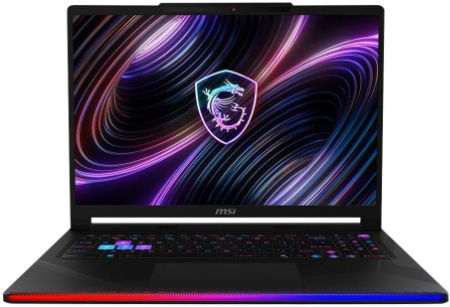
MSI Raider 16 Max HX 16 inches 240Hz OLED 2560 x 1600 Pixels, 2TB Storage, 64GB RAM, Intel Core Ultra 9 290HX Plus, NVIDIA GeForce RTX 5090 Laptop GPU 24GB GDDR7 |
|
|---|---|
 Check This On Amazon |
|
| CPU | Intel Core Ultra 9 290HX Plus |
| GPU | NVIDIA GeForce RTX 5090 Laptop GPU 24GB GDDR7 |
| Display Size | 16 inches |
| Display Resolution | 2560 x 1600 Pixels |
| RAM | 64GB DDR5 RAM |
| Storage Space | 2TB NVMe SSD |
| Operating System | Windows 11 |
| Ports | Thunderbolt 4, USB Type A, HDMI 2.1, RJ45 Ethernet, SD card reader, audio combo jack |
| Dimensions (L x W x H) | 14.1 x 10.6 x 1.1 inches |
| Weight | 6.2 pounds |
| Pros | Top tier gaming GPU; high refresh OLED; strong CPU performance; upgradeable memory and storage |
| Cons | Expensive; heavy; high power draw; fans can become audible under sustained load |
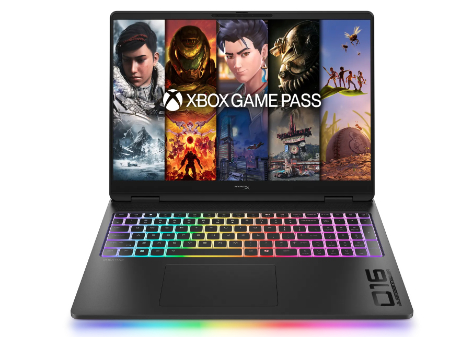
HP HyperX OMEN MAX 16 Intel Core Ultra 9 290HX Plus RTX 64GB 2TB 2026 |
|
|---|---|
 Check This On Amazon |
|
| CPU | Intel Core Ultra 9 290HX Plus, 24 cores, up to 5.5 GHz, NPU 13 TOPS |
| GPU | NVIDIA GeForce RTX 5090 Laptop GPU, 24GB GDDR7 |
| Display Size | 16 inch, 16:10 |
| Display Resolution | 16 inch 2.5K OLED 2560 × 1600, up to 240Hz, 0.2ms, 500 nits SDR, up to 1100 nits HDR, 100% DCI P3, VESA True Black HDR 1000 |
| RAM | 64GB DDR5 6400 MT/s, 2 × 32GB |
| Storage Space | 2TB PCIe Gen 5 NVMe SSD |
| Operating System | Windows 11 Home or Windows 11 Pro |
| Ports | 2 × USB Type A; 2 × USB Type C with high speed data and DisplayPort; HDMI 2.1; RJ45 Ethernet; headset combo; power connector |
| Dimensions (L x W x H) | Approx. 14.1 × 10.5 × 1.0 inches |
| Weight | Approx. 6.0 lb |
| Pros | High power gaming platform with fully internal cooling design; high refresh display; replaceable DDR5 memory and PCIe SSD options. |
| Cons | Heavy chassis and large power supply; battery runtime is limited under gaming |
MSI Titan 18 HX 18 inches 240Hz Mini LED 3840 x 2400 Pixels, 4TB Storage, 64GB RAM, Intel Core Ultra 9 290HX Plus, NVIDIA GeForce RTX 5090 Laptop GPU 24GB GDDR7 |
|
|---|---|
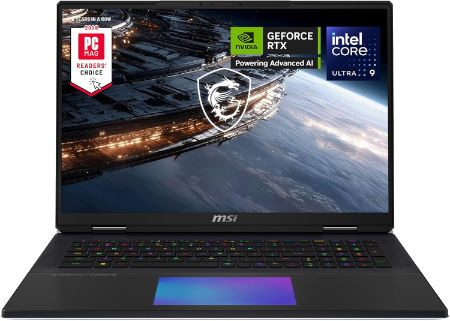 Check This On Amazon |
|
| CPU | Intel Core Ultra 9 290HX Plus |
| GPU | NVIDIA GeForce RTX 5090 Laptop GPU 24GB GDDR7 |
| Display Size | 18 inches |
| Display Resolution | 3840 x 2400 Pixels |
| RAM | 64GB DDR5 RAM |
| Storage Space | 4TB NVMe SSD |
| Operating System | Windows 11 |
| Ports | Thunderbolt 4, USB Type A, HDMI 2.1, RJ45 Ethernet, SD card reader, audio combo jack |
| Dimensions (L x W x H) | 16.1 x 12.0 x 1.3 inches |
| Weight | 7.9 pounds |
| Pros | Flagship GPU; 4K high refresh Mini LED; large screen; excellent for demanding gaming and rendering |
| Cons | Very heavy; expensive; large power adapter; limited portability |
Best Laptops for AI Effects and Advanced Video Editing
HP HyperX OMEN MAX 16 Intel Core Ultra 7 270HX Plus RTX 32GB 1TB 2026 |
|
|---|---|
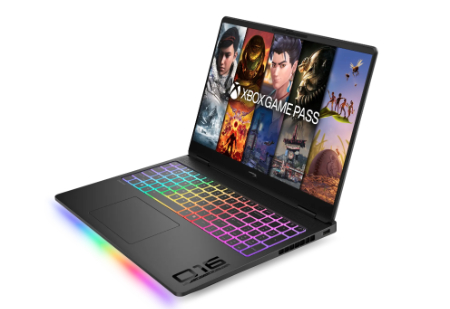 Check This On Amazon |
|
| CPU | Intel Core Ultra 7 270HX Plus, 20 cores, up to 5.3 GHz, NPU 13 TOPS |
| GPU | NVIDIA GeForce RTX 5070 Ti Laptop GPU, 12GB GDDR7 |
| Display Size | 16 inch, 16:10 |
| Display Resolution | 16 inch 2.5K OLED 2560 × 1600, up to 240Hz, 0.2ms, 500 nits SDR, up to 1100 nits HDR, 100% DCI P3, VESA True Black HDR 1000 |
| RAM | 32GB DDR5 6400 MT/s, 2 × 16GB |
| Storage Space | 1TB PCIe Gen 5 NVMe SSD |
| Operating System | Windows 11 Home or Windows 11 Pro |
| Ports | 2 × USB Type A; 2 × USB Type C with high speed data and DisplayPort; HDMI 2.1; RJ45 Ethernet; headset combo; power connector |
| Dimensions (L x W x H) | Approx. 14.1 × 10.5 × 1.0 inches |
| Weight | Approx. 6.0 lb |
| Pros | High power gaming platform with fully internal cooling design; high refresh display |
| Cons | |
ASUS ProArt P16 2026 AMD Ryzen AI 9 HX 475 NVIDIA GeForce RTX 5070 Ti Laptop GPU, 12GB GDDR7 |
|
|---|---|
Check This On Amazon |
|
| CPU | AMD Ryzen AI 9 HX 475 |
| GPU | NVIDIA GeForce RTX 5070 Ti Laptop GPU, 12GB GDDR7 |
| Display Size | 16 inch OLED touchscreen |
| Display Resolution | 3840 × 2400, 120Hz |
| RAM | 32GB LPDDR5X onboard |
| Storage Space | 1TB NVMe SSD |
| Operating System | Windows 11 Home or Pro |
| Ports | USB4 Type C; USB C; USB A; HDMI 2.1; SD Express card reader; 3.5mm audio |
| Pros | 4K OLED with wide color gamut; dedicated RTX graphics; SD card reader for creative media. |
| Cons | |
AORUS MASTER 16 Intel Core Ultra 9 275HX RTX 5090 16 inch OLED 240Hz |
|
|---|---|
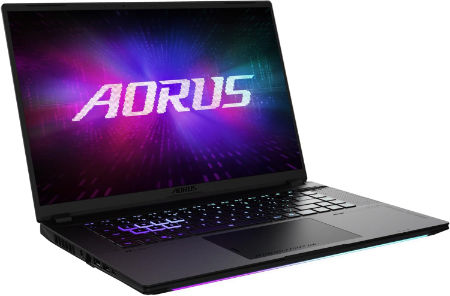 Check This On Amazon |
|
| CPU | Intel Core Ultra 9 275HX, 24 cores, 24 threads, up to 5.4 GHz |
| GPU | NVIDIA GeForce RTX 5090 Laptop GPU, 24GB GDDR7, up to 175W with Dynamic Boost |
| Display Size | 16 inch, 16:10 |
| Display Resolution | WQXGA 2560 × 1600 OLED, 240Hz, 1ms, 100% DCI P3, up to 500 nits peak, DisplayHDR True Black 500 |
| RAM | Up to 64GB DDR5 5600MHz, 2 SO DIMM slots |
| Storage Space | Up to 4TB PCIe NVMe SSD, one PCIe Gen5 M.2 slot and one PCIe Gen4 x4 M.2 slot |
| Operating System | Windows 11 Home or Windows 11 Pro |
| Ports | Thunderbolt 5 Type C with USB4, DisplayPort 2.1 and Power Delivery 3.0, Thunderbolt 4 Type C with USB4, DisplayPort 1.4 and Power Delivery 3.0, HDMI 2.1, USB Type A 3.2 Gen 2, MicroSD UHS II, RJ45 Ethernet, 3.5mm audio combo, DC in |
| Dimensions (L x W x H) | 10.00 × 14.06 × 0.91 to 1.18 inches (depth × width × height) |
| Weight | 5.51 lb (approximately 2.5 kg) |
| Pros | Very powerful Intel and RTX 5090 combination; bright 240Hz OLED; Thunderbolt 5 support; memory and storage expansion. |
| Cons | Large power adapter; high cost; high performance components can generate heat and reduce battery life under load. |
Best Portable Laptops for CyberLink PowerDirector
ASUS ProArt PX13 2026 AMD Ryzen AI 9 HX 370 NVIDIA GeForce RTX 5070 Laptop GPU, 8GB GDDR7 |
|
|---|---|
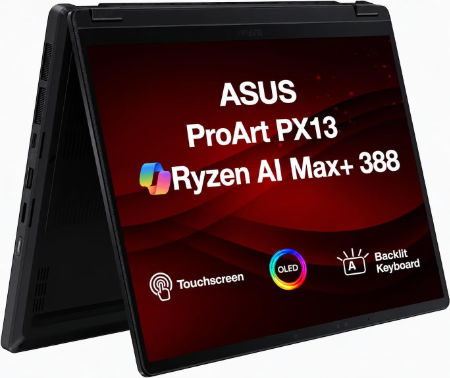 Check This On Amazon |
|
| CPU | AMD Ryzen AI 9 HX 370 |
| GPU | NVIDIA GeForce RTX 5070 Laptop GPU, 8GB GDDR7 |
| Display Size | 13.3 inch convertible OLED touchscreen |
| Display Resolution | 2880 × 1800, 120Hz |
| RAM | 32GB LPDDR5X onboard |
| Storage Space | 1TB NVMe SSD |
| Operating System | Windows 11 Home or Pro |
| Ports | USB4 Type C; USB C; USB A; HDMI 2.1; microSD card reader; 3.5mm audio |
| Pros | Portable convertible design; OLED touchscreen; discrete graphics for mobile creative work. |
| Cons | |
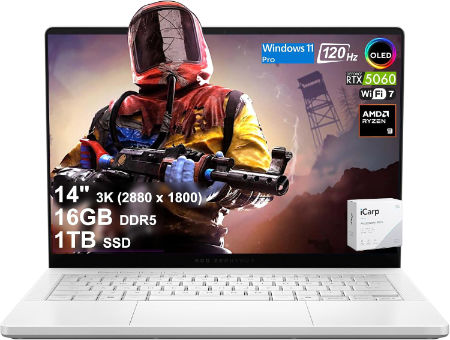
ASUS ROG Zephyrus G14 2026 AMD Ryzen AI 9 HX 475 NVIDIA GeForce RTX 5070 Ti Laptop GPU, 12GB GDDR7 |
|
|---|---|
 Check This On Amazon |
|
| CPU | AMD Ryzen AI 9 HX 475 |
| GPU | NVIDIA GeForce RTX 5070 Ti Laptop GPU, 12GB GDDR7 |
| Display Size | 14 inch OLED |
| Display Resolution | 2880 × 1800, 120Hz |
| RAM | 32GB LPDDR5X onboard |
| Storage Space | 1TB NVMe SSD |
| Operating System | Windows 11 Home |
| Ports | USB4 Type C; USB C; USB A; HDMI 2.1; microSD; 3.5mm audio |
| Pros | Compact OLED gaming laptop; discrete RTX graphics; portable form factor. |
| Cons | Memory is onboard |
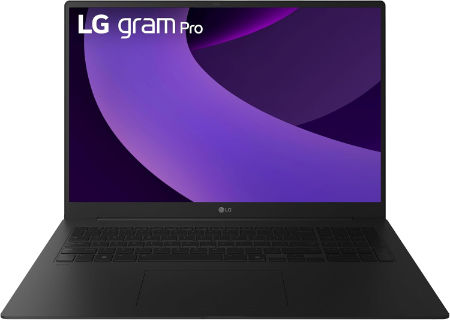
LG gram Pro 17 Core Ultra 9 386H RTX 5050 32GB 1TB WQXGA 2026 |
|
|---|---|
 Check This On Amazon |
|
| CPU | Intel Core Ultra 9 386H, 16 cores, up to 4.9GHz |
| GPU | NVIDIA GeForce RTX 5050 Laptop GPU, 8GB GDDR7 |
| Display Size | 17 inch, 16:10 touchscreen |
| Display Resolution | WQXGA 2560 × 1600 IPS LCD touchscreen, 31 to 144Hz VRR, 400 nits, 99% DCI P3 typical, 1500:1 typical contrast |
| RAM | 32GB LPDDR5X 8533 MT/s onboard, dual channel |
| Storage Space | 1TB NVMe SSD; dual M.2 slots, Gen 5 |
| Operating System | Windows 11 Pro |
| Ports | 2 × USB A 3.2 Gen 1; 2 × USB4 / Thunderbolt 4 USB C with DisplayPort and Power Delivery; HDMI 2.1; 3.5mm headset combo; optional RJ45 adapter depending on country |
| Dimensions (L x W x H) | Approx. 15.0 × 10.0 × 0.7 inches |
| Weight | 3.83 lb (1.74 kg) |
| Pros | NVIDIA RTX 5050 provides dedicated graphics for video editing, design work and gaming; large 17 inch color rich screen; 32GB RAM; dual SSD support. |
| Cons | Heavier than the integrated graphics version; onboard RAM is not upgradeable and the discrete GPU increases power draw. |
Best High Performance Laptops for Professional Video Editing
MSI Stealth 18 HX 18 inches 240Hz Mini LED 3840 x 2400 Pixels, 2TB Storage, 32GB RAM, Intel Core Ultra 9 290HX Plus, NVIDIA GeForce RTX 5080 Laptop GPU 16GB GDDR7 |
|
|---|---|
Check This On Amazon |
|
| CPU | Intel Core Ultra 9 290HX Plus |
| GPU | NVIDIA GeForce RTX 5080 Laptop GPU 16GB GDDR7 |
| Display Size | 18 inches |
| Display Resolution | 3840 x 2400 Pixels |
| RAM | 32GB DDR5 RAM |
| Storage Space | 2TB NVMe SSD |
| Operating System | Windows 11 |
| Ports | Thunderbolt 4, USB Type A, HDMI 2.1, RJ45 Ethernet, SD card reader, audio combo jack |
| Dimensions (L x W x H) | 16.1 x 11.7 x 1.0 inches |
| Weight | 6.4 pounds |
| Pros | Large high resolution display; strong discrete GPU; high performance CPU; useful creator connectivity |
| Cons | Large chassis; costly; battery life drops under heavy GPU use |
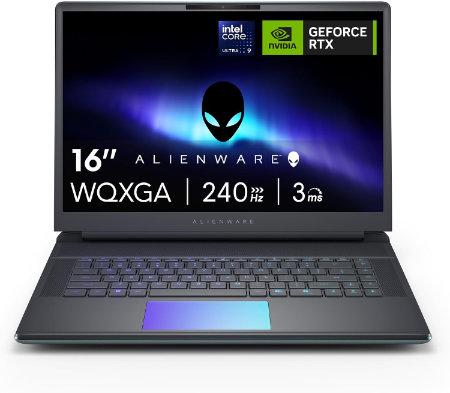
Dell Alienware 16 Area 51 Core Ultra 9 290HX Plus RTX5090 64GB 2TB OLED 240Hz |
|
|---|---|
 Check This On Amazon |
|
| CPU | Intel Core Ultra 9 290HX Plus, 24 cores, up to 5.5 GHz |
| GPU | NVIDIA GeForce RTX 5090 Laptop GPU, 24GB GDDR7 |
| Display Size | 16 inch, 16:10 |
| Display Resolution | 16 inch WQXGA 2560 × 1600 anti glare OLED, 240Hz, 120% DCI P3 color volume, 620 nits HDR, G SYNC |
| RAM | 64GB DDR5 6400 MT/s, 2 × 32GB CSoDIMM |
| Storage Space | 2TB M.2 2280 PCIe Gen 5 SSD |
| Operating System | Windows 11 Home or Windows 11 Pro |
| Ports | Global headset jack; 3 × USB A 3.2 Gen 1; 2 × Thunderbolt 4 for RTX 5070 and lower or 2 × Thunderbolt 5 for RTX 5070 Ti and higher; HDMI 2.1; SD card reader |
| Dimensions (L x W x H) | 14.37 × 11.41 × up to 1.12 inches (width × depth × maximum height) |
| Weight | 7.49 lb maximum system weight |
| Pros | Desktop class graphics options; high refresh OLED; 96Wh battery; user replaceable DDR5 memory and multiple SSD capacity options |
| Cons | Very heavy for daily travel |
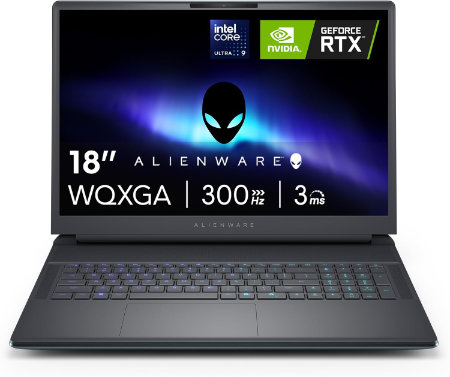
Dell Alienware 18 Area 51 Core Ultra 9 290HX Plus RTX5080 32GB 1TB WQXGA 300Hz |
|
|---|---|
 Check This On Amazon |
|
| CPU | Intel Core Ultra 9 290HX Plus, 24 cores, up to 5.5 GHz |
| GPU | NVIDIA GeForce RTX 5080 Laptop GPU, 16GB GDDR7 |
| Display Size | 18 inch, 16:10 |
| Display Resolution | 18 inch WQXGA 2560 × 1600, 300Hz, 500 nits, 100% DCI P3, Advanced Optimus, ComfortView Plus and G SYNC |
| RAM | 32GB DDR5 6400 MT/s, 2 × 16GB CSoDIMM |
| Storage Space | 1TB M.2 2230 PCIe Gen 4 ×4 TLC SSD |
| Operating System | Windows 11 Home or Windows 11 Pro |
| Ports | USB A 3.2 Gen 1; USB C Thunderbolt ports depending on GPU tier; HDMI 2.1; SD card reader; global headset jack; RJ45 Ethernet |
| Dimensions (L x W x H) | 16.14 × 12.59 × 0.95 inches at front (width × depth × front height) |
| Weight | 9.56 lb maximum system weight |
| Pros | Very large 300Hz screen; flagship RTX 50 Series GPU options; 96Wh battery; replaceable DDR5 memory and multiple SSD options. NVIDIA GeForce RTX 5080 Laptop GPU, 16GB GDDR7 is suited to high resolution gaming, streaming and GPU accelerated creation. |
| Cons | |
You should also have a look at:
- Best Laptops for Adobe Premiere Pro Cc
- Best Laptops for Vegas Pro
- Best Laptops for Magix Video Pro X