

Working in PTC Creo involves building detailed assemblies, simulating mechanical stress, rendering surfaces, and producing production-ready models. That level of design demands precision, and your laptop needs to mirror that standard. In this guide, we walk you through the best laptops for Creo—built for engineers, product designers, CAD professionals, and simulation specialists who rely on performance.
We’ve created this guide for you, the technical creator who works across parametric modeling, finite element analysis (FEA), and photorealistic rendering inside Creo. You need a machine that keeps your workflow smooth—from concept to production when running Creo Parametric, Creo Simulate, or leveraging extensions like Creo Render Studio,
You’ve probably encountered the limits of underpowered hardware already. Long regeneration times, laggy assemblies, thermal throttling during simulations, and sluggish model manipulation are real obstacles. And when you’re collaborating on time-sensitive projects or pushing large assemblies through iterative changes, every second counts.
We know that Creo isn’t just another 3D application, it’s enterprise-level CAD. It thrives in workstation-grade environments, and it expects hardware-level support for OpenGL, simulation solvers, and precision viewport rendering.
So, we’ve curated our recommendations around the actual demands of Creo. Let’s break down the key technical criteria we use to evaluate the best laptops for this software:
- CPU (Processor): Creo modeling and regeneration are single-thread dominant, so we prioritize CPUs with high base clock speeds and strong per-core performance. Think Intel Core i7/i9 H-series or AMD Ryzen 9 HX-series, but we especially value Intel’s Core Ultra or Xeon mobile processors when paired with ISV-certified platforms.
- GPU (Graphics Card): This is non-negotiable—professional GPUs like the NVIDIA RTX A2000, A3000, or A5000 are built with ISV certifications specifically for applications like Creo. They deliver smoother viewport interaction, accurate geometry shading, and optimized driver stability that consumer GPUs often lack. However, GPUs such as the RTX 4060 might do.
- RAM: 32GB is ideal, especially for large assemblies or simulation workflows. For advanced users working with FEA, thermal or flow simulations, or real-time rendering, 64GB or ECC memory options offer long-term scalability.
- Storage: We only recommend machines with NVMe SSDs (PCIe Gen 4 if possible)—with at least 1TB capacity. Creo files, assemblies, and simulation data add up fast, and speed matters for model load times and caching.
- Display: A 15.6” or 17.3” anti-glare IPS panel with 100% sRGB or AdobeRGB color ensures precision in design reviews and rendering work. QHD or 4K resolution benefits larger assemblies, letting you zoom and pan with more detail and less eye strain.
- Build Quality and Thermals: Sustained load during simulation and rendering heats up components fast. We select laptops with vapor chamber cooling systems, durable chassis (aluminum or magnesium), and dual-fan architectures for performance under pressure.
- Ports and Expansion: You’ll want Thunderbolt 4, full-size USB-A, HDMI 2.1, Ethernet, and optional docking capabilities. For engineers on the move, modular expansion and MIL-STD durability add serious value.
You can expect this guide to focus on engineering-grade mobile workstations that are certified for Creo and other PTC tools. We’ll share models tuned for solo designers, collaborative engineering teams, and enterprise-class users who need stability, compliance, and scalability.
So if you’re working in aerospace, automotive, manufacturing, or product design—and Creo is your primary CAD tool—we’ve done the research to find machines that deliver CAD-precision, simulation-ready, and render-capable performance.
You can also take a look at the best Laptops for Solid Edge in addition to the best laptops for MATLAB.
Best Laptops for Creo:
Contents
- Lenovo Yoga Pro 9i Aura Edition 16 Ultra 9 386H RTX 5070 64GB 1TB 3.2K OLED
- ASUS ProArt P16 2026 AMD Ryzen AI 9 HX 475 NVIDIA GeForce RTX 5060 Laptop GPU, 8GB GDDR7
- Dell XPS 16 Creator Edition 20Core 6144GPU 32GB 1TB 3.2K OLED 2026
- Lenovo LOQ 15AHP11 Ryzen 7 253 RTX 5050 16GB 512GB WUXGA 165Hz
- Acer Nitro V 16 AI 16 inches 2560 x 1600 Pixels, 16GB DDR5, 1TB PCIe Gen 4 SSD, Intel Core Ultra 7 356H, NVIDIA GeForce RTX 5060 Laptop GPU 8GB GDDR7
- Acer Predator Helios Neo 16S AI 16 inches 2560 x 1600 Pixels, 16GB DDR5, 1TB PCIe Gen 4 SSD, Intel Core Ultra 7 356H, NVIDIA GeForce RTX 5060 Laptop GPU 8GB GDDR7
- HP HyperX OMEN MAX 16 Intel Core Ultra 9 290HX Plus RTX 64GB 2TB 2026
- Dell Alienware 16 Area 51 Core Ultra 9 290HX Plus RTX5090 64GB 2TB OLED 240Hz
- AORUS MASTER 18 Core Ultra 9 275HX RTX 5090 18 inch Mini LED 240Hz
- Lenovo LOQ 15AHP11 Ryzen 7 253 RTX 5060 32GB 1TB WQXGA 180Hz
- Dell Alienware 16X Aurora Ultra9 290HXPlus RTX5070Ti 32GB 2TB OLED 240Hz
- Dell Alienware 16 Area 51 Core Ultra 9 290HX Plus RTX5070 32GB 1TB OLED 240Hz
- Razer Blade 18 2026 Core Ultra 9 290HX Plus RTX 5090 128GB 2TB Dual Mode
- HP HyperX OMEN MAX 16 AMD Ryzen AI 9 HX 475 RTX 48GB 2TB 2026
- MSI Titan 18 HX 18 inches 240Hz Mini LED 3840 x 2400 Pixels, 4TB Storage, 64GB RAM, Intel Core Ultra 9 290HX Plus, NVIDIA GeForce RTX 5090 Laptop GPU 24GB GDDR7
- ASUS ProArt P16 2026 AMD Ryzen AI 9 HX 475 NVIDIA GeForce RTX 5090 Laptop GPU, 24GB GDDR7
- MSI Raider 16 Max HX 16 inches 240Hz OLED 2560 x 1600 Pixels, 2TB Storage, 64GB RAM, Intel Core Ultra 9 290HX Plus, NVIDIA GeForce RTX 5090 Laptop GPU 24GB GDDR7
- HP HyperX OMEN MAX 16 Intel Core Ultra 9 290HX Plus RTX 32GB 1TB 2026
Best Overall Laptops for PTC Creo
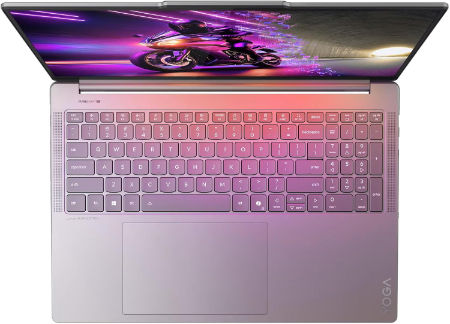
Lenovo Yoga Pro 9i Aura Edition 16 Ultra 9 386H RTX 5070 64GB 1TB 3.2K OLED |
|
|---|---|
 Check This On Amazon |
|
| CPU | Intel Core Ultra 9 386H, 16 cores, up to 4.9 GHz, NPU up to 50 TOPS |
| GPU | NVIDIA GeForce RTX 5070 Laptop GPU, 12GB GDDR7 |
| Display Size | 16 inch, 16:10 |
| Display Resolution | 16 inch 3.2K OLED 3200 × 2000, 120Hz, up to 1600 nits HDR peak / 1000 nits typical, 100% P3 and sRGB, DisplayHDR 1000, touchscreen |
| RAM | 64GB LPDDR5X 7467MHz soldered |
| Storage Space | 1TB PCIe 4.0 NVMe SSD; two M.2 slots available |
| Operating System | Windows 11 Pro |
| Ports | 2 × USB A 10Gbps; 2 × Thunderbolt 4 USB C; HDMI 2.1; SD card reader; 3.5 mm headset combo jack; Lenovo Slim Tip power |
| Dimensions (L x W x H) | 14.20 × 9.80 × 0.68 inches |
| Weight | 4.19 lb (starting weight) |
| Pros | 64GB memory and RTX 5070 support demanding creator apps; color calibrated 3.2K OLED; high brightness and fast refresh. |
| Cons | Memory cannot be upgraded |
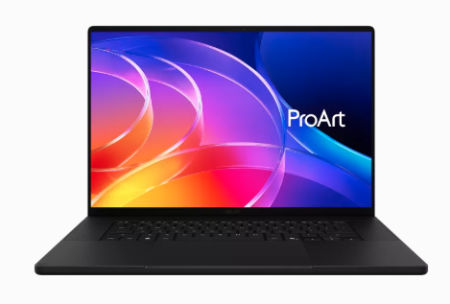
ASUS ProArt P16 2026 AMD Ryzen AI 9 HX 475 NVIDIA GeForce RTX 5060 Laptop GPU, 8GB GDDR7 |
|
|---|---|
 Check This On Amazon |
|
| CPU | AMD Ryzen AI 9 HX 475 |
| GPU | NVIDIA GeForce RTX 5060 Laptop GPU, 8GB GDDR7 |
| Display Size | 16 inch OLED touchscreen |
| Display Resolution | 3840 × 2400, 120Hz |
| RAM | 32GB LPDDR5X onboard |
| Storage Space | 1TB NVMe SSD |
| Operating System | Windows 11 Home or Pro |
| Ports | USB4 Type C; USB C; USB A; HDMI 2.1; SD Express card reader; 3.5mm audio |
| Pros | 4K OLED with wide color gamut; dedicated RTX graphics; SD card reader for creative media. |
| Cons | Memory is onboard; high end RTX configurations increase price and power use. |
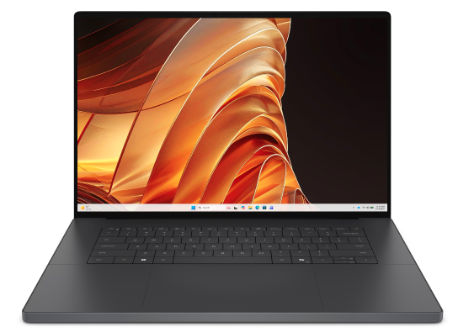
Dell XPS 16 Creator Edition 20Core 6144GPU 32GB 1TB 3.2K OLED 2026 |
|
|---|---|
 Check This On Amazon |
|
| CPU | 20 core NVIDIA RTX Spark N1X |
| GPU | 6144 core NVIDIA Blackwell RTX GPU |
| Display Size | 16 inch, 16:10 touchscreen |
| Display Resolution | 3.2K OLED touch, 3200 × 2000, 20 to 120Hz, 400 nits |
| RAM | 32GB LPDDR5X unified memory |
| Storage Space | 1TB SSD |
| Operating System | Windows 11 Home, Copilot+ PC |
| Ports | 3 × USB4 Type C with DisplayPort 2.1 and Power Delivery; HDMI 2.1b; headset combo port; SDXC card reader |
| Dimensions (L x W x H) | 13.88 × 9.37 × 0.70 inches (width × depth × height) |
| Weight | 4.45 lb minimum weight |
| Pros | 3.2K OLED touchscreen; NVIDIA Blackwell GPU; unified memory suitable for local AI and creative workloads; Wi Fi 7. This profile includes 32GB of unified memory and 1TB SSD. |
| Cons | Premium pricing; ARM based NVIDIA platform software compatibility should be checked |
Best Budget Laptops for PTC Creo
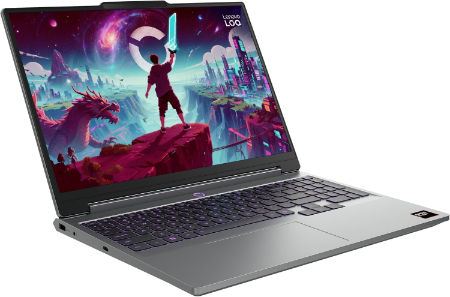
Lenovo LOQ 15AHP11 Ryzen 7 253 RTX 5050 16GB 512GB WUXGA 165Hz |
|
|---|---|
 Check This On Amazon |
|
| CPU | AMD Ryzen 7 253, 8 cores, up to 4.9 GHz, NPU up to 16 TOPS |
| GPU | NVIDIA GeForce RTX 5050 Laptop GPU, 8GB GDDR7, up to 115W |
| Display Size | 15.3 inch, 16:10 |
| Display Resolution | WUXGA 1920 × 1200 IPS, 165Hz, 300 nits, 100% sRGB, anti glare |
| RAM | 16GB DDR5 5600MHz, SO DIMM; upgradable to 32GB |
| Storage Space | 512GB PCIe 4.0 NVMe SSD; two M.2 slots |
| Operating System | Windows 11 Home or Windows 11 Pro |
| Ports | 3 × USB A; USB C USB4 with DisplayPort; HDMI 2.1; Gigabit Ethernet; 3.5 mm audio combo jack; Slim Tip power |
| Dimensions (L x W x H) | 13.58 × 10.03 × 0.82 to 0.92 inches |
| Weight | 4.6 lb (starting weight) |
| Pros | High refresh display; discrete RTX graphics; memory and storage upgrades are available; suitable for student gaming and creative work. |
| Cons | Entry tier GPU; chassis is bulky; base memory and SSD may need upgrading for demanding games. |
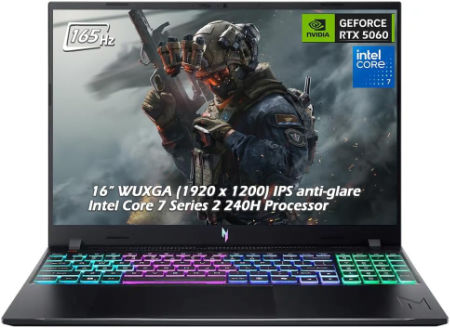
Acer Nitro V 16 AI 16 inches 2560 x 1600 Pixels, 16GB DDR5, 1TB PCIe Gen 4 SSD, Intel Core Ultra 7 356H, NVIDIA GeForce RTX 5060 Laptop GPU 8GB GDDR7 |
|
|---|---|
 Check This On Amazon |
|
| CPU | Intel Core Ultra 7 356H |
| GPU | NVIDIA GeForce RTX 5060 Laptop GPU 8GB GDDR7 |
| Display Size | 16 inches |
| Display Resolution | 2560 x 1600 Pixels; WQXGA IPS, up to 180Hz |
| RAM | 16GB DDR5 |
| Storage Space | 1TB PCIe Gen 4 SSD |
| Operating System | Windows 11 |
| Ports | USB-C, USB-A, HDMI 2.1, RJ45, audio combo jack |
| Dimensions (L x W x H) | 14.2 x 10.5 x 1.1 inches |
| Weight | 5.7 pounds |
| Pros | Dedicated RTX GPU; high refresh display; memory and SSD upgrade potential |
| Cons | Heavy; base 16GB RAM may limit professional workloads; fan noise under gaming |
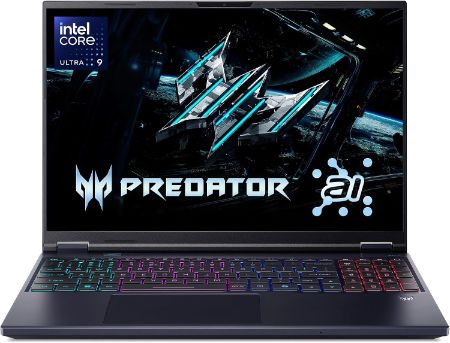
Acer Predator Helios Neo 16S AI 16 inches 2560 x 1600 Pixels, 16GB DDR5, 1TB PCIe Gen 4 SSD, Intel Core Ultra 7 356H, NVIDIA GeForce RTX 5060 Laptop GPU 8GB GDDR7 |
|
|---|---|
 Check This On Amazon |
|
| CPU | Intel Core Ultra 7 356H |
| GPU | NVIDIA GeForce RTX 5060 Laptop GPU 8GB GDDR7 |
| Display Size | 16 inches |
| Display Resolution | 2560 x 1600 Pixels; WQXGA OLED, 240Hz |
| RAM | 16GB DDR5 |
| Storage Space | 1TB PCIe Gen 4 SSD |
| Operating System | Windows 11 |
| Ports | Thunderbolt 4 USB-C, USB-A, HDMI 2.1, RJ45, audio combo jack |
| Dimensions (L x W x H) | 14.2 x 10.5 x 0.9 inches |
| Weight | 5.5 pounds |
| Pros | OLED gaming display; dedicated RTX graphics; modern connectivity |
| Cons | 16GB RAM may be limiting; heavy; fans audible under load |
Best Laptops for Large Creo Assemblies
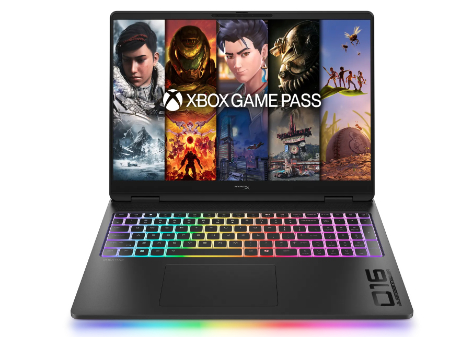
HP HyperX OMEN MAX 16 Intel Core Ultra 9 290HX Plus RTX 64GB 2TB 2026 |
|
|---|---|
 Check This On Amazon |
|
| CPU | Intel Core Ultra 9 290HX Plus, 24 cores, up to 5.5 GHz, NPU 13 TOPS |
| GPU | NVIDIA GeForce RTX 5090 Laptop GPU, 24GB GDDR7 |
| Display Size | 16 inch, 16:10 |
| Display Resolution | 16 inch 2.5K OLED 2560 × 1600, up to 240Hz, 0.2ms, 500 nits SDR, up to 1100 nits HDR, 100% DCI P3, VESA True Black HDR 1000 |
| RAM | 64GB DDR5 6400 MT/s, 2 × 32GB |
| Storage Space | 2TB PCIe Gen 5 NVMe SSD |
| Operating System | Windows 11 Home or Windows 11 Pro |
| Ports | 2 × USB Type A; 2 × USB Type C with high speed data and DisplayPort; HDMI 2.1; RJ45 Ethernet; headset combo; power connector |
| Dimensions (L x W x H) | Approx. 14.1 × 10.5 × 1.0 inches |
| Weight | Approx. 6.0 lb |
| Pros | High power gaming platform with fully internal cooling design; high refresh display; replaceable DDR5 memory and PCIe SSD options. |
| Cons | Heavy chassis and large power supply; battery runtime is limited under gaming |
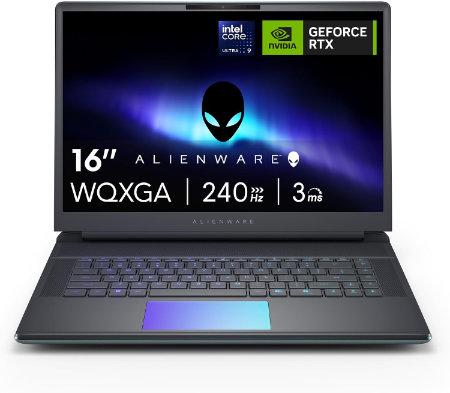
Dell Alienware 16 Area 51 Core Ultra 9 290HX Plus RTX5090 64GB 2TB OLED 240Hz |
|
|---|---|
 Check This On Amazon |
|
| CPU | Intel Core Ultra 9 290HX Plus, 24 cores, up to 5.5 GHz |
| GPU | NVIDIA GeForce RTX 5090 Laptop GPU, 24GB GDDR7 |
| Display Size | 16 inch, 16:10 |
| Display Resolution | 16 inch WQXGA 2560 × 1600 anti glare OLED, 240Hz, 120% DCI P3 color volume, 620 nits HDR, G SYNC |
| RAM | 64GB DDR5 6400 MT/s, 2 × 32GB CSoDIMM |
| Storage Space | 2TB M.2 2280 PCIe Gen 5 SSD |
| Operating System | Windows 11 Home or Windows 11 Pro |
| Ports | Global headset jack; 3 × USB A 3.2 Gen 1; 2 × Thunderbolt 4 for RTX 5070 and lower or 2 × Thunderbolt 5 for RTX 5070 Ti and higher; HDMI 2.1; SD card reader |
| Dimensions (L x W x H) | 14.37 × 11.41 × up to 1.12 inches (width × depth × maximum height) |
| Weight | 7.49 lb maximum system weight |
| Pros | Desktop class graphics options; high refresh OLED; 96Wh battery; user replaceable DDR5 memory and multiple SSD capacity options |
| Cons | Very heavy for daily travel |
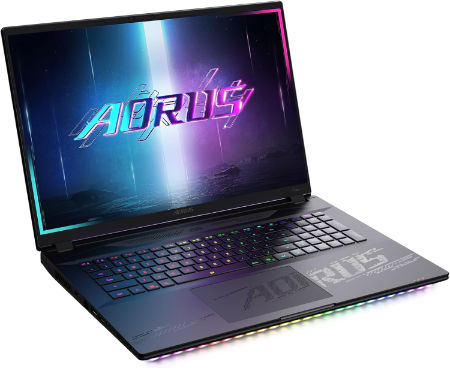
AORUS MASTER 18 Core Ultra 9 275HX RTX 5090 18 inch Mini LED 240Hz |
|
|---|---|
 Check This On Amazon |
|
| CPU | Intel Core Ultra 9 275HX, 24 cores, 24 threads, up to 5.4 GHz |
| GPU | NVIDIA GeForce RTX 5090 Laptop GPU, 24GB GDDR7, up to 175W with Dynamic Boost |
| Display Size | 18 inch, 16:10 |
| Display Resolution | WQXGA 2560 × 1600 Mini LED, 240Hz, 3ms, 100% DCI P3, up to 1200 nits, 2304 local dimming zones, DisplayHDR 1000 |
| RAM | Up to 128GB DDR5, 4 SO DIMM slots |
| Storage Space | Up to 6TB PCIe NVMe SSD across one PCIe Gen5 M.2 slot and two PCIe Gen4 x4 M.2 slots, RAID 0 support |
| Operating System | Windows 11 Home or Windows 11 Pro |
| Ports | Thunderbolt 5 Type C with USB4, DisplayPort 2.1 and Power Delivery 3.0, Thunderbolt 4 Type C with USB4, DisplayPort 1.4 and Power Delivery 3.0, HDMI 2.1, USB Type A 3.2 Gen 2, full size SD UHS II, RJ45 2.5Gb Ethernet, 3.5mm audio combo, DC in |
| Dimensions (L x W x H) | 11.30 × 15.78 × 1.00 to 1.22 inches (depth × width × height) |
| Weight | 7.72 lb (approximately 3.5 kg) |
| Pros | Very large bright Mini LED display; RTX 5090 performance; extensive memory and SSD expansion; premium port selection. |
| Cons | Heavy and bulky; large 400W adapter; likely best for desk based use rather than frequent travel. |
Best Laptops for Creo Parametric and Mechanical Design
Lenovo LOQ 15AHP11 Ryzen 7 253 RTX 5060 32GB 1TB WQXGA 180Hz |
|
|---|---|
Check This On Amazon |
|
| CPU | AMD Ryzen 7 253, 8 cores, up to 4.9 GHz, NPU up to 16 TOPS |
| GPU | NVIDIA GeForce RTX 5060 Laptop GPU, 8GB GDDR7, up to 115W |
| Display Size | 15.3 inch, 16:10 |
| Display Resolution | WQXGA 2560 × 1600 IPS, 180Hz, 400 nits, 100% sRGB, anti glare |
| RAM | 32GB DDR5 5600MHz, 2 × 16GB SO DIMMs |
| Storage Space | 1TB PCIe 4.0 NVMe SSD; two M.2 slots |
| Operating System | Windows 11 Home or Windows 11 Pro |
| Ports | 3 × USB A; USB C USB4 with DisplayPort; HDMI 2.1; Gigabit Ethernet; 3.5 mm audio combo jack; Slim Tip power |
| Dimensions (L x W x H) | 13.58 × 10.03 × 0.82 to 0.92 inches |
| Weight | 4.6 lb (starting weight) |
| Pros | Higher resolution 180Hz display; RTX 5060 graphics; 32GB memory supports larger games and creative apps; SSD expansion. |
| Cons | heavy |
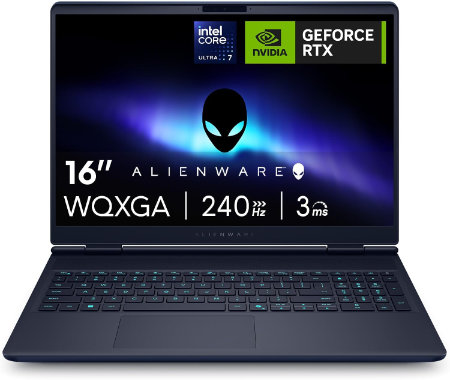
Dell Alienware 16X Aurora Ultra9 290HXPlus RTX5070Ti 32GB 2TB OLED 240Hz |
|
|---|---|
 Check This On Amazon |
|
| CPU | Intel Core Ultra 9 290HX Plus, 24 cores, up to 5.5 GHz |
| GPU | NVIDIA GeForce RTX 5070 Ti Laptop GPU, 12GB GDDR7 |
| Display Size | 16 inch, 16:10 |
| Display Resolution | 16 inch WQXGA 2560 × 1600 anti glare OLED, 240Hz, 120% DCI P3 color volume, 620 nits HDR, G SYNC |
| RAM | 32GB DDR5 5600 MT/s, 2 × 16GB |
| Storage Space | 2TB M.2 2280 PCIe Gen 5 SSD |
| Operating System | Windows 11 Home |
| Ports | 2 × USB A 5Gbps; 1 × USB C 10Gbps with Power Delivery; 1 × Thunderbolt 4 with DisplayPort 2.1; HDMI 2.1; 1GbE RJ45; headset jack; power connector |
| Dimensions (L x W x H) | 14.05 × 10.45 × 0.92 inches at rear (width × depth × maximum rear height) |
| Weight | 5.66 lb starting weight |
| Pros | 240Hz OLED; 96Wh battery; RTX 50 Series graphics; socketed DDR5 memory and high speed NVMe storage options |
| Cons | 5.66 lb starting weight |
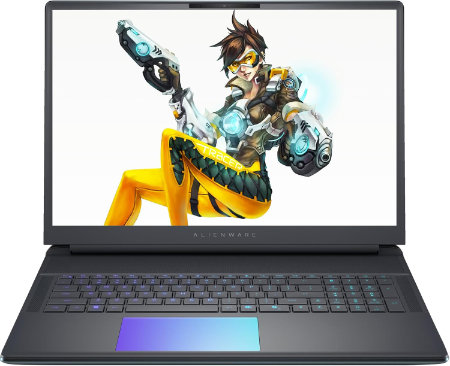
Dell Alienware 16 Area 51 Core Ultra 9 290HX Plus RTX5070 32GB 1TB OLED 240Hz |
|
|---|---|
 Check This On Amazon |
|
| CPU | Intel Core Ultra 9 290HX Plus, 24 cores, up to 5.5 GHz |
| GPU | NVIDIA GeForce RTX 5070 Laptop GPU, 8GB GDDR7 |
| Display Size | 16 inch, 16:10 |
| Display Resolution | 16 inch WQXGA 2560 × 1600 anti glare OLED, 240Hz, 120% DCI P3 color volume, 620 nits HDR, G SYNC |
| RAM | 32GB DDR5 6400 MT/s, 2 × 16GB CSoDIMM |
| Storage Space | 1TB M.2 2230 PCIe Gen 4 ×4 TLC SSD |
| Operating System | Windows 11 Home or Windows 11 Pro |
| Ports | Global headset jack; 3 × USB A 3.2 Gen 1; 2 × Thunderbolt 4 for RTX 5070 and lower or 2 × Thunderbolt 5 for RTX 5070 Ti and higher; HDMI 2.1; SD card reader |
| Dimensions (L x W x H) | 14.37 × 11.41 × up to 1.12 inches (width × depth × maximum height) |
| Weight | 7.49 lb maximum system weight |
| Pros | Desktop class graphics options; high refresh OLED; 96Wh battery; user replaceable DDR5 memory and multiple SSD capacity options. NVIDIA GeForce RTX 5070 Laptop GPU, 8GB GDDR7 makes this suitable for high end gaming and demanding GPU work. |
| Cons | Very heavy for daily travel; large power adapter; high GPU tiers draw substantial power and create heat under sustained gaming |
Best Laptops for Creo Simulation and Engineering Analysis
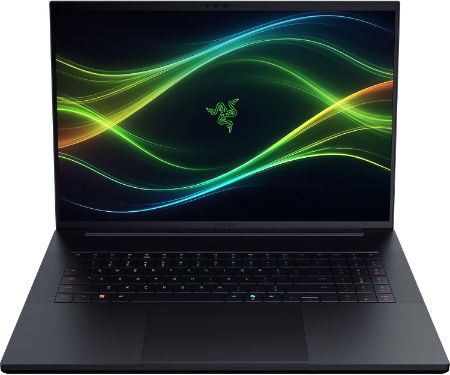
Razer Blade 18 2026 Core Ultra 9 290HX Plus RTX 5090 128GB 2TB Dual Mode |
|
|---|---|
 Check This On Amazon |
|
| CPU | Intel Core Ultra 9 290HX Plus, 24 cores, 24 threads, up to 5.5 GHz, integrated NPU up to 13 TOPS |
| GPU | NVIDIA GeForce RTX 5090 Laptop GPU, 24GB GDDR7, up to 175W TGP including Dynamic Boost |
| Display Size | 18 inches, 16:10 |
| Display Resolution | Dual mode IPS: UHD+ 3840 × 2400 at 240Hz or FHD+ 1920 × 1200 at 440Hz; 3ms, 600 nits, 100% DCI P3 |
| RAM | 128GB DDR5 6400MHz, 2 × 64GB SO DIMMs |
| Storage Space | 2TB PCIe 4.0 NVMe M.2 SSD; supports additional M.2 SSDs, with up to 8TB Gen4 plus up to 4TB Gen5 according to Razer support |
| Operating System | Windows 11 Home |
| Ports | 1 × Thunderbolt 5 USB C; 1 × Thunderbolt 4 USB C; 3 × USB A 3.2 Gen 2; HDMI 2.1; 2.5 Gb Ethernet; UHS II SD card reader; 3.5 mm headset combo jack; Kensington lock slot |
| Dimensions (L x W x H) | 15.74 × 10.84 × 0.86 to 1.10 inches (depth × width × height) |
| Weight | 7.06 lb (3.2 kg) |
| Pros | 128GB RAM supports unusually large datasets, local development environments and demanding production work; RTX 5090 with 24GB VRAM; 2TB SSD. |
| Cons | Very costly and heavy; full performance requires the large AC adapter. |
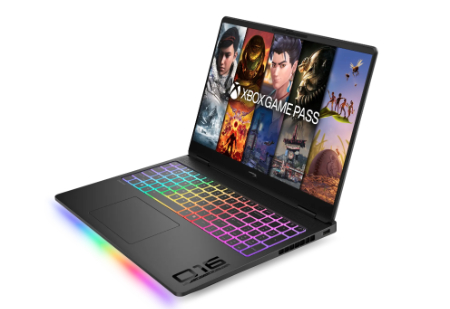
HP HyperX OMEN MAX 16 AMD Ryzen AI 9 HX 475 RTX 48GB 2TB 2026 |
|
|---|---|
 Check This On Amazon |
|
| CPU | AMD Ryzen AI 9 HX 475, 12 cores, up to 5.2 GHz, NPU 60 TOPS |
| GPU | NVIDIA GeForce RTX 5080 Laptop GPU, 16GB GDDR7 |
| Display Size | 16 inch, 16:10 |
| Display Resolution | 16 inch 2.5K OLED 2560 × 1600, up to 240Hz, 0.2ms, 500 nits SDR, up to 1100 nits HDR, 100% DCI P3 |
| RAM | 48GB DDR5 5600 MT/s, 2 × 24GB |
| Storage Space | 2TB PCIe Gen 5 NVMe SSD |
| Operating System | Windows 11 Home or Windows 11 Pro |
| Ports | 2 × USB Type A; 2 × USB Type C with high speed data and DisplayPort; HDMI 2.1; RJ45 Ethernet; headset combo; power connector. |
| Dimensions (L x W x H) | Approx. 14.1 × 10.5 × 1.0 inches |
| Weight | Approx. 6.0 lb |
| Pros | AMD Ryzen AI platform with discrete RTX graphics; high refresh OLED; replaceable DDR5 memory and PCIe SSD options. |
| Cons | high power draw |
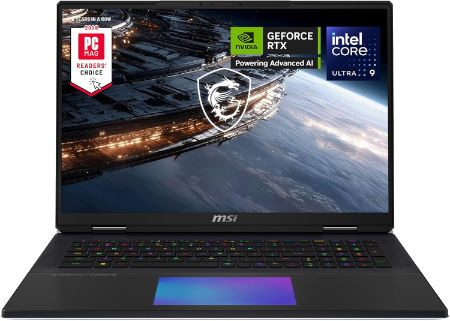
MSI Titan 18 HX 18 inches 240Hz Mini LED 3840 x 2400 Pixels, 4TB Storage, 64GB RAM, Intel Core Ultra 9 290HX Plus, NVIDIA GeForce RTX 5090 Laptop GPU 24GB GDDR7 |
|
|---|---|
 Check This On Amazon |
|
| CPU | Intel Core Ultra 9 290HX Plus |
| GPU | NVIDIA GeForce RTX 5090 Laptop GPU 24GB GDDR7 |
| Display Size | 18 inches |
| Display Resolution | 3840 x 2400 Pixels |
| RAM | 64GB DDR5 RAM |
| Storage Space | 4TB NVMe SSD |
| Operating System | Windows 11 |
| Ports | Thunderbolt 4, USB Type A, HDMI 2.1, RJ45 Ethernet, SD card reader, audio combo jack |
| Dimensions (L x W x H) | 16.1 x 12.0 x 1.3 inches |
| Weight | 7.9 pounds |
| Pros | Flagship GPU; 4K high refresh Mini LED; large screen; excellent for demanding gaming and rendering |
| Cons | Very heavy; expensive; large power adapter; limited portability |
Best Laptops for Creo Rendering and Product Visualisation
ASUS ProArt P16 2026 AMD Ryzen AI 9 HX 475 NVIDIA GeForce RTX 5090 Laptop GPU, 24GB GDDR7 |
|
|---|---|
Check This On Amazon |
|
| CPU | AMD Ryzen AI 9 HX 475 |
| GPU | NVIDIA GeForce RTX 5090 Laptop GPU, 24GB GDDR7 |
| Display Size | 16 inch OLED touchscreen |
| Display Resolution | 3840 × 2400, 120Hz |
| RAM | 64GB LPDDR5X onboard |
| Storage Space | 2TB NVMe SSD |
| Operating System | Windows 11 Home or Pro |
| Ports | USB4 Type C; USB C; USB A; HDMI 2.1; SD Express card reader; 3.5mm audio |
| Pros | 4K OLED with wide color gamut; dedicated RTX graphics; SD card reader for creative media. |
| Cons | high end RTX configurations increase price and power use. |
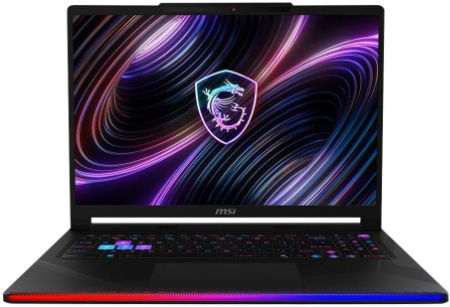
MSI Raider 16 Max HX 16 inches 240Hz OLED 2560 x 1600 Pixels, 2TB Storage, 64GB RAM, Intel Core Ultra 9 290HX Plus, NVIDIA GeForce RTX 5090 Laptop GPU 24GB GDDR7 |
|
|---|---|
 Check This On Amazon |
|
| CPU | Intel Core Ultra 9 290HX Plus |
| GPU | NVIDIA GeForce RTX 5090 Laptop GPU 24GB GDDR7 |
| Display Size | 16 inches |
| Display Resolution | 2560 x 1600 Pixels |
| RAM | 64GB DDR5 RAM |
| Storage Space | 2TB NVMe SSD |
| Operating System | Windows 11 |
| Ports | Thunderbolt 4, USB Type A, HDMI 2.1, RJ45 Ethernet, SD card reader, audio combo jack |
| Dimensions (L x W x H) | 14.1 x 10.6 x 1.1 inches |
| Weight | 6.2 pounds |
| Pros | Top tier gaming GPU; high refresh OLED; strong CPU performance; upgradeable memory and storage |
| Cons | Expensive; heavy; high power draw; fans can become audible under sustained load |
HP HyperX OMEN MAX 16 Intel Core Ultra 9 290HX Plus RTX 32GB 1TB 2026 |
|
|---|---|
Check This On Amazon |
|
| CPU | Intel Core Ultra 9 290HX Plus, 24 cores, up to 5.5 GHz, NPU 13 TOPS |
| GPU | NVIDIA GeForce RTX 5080 Laptop GPU, 16GB GDDR7 |
| Display Size | 16 inch, 16:10 |
| Display Resolution | 16 inch 2.5K OLED 2560 × 1600, up to 240Hz, 0.2ms, 500 nits SDR, up to 1100 nits HDR, 100% DCI P3, VESA True Black HDR 1000 |
| RAM | 32GB DDR5 6400 MT/s, 2 × 16GB |
| Storage Space | 1TB PCIe Gen 5 NVMe SSD |
| Operating System | Windows 11 Home or Windows 11 Pro |
| Ports | 2 × USB Type A; 2 × USB Type C with high speed data and DisplayPort; HDMI 2.1; RJ45 Ethernet; headset combo; power connector |
| Dimensions (L x W x H) | Approx. 14.1 × 10.5 × 1.0 inches |
| Weight | Approx. 6.0 lb |
| Pros | high refresh display; |
| Cons | |
MORE LAPTOP RECOMMENDATIONS:
Best CATIA laptop recommendations
Best Laptops for Alibre Design