
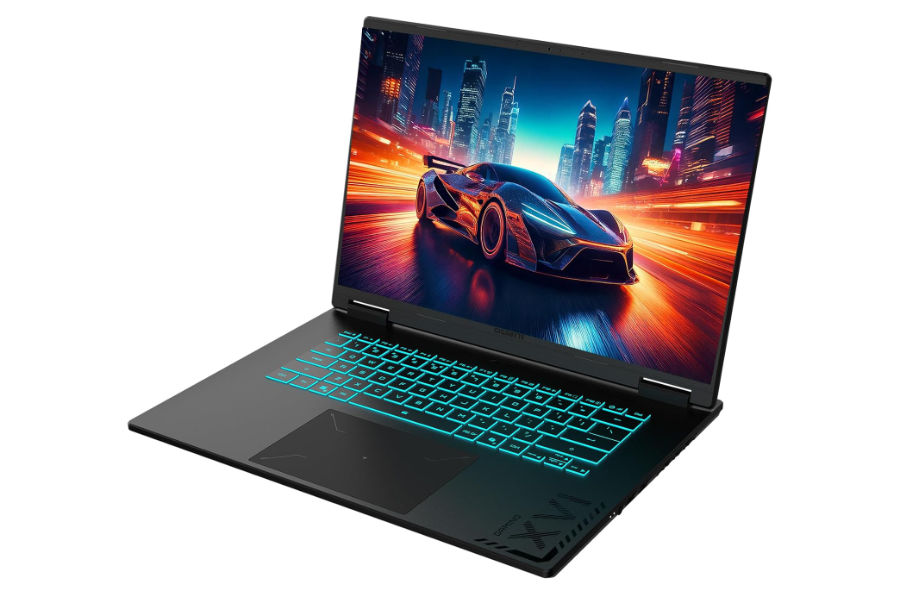
RFEM 6 is a finite element analysis application used by structural engineers to model, analyse and design complex structures. Choosing a suitable laptop requires attention to processor performance, memory capacity, graphics hardware and cooling.
For RFEM, the processor and RAM deserve particular attention. Dlubal recommends allocating approximately 1 to 3 GB of RAM per processor thread, depending on the complexity of the model. It also recommends a dedicated NVIDIA or AMD graphics card, with a midrange gaming GPU being sufficient for many applications.
The following laptops cover demanding structural analysis, large finite element models, detailed 3D visualisation and more affordable engineering setups.
Best Overall Laptops for RFEM
These laptops offer powerful processors, dedicated graphics and generous memory configurations. They are suitable for engineers working with demanding structural models, complex calculations and extensive project files.
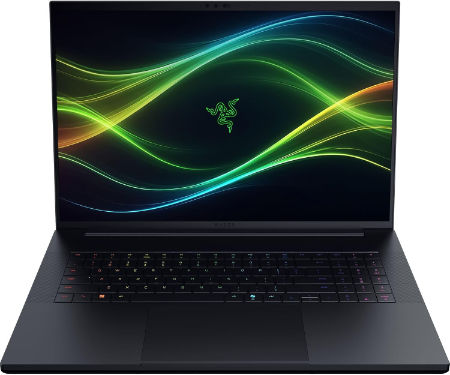
Razer Blade 18 2026 Core Ultra 9 290HX Plus RTX 5090 128GB 2TB Dual Mode |
|
|---|---|
 Check This On Amazon |
|
| CPU | Intel Core Ultra 9 290HX Plus, 24 cores, 24 threads, up to 5.5 GHz, integrated NPU up to 13 TOPS |
| GPU | NVIDIA GeForce RTX 5090 Laptop GPU, 24GB GDDR7, up to 175W TGP including Dynamic Boost |
| Display Size | 18 inches, 16:10 |
| Display Resolution | Dual mode IPS: UHD+ 3840 × 2400 at 240Hz or FHD+ 1920 × 1200 at 440Hz; 3ms, 600 nits, 100% DCI P3 |
| RAM | 128GB DDR5 6400MHz, 2 × 64GB SO DIMMs |
| Storage Space | 2TB PCIe 4.0 NVMe M.2 SSD; supports additional M.2 SSDs, with up to 8TB Gen4 plus up to 4TB Gen5 according to Razer support |
| Operating System | Windows 11 Home |
| Ports | 1 × Thunderbolt 5 USB C; 1 × Thunderbolt 4 USB C; 3 × USB A 3.2 Gen 2; HDMI 2.1; 2.5 Gb Ethernet; UHS II SD card reader; 3.5 mm headset combo jack; Kensington lock slot |
| Dimensions (L x W x H) | 15.74 × 10.84 × 0.86 to 1.10 inches (depth × width × height) |
| Weight | 7.06 lb (3.2 kg) |
| Pros | 128GB RAM supports unusually large datasets, local development environments and demanding production work; RTX 5090 with 24GB VRAM; 2TB SSD. |
| Cons | Very costly and heavy; full performance requires the large AC adapter. |
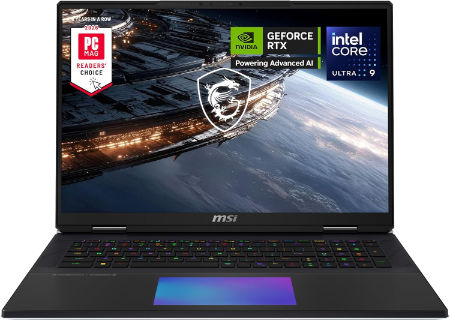
MSI Titan 18 HX 18 inches 240Hz Mini LED 3840 x 2400 Pixels, 4TB Storage, 64GB RAM, Intel Core Ultra 9 290HX Plus, NVIDIA GeForce RTX 5090 Laptop GPU 24GB GDDR7 |
|
|---|---|
 Check This On Amazon |
|
| CPU | Intel Core Ultra 9 290HX Plus |
| GPU | NVIDIA GeForce RTX 5090 Laptop GPU 24GB GDDR7 |
| Display Size | 18 inches |
| Display Resolution | 3840 x 2400 Pixels |
| RAM | 64GB DDR5 RAM |
| Storage Space | 4TB NVMe SSD |
| Operating System | Windows 11 |
| Ports | Thunderbolt 4, USB Type A, HDMI 2.1, RJ45 Ethernet, SD card reader, audio combo jack |
| Dimensions (L x W x H) | 16.1 x 12.0 x 1.3 inches |
| Weight | 7.9 pounds |
| Pros | Flagship GPU; 4K high refresh Mini LED; large screen; excellent for demanding gaming and rendering |
| Cons | Very heavy; expensive; large power adapter; limited portability |
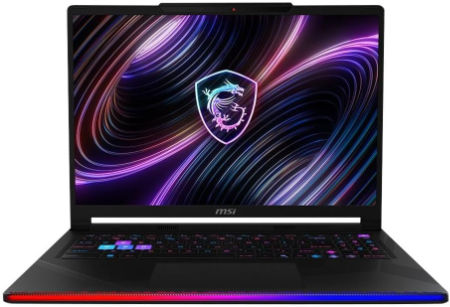
MSI Raider 16 Max HX 16 inches 240Hz OLED 2560 x 1600 Pixels, 2TB Storage, 64GB RAM, Intel Core Ultra 9 290HX Plus, NVIDIA GeForce RTX 5090 Laptop GPU 24GB GDDR7 |
|
|---|---|
 Check This On Amazon |
|
| CPU | Intel Core Ultra 9 290HX Plus |
| GPU | NVIDIA GeForce RTX 5090 Laptop GPU 24GB GDDR7 |
| Display Size | 16 inches |
| Display Resolution | 2560 x 1600 Pixels |
| RAM | 64GB DDR5 RAM |
| Storage Space | 2TB NVMe SSD |
| Operating System | Windows 11 |
| Ports | Thunderbolt 4, USB Type A, HDMI 2.1, RJ45 Ethernet, SD card reader, audio combo jack |
| Dimensions (L x W x H) | 14.1 x 10.6 x 1.1 inches |
| Weight | 6.2 pounds |
| Pros | Top tier gaming GPU; high refresh OLED; strong CPU performance; upgradeable memory and storage |
| Cons | Expensive; heavy; high power draw; fans can become audible under sustained load |
Best 64GB RAM Laptops for Large RFEM Models
Large finite element models can require substantial memory, particularly when working with complex surfaces, solid elements and numerous load combinations. These laptops provide 64GB or higher memory configurations for demanding structural engineering projects.
Razer Blade 18 2026 Core Ultra 9 290HX Plus RTX 5090 64GB 2TB Dual Mode |
|
|---|---|
Check This On Amazon |
|
| CPU | Intel Core Ultra 9 290HX Plus, 24 cores, 24 threads, up to 5.5 GHz, integrated NPU up to 13 TOPS |
| GPU | NVIDIA GeForce RTX 5090 Laptop GPU, 24GB GDDR7, up to 175W TGP including Dynamic Boost |
| Display Size | 18 inches, 16:10 |
| Display Resolution | Dual mode IPS: UHD+ 3840 × 2400 at 240Hz or FHD+ 1920 × 1200 at 440Hz; 3ms, 600 nits, 100% DCI P3 |
| RAM | 64GB DDR5 6400MHz, 2 × 32GB SO DIMMs; upgradeable up to 128GB |
| Storage Space | 2TB PCIe 4.0 NVMe M.2 SSD; supports additional M.2 SSDs, with up to 8TB Gen4 plus up to 4TB Gen5 |
| Operating System | Windows 11 Home |
| Ports | 1 × Thunderbolt 5 USB C; 1 × Thunderbolt 4 USB C; 3 × USB A 3.2 Gen 2; HDMI 2.1; 2.5 Gb Ethernet; UHS II SD card reader; 3.5 mm headset combo jack; Kensington lock slot |
| Dimensions (L x W x H) | 15.74 × 10.84 × 0.86 to 1.10 inches (depth × width × height) |
| Weight | 7.06 lb (3.2 kg) |
| Pros | 64GB system memory is suited to demanding creative suites, virtual machines and large datasets; RTX 5090; 2TB SSD and dual mode screen. |
| Cons | High price and weight; heavy GPU workloads require mains power for peak performance; larger size is less practical for commuting. |
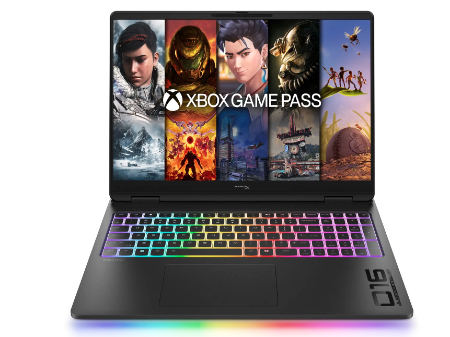
HP HyperX OMEN MAX 16 Intel Core Ultra 9 290HX Plus RTX 64GB 2TB 2026 |
|
|---|---|
 Check This On Amazon |
|
| CPU | Intel Core Ultra 9 290HX Plus, 24 cores, up to 5.5 GHz, NPU 13 TOPS |
| GPU | NVIDIA GeForce RTX 5090 Laptop GPU, 24GB GDDR7 |
| Display Size | 16 inch, 16:10 |
| Display Resolution | 16 inch 2.5K OLED 2560 × 1600, up to 240Hz, 0.2ms, 500 nits SDR, up to 1100 nits HDR, 100% DCI P3, VESA True Black HDR 1000 |
| RAM | 64GB DDR5 6400 MT/s, 2 × 32GB |
| Storage Space | 2TB PCIe Gen 5 NVMe SSD |
| Operating System | Windows 11 Home or Windows 11 Pro |
| Ports | 2 × USB Type A; 2 × USB Type C with high speed data and DisplayPort; HDMI 2.1; RJ45 Ethernet; headset combo; power connector |
| Dimensions (L x W x H) | Approx. 14.1 × 10.5 × 1.0 inches |
| Weight | Approx. 6.0 lb |
| Pros | High power gaming platform with fully internal cooling design; high refresh display; replaceable DDR5 memory and PCIe SSD options. |
| Cons | Heavy chassis and large power supply; battery runtime is limited under gaming |
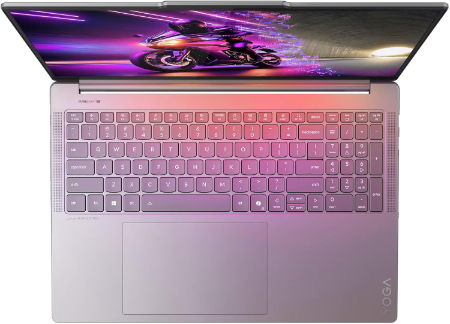
Lenovo Yoga Pro 9i Aura Edition 16 Ultra 9 386H RTX 5070 64GB 1TB 3.2K OLED |
|
|---|---|
 Check This On Amazon |
|
| CPU | Intel Core Ultra 9 386H, 16 cores, up to 4.9 GHz, NPU up to 50 TOPS |
| GPU | NVIDIA GeForce RTX 5070 Laptop GPU, 12GB GDDR7 |
| Display Size | 16 inch, 16:10 |
| Display Resolution | 16 inch 3.2K OLED 3200 × 2000, 120Hz, up to 1600 nits HDR peak / 1000 nits typical, 100% P3 and sRGB, DisplayHDR 1000, touchscreen |
| RAM | 64GB LPDDR5X 7467MHz soldered |
| Storage Space | 1TB PCIe 4.0 NVMe SSD; two M.2 slots available |
| Operating System | Windows 11 Pro |
| Ports | 2 × USB A 10Gbps; 2 × Thunderbolt 4 USB C; HDMI 2.1; SD card reader; 3.5 mm headset combo jack; Lenovo Slim Tip power |
| Dimensions (L x W x H) | 14.20 × 9.80 × 0.68 inches |
| Weight | 4.19 lb (starting weight) |
| Pros | 64GB memory and RTX 5070 support demanding creator apps; color calibrated 3.2K OLED; high brightness and fast refresh. |
| Cons | Memory cannot be upgraded |
Best High Performance Processor Laptops for RFEM Calculations
RFEM benefits from multiple processor cores, although the highest core count does not automatically deliver the best performance. Strong sustained processor speeds, effective cooling and sufficient memory are important when running intensive calculations.
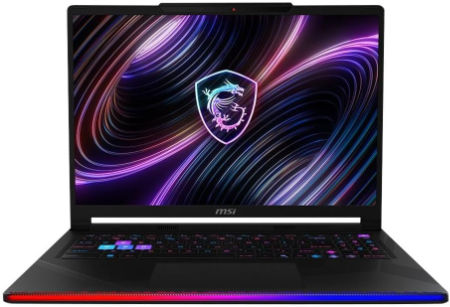
MSI Raider 16 HX 16 inches 240Hz IPS-Level 2560 x 1600 Pixels, 1TB Storage, 32GB RAM, Intel Core Ultra 9 275HX, NVIDIA GeForce RTX 5080 Laptop GPU 16GB GDDR7 |
|
|---|---|
 Check This On Amazon |
|
| CPU | Intel Core Ultra 9 275HX |
| GPU | NVIDIA GeForce RTX 5080 Laptop GPU 16GB GDDR7 |
| Display Size | 16 inches |
| Display Resolution | 2560 x 1600 Pixels |
| RAM | 32GB DDR5 RAM |
| Storage Space | 1TB NVMe SSD |
| Operating System | Windows 11 |
| Ports | Thunderbolt 4, USB Type A, HDMI 2.1, RJ45 Ethernet, SD Express reader, audio combo jack |
| Dimensions (L x W x H) | 14.1 x 10.6 x 1.1 inches |
| Weight | 6.2 pounds |
| Pros | High end gaming and creative performance; fast 240Hz display; upgradeable RAM and storage |
| Cons | Heavy; costly; battery life limited under demanding workloads |
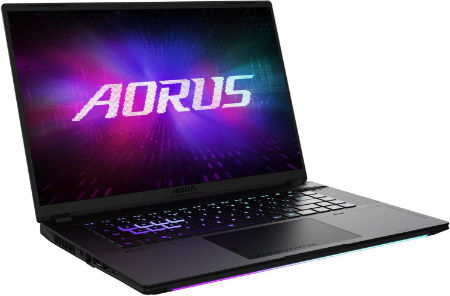
AORUS MASTER 16 GEN 2 Ryzen 9 9955HX3D RTX 5090 16 inch 2.5K OLED 240Hz |
|
|---|---|
 Check This On Amazon |
|
| CPU | AMD Ryzen 9 9955HX3D, 16 cores, 32 threads, up to 5.4 GHz, 128MB L3 cache |
| GPU | NVIDIA GeForce RTX 5090 Laptop GPU, 24GB GDDR7, up to 175W with Dynamic Boost |
| Display Size | 16 inch, 16:10 |
| Display Resolution | WQXGA 2560 × 1600 OLED, 240Hz, 0.2ms, 100% DCI P3, up to 1000 nits peak, DisplayHDR True Black 1000 |
| RAM | Up to 64GB DDR5 5600MHz, 2 SO DIMM slots |
| Storage Space | Up to 4TB PCIe NVMe SSD, one PCIe Gen5 M.2 slot and one PCIe Gen4 x4 M.2 slot |
| Operating System | Windows 11 Home or Windows 11 Pro |
| Ports | HDMI 2.1, RJ45 Ethernet, USB Type A 3.2 Gen 2, USB4 Type C with DisplayPort 1.4 and Power Delivery 3.0, USB Type C 3.2 Gen 2 with DisplayPort 2.0 and Power Delivery 3.0, MicroSD UHS II, 3.5mm audio combo, DC in |
| Dimensions (L x W x H) | 10.05 × 14.06 × 0.75 to 0.96 inches (depth × width × height) |
| Weight | 5.07 lb (approximately 2.3 kg) |
| Pros | Flagship gaming performance; 24GB graphics memory; fast high contrast OLED display; strong cooling design and expandable system memory. |
| Cons | High purchase cost and power draw; the 330W class charger adds travel weight; battery runtime under heavy gaming will be limited. |
AORUS MASTER 16 Intel Core Ultra 9 275HX RTX 5090 16 inch OLED 240Hz |
|
|---|---|
Check This On Amazon |
|
| CPU | Intel Core Ultra 9 275HX, 24 cores, 24 threads, up to 5.4 GHz |
| GPU | NVIDIA GeForce RTX 5090 Laptop GPU, 24GB GDDR7, up to 175W with Dynamic Boost |
| Display Size | 16 inch, 16:10 |
| Display Resolution | WQXGA 2560 × 1600 OLED, 240Hz, 1ms, 100% DCI P3, up to 500 nits peak, DisplayHDR True Black 500 |
| RAM | Up to 64GB DDR5 5600MHz, 2 SO DIMM slots |
| Storage Space | Up to 4TB PCIe NVMe SSD, one PCIe Gen5 M.2 slot and one PCIe Gen4 x4 M.2 slot |
| Operating System | Windows 11 Home or Windows 11 Pro |
| Ports | Thunderbolt 5 Type C with USB4, DisplayPort 2.1 and Power Delivery 3.0, Thunderbolt 4 Type C with USB4, DisplayPort 1.4 and Power Delivery 3.0, HDMI 2.1, USB Type A 3.2 Gen 2, MicroSD UHS II, RJ45 Ethernet, 3.5mm audio combo, DC in |
| Dimensions (L x W x H) | 10.00 × 14.06 × 0.91 to 1.18 inches (depth × width × height) |
| Weight | 5.51 lb (approximately 2.5 kg) |
| Pros | Very powerful Intel and RTX 5090 combination; bright 240Hz OLED; Thunderbolt 5 support; memory and storage expansion. |
| Cons | Large power adapter; high cost; high performance components can generate heat and reduce battery life under load. |
Best NVIDIA RTX 5090 and RTX 5080 Laptops for RFEM
A dedicated graphics card helps with RFEM’s 3D modelling and visualisation. These laptops feature powerful NVIDIA RTX graphics, making them suitable for structural engineers who also use demanding CAD, BIM and visualisation applications.
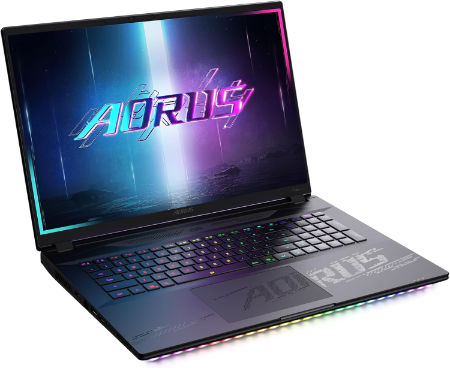
AORUS MASTER 18 Core Ultra 9 275HX RTX 5090 18 inch Mini LED 240Hz |
|
|---|---|
 Check This On Amazon |
|
| CPU | Intel Core Ultra 9 275HX, 24 cores, 24 threads, up to 5.4 GHz |
| GPU | NVIDIA GeForce RTX 5090 Laptop GPU, 24GB GDDR7, up to 175W with Dynamic Boost |
| Display Size | 18 inch, 16:10 |
| Display Resolution | WQXGA 2560 × 1600 Mini LED, 240Hz, 3ms, 100% DCI P3, up to 1200 nits, 2304 local dimming zones, DisplayHDR 1000 |
| RAM | Up to 128GB DDR5, 4 SO DIMM slots |
| Storage Space | Up to 6TB PCIe NVMe SSD across one PCIe Gen5 M.2 slot and two PCIe Gen4 x4 M.2 slots, RAID 0 support |
| Operating System | Windows 11 Home or Windows 11 Pro |
| Ports | Thunderbolt 5 Type C with USB4, DisplayPort 2.1 and Power Delivery 3.0, Thunderbolt 4 Type C with USB4, DisplayPort 1.4 and Power Delivery 3.0, HDMI 2.1, USB Type A 3.2 Gen 2, full size SD UHS II, RJ45 2.5Gb Ethernet, 3.5mm audio combo, DC in |
| Dimensions (L x W x H) | 11.30 × 15.78 × 1.00 to 1.22 inches (depth × width × height) |
| Weight | 7.72 lb (approximately 3.5 kg) |
| Pros | Very large bright Mini LED display; RTX 5090 performance; extensive memory and SSD expansion; premium port selection. |
| Cons | Heavy and bulky; large 400W adapter; likely best for desk based use rather than frequent travel. |
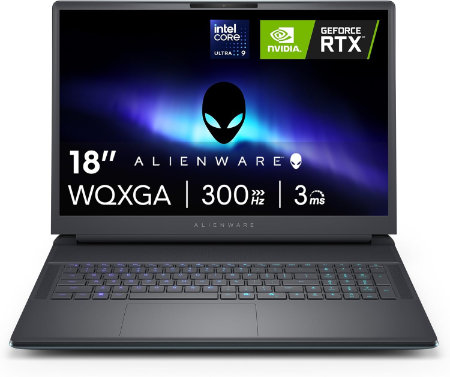
Dell Alienware 18 Area 51 Core Ultra 9 290HX Plus RTX5090 64GB 2TB WQXGA 300Hz |
|
|---|---|
 Check This On Amazon |
|
| CPU | Intel Core Ultra 9 290HX Plus, 24 cores, up to 5.5 GHz |
| GPU | NVIDIA GeForce RTX 5090 Laptop GPU, 24GB GDDR7 |
| Display Size | 18 inch, 16:10 |
| Display Resolution | 18 inch WQXGA 2560 × 1600, 300Hz, 500 nits, 100% DCI P3, Advanced Optimus, ComfortView Plus and G SYNC |
| RAM | 64GB DDR5 6400 MT/s, 2 × 32GB CSoDIMM |
| Storage Space | 2TB M.2 2280 PCIe Gen 5 SSD |
| Operating System | Windows 11 Home or Windows 11 Pro |
| Ports | USB A 3.2 Gen 1; USB C Thunderbolt ports depending on GPU tier; HDMI 2.1; SD card reader; global headset jack; RJ45 Ethernet |
| Dimensions (L x W x H) | 16.14 × 12.59 × 0.95 inches at front (width × depth × front height) |
| Weight | 9.56 lb maximum system weight |
| Pros | Very large 300Hz screen; flagship RTX 50 Series GPU options; 96Wh battery; replaceable DDR5 memory and multiple SSD options. |
| Cons | 9.56 lb maximum laptop weight plus a 2.20 lb power adapter; large desk focused chassis; battery life is short during gaming. Consider a RAM upgrade for demanding video work or large local development environments. |
MSI Stealth 18 HX 18 inches 240Hz Mini LED 3840 x 2400 Pixels, 2TB Storage, 32GB RAM, Intel Core Ultra 9 290HX Plus, NVIDIA GeForce RTX 5080 Laptop GPU 16GB GDDR7 |
|
|---|---|
Check This On Amazon |
|
| CPU | Intel Core Ultra 9 290HX Plus |
| GPU | NVIDIA GeForce RTX 5080 Laptop GPU 16GB GDDR7 |
| Display Size | 18 inches |
| Display Resolution | 3840 x 2400 Pixels |
| RAM | 32GB DDR5 RAM |
| Storage Space | 2TB NVMe SSD |
| Operating System | Windows 11 |
| Ports | Thunderbolt 4, USB Type A, HDMI 2.1, RJ45 Ethernet, SD card reader, audio combo jack |
| Dimensions (L x W x H) | 16.1 x 11.7 x 1.0 inches |
| Weight | 6.4 pounds |
| Pros | Large high resolution display; strong discrete GPU; high performance CPU; useful creator connectivity |
| Cons | Large chassis; costly; battery life drops under heavy GPU use |
Best 16 Inch Laptops for RFEM and Structural Engineering
A 16 inch display provides useful working space for structural models, calculation results, properties panels and technical drawings. These laptops combine portable designs with dedicated graphics and capable processors.
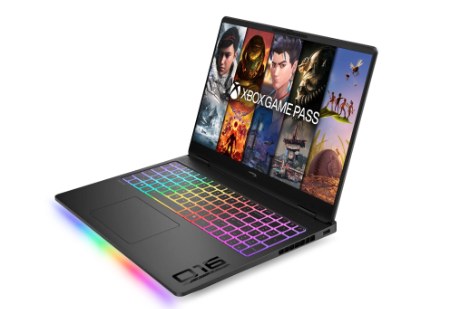
HP HyperX OMEN MAX 16 AMD Ryzen AI 9 HX 475 RTX 48GB 2TB 2026 |
|
|---|---|
 Check This On Amazon |
|
| CPU | AMD Ryzen AI 9 HX 475, 12 cores, up to 5.2 GHz, NPU 60 TOPS |
| GPU | NVIDIA GeForce RTX 5080 Laptop GPU, 16GB GDDR7 |
| Display Size | 16 inch, 16:10 |
| Display Resolution | 16 inch 2.5K OLED 2560 × 1600, up to 240Hz, 0.2ms, 500 nits SDR, up to 1100 nits HDR, 100% DCI P3 |
| RAM | 48GB DDR5 5600 MT/s, 2 × 24GB |
| Storage Space | 2TB PCIe Gen 5 NVMe SSD |
| Operating System | Windows 11 Home or Windows 11 Pro |
| Ports | 2 × USB Type A; 2 × USB Type C with high speed data and DisplayPort; HDMI 2.1; RJ45 Ethernet; headset combo; power connector. |
| Dimensions (L x W x H) | Approx. 14.1 × 10.5 × 1.0 inches |
| Weight | Approx. 6.0 lb |
| Pros | AMD Ryzen AI platform with discrete RTX graphics; high refresh OLED; replaceable DDR5 memory and PCIe SSD options. |
| Cons | high power draw |
HP HyperX OMEN MAX 16 Intel Core Ultra 9 290HX Plus RTX 32GB 1TB 2026 |
|
|---|---|
Check This On Amazon |
|
| CPU | Intel Core Ultra 9 290HX Plus, 24 cores, up to 5.5 GHz, NPU 13 TOPS |
| GPU | NVIDIA GeForce RTX 5080 Laptop GPU, 16GB GDDR7 |
| Display Size | 16 inch, 16:10 |
| Display Resolution | 16 inch 2.5K OLED 2560 × 1600, up to 240Hz, 0.2ms, 500 nits SDR, up to 1100 nits HDR, 100% DCI P3, VESA True Black HDR 1000 |
| RAM | 32GB DDR5 6400 MT/s, 2 × 16GB |
| Storage Space | 1TB PCIe Gen 5 NVMe SSD |
| Operating System | Windows 11 Home or Windows 11 Pro |
| Ports | 2 × USB Type A; 2 × USB Type C with high speed data and DisplayPort; HDMI 2.1; RJ45 Ethernet; headset combo; power connector |
| Dimensions (L x W x H) | Approx. 14.1 × 10.5 × 1.0 inches |
| Weight | Approx. 6.0 lb |
| Pros | high refresh display; |
| Cons | |
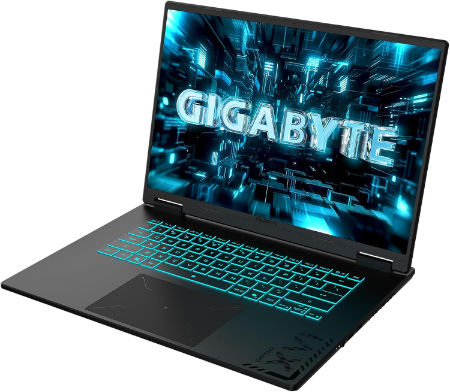
GIGABYTE GAMING A16 PRO Core 7 240H RTX 5080 16 inch WQXGA 165Hz |
|
|---|---|
 Check This On Amazon |
|
| CPU | Intel Core 7 240H, 10 cores, 16 threads, up to 5.2 GHz |
| GPU | NVIDIA GeForce RTX 5080 Laptop GPU, 16GB GDDR7 |
| Display Size | 16 inch, 16:10 |
| Display Resolution | WQXGA 2560 × 1600 IPS, 165Hz, 3ms, 100% sRGB, 400 nits typical |
| RAM | 32GB LPDDR5X 5600MHz onboard memory |
| Storage Space | Up to 4TB PCIe NVMe SSD, 2 PCIe Gen4 x4 M.2 slots |
| Operating System | Windows 11 Home or Windows 11 Pro |
| Ports | HDMI 2.1, USB Type C with DisplayPort 1.4 and Power Delivery 3.0, USB Type A 3.2 Gen 1, USB Type A 2.0, RJ45 Ethernet, 3.5mm audio combo, DC in |
| Dimensions (L x W x H) | 10.33 × 14.11 × 0.77 to 0.90 inches (depth × width × height) |
| Weight | 5.07 lb (approximately 2.3 kg) |
| Pros | High tier RTX 5080 GPU with 16GB VRAM; 165Hz WQXGA panel; strong gaming and 3D rendering potential. |
| Cons | Memory is onboard rather than SO DIMM upgradeable |
Best Value Laptops for RFEM Structural Analysis
These laptops provide dedicated graphics and capable processors at lower performance tiers than the flagship models. They are worth considering for students, consultants and engineers working with small to medium sized structural models.
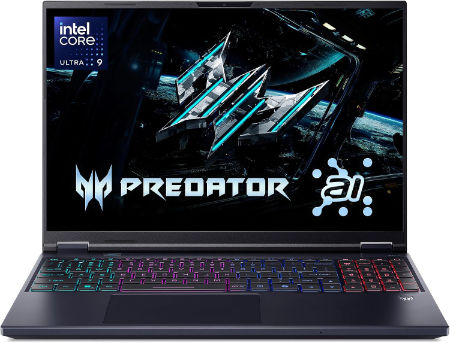
Acer Predator Helios Neo 16S AI 16 inches 2560 x 1600 Pixels, 32GB DDR5, 1TB PCIe Gen 4 SSD, Intel Core Ultra 9 386H, NVIDIA GeForce RTX 5070 Ti Laptop GPU 12GB GDDR7 |
|
|---|---|
 Check This On Amazon |
|
| CPU | Intel Core Ultra 9 386H |
| GPU | NVIDIA GeForce RTX 5070 Ti Laptop GPU 12GB GDDR7 |
| Display Size | 16 inches |
| Display Resolution | 2560 x 1600 Pixels; WQXGA OLED, 240Hz |
| RAM | 32GB DDR5 |
| Storage Space | 1TB PCIe Gen 4 SSD |
| Operating System | Windows 11 |
| Ports | Thunderbolt 4 USB-C, USB-A, HDMI 2.1, RJ45, audio combo jack |
| Dimensions (L x W x H) | 14.2 x 10.5 x 0.9 inches |
| Weight | 5.5 pounds |
| Pros | High refresh OLED; dedicated RTX graphics; suitable for gaming and creator tasks |
| Cons | Heavy; expensive; fan noise and heat under load |
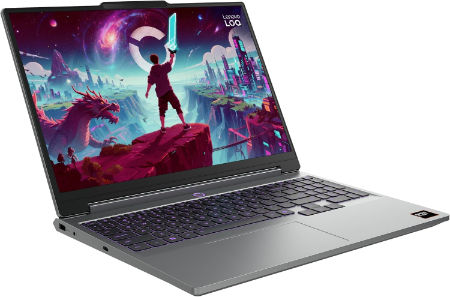
Lenovo LOQ 15AHP11 Ryzen 7 253 RTX 5060 32GB 1TB WQXGA 180Hz |
|
|---|---|
 Check This On Amazon |
|
| CPU | AMD Ryzen 7 253, 8 cores, up to 4.9 GHz, NPU up to 16 TOPS |
| GPU | NVIDIA GeForce RTX 5060 Laptop GPU, 8GB GDDR7, up to 115W |
| Display Size | 15.3 inch, 16:10 |
| Display Resolution | WQXGA 2560 × 1600 IPS, 180Hz, 400 nits, 100% sRGB, anti glare |
| RAM | 32GB DDR5 5600MHz, 2 × 16GB SO DIMMs |
| Storage Space | 1TB PCIe 4.0 NVMe SSD; two M.2 slots |
| Operating System | Windows 11 Home or Windows 11 Pro |
| Ports | 3 × USB A; USB C USB4 with DisplayPort; HDMI 2.1; Gigabit Ethernet; 3.5 mm audio combo jack; Slim Tip power |
| Dimensions (L x W x H) | 13.58 × 10.03 × 0.82 to 0.92 inches |
| Weight | 4.6 lb (starting weight) |
| Pros | Higher resolution 180Hz display; RTX 5060 graphics; 32GB memory supports larger games and creative apps; SSD expansion. |
| Cons | heavy |
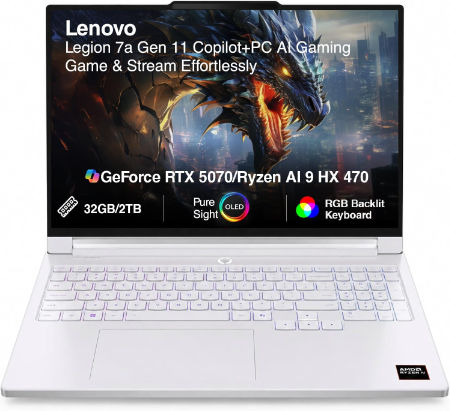
Lenovo Legion 7a 16 Ryzen AI 9 HX 470 RTX 5070 32GB 1TB 240Hz OLED |
|
|---|---|
 Check This On Amazon |
|
| CPU | AMD Ryzen AI 9 HX 470, 12 cores, up to 5.2 GHz, NPU up to 55 TOPS |
| GPU | NVIDIA GeForce RTX 5070 Laptop GPU, 8GB GDDR7 |
| Display Size | 16 inch, 16:10 |
| Display Resolution | 16 inch WQXGA OLED 2560 × 1600, 240Hz, 100% DCI P3, 500 nits typical, up to 1100 nits HDR peak, DisplayHDR True Black 1000, G SYNC |
| RAM | 32GB LPDDR5X soldered |
| Storage Space | 1TB PCIe 4.0 NVMe SSD; two M.2 slots available |
| Operating System | Windows 11 Home or Windows 11 Pro |
| Ports | 2 × USB A; 2 × USB C USB4 with DisplayPort 2.1; HDMI 2.1; card reader; 3.5 mm audio combo; Slim Tip power |
| Dimensions (L x W x H) | 14.23 × 10.01 × 0.61 to 0.67 inches |
| Weight | 3.97 lb (under 1.8 kg) |
| Pros | High end Ryzen AI processor and RTX 5070; 240Hz OLED gaming display; light for a 16 inch gaming laptop. |
| Cons | Soldered memory; expensive |
What to Look for When Choosing a Laptop for RFEM
1. Processor Performance
The processor has a significant effect on RFEM calculation performance. Look for a modern Intel Core Ultra 7 or Ultra 9 processor, or an AMD Ryzen 7 or Ryzen 9 processor.
RFEM can use multiple processor threads during calculations. However, Dlubal cautions that distributing calculations across too many cores can increase data traffic and create memory bandwidth limitations.
A processor with strong sustained performance and effective cooling is a sensible choice for intensive structural analysis.
2. RAM Capacity
Memory requirements depend on the size and complexity of the structural model. Dlubal suggests approximately 1 to 3GB of RAM per processor thread.
Recommended memory configurations:
| Type of RFEM work | Suggested RAM |
|---|---|
| Student projects and basic models | 16GB |
| Typical structural engineering projects | 32GB |
| Large finite element models | 64GB |
| Complex models with solid elements and extensive calculations | 96GB or higher |
For professional structural engineering work, 32GB is a sensible starting point, while 64GB provides greater capacity for demanding projects.
3. Graphics Card
RFEM 6 uses graphics hardware for displaying and interacting with structural models. Dlubal recommends dedicated NVIDIA or AMD graphics cards and advises against relying on Intel integrated graphics.
A midrange NVIDIA GeForce RTX or AMD Radeon graphics card is suitable for many RFEM projects. You do not need an RTX 5090 solely to run structural calculations.
4. Storage
Choose a laptop with at least a 1TB SSD. Large structural models, project documentation, software installations and temporary calculation files can occupy considerable storage space.
Dlubal recommends a fast SSD. It also notes that RFEM stores temporary calculation data in the Windows user profile, making sufficient free space on the system drive important.
5. Cooling and Sustained Performance
Structural calculations can place sustained loads on the processor. Thin laptops may reduce processor speeds when temperatures rise.
Gaming and performance laptops generally offer stronger cooling systems, making them suitable choices for engineers who regularly perform demanding calculations.
6. Operating System and Processor Architecture
RFEM 6 is designed for Windows on x86 processors. Choose an Intel or AMD laptop running 64 bit Windows.
Avoid selecting a Snapdragon ARM laptop for native RFEM work. Dlubal explains that its current RFEM 6 version uses x86 software, meaning ARM computers rely on emulation, which can reduce calculation performance.
Recommended Laptop Specifications for RFEM
| Component | Recommended specification |
|---|---|
| Processor | Intel Core Ultra 7 or Ultra 9, AMD Ryzen 7 or Ryzen 9 |
| RAM | 32GB minimum for professional use, 64GB preferred for large models |
| Graphics | Dedicated NVIDIA GeForce RTX or AMD Radeon |
| Storage | 1TB NVMe SSD or higher |
| Display | 16 inch, 1920 × 1200 or higher |
| Operating system | Windows 11 64 bit |
| Architecture | Intel or AMD x86 |
Which Laptop Should You Choose for RFEM?
Best overall: Razer Blade 18 with Core Ultra 9, 128GB RAM and RTX 5090. Its substantial memory capacity and powerful hardware make it suitable for demanding structural engineering work.
Best workstation alternative: MSI Titan 18 HX with Core Ultra 9, 64GB RAM and RTX 5090. It combines a high performance processor, dedicated graphics and substantial storage.
Best 16 inch performance option: MSI Raider 16 HX with Core Ultra 9 and RTX 5080. It offers a powerful configuration in a smaller display format.
Best value for professional work: Acer Predator Helios Neo 16S AI with Core Ultra 9, 32GB RAM and RTX 5070 Ti. It provides a capable starting point for professional structural analysis.
Best for large models: Razer Blade 18 with 64GB RAM and RTX 5090. This configuration offers substantial processing and graphics capacity, although the 128GB version is preferable when memory demands are very high.
Final Recommendation
For most structural engineers using RFEM 6, I recommend a laptop with an Intel Core Ultra 7 or Ultra 9 processor, 32GB to 64GB RAM, a dedicated NVIDIA GeForce RTX graphics card and a 1TB SSD.
If you regularly work with large finite element models, complex surfaces and solid elements, consider a 64GB or 128GB RAM configuration. For smaller projects, a well equipped 32GB laptop with a dedicated GPU should be sufficient.