
When your workflow depends on real-time rendering, your laptop becomes the backbone of your design environment. Enscape 3D is a high-performance visualization tool that lets you explore architectural models in immersive detail, all while working inside tools like Revit, SketchUp, Rhino, ArchiCAD, or Vectorworks. That seamless experience demands serious graphics horsepower, fast processing, and dependable thermal control. In this guide, we help you choose the best laptops for Enscape 3D, ensuring you can create, present, and iterate without compromise.
This article is tailored for architects, interior designers, BIM professionals, landscape planners, and visualization specialists, anyone who integrates Enscape into their design pipeline. We also speak to students in architecture or design disciplines who want a machine that can handle academic projects and professional-grade rendering alike.
Enscape isn’t lightweight. Unlike traditional rendering engines that queue frames for hours, Enscape performs real-time ray tracing and path tracing inside your CAD platform. That means your system needs to render light, materials, shadows, and reflections dynamically, all while you’re modeling or navigating your project. If your laptop isn’t powerful enough, you’ll face stuttering viewports, failed exports, and even system crashes.
Here’s what we evaluate when recommending the best laptops for Enscape 3D:
Dedicated GPU Power: Enscape requires a dedicated NVIDIA RTX graphics card — at least an RTX 3060, but ideally an RTX 3070, 3080, or the professional-grade RTX A2000 or higher. Equivalent AMD GPUs are also appropriate. These GPUs support real-time ray tracing and ensure smooth rendering during model walkthroughs. Enscape is GPU-accelerated, so integrated graphics or entry-level cards simply don’t cut it.
Processor Performance: You need at least an Intel Core i7 or AMD Ryzen 7 (H-series) processor. While rendering is GPU-driven, your CPU still handles geometry preparation, plugin interactions, and modeling tasks. A slow processor can be a bottleneck, especially when working in complex BIM environments.
Memory (RAM): The minimum for smooth Enscape workflows is 16GB RAM, but 32GB is highly recommended for large models or concurrent multitasking. This ensures your system doesn’t struggle when Revit, Enscape, Photoshop, and Zoom are all open simultaneously.
Storage and Speed: A 1TB or larger NVMe SSD ensures fast project loading, quick caching, and responsive preview performance. Storage speed impacts everything from file imports to texture loading in real time.
Display Quality: You should expect at least a 15.6-inch Full HD (1920×1080) IPS display, but for detailed design work, 4K resolution or factory-calibrated color displays (100% sRGB or AdobeRGB) are a major advantage. A high refresh rate (120Hz or above) improves viewport fluidity during walkthroughs.
Thermal Management and Build Quality: Rendering tasks push your system hard. Laptops with advanced cooling systems, larger fans, and vapor chamber cooling maintain sustained performance without thermal throttling. Look for systems with metal chassis, reinforced hinges, and proper exhaust design — these are workstations, not toys.
Software Ecosystem Compatibility: Your laptop must be certified or at least highly compatible with Enscape-supported tools like Revit, Rhino, SketchUp, ArchiCAD, and Vectorworks. You should also have stable driver support and the ability to run GPU-accelerated tools like Lumion, Twinmotion, and Adobe apps if needed.
Best 2026 Laptops for Enscape;
Contents
- Acer Predator Triton 14 GamingCreator Laptop 13th Gen Intel i7-13700H NVIDIA GeForce RTX 4070
- Alienware m17 Gaming Laptop 2023 Newest, 17.3 360Hz Display, AMD Ryzen 9 6900HX Processor, AMD Radeon RX 6850M XT
- LENOVO Legion Pro 5i Gen 8 Gaming Laptop, NVIDIA GeForce RTX 4070, Intel Core i7-13700HX
- MSI 2023 Cyborg 15.6inch 144HZ FHD Gaming Laptop, 13th Gen Intel Core i7-13620H, NVIDIA GeForce RTX 4050
- ASUS Flagship ROG Zephyrus M16 Gaming Laptop 16 QHD+ IPS 240Hz 13th Gen Intel 14-core i9-13900H
- ASUS ZenBook Pro 15 OLED Laptop 15.6” FHD Touch Display, AMD Ryzen 9 5900HX CPU, NVIDIA GeForce RTX 3050 Ti gpu, 16GB RAM, 1TB PCIe SSD
- ASUS ROG 16 WQXGA (2560x1600) 165Hz IPS Display Gaming Laptop (Intel i9-11900H 8-Core, 16GB RAM, 1TB SSD, RTX 3060
- Lenovo Legion 5 Gaming Laptop, AMD Ryzen 5 5600H (Beats i7-10750H), 4.2GHz, 17.3 FHD IPS 144Hz, GeForce RTX 3060
- HP Victus 16.1 FHD IPS Display Gaming Laptop Intel 6-Core i5-11400H NVIDIA RTX 3050 GDDR6 20GB RAM DDR4 1TB M.2 SSD
- Razer Blade Stealth 13 Ultrabook Gaming Laptop Intel Core i7-1065G7 4 Core, NVIDIA GeForce GTX 1650 Max-Q, 13.3 FHD 1080p 60Hz, 16GB RAM, 512GB SSD
- ASUS ROG Strix Scar 17 (2022) Gaming Laptop, 17.3†360Hz IPS FHD Display, NVIDIA GeForce RTX 3070 Ti, Intel Core i9-12900H, 16GB DDR5, 1TB SSD
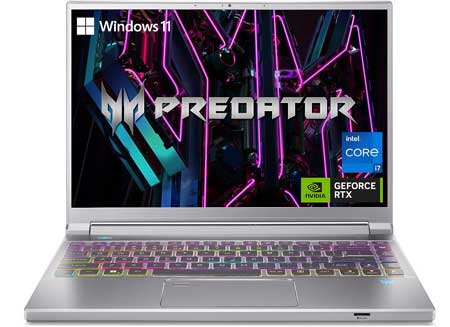
Acer Predator Triton 14 GamingCreator Laptop 13th Gen Intel i7-13700H NVIDIA GeForce RTX 4070 |
|
|---|---|
 Check This On Amazon |
|
| CPU | 13th Gen Intel i7-13700H |
| GPU | NVIDIA GeForce RTX 4070 |
| Display Size | 14" |
| Display Resolution | 2560x1600 |
| RAM | 16GB LPDDR5 |
| Storage Space | 1TB PCIe Gen4 SSD |
| Operating System | Windows 11 |
| Ports | HDMI, USB, Ethernet, Audio |
| Dimensions (L x W x H) | 12.34 x 0.78 x 8.94 inches |
| Weight | 3.75 lbs |
| Advantages | Lightweight, Good performance |
| Disadvantages | None |
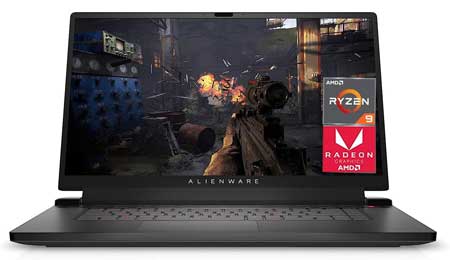
Alienware m17 Gaming Laptop 2023 Newest, 17.3 360Hz Display, AMD Ryzen 9 6900HX Processor, AMD Radeon RX 6850M XT |
|
|---|---|
 Check This On Amazon |
|
| CPU | AMD Ryzen 9 6900HX |
| GPU | AMD Radeon RX 6850M XT |
| Display Size | 17.3 inches |
| Display Resolution | 1920 x 1080 |
| RAM | 32GB DDR5 |
| Storage Space | 2TB SSD, |
| Operating System | Windows 11 |
| Ports | 1x USB 3.2 Gen 2 Type-C, 3x USB 3.2 Gen 1 Type-A, 1x SD card reader, HDMI 2.1, 1x Headset Jack |
| Dimensions (L x W x H) | 15.64 x 1.05 x 11.76 inches |
| Weight | 7.3 pounds |
| Advantages | Good performance |
| Disadvantages | Average display |
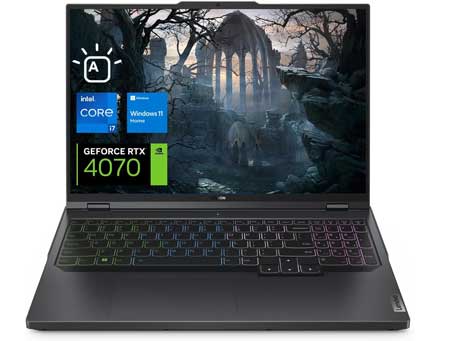
LENOVO Legion Pro 5i Gen 8 Gaming Laptop, NVIDIA GeForce RTX 4070, Intel Core i7-13700HX |
|
|---|---|
 Check This On Amazon |
|
| CPU | Intel Core i7-13700HX |
| GPU | NVIDIA GeForce RTX 4070 |
| Display Size | 16 INCHES |
| Display Resolution | 2560 x 1600 |
| RAM | 64GB DDR5 |
| Storage Space | 2TB + 2TB SSD |
| Operating System | Windows 11 |
| Ports | 4 x USB-A 3.2 Gen 1, 2 x USB-C 3.2 Gen 2, 1 x RJ-45, 1 x HDMI, 1 x Headphone/microphone combo jack |
| Dimensions (L x W x H) | 14.3 x 10.25 x 1.05 inches |
| Weight | 5.51 pounds |
| Advantages | Performance, Storage |
| Disadvantages | Quite pricy |
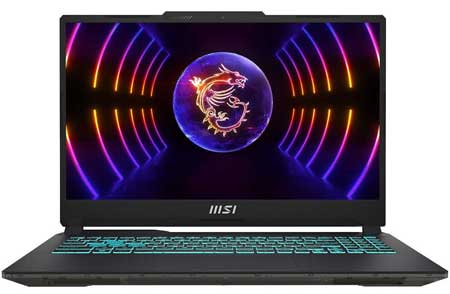
MSI 2023 Cyborg 15.6inch 144HZ FHD Gaming Laptop, 13th Gen Intel Core i7-13620H, NVIDIA GeForce RTX 4050 |
|
|---|---|
 Check This On Amazon |
|
| CPU | 13th Gen Intel Core i7-13620H |
| GPU | NVIDIA GeForce RTX 4050 |
| Display Size | 15.6/inch |
| Display Resolution | 1920 x 1080 Pixels |
| RAM | 32GB DDR5 RAM |
| Storage Space | 2TB NVMe SSD |
| Operating System | Windows 11 |
| Ports | HDMI, Ethernet, Audio |
| Dimensions (L x W x H) | 14.2 x 9.9 x 0.9 inches |
| Weight | 4.1 pounds |
| Advantages | Lightweight, Good performance |
| Disadvantages | None |
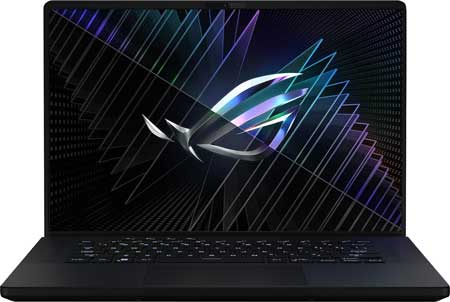
ASUS Flagship ROG Zephyrus M16 Gaming Laptop 16 QHD+ IPS 240Hz 13th Gen Intel 14-core i9-13900H |
|
|---|---|
 Check This On Amazon |
|
| CPU | 13th Gen Intel 14-core i9-13900H Processor |
| GPU | NVIDIA GeForce RTX 4070 8GB |
| Display Size | 16" QHD+ |
| Display Resolution | (2560x1600) IPS |
| RAM | 32GB DDR5 SDRAM |
| Storage Space | 1TB Solid State Drive |
| Operating System | Windows 11 |
| Ports | 1 x Thunderbolt 4, 1 x USB-C 3.2, 2 x USB-A 3.2, 1 x HDMI 2.1 FRL, 1 x 3.5mm Combo Audio Jack |
| Dimensions (L x W x H) | 9.69 x 13.98 x 0.88 inches |
| Weight | 4.64 pounds |
| Advantages | Lightweight, Good performance, Quality Display |
| Disadvantages | Price |
Best Performance Laptop for Enscape
ASUS ZenBook Pro 15 OLED Laptop 15.6” FHD Touch Display, AMD Ryzen 9 5900HX CPU, NVIDIA GeForce RTX 3050 Ti gpu, 16GB RAM, 1TB PCIe SSD |
|
|---|---|
 Check This On Amazon |
|
| CPU | AMD Ryzen 9 5900HX |
| GPU | NVIDIA GeForce RTX 3050 Ti |
| Display Size | 15.6 inch |
| Display Resolution | 400 nits FHD OLED NanoEdge bezel touch display |
| RAM | 16GB |
| Storage Space | 1TB PCIe SSD |
| Operating System | Windows 11 |
| Ports | HDMI 2.0b, USB 3.2 Type-A, USB 3.2 Type-C, Wi-Fi 5 (802.11ac), Bluetooth 5.0, and 2-in-1 card reader |
| Dimensions (L x W x H) | 13.94 x 9.37 x 0.7 inches |
| Weight | 7.30 lbs |
| Advantages | Good performance |
| Disadvantages | Quite heavy |
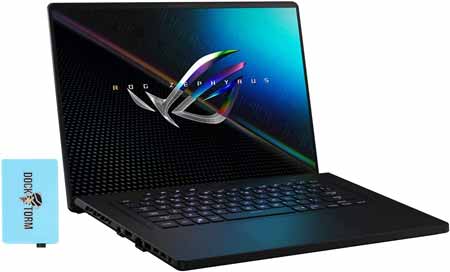
ASUS ROG 16 WQXGA (2560x1600) 165Hz IPS Display Gaming Laptop (Intel i9-11900H 8-Core, 16GB RAM, 1TB SSD, RTX 3060 |
|
|---|---|
 Check This On Amazon |
|
| CPU | Intel i9-11900H 8-Core, |
| GPU | RTX 3060 |
| Display Size | 16" |
| Display Resolution | WQXGA (2560x1600) 165Hz IPS |
| RAM | 16GB |
| Storage Space | 1TB SSD |
| Operating System | Windows 11 |
| Ports | USB, Ethernet, Audio, HDMI |
| Dimensions (L x W x H) | 9.7 x 14 x 0.9 inches |
| Weight | 4.5 pounds |
| Advantages | Good performance |
| Disadvantages | n/a |
Best Mid-Range Laptop for Enscape
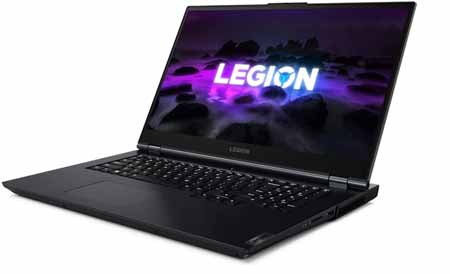
Lenovo Legion 5 Gaming Laptop, AMD Ryzen 5 5600H (Beats i7-10750H), 4.2GHz, 17.3 FHD IPS 144Hz, GeForce RTX 3060 |
|
|---|---|
 Check This On Amazon |
|
| CPU | AMD Ryzen 5 5600H 3.3GHz (6 Cores, 12 Threads, 3MB L2 cache, 16MB L3 cache, up to 4.20GHz) |
| GPU | NVIDIA GeForce RTX 3060 6GB GDDR6 |
| Display Size | 17.3" |
| Display Resolution | FHD (1920x1080) IPS 300nits Anti-glare, 144Hz, 72% NTSC, Free-Sync, DC dimmer |
| RAM | 32GB DDR4-3200 |
| Storage Space | 1TB PCIe SSD |
| Operating System | Windows 11 |
| Ports | 3x USB 3.2 Gen 1,1x USB 3.2 Gen 1 (Always On),1x USB-C 3.2 Gen 2 (support data transfer and DisplayPort 1.4),1x USB-C 3.2 Gen 2 (support data transfer, Power Delivery and DisplayPort 1.4),1x HDMI 2.1,1x Card reader,1x Ethernet (RJ-45),1x Headphone / microphone combo jack (3.5mm),1x Power connector |
| Dimensions (L x W x H) | 15.7 x 11.41 x 0.96 inches |
| Weight | 6.57 pounds |
| Advantages | Good performance, affordable |
| Disadvantages | Might be heavy for some people |
HP Victus 16.1 FHD IPS Display Gaming Laptop Intel 6-Core i5-11400H NVIDIA RTX 3050 GDDR6 20GB RAM DDR4 1TB M.2 SSD |
|
|---|---|
 Check This On Amazon |
|
| CPU | Intel 6-Core i5-11400H |
| GPU | NVIDIA RTX 3050 GDDR6 |
| Display Size | 16.1 inches |
| Display Resolution | 1920 x 1080 Pixels |
| RAM | 20GB |
| Storage Space | 1TB M.2 SSD |
| Operating System | Windows 11 |
| Ports | 1x SuperSpeed USB Type-A 5Gbps signaling rate (HP Sleep and Charge); 2x SuperSpeed USB Type-A 5Gbps signaling rate; 1x HDMI 2.1; 1x RJ-45; 1x AC smart pin; 1x headphone/microphone combo |
| Dimensions (L x W x H) | 14.57 x 10.24 x 0.93 inches |
| Weight | 5.49 pounds |
| Advantages | Quite affordable |
| Disadvantages | |
Best Budget Laptop for Enscape
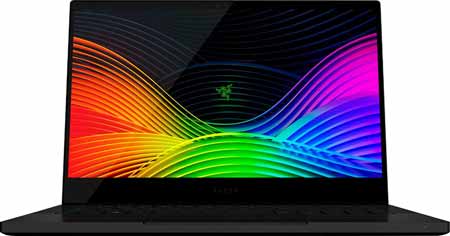
Razer Blade Stealth 13 Ultrabook Gaming Laptop Intel Core i7-1065G7 4 Core, NVIDIA GeForce GTX 1650 Max-Q, 13.3 FHD 1080p 60Hz, 16GB RAM, 512GB SSD |
|
|---|---|
 Check This On Amazon |
|
| CPU | Intel Core i7-1065G7 4 Core |
| GPU | NVIDIA GeForce GTX 1650 Max-Q |
| Display Size | 13.3 inches |
| Display Resolution | FHD 1080p 60Hz |
| RAM | 16GB |
| Storage Space | 512GB SSD |
| Operating System | Windows 11 |
| Ports | USB, Ethernet, AUDIO |
| Dimensions (L x W x H) | |
| Weight | 6lbs |
| Advantages | Performance |
| Disadvantages | Storage |
Best Laptop for Enscape Students and Beginners
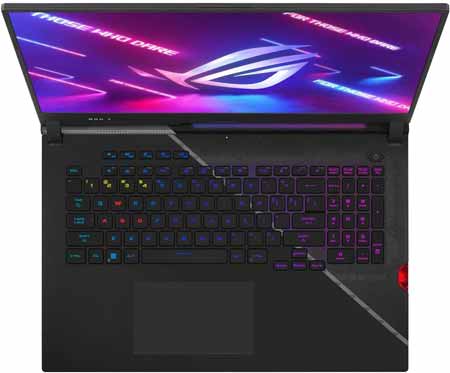
ASUS ROG Strix Scar 17 (2022) Gaming Laptop, 17.3†360Hz IPS FHD Display, NVIDIA GeForce RTX 3070 Ti, Intel Core i9-12900H, 16GB DDR5, 1TB SSD |
|
|---|---|
 Check This On Amazon |
|
| CPU | Intel Core i9-12900H |
| GPU | NVIDIA GeForce RTX 3070 Ti |
| Display Size | 17.3 inches |
| Display Resolution | 360Hz IPS FHD Display |
| RAM | 16GB DDR5 |
| Storage Space | 1TB SSD |
| Operating System | Windows 11 |
| Ports | 1x Thunderbolt 4, 1x USB 3.2 Type-C (Gen2), 2x USB 3.2 Type-A (Gen1), 1x HDMI 2.1, 1x 3.5mm Audio Jack, 1x 2.5 Gbps LAN |
| Dimensions (L x W x H) | 15.55 x 11.1 x 0.92 inches |
| Weight | 6.40 lbs |
| Advantages | Good performance, Large display |
| Disadvantages | Quite heavy |