
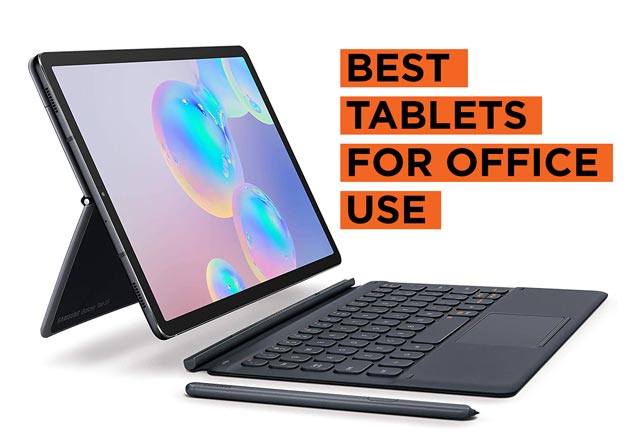
In today’s workplace, the traditional desktop setup no longer defines productivity. We look for devices that allow us to work flexibly, communicate effectively, and manage complex tasks on the move. The purpose of this article is to explore the best tablets for office work, giving you the clarity to select a device that strengthens your daily efficiency, whether you work in a corporate office, remotely, or in a hybrid environment.
Many professionals encounter the same obstacles with underpowered devices. Slow loading times, cramped displays, poor keyboard compatibility, and weak multitasking support quickly undermine productivity.
If you have ever tried editing large Excel sheets on a phone or attending a video meeting on a small screen, you know how difficult it feels. Low RAM results in freezing when switching between apps, limited storage forces constant file management, and short battery life leaves you hunting for chargers during critical calls.
The frustration compounds when your device cannot handle secure file sharing or connect reliably to office software. What you need is a tool that matches the intensity of your workload, while staying portable and reliable.
To determine the best tablets for office work, we assess processing power, memory, storage, display clarity, battery endurance, connectivity, and accessory support. Every tablet in this category must come with at least 8 GB of RAM, a modern multi-core processor, 128 GB of storage, and a 10-inch or larger display with Full HD resolution. This baseline ensures you can run Microsoft Office, Google Workspace, project management platforms, and CRM tools without delays.
We also prioritize all-day batteries of no less than 10 hours, fast-charging capability, Wi-Fi 6 or 5G for stable internet, and compatibility with external keyboards, styluses, and docking stations. These features allow your tablet to serve as a true work companion rather than a casual entertainment device.
Different use cases highlight the importance of these specifications. Business executives benefit from tablets that sync effortlessly with cloud-based platforms, enabling quick access to reports, presentations, and secure emails. Remote workers need lightweight devices with powerful processors and clear webcams, so video meetings and virtual collaboration feel natural. Creative professionals in fields such as marketing, architecture, or design demand stylus precision, high-resolution panels, and software support for apps like Adobe Illustrator or AutoCAD.
Administrative staff rely on smooth multitasking across calendars, spreadsheets, and communication tools, ensuring schedules and data remain accurate. Even sales teams gain from tablets that combine portability, strong connectivity, and presentation-ready screens, allowing them to pitch ideas directly to clients.
We carefully filter out tablets that lack sufficient memory, display clarity, or accessory compatibility. Devices with only 4 GB of RAM or storage capped at 64 GB, for instance, fail to meet the rigorous demands of office work. Similarly, low-resolution displays may work for casual browsing but fall short when analyzing documents or presenting to colleagues.
The tablets that make our list stand apart by combining raw performance, elegant design, extended battery life, and robust security options, making them dependable for professional environments where reliability is paramount.
Another important factor is software ecosystem and integration. For office work, you cannot compromise on compatibility with apps like Microsoft Teams, Slack, Zoom, or Google Meet. Tablets that provide native support for multitasking features such as split-screen or app continuity across devices stand out.
Equally important are enterprise-level security features like fingerprint recognition, face unlock, data encryption, and remote management options, because office work requires protecting sensitive company files.
As we transition into the actual choices, we will showcase top tablets that excel across business productivity, creative professional needs, and corporate security standards. Some models provide the versatility to replace your laptop entirely, while others shine as complementary devices that expand your ability to work flexibly across locations. By the end, you will see which tablet meets the demands of your office environment, offering you speed, reliability, and portability in one device.
2026 Best Tablets for Office Work:
Contents
- Microsoft Surface Pro for Business 12th Edition Intel 2026 32GB 512GB
- Microsoft Surface Pro for Business 11th Edition Intel 2025 32GB 512GB
- Apple iPad Pro 13 inch (M5), 512 GB
- Microsoft Surface Pro for Business 12th Edition Intel 2026 16GB 256GB
- Microsoft Surface Pro for Business 11th Edition Intel 2025 16GB 256GB
- Microsoft Surface Pro 12-inch 2nd Edition 2026 24GB 512GB
- Apple iPad Pro 11 inch (M5), 512 GB
- Apple iPad Air 13 inch (M4), 512 GB
- Apple iPad Air 11 inch (M4), 256 GB
- Samsung Galaxy Tab S11 WiFi, 11 inch, 512 GB
- OnePlus Pad 4 512GB WiFi 2026
- Xiaomi Pad 8 Pro, 512 GB, WiFi
- Samsung Galaxy Tab S11 Ultra WiFi, 512 GB
- Lenovo Yoga Tab 512GB WiFi
- Apple iPad Air 13 inch (M4), 256 GB
- Samsung Galaxy Tab S10 Lite, 8GB RAM, 256GB, 2TB Expand, 10.9”
- Lenovo Idea Tab 128GB WiFi
The best tablets for office work combine reliable performance, comfortable displays, multitasking capabilities, and support for essential productivity apps.
1. Best Overall Tablets for Office Work
These tablets are strong choices for professionals who need a versatile device for documents, spreadsheets, presentations, communication, and multitasking.
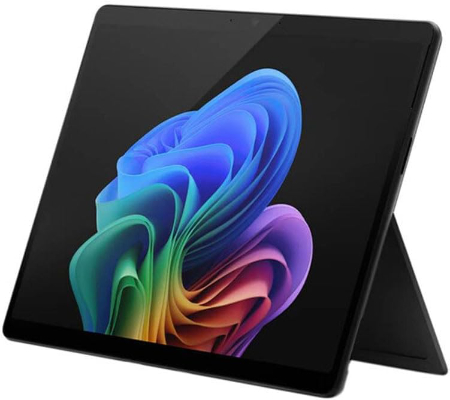
Microsoft Surface Pro for Business 12th Edition Intel 2026 32GB 512GB |
|
|---|---|
 Check This On Amazon |
|
| Operating System | Windows 11 Pro |
| Screen Size | 13 inches |
| Display Resolution | PixelSense touchscreen |
| Processor | Intel Core Ultra series, exact processor depends on SKU |
| GPU | Integrated Intel graphics |
| RAM | 32GB LPDDR5x |
| Storage Space | 512GB SSD |
| SD Card Expansion Slot | No |
| Main Camera | 10MP rear camera, exact module varies by SKU |
| Front Selfie Camera | Front camera with Windows Hello facial recognition |
| Battery Capacity | |
| Connectivity | WiFi and Bluetooth; USB C / USB4 or Thunderbolt depending on SKU; Surface Connect; cellular is SKU dependent |
| Pros | 32GB RAM supports heavy multitasking; full Windows compatibility; business security features; detachable keyboard and pen support. |
| Cons | |
Microsoft Surface Pro for Business 11th Edition Intel 2025 32GB 512GB |
|
|---|---|
 Check This On Amazon |
|
| Operating System | Windows 11 Pro |
| Screen Size | 13 inches |
| Display Resolution | 2880 × 1920, PixelSense Flow touchscreen, up to 120Hz; panel depends on SKU |
| Processor | Intel Core Ultra 5 or Core Ultra 7, SKU dependent |
| GPU | Integrated Intel graphics, processor dependent |
| RAM | 32GB LPDDR5x |
| Storage Space | 512GB SSD |
| SD Card Expansion Slot | No |
| Main Camera | 10MP Ultra HD rear camera |
| Front Selfie Camera | 1440p Quad HD front camera with Windows Studio Effects |
| Battery Capacity | |
| Connectivity | WiFi and Bluetooth; USB C / Thunderbolt 4 and Surface Connect; cellular depends on SKU |
| Pros | 32GB RAM supports demanding multitasking; full Windows compatibility; premium touchscreen; business security and service options. |
| Cons | Expensive; keyboard and pen often extra |
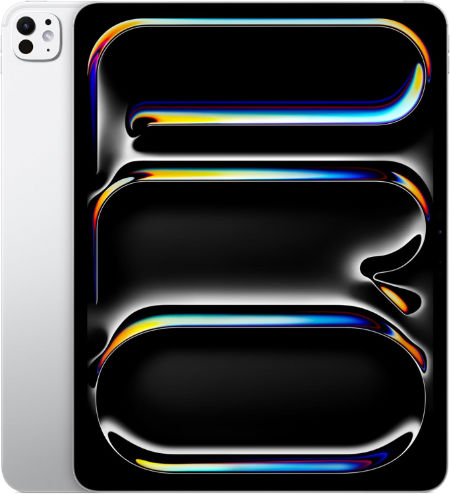
Apple iPad Pro 13 inch (M5), 512 GB |
|
|---|---|
 Check This On Amazon |
|
| Operating System | iPadOS 26 or later, depending on installed updates |
| Screen Size | 13 inches |
| Display Resolution | 2752 x 2064 pixels, Ultra Retina XDR tandem OLED, ProMotion 10 to 120 Hz |
| Processor | Apple M5, 9 core CPU on 256/512 GB; 10 core CPU on 1/2 TB |
| GPU | 10 core Apple GPU with Neural Accelerators and hardware accelerated ray tracing |
| RAM | 12 GB |
| Storage Space | 512 GB |
| SD Card Expansion Slot | No microSD card slot; storage is fixed |
| Main Camera | 12 MP wide rear camera, adaptive True Tone flash, LiDAR Scanner; 4K video |
| Front Selfie Camera | 12 MP ultra wide landscape front camera with Center Stage |
| Battery Capacity | 38.99 Wh rechargeable lithium polymer; up to 10 hours web or video use |
| Connectivity | Wi Fi 7, Bluetooth 6, Thunderbolt / USB 4; Wi Fi and Wi Fi + Cellular versions available |
| Pros | Large 13 inch tandem OLED Ultra Retina XDR display with 10 to 120 Hz ProMotion; latest M5 performance; ideal for creative work, drawing and multitasking; 12 GB or 16 GB RAM depending on storage; Apple Pencil Pro; Face ID; LiDAR; Wi Fi 7 and Thunderbolt / USB 4 |
| Cons | |
2. Best Windows Tablets for Microsoft Office
Windows tablets are ideal for users who rely on desktop versions of Word, Excel, PowerPoint, Outlook, and other traditional business applications.
Microsoft Surface Pro for Business 12th Edition Intel 2026 16GB 256GB |
|
|---|---|
Check This On Amazon |
|
| Operating System | Windows 11 Pro |
| Screen Size | 13 inches |
| Display Resolution | PixelSense touchscreen |
| Processor | Intel Core Ultra series |
| GPU | Integrated Intel graphics |
| RAM | 16GB LPDDR5x |
| Storage Space | 256GB SSD |
| SD Card Expansion Slot | No |
| Main Camera | 10MP rear camera, exact module varies by SKU |
| Front Selfie Camera | Front camera with Windows Hello facial recognition |
| Battery Capacity | |
| Connectivity | WiFi and Bluetooth; USB C / USB4 or Thunderbolt depending on SKU; Surface Connect; |
| Pros | Full Windows x86 compatibility; business security and management; detachable keyboard; premium touchscreen; designed for commercial deployment. |
| Cons | |
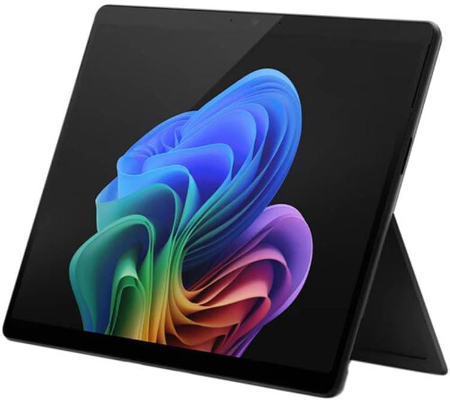
Microsoft Surface Pro for Business 11th Edition Intel 2025 16GB 256GB |
|
|---|---|
 Check This On Amazon |
|
| Operating System | Windows 11 Pro |
| Screen Size | 13 inches |
| Display Resolution | 2880 × 1920, PixelSense Flow touchscreen, up to 120Hz; panel depends on SKU |
| Processor | Intel Core Ultra 5 or Core Ultra 7 |
| GPU | Integrated Intel graphics, processor dependent |
| RAM | 16GB LPDDR5x |
| Storage Space | 256GB SSD |
| SD Card Expansion Slot | No |
| Main Camera | 10MP Ultra HD rear camera |
| Front Selfie Camera | 1440p Quad HD front camera with Windows Studio Effects |
| Battery Capacity | |
| Connectivity | WiFi and Bluetooth; USB C / Thunderbolt 4 and Surface Connect; cellular depends on SKU |
| Pros | Full Windows x86 application compatibility; premium 13 inch touchscreen; detachable keyboard and pen support; business security and management features. |
| Cons | Higher cost; keyboard and pen may be extra |
Microsoft Surface Pro 12-inch 2nd Edition 2026 24GB 512GB |
|
|---|---|
 Check This On Amazon |
|
| Operating System | Windows 11 Home |
| Screen Size | 12 inches |
| Display Resolution | 2196 × 1464, PixelSense LCD, 90Hz |
| Processor | Qualcomm Snapdragon X2 Plus, 6 core |
| GPU | Qualcomm Adreno GPU |
| RAM | 24GB LPDDR5x |
| Storage Space | 512GB UFS |
| SD Card Expansion Slot | No |
| Main Camera | 10MP Ultra HD rear camera |
| Front Selfie Camera | 1080p Full HD front camera |
| Battery Capacity | up to 15.5 hours local video playback |
| Connectivity | WiFi 7, Bluetooth; 2 × USB C / USB 3.2; WiFi model |
| Pros | 24GB RAM for multitasking; compact 686g design; Snapdragon X2 Plus; 80 TOPS NPU; WiFi 7; 90Hz touchscreen. |
| Cons | No microSD slot; keyboard and pen may be extra; |
3. Best iPads for Office Productivity
These iPads suit users who work with mobile office apps, edit documents, review presentations, take handwritten notes, and collaborate with colleagues.
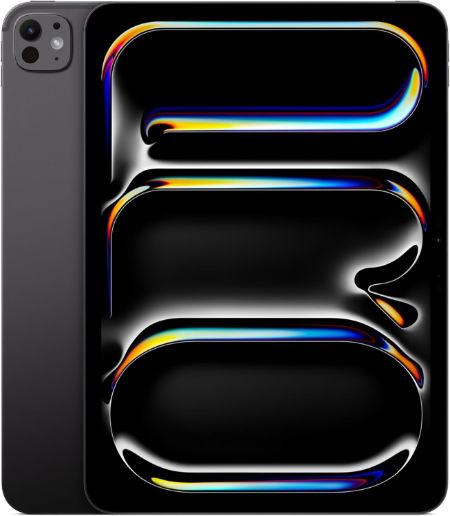
Apple iPad Pro 11 inch (M5), 512 GB |
|
|---|---|
 Check This On Amazon |
|
| Operating System | iPadOS 26 or later, depending on installed updates |
| Screen Size | 11 inches |
| Display Resolution | 2420 x 1668 pixels, Ultra Retina XDR tandem OLED, ProMotion 10 to 120 Hz |
| Processor | Apple M5, 9 core CPU on 256/512 GB; 10 core CPU on 1/2 TB |
| GPU | 10 core Apple GPU with Neural Accelerators and hardware accelerated ray tracing |
| RAM | 12 GB |
| Storage Space | 512 GB |
| SD Card Expansion Slot | No microSD card slot; storage is fixed |
| Main Camera | 12 MP wide rear camera, adaptive True Tone flash, LiDAR Scanner; 4K video |
| Front Selfie Camera | 12 MP ultra wide landscape front camera with Center Stage |
| Battery Capacity | 31.29 Wh rechargeable lithium polymer; up to 10 hours web or video use |
| Connectivity | Wi Fi 7, Bluetooth 6, Thunderbolt / USB 4; Wi Fi and Wi Fi + Cellular versions available |
| Pros | Tandem OLED Ultra Retina XDR with 10 to 120 Hz ProMotion; latest M5 performance and GPU Neural Accelerators; 12 GB RAM on 256/512 GB and 16 GB on 1/2 TB; Apple Pencil Pro; Face ID and LiDAR; Wi Fi 7; Thunderbolt / USB 4; slim and light |
| Cons | accessories cost extra; cellular version costs more; 256 GB and 512 GB versions have less RAM than 1 TB and 2 TB models; no 3.5 mm headphone jack; professional features may be unnecessary for basic tablet use |
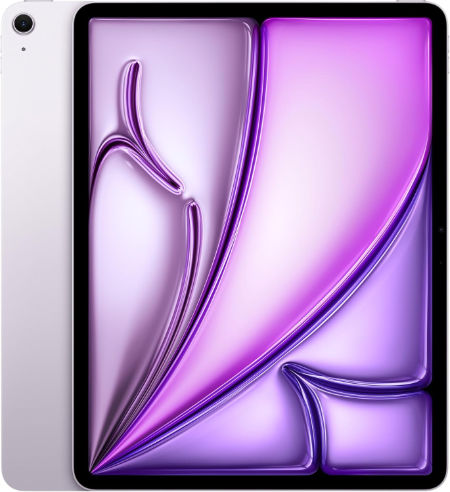
Apple iPad Air 13 inch (M4), 512 GB |
|
|---|---|
 Check This On Amazon |
|
| Operating System | iPadOS 26 or later, depending on installed updates |
| Screen Size | 13 inches |
| Display Resolution | 2732 x 2048 pixels, Liquid Retina IPS LCD, 264 ppi, 600 nits |
| Processor | Apple M4, 8 core CPU |
| GPU | 9 core Apple GPU with hardware accelerated ray tracing |
| RAM | 12 GB |
| Storage Space | 512 GB |
| SD Card Expansion Slot | No microSD card slot; storage is fixed |
| Main Camera | 12 MP wide rear camera, up to 5x digital zoom; 4K video |
| Front Selfie Camera | 12 MP landscape front camera with Center Stage |
| Battery Capacity | 36.59 Wh rechargeable lithium polymer; up to 10 hours web or video use |
| Connectivity | Wi Fi 7, Bluetooth 6, USB C; Wi Fi and Wi Fi + Cellular versions available |
| Pros | Large 13 inch Liquid Retina display for drawing and multitasking; strong M4 performance with 12 GB unified memory; P3 colour and True Tone; Apple Pencil Pro support; landscape Center Stage camera; Wi Fi 7; less expensive than the 13 inch iPad Pro |
| Cons | |
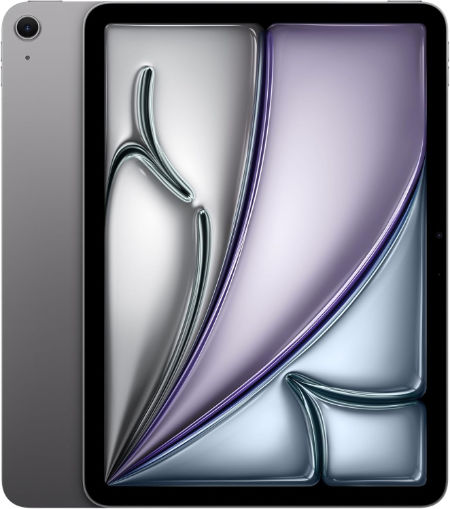
Apple iPad Air 11 inch (M4), 256 GB |
|
|---|---|
 Check This On Amazon |
|
| Operating System | iPadOS 26 or later, depending on installed updates |
| Screen Size | 11 inches |
| Display Resolution | 2360 x 1640 pixels, Liquid Retina IPS LCD, 264 ppi, 500 nits |
| Processor | Apple M4, 8 core CPU |
| GPU | 9 core Apple GPU with hardware accelerated ray tracing |
| RAM | 12 GB |
| Storage Space | 256 GB |
| SD Card Expansion Slot | No microSD card slot; storage is fixed |
| Main Camera | 12 MP wide rear camera, up to 5x digital zoom; 4K video |
| Front Selfie Camera | 12 MP landscape front camera with Center Stage |
| Battery Capacity | 28.93 Wh rechargeable lithium polymer; up to 10 hours web or video use |
| Connectivity | Wi Fi 7, Bluetooth 6, USB C; Wi Fi and Wi Fi + Cellular versions available |
| Pros | Powerful M4 chip with 12 GB unified memory; lightweight and portable; good Liquid Retina display with P3 colour and True Tone; Apple Pencil Pro support; landscape Center Stage camera; Wi Fi 7; supports demanding creative apps at a lower price than iPad Pro |
| Cons | LCD display lacks OLED contrast and ProMotion 120 Hz; no Face ID; no LiDAR Scanner; no microSD slot; accessories cost extra; 128 GB base storage may be limiting for large projects; USB C is slower than the Pro Thunderbolt port |
4. Best Android Tablets for Office Work
These Android tablets offer capable hardware for email, document editing, online meetings, spreadsheets, browsing, and productivity applications.
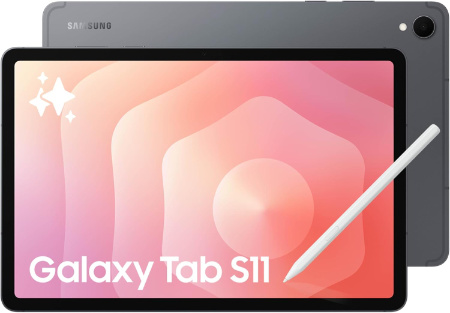
Samsung Galaxy Tab S11 WiFi, 11 inch, 512 GB |
|
|---|---|
 Check This On Amazon |
|
| Operating System | Android 16 (One UI 8) |
| Screen Size | 11.0 inches |
| Display Resolution | 2560 x 1600 pixels (WQXGA), Dynamic AMOLED 2X, up to 120 Hz |
| Processor | MediaTek Dimensity 9400+, octa core |
| GPU | Arm Immortalis G925 MC12 |
| RAM | 12 GB |
| Storage Space | 512 GB |
| SD Card Expansion Slot | Yes, microSD card support up to 2 TB |
| Main Camera | 13 Megapixels, autofocus, LED flash; up to 4K at 30 fps video |
| Front Selfie Camera | 12 Megapixels, ultra wide |
| Battery Capacity | 8,400 mAh; supports 45 W wired charging |
| Connectivity | WiFi 6E, Bluetooth 5.4, USB Type C 3.2 Gen 1; WiFi model has no cellular connection |
| Pros | Bright 120 Hz Dynamic AMOLED 2X display; flagship Dimensity 9400+ performance; 12 GB RAM across all storage options; S Pen included; microSD expansion up to 2 TB; IP68 water and dust resistance; slim 469 g design; 8,400 mAh battery with 45 W charging; long software support |
| Cons | |
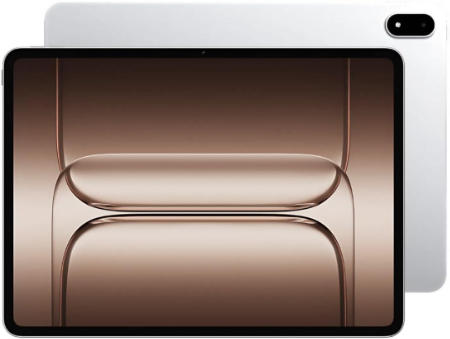
OnePlus Pad 4 512GB WiFi 2026 |
|
|---|---|
 Check This On Amazon |
|
| Operating System | OxygenOS 16 based on Android 16 |
| Screen Size | 13.2 inches LCD, 7:5 aspect ratio |
| Display Resolution | 3392 × 2400, 315 ppi, 144Hz, up to 1000 nits HBM |
| Processor | Qualcomm Snapdragon 8 Elite Gen 5 |
| GPU | Qualcomm Adreno GPU |
| RAM | 12GB LPDDR5X |
| Storage Space | 512GB UFS 4.1 |
| SD Card Expansion Slot | No |
| Main Camera | 13MP |
| Front Selfie Camera | 8MP |
| Battery Capacity | 13,380mAh typical; 80W SUPERVOOC |
| Connectivity | Up to WiFi 7, Bluetooth, USB C; WiFi model |
| Pros | Flagship processor; 12GB RAM and 512GB storage; 3.4K 144Hz screen; 13,380mAh battery; eight speakers; 80W charging. |
| Cons | large 672g body; no microSD slot; keyboard and stylus may cost extra |
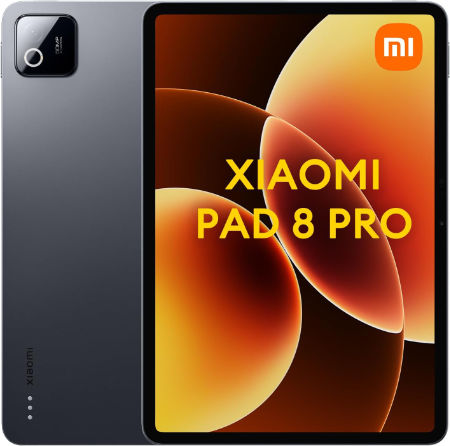
Xiaomi Pad 8 Pro, 512 GB, WiFi |
|
|---|---|
 Check This On Amazon |
|
| Operating System | Xiaomi HyperOS 3 |
| Screen Size | 11.2 inches LCD, 144 Hz |
| Display Resolution | 3200 x 2136 pixels, 345 ppi, up to 800 nits peak brightness, Dolby Vision |
| Processor | Qualcomm Snapdragon 8 Elite, octa core, 3 nm |
| GPU | Qualcomm Adreno GPU |
| RAM | 12 GB |
| Storage Space | 512 GB |
| SD Card Expansion Slot | No microSD card slot; internal storage cannot be expanded |
| Main Camera | 50 MP rear camera, autofocus, 4K video recording |
| Front Selfie Camera | 32 MP front camera |
| Battery Capacity | 9,200 mAh typical; 67 W HyperCharge |
| Connectivity | Wi Fi 7, Bluetooth, USB Type C 3.2 Gen 1; no cellular connection |
| Pros | Flagship Snapdragon 8 Elite performance; sharp 3.2K 144 Hz display; 50 MP rear camera; 32 MP front camera; quad speakers with Dolby Atmos; 9,200 mAh battery and fast 67 W charging; slim metal body; supports Xiaomi Focus Pen Pro and keyboard accessories |
| Cons | charger sold separately in some markets |
5. Best Large Screen Tablets for Multitasking
Large displays provide additional space for viewing spreadsheets, comparing documents, managing multiple windows, and reviewing presentations.
Samsung Galaxy Tab S11 Ultra WiFi, 512 GB |
|
|---|---|
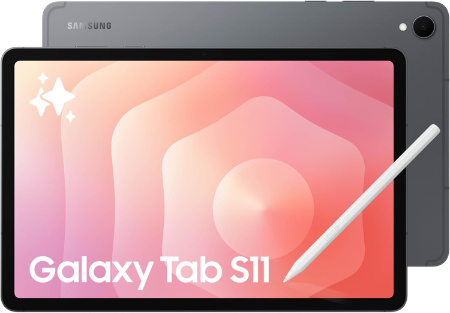 Check This On Amazon |
|
| Operating System | Android 16, One UI 8 |
| Screen Size | 14.6 inches, Dynamic AMOLED 2X, up to 120 Hz, anti reflection |
| Display Resolution | 2960 x 1848 pixels, WQXGA+ |
| Processor | MediaTek Dimensity 9400+, octa core |
| GPU | Arm Immortalis G925 MC12 |
| RAM | 12 GB |
| Storage Space | 512 GB |
| SD Card Expansion Slot | Yes, microSD expansion up to 2 TB |
| Main Camera | 13 MP main camera + 8 MP ultra wide camera, autofocus, LED flash; 4K video at 30 fps |
| Front Selfie Camera | 12 MP ultra wide camera |
| Battery Capacity | 11,600 mAh; supports 45 W wired charging |
| Connectivity | WiFi 7, Bluetooth 5.4, USB Type C 3.2 Gen 1; this is the WiFi model, without cellular data |
| Pros | Large 14.6 inch Dynamic AMOLED 2X display with 120 Hz refresh rate; high peak brightness and anti reflection treatment; flagship Dimensity 9400+ performance; 12 GB RAM on 256 GB and 512 GB versions or 16 GB RAM on 1 TB version; S Pen included; microSD expansion up to 2 TB; IP68 water and dust resistance; slim 5.1 mm body; large 11,600 mAh battery; WiFi 7 |
| Cons | |
Lenovo Yoga Tab 512GB WiFi |
|
|---|---|
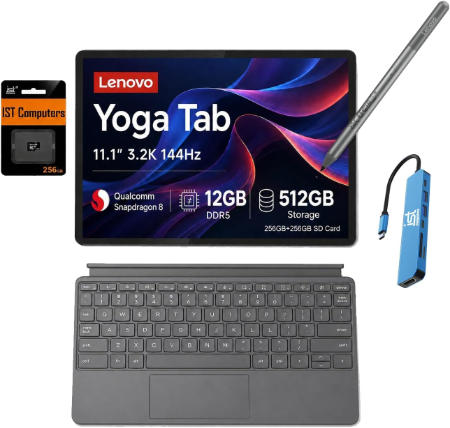 Check This On Amazon |
|
| Operating System | Android 15 or later |
| Screen Size | 11.1 inches |
| Display Resolution | 3200 × 2000 pixels, 144Hz IPS PureSight Pro |
| Processor | Qualcomm Snapdragon 8 Gen 3 |
| GPU | Qualcomm Adreno GPU |
| RAM | 12GB or 16GB depending on regional configuration |
| Storage Space | 512GB; availability depends on market |
| SD Card Expansion Slot | Not supported |
| Main Camera | 13MP |
| Front Selfie Camera | 13MP |
| Battery Capacity | Silicon carbon battery; exact capacity varies by region or is not specified in Lenovo launch summary |
| Connectivity | WiFi 7, Bluetooth, USB C; WiFi model |
| Pros | High resolution 3.2K 144Hz display; flagship processor; ample storage; pen support; four speakers with Dolby Atmos. |
| Cons | No microSD slot |
Apple iPad Air 13 inch (M4), 256 GB |
|
|---|---|
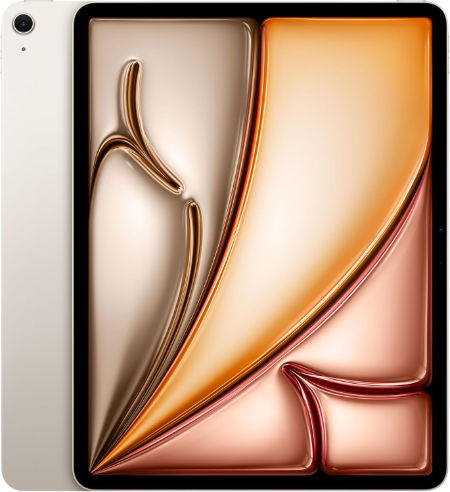 Check This On Amazon |
|
| Operating System | iPadOS 26 or later, depending on installed updates |
| Screen Size | 13 inches |
| Display Resolution | 2732 x 2048 pixels, Liquid Retina IPS LCD, 264 ppi, 600 nits |
| Processor | Apple M4, 8 core CPU |
| GPU | 9 core Apple GPU with hardware accelerated ray tracing |
| RAM | 12 GB |
| Storage Space | 256 GB |
| SD Card Expansion Slot | No microSD card slot; storage is fixed |
| Main Camera | 12 MP wide rear camera, up to 5x digital zoom; 4K video |
| Front Selfie Camera | 12 MP landscape front camera with Center Stage |
| Battery Capacity | 36.59 Wh rechargeable lithium polymer; up to 10 hours web or video use |
| Connectivity | Wi Fi 7, Bluetooth 6, USB C; Wi Fi and Wi Fi + Cellular versions available |
| Pros | Large 13 inch Liquid Retina display for drawing and multitasking; strong M4 performance with 12 GB unified memory; P3 colour and True Tone; Apple Pencil Pro support; landscape Center Stage camera; Wi Fi 7; less expensive than the 13 inch iPad Pro |
| Cons | |
6. Best Budget Tablets for Office Work
These more affordable options are suitable for students, freelancers, small business owners, and professionals who mainly handle email, documents, web applications, and routine office tasks.
Samsung Galaxy Tab S10 Lite, 8GB RAM, 256GB, 2TB Expand, 10.9” |
|
|---|---|
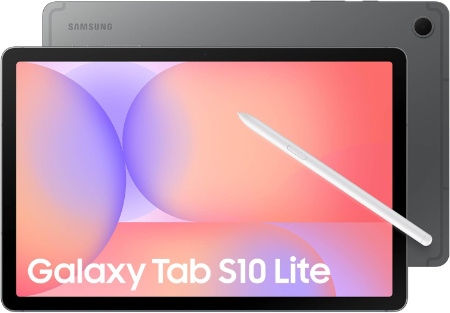 Check This On Amazon |
|
| Operating System | Android 15 |
| Screen Size | 10.9 inches |
| Display Resolution | 1320 x 2112pixels |
| Processor | MediaTek Dimensity 9400+ |
| GPU | Mediatek |
| RAM | 8 GB |
| Storage Space | 256 GB |
| SD Card Expansion Slot | yes, upto 2TB |
| Main Camera | 8 Megapixels |
| Front Selfie Camera | 5 Megapixels |
| Battery Capacity | 8000 mAh |
| Connectivity | Wifi, Bluetooth |
| Pros | Stylus support, Performance, stereo speakers |
| Cons | |
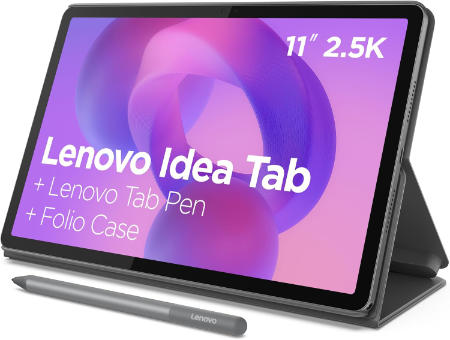
Lenovo Idea Tab 128GB WiFi |
|
|---|---|
 Check This On Amazon |
|
| Operating System | Android 15 or later |
| Screen Size | 11 inches |
| Display Resolution | 2560 × 1600 pixels, 90Hz IPS |
| Processor | MediaTek Dimensity 6300, octa core |
| GPU | Arm Mali G57 MC2 |
| RAM | 4GB or 8GB depending on regional configuration |
| Storage Space | 128GB |
| SD Card Expansion Slot | Yes, microSD expansion supported |
| Main Camera | 8MP |
| Front Selfie Camera | 5MP |
| Battery Capacity | 7,040mAh |
| Connectivity | WiFi 5, Bluetooth 5.2, USB C 2.0, 3.5mm audio jack; WiFi model |
| Pros | Sharp 2.5K 90Hz display; optional paper like anti glare screen; quad speakers; microSD expansion; pen support; relatively light metal body. |
| Cons | Entry level Dimensity 6300 processor; WiFi 5 rather than newer WiFi standards; |
You can also have a look at the Best Tablets for Microsoft Office 365 in addition to the Best Tablets for Slack.
MORE TABLET RECOMMENDATIONS:
Best Tablets for Microsoft Teams
Latest Top Tablets for Productivity
Best Tablets for Small Businesses
Best Tablets for Microsoft Excel


