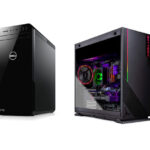
Computer Aided Design (CAD) is used by architects, engineers, product designers, manufacturers and construction professionals to create technical drawings, 3D models, engineering assemblies and construction documentation. Popular applications include AutoCAD, Revit, SolidWorks, Autodesk Inventor, Fusion, Civil 3D, Rhino and SketchUp.
Current CAD software requirements provide useful hardware benchmarks. AutoCAD recommends 32 GB RAM and an 8 GB graphics card. Revit 2026 recommends 32 GB RAM and 6 GB VRAM for its value configuration, increasing to 64 GB RAM and 8 GB VRAM for large, complex models. Autodesk Inventor 2026 recommends a 3 GHz or faster processor with at least four cores, 32 GB RAM and 8 GB graphics memory. For large Inventor assemblies, 64 GB RAM is recommended. SOLIDWORKS recommends 32 GB RAM and certified graphics cards.
For professional CAD use, I recommend a Windows 11 Pro laptop with an Intel Core Ultra 7 or 9, or AMD Ryzen 7 or 9 processor, 32 GB to 64 GB RAM, a dedicated NVIDIA RTX GPU with 8 GB to 16 GB VRAM, and a 1 TB or 2 TB NVMe SSD.
Best Overall Laptops for CAD
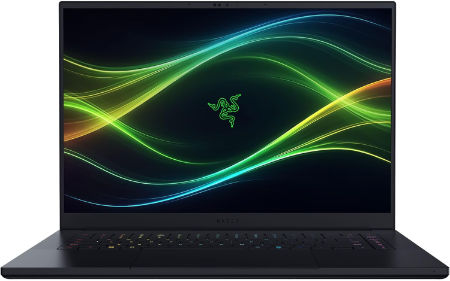
Razer Blade 16 2026 Core Ultra 9 386H RTX 5090 64GB 2TB OLED 240Hz |
|
|---|---|
 Check This On Amazon |
|
| CPU | Intel Core Ultra 9 386H, 16 cores, 16 threads, up to 4.9 GHz, with integrated NPU up to 50 TOPS |
| GPU | NVIDIA GeForce RTX 5090 Laptop GPU, 24GB GDDR7, up to 165W TGP including Dynamic Boost |
| Display Size | 16 inches, 16:10 |
| Display Resolution | QHD+ 2560 × 1600 OLED, 240Hz, 0.2ms, 100% DCI P3, up to 1100 nits HDR, VESA DisplayHDR True Black 1000 |
| RAM | 64GB LPDDR5X 9600MHz onboard memory, not upgradeable |
| Storage Space | 2TB PCIe 4.0 NVMe M.2 SSD; two M.2 slots, supports up to 8TB total with compatible drives |
| Operating System | Windows 11 Home |
| Ports | 1 × Thunderbolt 5 USB C with DisplayPort and power delivery; 1 × Thunderbolt 4 USB C with DisplayPort and power delivery; 3 × USB A 3.2 Gen 2; HDMI 2.1; UHS II SD card reader; 3.5 mm headset combo jack; Kensington lock slot |
| Dimensions (L x W x H) | 13.98 × 9.86 × 0.59 to 0.69 inches (depth × width × height) |
| Weight | 4.71 lb (2.14 kg) |
| Pros | 64GB high speed memory plus RTX 5090 suits demanding creative software, 3D work, local AI and gaming; premium 240Hz OLED display. |
| Cons | Very high purchase cost; RAM cannot be expanded or replaced |
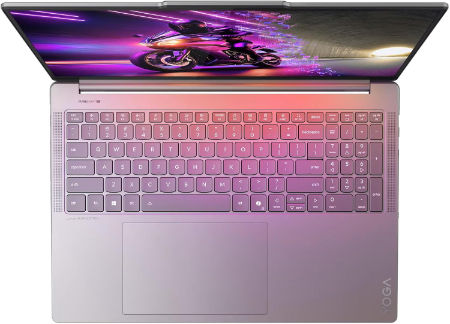
Lenovo Yoga Pro 9i Aura Edition 16 Ultra 9 386H RTX 5070 64GB 1TB 3.2K OLED |
|
|---|---|
 Check This On Amazon |
|
| CPU | Intel Core Ultra 9 386H, 16 cores, up to 4.9 GHz, NPU up to 50 TOPS |
| GPU | NVIDIA GeForce RTX 5070 Laptop GPU, 12GB GDDR7 |
| Display Size | 16 inch, 16:10 |
| Display Resolution | 16 inch 3.2K OLED 3200 × 2000, 120Hz, up to 1600 nits HDR peak / 1000 nits typical, 100% P3 and sRGB, DisplayHDR 1000, touchscreen |
| RAM | 64GB LPDDR5X 7467MHz soldered |
| Storage Space | 1TB PCIe 4.0 NVMe SSD; two M.2 slots available |
| Operating System | Windows 11 Pro |
| Ports | 2 × USB A 10Gbps; 2 × Thunderbolt 4 USB C; HDMI 2.1; SD card reader; 3.5 mm headset combo jack; Lenovo Slim Tip power |
| Dimensions (L x W x H) | 14.20 × 9.80 × 0.68 inches |
| Weight | 4.19 lb (starting weight) |
| Pros | 64GB memory and RTX 5070 support demanding creator apps; color calibrated 3.2K OLED; high brightness and fast refresh. |
| Cons | Memory cannot be upgraded |
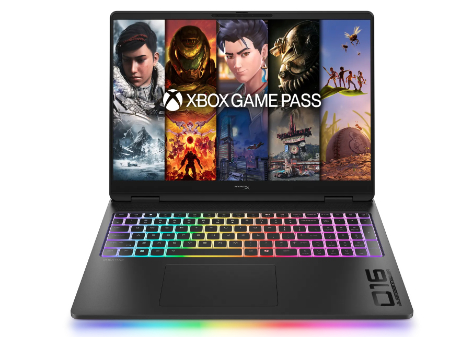
HP HyperX OMEN MAX 16 Intel Core Ultra 9 290HX Plus RTX 64GB 2TB 2026 |
|
|---|---|
 Check This On Amazon |
|
| CPU | Intel Core Ultra 9 290HX Plus, 24 cores, up to 5.5 GHz, NPU 13 TOPS |
| GPU | NVIDIA GeForce RTX 5090 Laptop GPU, 24GB GDDR7 |
| Display Size | 16 inch, 16:10 |
| Display Resolution | 16 inch 2.5K OLED 2560 × 1600, up to 240Hz, 0.2ms, 500 nits SDR, up to 1100 nits HDR, 100% DCI P3, VESA True Black HDR 1000 |
| RAM | 64GB DDR5 6400 MT/s, 2 × 32GB |
| Storage Space | 2TB PCIe Gen 5 NVMe SSD |
| Operating System | Windows 11 Home or Windows 11 Pro |
| Ports | 2 × USB Type A; 2 × USB Type C with high speed data and DisplayPort; HDMI 2.1; RJ45 Ethernet; headset combo; power connector |
| Dimensions (L x W x H) | Approx. 14.1 × 10.5 × 1.0 inches |
| Weight | Approx. 6.0 lb |
| Pros | High power gaming platform with fully internal cooling design; high refresh display; replaceable DDR5 memory and PCIe SSD options. |
| Cons | Heavy chassis and large power supply; battery runtime is limited under gaming |
Best Budget Laptops for CAD
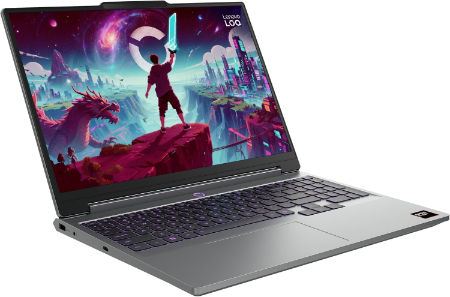
Lenovo LOQ 15AHP11 Ryzen 7 253 RTX 5060 32GB 1TB WQXGA 180Hz |
|
|---|---|
 Check This On Amazon |
|
| CPU | AMD Ryzen 7 253, 8 cores, up to 4.9 GHz, NPU up to 16 TOPS |
| GPU | NVIDIA GeForce RTX 5060 Laptop GPU, 8GB GDDR7, up to 115W |
| Display Size | 15.3 inch, 16:10 |
| Display Resolution | WQXGA 2560 × 1600 IPS, 180Hz, 400 nits, 100% sRGB, anti glare |
| RAM | 32GB DDR5 5600MHz, 2 × 16GB SO DIMMs |
| Storage Space | 1TB PCIe 4.0 NVMe SSD; two M.2 slots |
| Operating System | Windows 11 Home or Windows 11 Pro |
| Ports | 3 × USB A; USB C USB4 with DisplayPort; HDMI 2.1; Gigabit Ethernet; 3.5 mm audio combo jack; Slim Tip power |
| Dimensions (L x W x H) | 13.58 × 10.03 × 0.82 to 0.92 inches |
| Weight | 4.6 lb (starting weight) |
| Pros | Higher resolution 180Hz display; RTX 5060 graphics; 32GB memory supports larger games and creative apps; SSD expansion. |
| Cons | heavy |
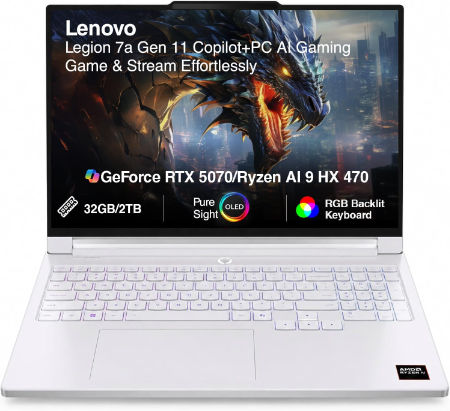
Lenovo Legion 7a 16 Ryzen AI 7 450 RTX 5060 32GB 1TB 240Hz OLED |
|
|---|---|
 Check This On Amazon |
|
| CPU | AMD Ryzen AI 7 450, 8 cores, up to 5.1 GHz, NPU up to 50 TOPS |
| GPU | NVIDIA GeForce RTX 5060 Laptop GPU, 8GB GDDR7 |
| Display Size | 16 inch, 16:10 |
| Display Resolution | 16 inch WQXGA OLED 2560 × 1600, 240Hz, 100% DCI P3, 500 nits typical, up to 1100 nits HDR peak, DisplayHDR True Black 1000, G SYNC |
| RAM | 32GB LPDDR5X soldered |
| Storage Space | 1TB PCIe 4.0 NVMe SSD; two M.2 slots available |
| Operating System | Windows 11 Home or Windows 11 Pro |
| Ports | 2 × USB A; 2 × USB C USB4 with DisplayPort 2.1; HDMI 2.1; card reader; 3.5 mm audio combo; Slim Tip power |
| Dimensions (L x W x H) | 14.23 × 10.01 × 0.61 to 0.67 inches |
| Weight | 3.97 lb (under 1.8 kg) |
| Pros | Lightweight 16 inch gaming design; fast 240Hz OLED; RTX graphics and Ryzen AI platform; strong portable performance. |
| Cons | Soldered memory; battery life drops sharply under gaming |
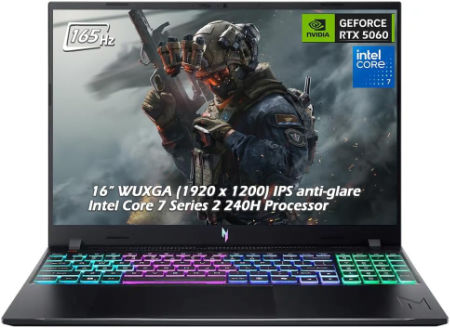
Acer Nitro V 16 AI 16 inches 1920 x 1200 Pixels, 32GB DDR5, 1TB PCIe Gen 4 SSD, AMD Ryzen AI 9 465, NVIDIA GeForce RTX 5060 Laptop GPU 8GB GDDR7 |
|
|---|---|
 Check This On Amazon |
|
| CPU | AMD Ryzen AI 9 465 |
| GPU | NVIDIA GeForce RTX 5060 Laptop GPU 8GB GDDR7 |
| Display Size | 16 inches |
| Display Resolution | 1920 x 1200 Pixels; WUXGA IPS, 165Hz |
| RAM | 32GB DDR5 |
| Storage Space | 1TB PCIe Gen 4 SSD |
| Operating System | Windows 11 |
| Ports | USB-C, USB-A, HDMI 2.1, RJ45, audio combo jack |
| Dimensions (L x W x H) | 14.2 x 10.5 x 1.1 inches |
| Weight | 5.7 pounds |
| Pros | RTX graphics; 32GB RAM; high refresh screen; upgradeable storage |
| Cons | Heavy; FHD class resolution; battery life limited while gaming |
Best Laptops for AutoCAD 2D Drafting and Technical Drawings
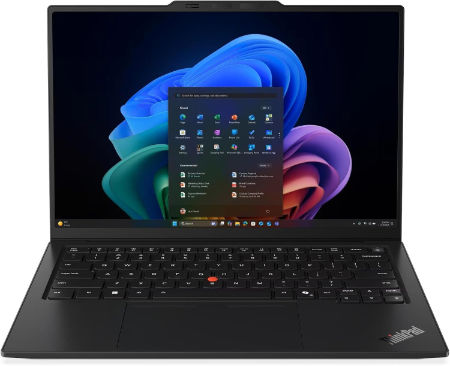
Lenovo ThinkPad X1 Carbon Gen 14 Ultra 7 366H 32GB 512GB 14 inch WUXGA |
|
|---|---|
 Check This On Amazon |
|
| CPU | Intel Core Ultra 7 366H, 16 cores, up to 4.8 GHz, NPU up to 50 TOPS |
| GPU | Integrated Intel Graphics |
| Display Size | 14 inch, 16:10 |
| Display Resolution | WUXGA 1920 × 1200 IPS, 500 nits, anti glare, 100% sRGB, 60Hz, low power |
| RAM | 32GB LPDDR5X 8533MHz soldered, not upgradeable |
| Storage Space | 512GB PCIe 5.0 NVMe SSD |
| Operating System | Windows 11 Pro or Windows 11 Home |
| Ports | 3 × Thunderbolt 4 with USB Power Delivery and DisplayPort 2.1; 1 × USB A 5Gbps; HDMI 2.1; 3.5 mm headset combo jack |
| Dimensions (L x W x H) | 12.30 × 8.49 × up to 0.66 inches (L × W × H); touchscreen versions up to 0.69 inches |
| Weight | 2.20 lb (starting weight) |
| Pros | Stronger multi core performance than lower tier options; bright low power display; light and repair conscious chassis. |
| Cons | Soldered memory cannot be expanded |
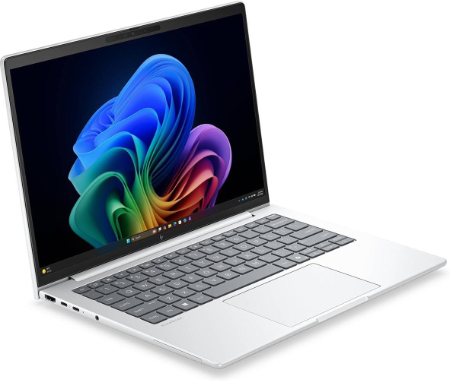
HP EliteBook 8 G2i 14 Intel Core Ultra 7 356H 32GB 1TB 2026 |
|
|---|---|
 Check This On Amazon |
|
| CPU | Intel Core Ultra 7 356H, 16 cores, up to 4.7 GHz, NPU 50 TOPS |
| GPU | Intel Graphics |
| Display Size | 14 inch, 16:10 |
| Display Resolution | 14 inch WUXGA IPS; options include 300 nit standard, 400 nit low power, 800 nit Sure View privacy, OLED 300 nit, and 2.5K 120Hz 400 nit wide gamut |
| RAM | 32GB DDR5 5600 MT/s, 2 × 16GB SO DIMMs |
| Storage Space | 1TB PCIe Gen 5 NVMe SSD |
| Operating System | Windows 11 Pro or Windows 11 Enterprise; FreeDOS in selected regions |
| Ports | 2 × Thunderbolt 4 USB C; 2 × USB A; HDMI 2.1; RJ45 Ethernet on selected configurations; headset jack |
| Dimensions (L x W x H) | Approx. 12.4 × 8.7 × 0.7 inches |
| Weight | Approx. 3.0 lb starting weight |
| Pros | Business oriented security and serviceability |
| Cons | onboard configurations are not upgradeable; integrated graphics only. |
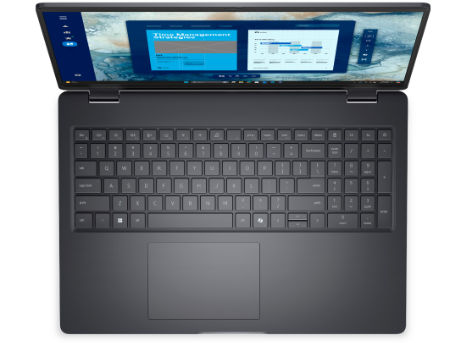
Dell Pro 5 Series 16 Core Ultra 7 365 32GB 1TB WUXGA 2026 |
|
|---|---|
 Check This On Amazon |
|
| CPU | Intel Core Ultra 7 365, 8 cores, up to 4.8 GHz, NPU up to 49 TOPS |
| GPU | Integrated Intel Graphics |
| Display Size | 16 inch, 16:10 |
| Display Resolution | WUXGA 1920 × 1200 non touch IPS, 400 nits, 62.5% sRGB, anti glare |
| RAM | 32GB DDR5 5600 MT/s; exact module layout depends on SKU |
| Storage Space | 1TB PCIe NVMe SSD |
| Operating System | Windows 11 Pro |
| Ports | 2 × Thunderbolt 4 USB C with DisplayPort 2.1 and Power Delivery; 2 × USB A 5Gbps including PowerShare; HDMI 2.1; RJ45 Ethernet; headset jack |
| Dimensions (L x W x H) | 14.12 × 9.98 inches; height about 0.43 inches at front and up to 0.74 inches at rear |
| Weight | From 4.02 lb |
| Pros | 32GB memory and 1TB storage suit large business projects; 16 inch display supports side by side applications; replaceable memory and SSD. |
| Cons | Standard sRGB coverage limits color sensitive creative use; integrated graphics; heavier to carry daily than smaller business laptops. |
Best Laptops for 3D CAD Modelling, BIM and Engineering Design
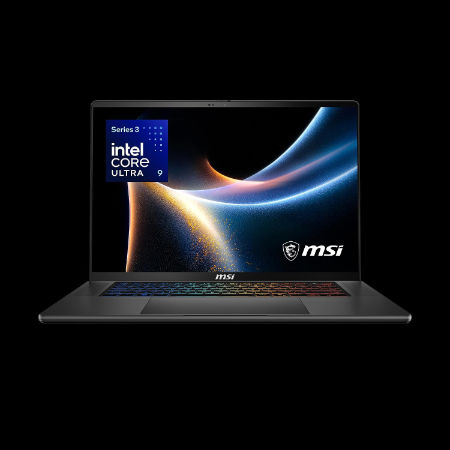
MSI Stealth 16 AI+ 16 inches 240Hz OLED 2560 x 1600 Pixels, 2TB Storage, 32GB RAM, Intel Core Ultra 9 386H, NVIDIA GeForce RTX 5080 Laptop GPU 16GB GDDR7 |
|
|---|---|
 Check This On Amazon |
|
| CPU | Intel Core Ultra 9 386H |
| GPU | NVIDIA GeForce RTX 5080 Laptop GPU 16GB GDDR7 |
| Display Size | 16 inches |
| Display Resolution | 2560 x 1600 Pixels |
| RAM | 32GB LPDDR5x onboard |
| Storage Space | 2TB NVMe SSD |
| Operating System | Windows 11 |
| Ports | 2 x Thunderbolt 4, 2 x USB Type A, HDMI 2.1, RJ45 Ethernet, audio combo jack |
| Dimensions (L x W x H) | 14.0 x 9.8 x 0.7 inches |
| Weight | 4.4 pounds |
| Pros | Slim aluminum chassis; high end discrete GPU; high refresh OLED; broad connectivity |
| Cons | Premium price; soldered memory; thinner chassis may limit sustained power |
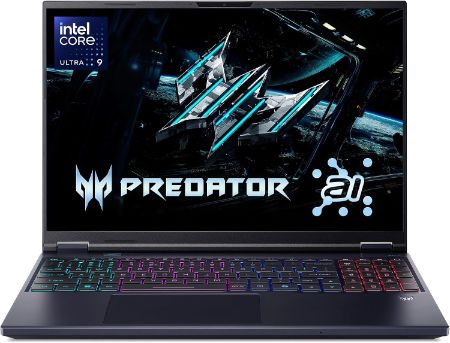
Acer Predator Helios Neo 16S AI 16 inches 2560 x 1600 Pixels, 32GB DDR5, 1TB PCIe Gen 4 SSD, Intel Core Ultra 9 386H, NVIDIA GeForce RTX 5070 Ti Laptop GPU 12GB GDDR7 |
|
|---|---|
 Check This On Amazon |
|
| CPU | Intel Core Ultra 9 386H |
| GPU | NVIDIA GeForce RTX 5070 Ti Laptop GPU 12GB GDDR7 |
| Display Size | 16 inches |
| Display Resolution | 2560 x 1600 Pixels; WQXGA OLED, 240Hz |
| RAM | 32GB DDR5 |
| Storage Space | 1TB PCIe Gen 4 SSD |
| Operating System | Windows 11 |
| Ports | Thunderbolt 4 USB-C, USB-A, HDMI 2.1, RJ45, audio combo jack |
| Dimensions (L x W x H) | 14.2 x 10.5 x 0.9 inches |
| Weight | 5.5 pounds |
| Pros | High refresh OLED; dedicated RTX graphics; suitable for gaming and creator tasks |
| Cons | Heavy; expensive; fan noise and heat under load |
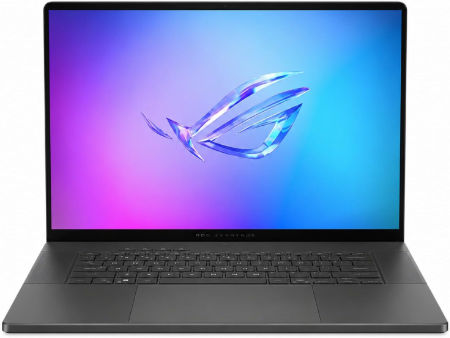
ASUS ROG Zephyrus G16 2026 Intel Core Ultra 9 386H NVIDIA GeForce RTX 5080 Laptop GPU, 16GB GDDR7 |
|
|---|---|
 Check This On Amazon |
|
| CPU | Intel Core Ultra 9 386H |
| GPU | NVIDIA GeForce RTX 5080 Laptop GPU, 16GB GDDR7 |
| Display Size | 16 inch OLED |
| Display Resolution | 2560 × 1600, 240Hz |
| RAM | 32GB LPDDR5X onboard |
| Storage Space | 1TB NVMe SSD |
| Operating System | Windows 11 Home |
| Ports | Thunderbolt 4 USB C; USB A; HDMI 2.1; SD card reader; 3.5mm audio |
| Pros | High refresh OLED; discrete RTX graphics; thin premium gaming chassis. |
| Cons | Memory is onboard; high GPU tiers increase heat and power consumption. |
Best Laptops for CAD Rendering and Complex Engineering Assemblies
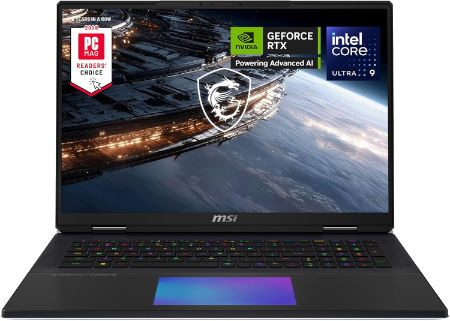
MSI Titan 18 HX 18 inches 240Hz Mini LED 3840 x 2400 Pixels, 4TB Storage, 64GB RAM, Intel Core Ultra 9 290HX Plus, NVIDIA GeForce RTX 5090 Laptop GPU 24GB GDDR7 |
|
|---|---|
 Check This On Amazon |
|
| CPU | Intel Core Ultra 9 290HX Plus |
| GPU | NVIDIA GeForce RTX 5090 Laptop GPU 24GB GDDR7 |
| Display Size | 18 inches |
| Display Resolution | 3840 x 2400 Pixels |
| RAM | 64GB DDR5 RAM |
| Storage Space | 4TB NVMe SSD |
| Operating System | Windows 11 |
| Ports | Thunderbolt 4, USB Type A, HDMI 2.1, RJ45 Ethernet, SD card reader, audio combo jack |
| Dimensions (L x W x H) | 16.1 x 12.0 x 1.3 inches |
| Weight | 7.9 pounds |
| Pros | Flagship GPU; 4K high refresh Mini LED; large screen; excellent for demanding gaming and rendering |
| Cons | Very heavy; expensive; large power adapter; limited portability |
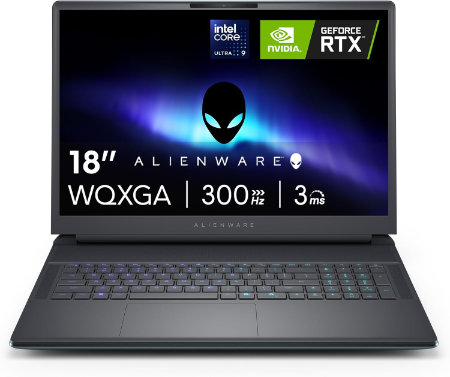
Dell Alienware 18 Area 51 Core Ultra 9 290HX Plus RTX5090 64GB 2TB WQXGA 300Hz |
|
|---|---|
 Check This On Amazon |
|
| CPU | Intel Core Ultra 9 290HX Plus, 24 cores, up to 5.5 GHz |
| GPU | NVIDIA GeForce RTX 5090 Laptop GPU, 24GB GDDR7 |
| Display Size | 18 inch, 16:10 |
| Display Resolution | 18 inch WQXGA 2560 × 1600, 300Hz, 500 nits, 100% DCI P3, Advanced Optimus, ComfortView Plus and G SYNC |
| RAM | 64GB DDR5 6400 MT/s, 2 × 32GB CSoDIMM |
| Storage Space | 2TB M.2 2280 PCIe Gen 5 SSD |
| Operating System | Windows 11 Home or Windows 11 Pro |
| Ports | USB A 3.2 Gen 1; USB C Thunderbolt ports depending on GPU tier; HDMI 2.1; SD card reader; global headset jack; RJ45 Ethernet |
| Dimensions (L x W x H) | 16.14 × 12.59 × 0.95 inches at front (width × depth × front height) |
| Weight | 9.56 lb maximum system weight |
| Pros | Very large 300Hz screen; flagship RTX 50 Series GPU options; 96Wh battery; replaceable DDR5 memory and multiple SSD options. |
| Cons | 9.56 lb maximum laptop weight plus a 2.20 lb power adapter; large desk focused chassis; battery life is short during gaming. Consider a RAM upgrade for demanding video work or large local development environments. |
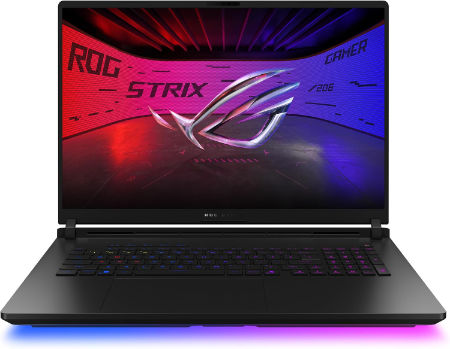
ASUS ROG Strix SCAR 18 2026 Intel Core Ultra 9 386H NVIDIA GeForce RTX 5080 Laptop GPU, 16GB GDDR7 |
|
|---|---|
 Check This On Amazon |
|
| CPU | Intel Core Ultra 9 386H |
| GPU | NVIDIA GeForce RTX 5080 Laptop GPU, 16GB GDDR7 |
| Display Size | 18 inch Mini LED |
| Display Resolution | 2560 × 1600, 240Hz |
| RAM | 32GB DDR5 SO DIMM |
| Storage Space | 1TB NVMe SSD |
| Operating System | Windows 11 Home |
| Ports | Thunderbolt 5 USB C; USB A; HDMI 2.1; 2.5Gb Ethernet; 3.5mm audio |
| Weight | 7.05 lb |
| Pros | High refresh Mini LED; high end RTX graphics; upgradeable memory and storage. |
| Cons | Large chassis |
Best Portable Laptops for CAD and Engineering Design
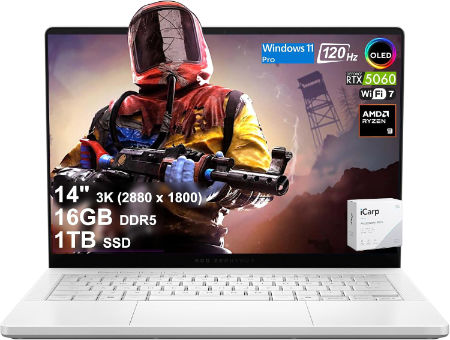
ASUS ROG Zephyrus G14 2026 AMD Ryzen AI 9 HX 475 NVIDIA GeForce RTX 5070 Ti Laptop GPU, 12GB GDDR7 |
|
|---|---|
 Check This On Amazon |
|
| CPU | AMD Ryzen AI 9 HX 475 |
| GPU | NVIDIA GeForce RTX 5070 Ti Laptop GPU, 12GB GDDR7 |
| Display Size | 14 inch OLED |
| Display Resolution | 2880 × 1800, 120Hz |
| RAM | 32GB LPDDR5X onboard |
| Storage Space | 1TB NVMe SSD |
| Operating System | Windows 11 Home |
| Ports | USB4 Type C; USB C; USB A; HDMI 2.1; microSD; 3.5mm audio |
| Pros | Compact OLED gaming laptop; discrete RTX graphics; portable form factor. |
| Cons | Memory is onboard |
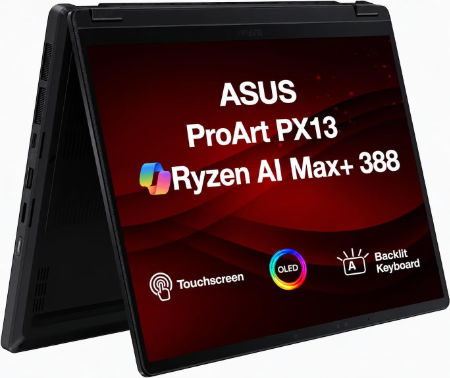
ASUS ProArt PX13 2026 AMD Ryzen AI 9 HX 370 NVIDIA GeForce RTX 5070 Laptop GPU, 8GB GDDR7 |
|
|---|---|
 Check This On Amazon |
|
| CPU | AMD Ryzen AI 9 HX 370 |
| GPU | NVIDIA GeForce RTX 5070 Laptop GPU, 8GB GDDR7 |
| Display Size | 13.3 inch convertible OLED touchscreen |
| Display Resolution | 2880 × 1800, 120Hz |
| RAM | 32GB LPDDR5X onboard |
| Storage Space | 1TB NVMe SSD |
| Operating System | Windows 11 Home or Pro |
| Ports | USB4 Type C; USB C; USB A; HDMI 2.1; microSD card reader; 3.5mm audio |
| Pros | Portable convertible design; OLED touchscreen; discrete graphics for mobile creative work. |
| Cons | |
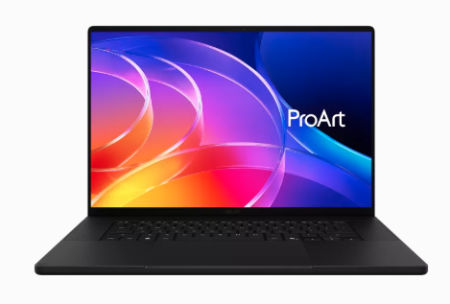
ASUS ProArt P16 2026 AMD Ryzen AI 9 HX 475 NVIDIA GeForce RTX 5080 Laptop GPU, 16GB GDDR7 |
|
|---|---|
 Check This On Amazon |
|
| CPU | AMD Ryzen AI 9 HX 475 |
| GPU | NVIDIA GeForce RTX 5080 Laptop GPU, 16GB GDDR7 |
| Display Size | 16 inch OLED touchscreen |
| Display Resolution | 3840 × 2400, 120Hz |
| RAM | 64GB LPDDR5X onboard |
| Storage Space | 2TB NVMe SSD |
| Operating System | Windows 11 Home or Pro |
| Ports | USB4 Type C; USB C; USB A; HDMI 2.1; SD Express card reader; 3.5mm audio |
| Pros | 4K OLED with wide color gamut; dedicated RTX graphics; SD card reader for creative media. |
| Cons | |
CAD Laptop Buying Priorities
1. Processor: Choose a modern Intel Core Ultra 7 or 9, or AMD Ryzen 7 or 9 processor. CAD applications benefit from strong single core performance during drawing operations, geometry calculations and model manipulation. Multicore performance is useful for rendering, simulations and demanding engineering tasks. For professional CAD work, prioritize high clock speeds and at least eight CPU cores.
2. RAM: I recommend 32 GB as a starting point for professional CAD. Choose 64 GB for large Revit models, complex SolidWorks assemblies, extensive Inventor projects and simultaneous use of several design applications. Consider 128 GB for demanding engineering and BIM environments.
3. Graphics card: A dedicated NVIDIA RTX GPU is a strong choice for professional 3D CAD, BIM and visualization. Target at least 8 GB VRAM for general 3D modelling and 12 GB to 16 GB for large assemblies, complex models and rendering. For SolidWorks, verify graphics card and driver certification for the specific version and application.
4. AutoCAD 2D drafting: Standard 2D drafting and technical documentation do not require an expensive gaming GPU. A modern processor, 16 GB to 32 GB RAM, SSD storage and a clear display are suitable for routine drawing production. Dedicated graphics become useful when working with 3D models and advanced visual styles.
5. 3D CAD modelling: Applications such as SolidWorks, Inventor and Fusion benefit from capable graphics hardware, sufficient memory and strong processor performance. For complex assemblies, detailed components and large models, prioritize 32 GB to 64 GB RAM and a dedicated RTX GPU.
6. BIM and architectural CAD: Revit, Civil 3D and other BIM applications can involve extensive models, linked files, terrain data and complex geometry. Choose 64 GB RAM and an RTX GPU with 8 GB to 16 GB VRAM for demanding professional projects.
7. CAD rendering and visualization: Realistic rendering, material previews, lighting and 3D visualization benefit from powerful dedicated graphics. Consider NVIDIA RTX 5070 Ti, RTX 5080 or RTX 5090 laptops for demanding rendering applications. For complex scenes, prioritize graphics memory.
8. Storage: Choose a 1 TB NVMe SSD as a starting point. A 2 TB SSD is preferable for extensive CAD files, BIM models, engineering assemblies, textures, rendering assets and project archives. Fast storage also improves application loading and large file access.
9. Display: A 16 inch QHD display is a practical choice for professional CAD. Higher resolutions provide additional workspace for technical drawings, model inspection and detailed design. For large engineering assemblies and 4K modelling environments, consider an external monitor.