
The best tablets for quantity surveyors and cost estimators make it easier to review construction drawings, measure quantities, prepare bills of quantities (BOQs), analyse rates, update cost plans, and document site progress. Windows tablets are particularly useful for desktop estimating software, while iPads and Android tablets are practical for drawing reviews, PDF markups, spreadsheets, and cloud-based collaboration.
How to Choose a Tablet for Quantity Surveying and Cost Estimation
Use these criteria to select a tablet that fits your estimating software, project size, and working environment.
| Selection criterion | What to look for | Why it matters |
|---|---|---|
| Operating system | Windows for desktop QS software; iPadOS or Android for compatible mobile and cloud apps | Determines which estimating, measurement, and documentation tools you can run |
| RAM | 16GB minimum for serious desktop work; 32GB preferred for demanding projects | Helps handle large drawing sets, spreadsheets, and multiple applications |
| Processor | A capable Intel or AMD processor for traditional Windows estimating software | Supports drawing processing, calculations, and demanding desktop applications |
| Display | 12 inches or larger, with good resolution and brightness | Makes detailed plans, dimensions, schedules, and BOQs easier to read |
| Stylus support | Pressure-sensitive pen or accurate active stylus | Helps annotate drawings, mark measurements, and record site observations |
| Storage | 512GB SSD preferred for extensive project files | Provides space for drawings, specifications, cost databases, and reports |
| Keyboard and connectivity | Detachable keyboard, USB-C, and reliable Wi-Fi or cellular access | Supports spreadsheet work, report preparation, external accessories, and site communication |
| Durability | Protective case, screen protector, and dependable battery life | Helps protect the device during site visits and construction inspections |
If you depend on desktop estimating applications such as RIB CostX or Bluebeam Revu, verify compatibility before buying. RIB CostX Cloud supports browser-based access on several operating systems, while Bluebeam offers web and mobile options alongside its Windows desktop software.
1. Best Overall Tablets for Quantity Surveyors and Cost Estimators
These tablets offer a strong combination of computing performance, display quality, and portability for estimating, cost planning, spreadsheets, and drawing reviews.
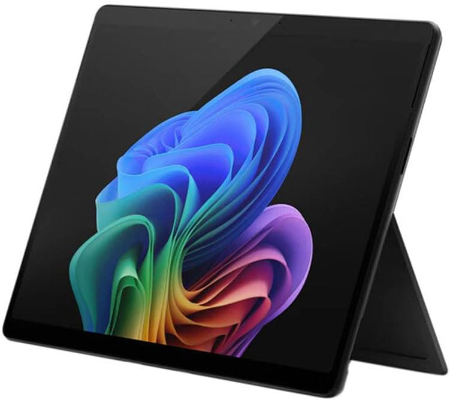
Microsoft Surface Pro for Business 12th Edition Intel 2026 32GB 512GB |
|
|---|---|
 Check This On Amazon |
|
| Operating System | Windows 11 Pro |
| Screen Size | 13 inches |
| Display Resolution | PixelSense touchscreen |
| Processor | Intel Core Ultra series, exact processor depends on SKU |
| GPU | Integrated Intel graphics |
| RAM | 32GB LPDDR5x |
| Storage Space | 512GB SSD |
| SD Card Expansion Slot | No |
| Main Camera | 10MP rear camera, exact module varies by SKU |
| Front Selfie Camera | Front camera with Windows Hello facial recognition |
| Battery Capacity | |
| Connectivity | WiFi and Bluetooth; USB C / USB4 or Thunderbolt depending on SKU; Surface Connect; cellular is SKU dependent |
| Pros | 32GB RAM supports heavy multitasking; full Windows compatibility; business security features; detachable keyboard and pen support. |
| Cons | |
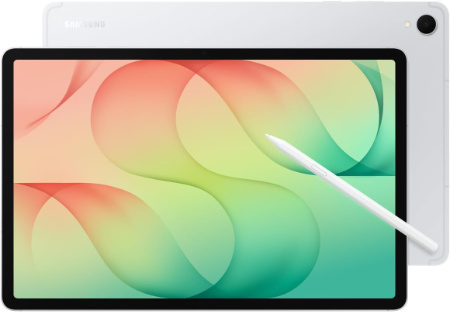
Samsung Galaxy Tab S12+ WiFi, 12.6 inch, 512 GB |
|
|---|---|
 Check This On Amazon |
|
| Operating System | Android 17 (One UI 9) |
| Screen Size | 12.6 inches; Dynamic AMOLED 2X, 120 Hz |
| Display Resolution | 2800 x 1752 pixels (WQXGA+); peak brightness up to 1,600 nits |
| Processor | MediaTek Dimensity 9500, 3 nm, octa core |
| GPU | Arm Mali G1 Ultra MC12, 12 core GPU |
| RAM | 12 GB |
| Storage Space | 512 GB |
| SD Card Expansion Slot | Yes, microSD support up to 2 TB |
| Main Camera | 13 Megapixels with autofocus and flash; 4K video recording up to 60 fps |
| Front Selfie Camera | 12 Megapixels ultra wide |
| Battery Capacity | 10,600 mAh; up to 21 hours video playback; supports 45 W wired charging |
| Connectivity | WiFi 6E, Bluetooth 6.0, USB Type C 3.2 Gen 1; WiFi model has no cellular data |
| Pros | Flagship Dimensity 9500 performance; 12.6 inch 120 Hz Dynamic AMOLED 2X display with high peak brightness; S Pen included; microSD expansion up to 2 TB; four speaker spatial audio; IP68 water and dust resistance; slim 553 g design; long software support |
| Cons | 45 W charger sold separately |
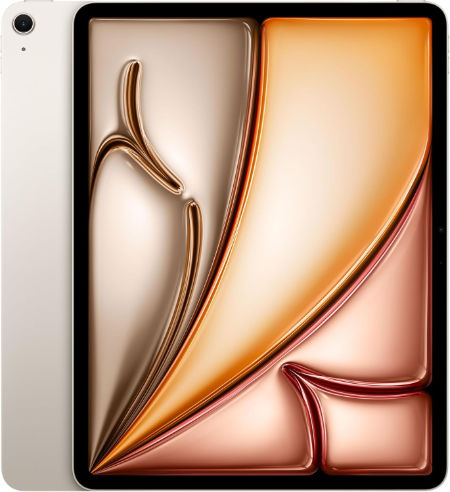
Apple iPad Air 13 inch (M4), 256 GB |
|
|---|---|
 Check This On Amazon |
|
| Operating System | iPadOS 26 or later, depending on installed updates |
| Screen Size | 13 inches |
| Display Resolution | 2732 x 2048 pixels, Liquid Retina IPS LCD, 264 ppi, 600 nits |
| Processor | Apple M4, 8 core CPU |
| GPU | 9 core Apple GPU with hardware accelerated ray tracing |
| RAM | 12 GB |
| Storage Space | 256 GB |
| SD Card Expansion Slot | No microSD card slot; storage is fixed |
| Main Camera | 12 MP wide rear camera, up to 5x digital zoom; 4K video |
| Front Selfie Camera | 12 MP landscape front camera with Center Stage |
| Battery Capacity | 36.59 Wh rechargeable lithium polymer; up to 10 hours web or video use |
| Connectivity | Wi Fi 7, Bluetooth 6, USB C; Wi Fi and Wi Fi + Cellular versions available |
| Pros | Large 13 inch Liquid Retina display for drawing and multitasking; strong M4 performance with 12 GB unified memory; P3 colour and True Tone; Apple Pencil Pro support; landscape Center Stage camera; Wi Fi 7; less expensive than the 13 inch iPad Pro |
| Cons | |
2. Best Windows Tablets for Desktop Estimating Software
These Windows tablets are strong candidates for quantity surveyors who use desktop applications for cost estimation, measurement, tender documentation, detailed spreadsheets, and reporting.
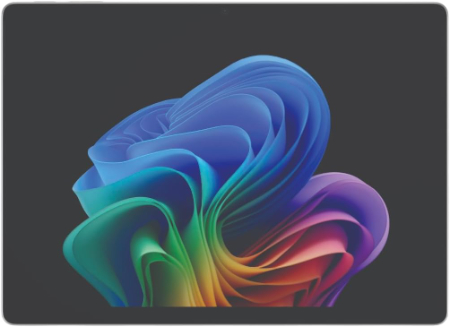
Microsoft Surface Pro for Business 11th Edition Intel 2025 32GB 512GB |
|
|---|---|
 Check This On Amazon |
|
| Operating System | Windows 11 Pro |
| Screen Size | 13 inches |
| Display Resolution | 2880 × 1920, PixelSense Flow touchscreen, up to 120Hz; panel depends on SKU |
| Processor | Intel Core Ultra 5 or Core Ultra 7, SKU dependent |
| GPU | Integrated Intel graphics, processor dependent |
| RAM | 32GB LPDDR5x |
| Storage Space | 512GB SSD |
| SD Card Expansion Slot | No |
| Main Camera | 10MP Ultra HD rear camera |
| Front Selfie Camera | 1440p Quad HD front camera with Windows Studio Effects |
| Battery Capacity | |
| Connectivity | WiFi and Bluetooth; USB C / Thunderbolt 4 and Surface Connect; cellular depends on SKU |
| Pros | 32GB RAM supports demanding multitasking; full Windows compatibility; premium touchscreen; business security and service options. |
| Cons | Expensive; keyboard and pen often extra |
Microsoft Surface Pro for Business 12th Edition Intel 2026 16GB 256GB |
|
|---|---|
Check This On Amazon |
|
| Operating System | Windows 11 Pro |
| Screen Size | 13 inches |
| Display Resolution | PixelSense touchscreen |
| Processor | Intel Core Ultra series |
| GPU | Integrated Intel graphics |
| RAM | 16GB LPDDR5x |
| Storage Space | 256GB SSD |
| SD Card Expansion Slot | No |
| Main Camera | 10MP rear camera, exact module varies by SKU |
| Front Selfie Camera | Front camera with Windows Hello facial recognition |
| Battery Capacity | |
| Connectivity | WiFi and Bluetooth; USB C / USB4 or Thunderbolt depending on SKU; Surface Connect; |
| Pros | Full Windows x86 compatibility; business security and management; detachable keyboard; premium touchscreen; designed for commercial deployment. |
| Cons | |
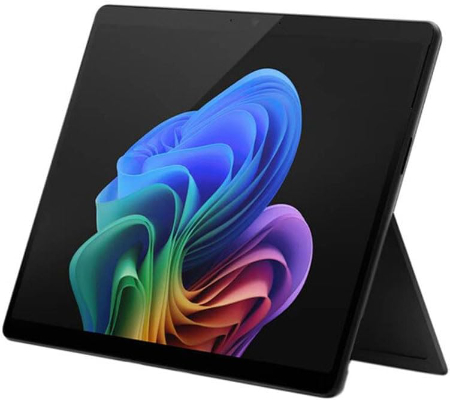
Microsoft Surface Pro for Business 11th Edition Intel 2025 16GB 256GB |
|
|---|---|
 Check This On Amazon |
|
| Operating System | Windows 11 Pro |
| Screen Size | 13 inches |
| Display Resolution | 2880 × 1920, PixelSense Flow touchscreen, up to 120Hz; panel depends on SKU |
| Processor | Intel Core Ultra 5 or Core Ultra 7 |
| GPU | Integrated Intel graphics, processor dependent |
| RAM | 16GB LPDDR5x |
| Storage Space | 256GB SSD |
| SD Card Expansion Slot | No |
| Main Camera | 10MP Ultra HD rear camera |
| Front Selfie Camera | 1440p Quad HD front camera with Windows Studio Effects |
| Battery Capacity | |
| Connectivity | WiFi and Bluetooth; USB C / Thunderbolt 4 and Surface Connect; cellular depends on SKU |
| Pros | Full Windows x86 application compatibility; premium 13 inch touchscreen; detachable keyboard and pen support; business security and management features. |
| Cons | Higher cost; keyboard and pen may be extra |
The Intel-based Surface Pro for Business configurations are particularly worth considering when your software requires conventional Windows compatibility. Check the requirements of your specific estimating and takeoff applications before choosing a processor or operating system.
3. Best Tablets for BOQs, Spreadsheets, and Cost Plans
These options are suitable for reviewing bills of quantities, analysing rates, updating cost plans, comparing tender returns, and working with spreadsheets and financial reports.
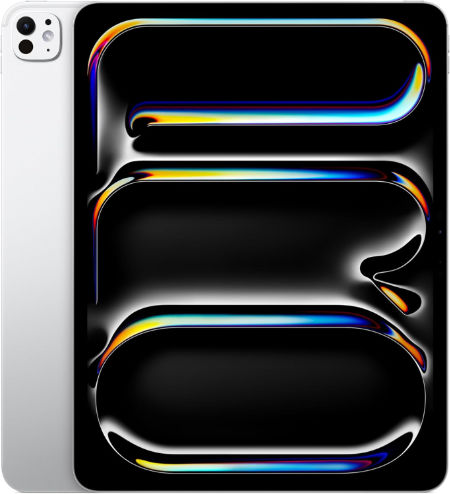
Apple iPad Pro 13 inch (M5), 512 GB |
|
|---|---|
 Check This On Amazon |
|
| Operating System | iPadOS 26 or later, depending on installed updates |
| Screen Size | 13 inches |
| Display Resolution | 2752 x 2064 pixels, Ultra Retina XDR tandem OLED, ProMotion 10 to 120 Hz |
| Processor | Apple M5, 9 core CPU on 256/512 GB; 10 core CPU on 1/2 TB |
| GPU | 10 core Apple GPU with Neural Accelerators and hardware accelerated ray tracing |
| RAM | 12 GB |
| Storage Space | 512 GB |
| SD Card Expansion Slot | No microSD card slot; storage is fixed |
| Main Camera | 12 MP wide rear camera, adaptive True Tone flash, LiDAR Scanner; 4K video |
| Front Selfie Camera | 12 MP ultra wide landscape front camera with Center Stage |
| Battery Capacity | 38.99 Wh rechargeable lithium polymer; up to 10 hours web or video use |
| Connectivity | Wi Fi 7, Bluetooth 6, Thunderbolt / USB 4; Wi Fi and Wi Fi + Cellular versions available |
| Pros | Large 13 inch tandem OLED Ultra Retina XDR display with 10 to 120 Hz ProMotion; latest M5 performance; ideal for creative work, drawing and multitasking; 12 GB or 16 GB RAM depending on storage; Apple Pencil Pro; Face ID; LiDAR; Wi Fi 7 and Thunderbolt / USB 4 |
| Cons | |
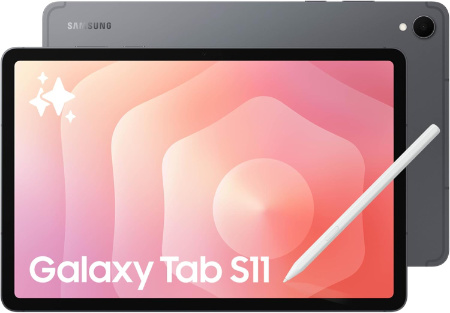
Samsung Galaxy Tab S11 WiFi, 11 inch, 512 GB |
|
|---|---|
 Check This On Amazon |
|
| Operating System | Android 16 (One UI 8) |
| Screen Size | 11.0 inches |
| Display Resolution | 2560 x 1600 pixels (WQXGA), Dynamic AMOLED 2X, up to 120 Hz |
| Processor | MediaTek Dimensity 9400+, octa core |
| GPU | Arm Immortalis G925 MC12 |
| RAM | 12 GB |
| Storage Space | 512 GB |
| SD Card Expansion Slot | Yes, microSD card support up to 2 TB |
| Main Camera | 13 Megapixels, autofocus, LED flash; up to 4K at 30 fps video |
| Front Selfie Camera | 12 Megapixels, ultra wide |
| Battery Capacity | 8,400 mAh; supports 45 W wired charging |
| Connectivity | WiFi 6E, Bluetooth 5.4, USB Type C 3.2 Gen 1; WiFi model has no cellular connection |
| Pros | Bright 120 Hz Dynamic AMOLED 2X display; flagship Dimensity 9400+ performance; 12 GB RAM across all storage options; S Pen included; microSD expansion up to 2 TB; IP68 water and dust resistance; slim 469 g design; 8,400 mAh battery with 45 W charging; long software support |
| Cons | |
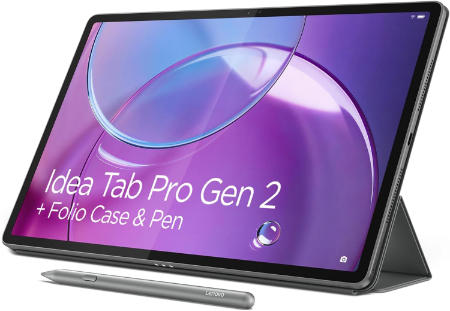
Lenovo Idea Tab Pro Gen 2 512GB WiFi |
|
|---|---|
 Check This On Amazon |
|
| Operating System | Android 16 or later |
| Screen Size | 13 inches |
| Display Resolution | 3504 × 2190 pixels |
| Processor | Qualcomm Snapdragon 8s Gen 4 |
| GPU | Qualcomm Adreno 825 |
| RAM | 12GB |
| Storage Space | 512GB |
| SD Card Expansion Slot | Yes, microSD supported up to 2TB |
| Main Camera | 13MP |
| Front Selfie Camera | 8MP |
| Battery Capacity | 10,200mAh |
| Connectivity | WiFi, Bluetooth, USB C; WiFi configuration |
| Pros | High resolution 13 inch display; 12GB RAM; 512GB storage; microSD expansion; quad JBL speakers; 45W charging. |
| Cons | |
For extensive Excel work, consider pairing the tablet with a keyboard and mouse. Confirm that your spreadsheet templates, macros, formulas, and add-ins work correctly in the chosen operating system and application version.
4. Best Large Screen Tablets for Construction Drawings and Quantity Takeoff
Large displays make it easier to review floor plans, elevations, sections, structural drawings, specifications, and measurement annotations without excessive zooming.
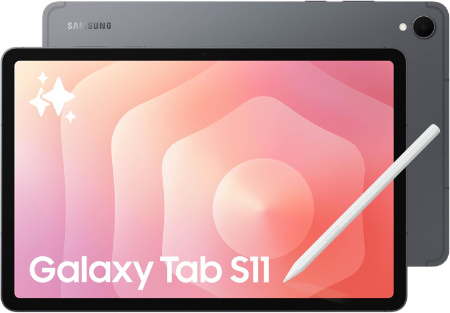
Samsung Galaxy Tab S11 Ultra WiFi, 512 GB |
|
|---|---|
 Check This On Amazon |
|
| Operating System | Android 16, One UI 8 |
| Screen Size | 14.6 inches, Dynamic AMOLED 2X, up to 120 Hz, anti reflection |
| Display Resolution | 2960 x 1848 pixels, WQXGA+ |
| Processor | MediaTek Dimensity 9400+, octa core |
| GPU | Arm Immortalis G925 MC12 |
| RAM | 12 GB |
| Storage Space | 512 GB |
| SD Card Expansion Slot | Yes, microSD expansion up to 2 TB |
| Main Camera | 13 MP main camera + 8 MP ultra wide camera, autofocus, LED flash; 4K video at 30 fps |
| Front Selfie Camera | 12 MP ultra wide camera |
| Battery Capacity | 11,600 mAh; supports 45 W wired charging |
| Connectivity | WiFi 7, Bluetooth 5.4, USB Type C 3.2 Gen 1; this is the WiFi model, without cellular data |
| Pros | Large 14.6 inch Dynamic AMOLED 2X display with 120 Hz refresh rate; high peak brightness and anti reflection treatment; flagship Dimensity 9400+ performance; 12 GB RAM on 256 GB and 512 GB versions or 16 GB RAM on 1 TB version; S Pen included; microSD expansion up to 2 TB; IP68 water and dust resistance; slim 5.1 mm body; large 11,600 mAh battery; WiFi 7 |
| Cons | |
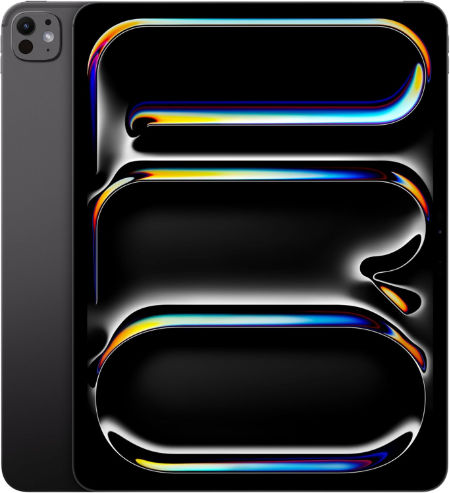
Apple iPad Pro 13 inch (M4), 512 GB |
|
|---|---|
 Check This On Amazon |
|
| Operating System | iPadOS 26 or later, depending on installed updates |
| Screen Size | 13 inches |
| Display Resolution | 2752 x 2064 pixels, Ultra Retina XDR tandem OLED, ProMotion 10 to 120 Hz |
| Processor | Apple M4, 9 core CPU on 256/512 GB; 10 core CPU on 1/2 TB |
| GPU | 10 core Apple GPU with hardware accelerated ray tracing |
| RAM | 8 GB |
| Storage Space | 512 GB |
| SD Card Expansion Slot | No microSD card slot; storage is fixed |
| Main Camera | 12 MP wide rear camera, adaptive True Tone flash, LiDAR Scanner; 4K video |
| Front Selfie Camera | 12 MP ultra wide landscape front camera with Center Stage |
| Battery Capacity | 38.99 Wh rechargeable lithium polymer; up to 10 hours web or video use |
| Connectivity | Wi Fi 6E, Bluetooth 5.3, Thunderbolt / USB 4 up to 40 Gb/s; Wi Fi and Wi Fi + Cellular versions available |
| Pros | Large 13 inch tandem OLED display with deep blacks and up to 120 Hz ProMotion; strong M4 performance; spacious canvas for drawing, design and multitasking; Apple Pencil Pro support; Face ID; LiDAR Scanner; Thunderbolt / USB 4; 1 TB and 2 TB versions offer 16 GB RAM |
| Cons | |
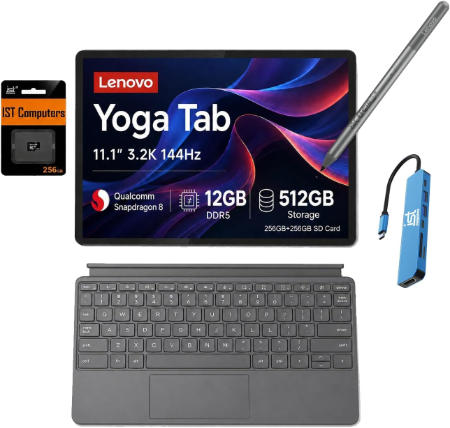
Lenovo Yoga Tab 512GB WiFi |
|
|---|---|
 Check This On Amazon |
|
| Operating System | Android 15 or later |
| Screen Size | 11.1 inches |
| Display Resolution | 3200 × 2000 pixels, 144Hz IPS PureSight Pro |
| Processor | Qualcomm Snapdragon 8 Gen 3 |
| GPU | Qualcomm Adreno GPU |
| RAM | 12GB or 16GB depending on regional configuration |
| Storage Space | 512GB; availability depends on market |
| SD Card Expansion Slot | Not supported |
| Main Camera | 13MP |
| Front Selfie Camera | 13MP |
| Battery Capacity | Silicon carbon battery; exact capacity varies by region or is not specified in Lenovo launch summary |
| Connectivity | WiFi 7, Bluetooth, USB C; WiFi model |
| Pros | High resolution 3.2K 144Hz display; flagship processor; ample storage; pen support; four speakers with Dolby Atmos. |
| Cons | No microSD slot |
These models are suitable for detailed drawing reviews and marking up project documentation. The actual quantity measurement tools available will depend on your chosen app, file format, and software licence.
5. Best Tablets for Site Measurements, Inspections, and PDF Markups
These tablets suit quantity surveyors who visit construction sites to record completed work, document variations, review drawings, photograph progress, and prepare inspection notes.
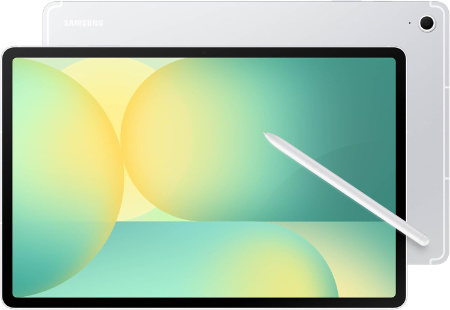
Samsung Galaxy Tab S10 FE+, 13.1 inch |
|
|---|---|
 Check This On Amazon |
|
| Operating System | Android 15 (One UI 7) |
| Screen Size | 13.1 inches |
| Display Resolution | 2880 x 1800 pixels (WQXGA+), LCD, up to 90 Hz |
| Processor | Samsung Exynos 1580, octa-core |
| GPU | Samsung Xclipse 540 |
| RAM | 8 GB (128 GB model) or 12 GB (256 GB model) |
| Storage Space | 128 GB or 256 GB |
| SD Card Expansion Slot | Yes, microSD card support up to 2 TB |
| Main Camera | 13 Megapixels, autofocus |
| Front Selfie Camera | 12 Megapixels, ultra-wide |
| Battery Capacity | 10,090 mAh; supports 45 W wired charging |
| Connectivity | Wi-Fi 6, Bluetooth 5.3; 5G available on selected models |
| Pros | Large 13.1 inch 90 Hz display; high 2880 x 1800 resolution; S Pen support; microSD expansion up to 2 TB; large battery with 45 W charging; IP68 water and dust resistance; stereo speakers |
| Cons | LCD screen lacks the contrast of OLED |
Samsung Galaxy Tab S10 FE 128GB WiFi Android Tablet |
|
|---|---|
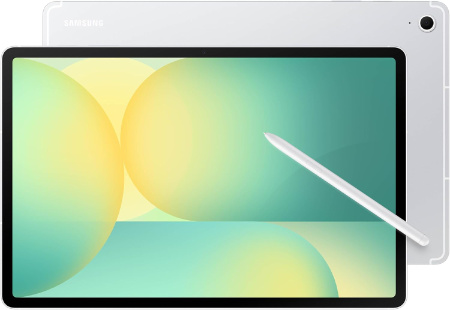 Check This On Amazon |
|
| Operating System | Android |
| Screen Size | inches |
| Display Resolution | pixels |
| Processor | Samsung Exynos 1580 |
| GPU | Samsung Exynos 1580 |
| RAM | 8 GB |
| Storage Space | 128 GB |
| SD Card Expansion Slot | Yes |
| Main Camera | Megapixels |
| Front Selfie Camera | Megapixels |
| Battery Capacity | 8000 mAh |
| Connectivity | Wifi, Bluetooth |
| Pros | Performance |
| Cons | |
OnePlus Pad 4 512GB WiFi 2026 |
|
|---|---|
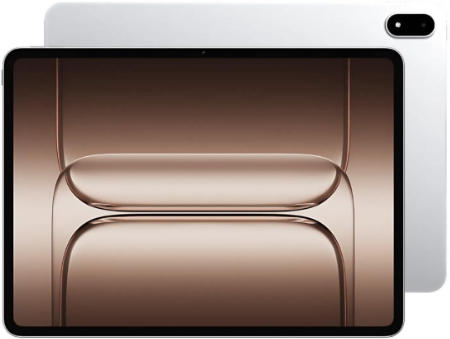 Check This On Amazon |
|
| Operating System | OxygenOS 16 based on Android 16 |
| Screen Size | 13.2 inches LCD, 7:5 aspect ratio |
| Display Resolution | 3392 × 2400, 315 ppi, 144Hz, up to 1000 nits HBM |
| Processor | Qualcomm Snapdragon 8 Elite Gen 5 |
| GPU | Qualcomm Adreno GPU |
| RAM | 12GB LPDDR5X |
| Storage Space | 512GB UFS 4.1 |
| SD Card Expansion Slot | No |
| Main Camera | 13MP |
| Front Selfie Camera | 8MP |
| Battery Capacity | 13,380mAh typical; 80W SUPERVOOC |
| Connectivity | Up to WiFi 7, Bluetooth, USB C; WiFi model |
| Pros | Flagship processor; 12GB RAM and 512GB storage; 3.4K 144Hz screen; 13,380mAh battery; eight speakers; 80W charging. |
| Cons | large 672g body; no microSD slot; keyboard and stylus may cost extra |
A good stylus and protective case are useful accessories for this category. For accurate quantity measurement, verify that your chosen application supports the necessary scale calibration, measurement tools, and file handling features.
For a quantity surveyor who regularly prepares detailed BOQs and performs drawing-based quantity takeoff, an Intel-based Windows tablet with 16GB to 32GB RAM, a 512GB SSD, and a detachable keyboard is a strong starting point. For site inspections, drawing annotations, and client meetings, a capable iPad or Samsung Galaxy Tab may be more convenient. If you work with large drawing sets, cost databases, or specialist estimating software, prioritise the software requirements over screen size or brand alone. Also consider a protective case, an active stylus, cloud backup, and offline access to critical project files.